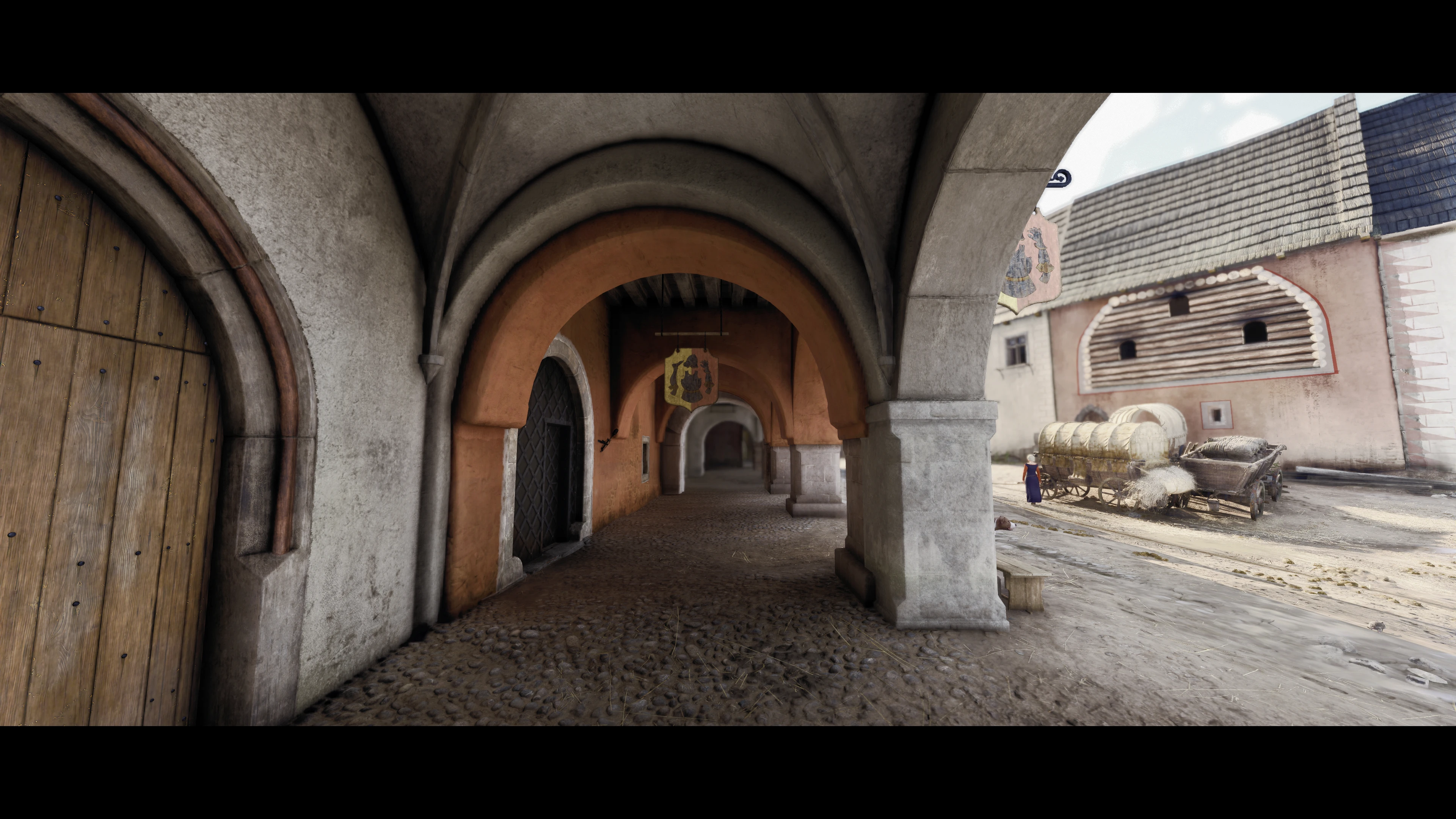
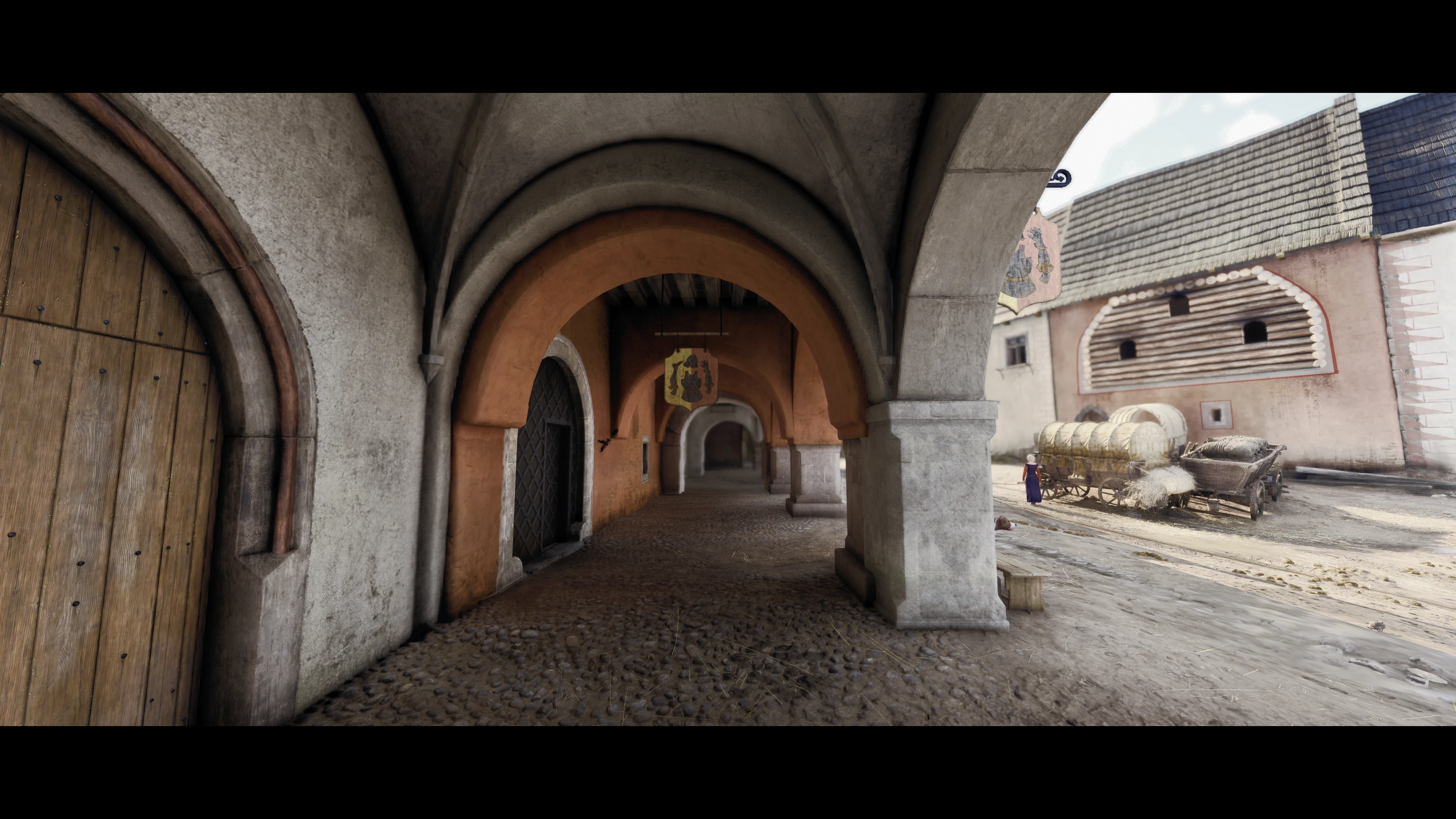
KCD2 realism graphic guide-click and view cinematic scenes
A guide on how to achieve the visuals I’ve shown. Just be PATIENT!
 查看大图
查看大图[color=#ffff00][size=4]UPDATE: A new preset with nearly no fps cost,but it may not have such looking:basic.ini[/size][/color]
[color=#ffff00][size=4]1.Basic Mods [/size][/color]
[url=https://www.nexusmods.com/kingdomcomedeliverance2/mods/1523]LuaDB[/url](necessary)
[url=https://www.nexusmods.com/kingdomcomedeliverance2/mods/1016?tab=files&file_id=5874]ReaLUTy-C[/url](necessary)
[url=https://www.nexusmods.com/kingdomcomedeliverance2/mods/897]Verdant Vegetation/url
[url=https://www.nexusmods.com/kingdomcomedeliverance2/mods/521?tab=posts]Landscape and Materials Overhaul[/url](recommend)
[url=https://www.nexusmods.com/kingdomcomedeliverance2/mods/591]Ultimate Clothing and Armor Overhaul[/url](recommend)
[url=https://www.nexusmods.com/kingdomcomedeliverance2/mods/942]Enhanced Global Illumination and Lighting[/url](balance is ok)(necessary)
[url=https://www.nexusmods.com/kingdomcomedeliverance2/mods/1406?tab=files]Dynamic Fog - Weather - Lighting[/url](Including weather module)( necessary )
[url=https://www.nexusmods.com/kingdomcomedeliverance2/mods/234]Disable Vignette[/url](necessary)
[url=https://www.nexusmods.com/kingdomcomedeliverance2/mods/105]Disable Bloom[/url](necessary)
[url=https://www.nexusmods.com/kingdomcomedeliverance2/mods/491]Disable Interior Lights Fog[/url](necessary)
[url=https://www.nexusmods.com/kingdomcomedeliverance2/mods/303]Reshade UI Masker[/url](recommend,in order to keep reshade effects not to interfere UI )
[color=#ffff00][size=4]2.My graphic settings[/size][/color]
object quality:ultra
particles:experimental
global illumination:ultra
postprocess quality:high
shader quality:high
shadows: experimental
textures: experimental
volumetric : experimental
vegetation: experimental
character :ultra
no motionblur no dof
[color=#d5a6bd]THEN:put the [i]autoexec.cfg[/i] to [i]KingdomComeDeliverance2[/i] folder
PS:read and customize the [i]autoexec.cfg [/i]before using it (the cfg even includes fov change:cl_fov = 85)[/color]
[color=#00ffff][size=4]3.THE KEY STEP:RESAHDE(FPS COST WARNING)[/size][/color]
Download:[url=https://reshade.me/]ReShade Home[/url] with full addon support
Install reshade,chose the right dx ,select all effects and skip addons
[color=#00ff00]Make sure you have[/color][color=#ffff00] dxgi.dll[/color][color=#00ff00] in [/color][i][color=#00ff00]KingdomComeDeliverance2\Bin\Win64MasterMasterSteamPGO[/color][/i]
[color=#00ffff]NEXT[/color]
[color=#ea9999]Download 2 preset files I offerd:CRT.INI NGL.INI[/color]
Then:get [url=https://discord.gg/vKnkqu3dpK]Complete RT[/url] (V1.6)-----you will have [i]CompleteRT_1_6_0_9.zip[/i]
download [url=https://github.com/mj-ehsan/NiceGuy-Shaders]NiceGuy-Shaders[/url]----you will have[i] NiceGuy-Shaders-main.zip[/i]
unzip them,and drop all shader& texture folder and other things to [i]KingdomComeDeliverance2\Bin\Win64MasterMasterSteamPGO\reshade-shaders[/i]
[color=#00ffff][size=6]OR[/size][/color]
[size=4]YOU CAN BE [color=#e06666]LAZY, [/color][color=#ffffff]XD[/color],and what you need to do is to download [i][color=#ff00ff]AIO .zip[/color][/i][color=#ff00ff] ,[/color][color=#ffffff]put the[/color][i][color=#ff00ff] Bin [/color][/i][color=#ffffff]file you unzip from it to[/color][i][color=#ff00ff] [/color][/i] [i][color=#ff00ff]KingdomComeDeliverance2 [/color][/i][color=#ffffff] folder [/color][/size]
[size=4][color=#00ffff]Final check[/color][/size]
[size=4]make sure all 5 of them exist[/size]
[img]https://staticdelivery.nexusmods.com/mods/7286/images/3473/3473-1786627909-989124784.png[/img]
[color=#00ffff][size=4]NO MATTER WHAT [/size][/color]
Now you can launch kcd2 ,press home, there will be gui pop in so you can select presets at the top of gui
the picture below shows that
[size=4]
[img]https://staticdelivery.nexusmods.com/mods/7286/images/3473/3473-1786413981-1762210189.png[/img][/size]
[color=#00ffff][size=4]what's the difference between 2 presets?[/size][/color]
CRT:higher quality lower FPS
NGL:lower quality higher FPS
[color=#ffff00][size=4]4.How to boost FPS[/size][/color]
I highly recommend puredark's dlss4 mod.BUT it wont fix stutter .
[color=#ffff00][size=4]5.LAST[/size][/color]
If this guide helps you ,please give me an endorsement ,thanks a million! ORZ ORZ
![https://staticdelivery.nexusmods.com/mods/7286/images/3473/3473-1786627909-989124784.png[/img]](https://staticdelivery.nexusmods.com/mods/7286/images/3473/3473-1786627909-989124784.png%5B/img%5D)
![https://staticdelivery.nexusmods.com/mods/7286/images/3473/3473-1786413981-1762210189.png[/img][/size]](https://staticdelivery.nexusmods.com/mods/7286/images/3473/3473-1786413981-1762210189.png%5B/img%5D%5B/size%5D)
还没有人评论,去客户端里说两句吧。
评论在新手盒子客户端中发表,这里同步展示。