箱子类别排序器
为箱子分配分类过滤器,使用简洁的UI按钮,并用G键自动整理物品栏。内置多语言支持(英语、俄语、德语、法语、西班牙语、中文)
 查看大图
查看大图Chest Category Sorter
A clean, lightweight Quality of Life mod that adds quick category filtering to containers and one-key inventory sorting.
Features
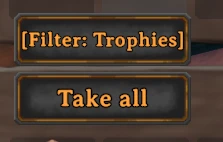
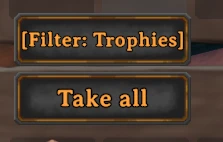
- Chest Filters: Cycle through 13 categories with a dedicated button directly inside the chest UI.
- Quick Sort: Press G near your chests to automatically transfer matching items from your inventory.
- Hotbar Protection: Slots 1–8 (top row) are protected by default so your weapons and tools stay with you.
- Native Look: Custom UI button seamlessly matches the vanilla Valheim interface styling.
- Multi-language Support: Automatically displays text based on your game language (English, Russian, German, French, Spanish, Chinese).
- Configuration Manager Support: Change hotkeys, search radius, and settings in-game via F1.
- Zero Bloat: No Jotunn or heavy framework dependencies required.
Controls & Configuration
- Open any chest and click the [Filter: ...] button above "Take All" to change its assigned category.
- Press G while standing near your chests to sort.
- Settings can be adjusted in-game (F1) or via
BepInEx/config/com.nexus.chestcategorysorter.cfg. - Item rules are stored in
BepInEx/config/ValheimSortCategories.json(auto-generated on first launch).
Installation
- Install BepInExPack Valheim.
- Extract the downloaded archive directly into your Valheim game directory (or place
ChestCategorySorter.dllinsideBepInEx/plugins/).
还没有人评论,去客户端里说两句吧。
评论在新手盒子客户端中发表,这里同步展示。