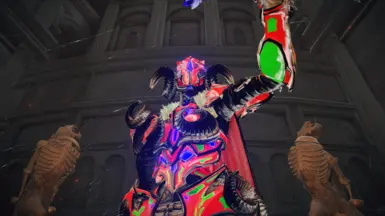
梅萨 - 红
个性之主 | 红皮肤
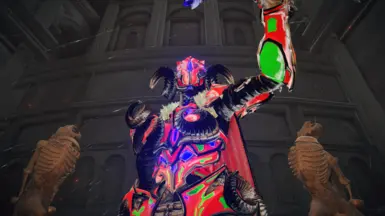 查看大图
查看大图“个体主神讽刺性地成为了瓦洛里安反抗诸神统治的重要象征。瓦洛里安人向来信仰象征的力量,而非神明的正义。”
这是来自《神陨》游戏的梅萨——个体主神 | 红色皮肤。
仅针对“男性”体型制作。
包含布料/裙摆物理效果。
流放骑士头盔 - 披风
流放骑士铠甲 - 身体
流放骑士铁手套 - 裙摆
流放骑士腿甲 - 腿部
黑夜骑兵铠甲 - RGB 身体
黑夜骑兵腿甲 - RGB 腿部
[color=#00ffff]
[/color][color=#00ffff]加入我的 Patreon 以支持我,并抢先获取盔甲: [url=https://www.patreon.com/c/2ND_GHOST]2NDGHOST | Patreon
[/url]我的所有帖子也都是[i]免费[/i]的。[/color]
安装步骤 -
1. 在任意位置新建一个文件夹。
2. 下载 ModEngine 2 - [url=https://github.com/soulsmods/ModEngine2/releases]https://github.com/soulsmods/ModEngine2/releases[/url]
3. 将其解压到该新文件夹内。
4. 下载我的模组,并解压。
5. 在 ModEngine 2 的“mod”文件夹内创建一个“parts”文件夹。
6. 将所有那些 ???? 文件粘贴到其中。
7. 将 regulation.bin 文件粘贴到“mod”文件夹内。
8. 启动/运行“launchmod_eldenring.bat”文件。
合并兼容性 -
盔甲模组始终可以合并。只需确保你没有其他替换同款盔甲的模组即可。
我的所有盔甲在不使用 regulation.bin 文件时也可兼容,但你需要将其名称改为替换“畸形龙套装”。
即 ??_m_1720.partsbnd.dcx 和 ??_m_1720_l.partsbnd.dcx
已知故障
-> 重命名部件后,盔甲不会立即生效。
解决方案
-> 按你的意愿重命名部件,然后将这些部件文件逐个拖放到 [url=https://github.com/Nordgaren/Partsbnd-Rename-Tool/releases]PartsBND 工具[/url]的 exe 文件上。
将生成新文件,使用这些文件即可避免此故障。
鸣谢:
[url=https://www.blender.org/]Blender[/url]
FLVER Editor - [url=https://github.com/Pear0533]Pear[/url]
FBX Importer - [url=https://github.com/The12thAvenger]The12thAvenger
[/url]PartsBND 工具 - [url=https://github.com/Nordgaren]Nordgaren[/url]
帮助与反馈 - [url=https://next.nexusmods.com/profile/FloppyDonuts12/mods]FloppyDonuts[/url] 和 [url=https://next.nexusmods.com/profile/windshadowruins/mods]WindShadowRuins[/url]
免责声明:
无意侵犯版权。
所有资产均归 [url=https://store.steampowered.com/search/?developer=Counterplay%20Games%20Inc]Counterplay Games Inc[/url] 所有。
如果你喜欢这套盔甲,不妨看看游戏本身: [url=https://store.steampowered.com/app/928960/Godfall_Ultimate_Edition/]神陨 终极版[/url]
还没有人评论,去客户端里说两句吧。
评论在新手盒子客户端中发表,这里同步展示。