
BetterCosmic
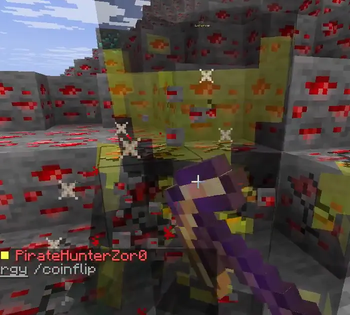
A client side mod for usage on CosmicPrisons and CosmicSky intended to replace CosmicClient.
 查看大图
查看大图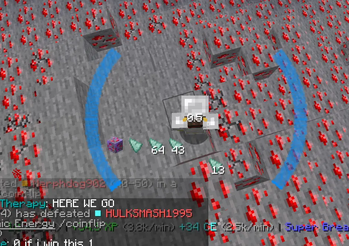
BetterCosmic
BetterCosmic is a client-side quality-of-life mod for Cosmic Prisons and Cosmic Sky — customizable HUDs, inventory overlays, event tracking, and handy tools, all configured from a custom in-game menu. It detects which network you're on and shows only that server's features. Everything is optional and independently toggleable.
HUDs
Draggable, scalable, recolorable overlays:
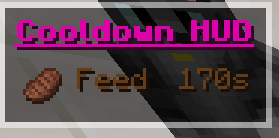
- Cooldowns — timers for commands and abilities
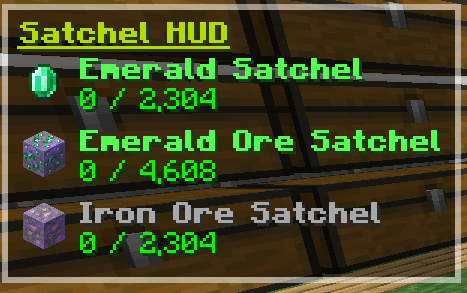
- Satchels — live fill vs. capacity
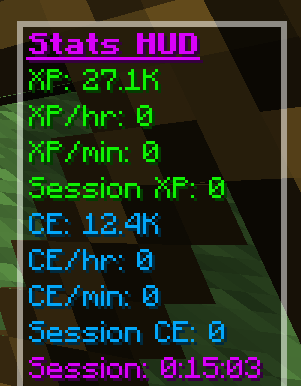
- Stats — XP, XP/hr, energy, and session totals
- Enchants — active timed enchants like Super Breaker & Powerball
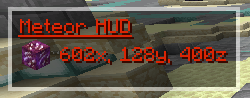
- Events — meteors, ore merchants, meteorite showers, and bandit rushes
Navigation
- Screen-edge waypoints and optional 3D beacon beams for every event
- Gang pings — broadcast your position (or a block you're looking at) to gang chat
Inventory & tooltips
- EasyView — energy, notes, gang points, item levels, and more shown right on items
- Enchant-book upgrade costs and local-time gang-point expiry
- Chest search with filter rules, plus clue-scroll step sorting
Quality of life
- Peaceful mining — ghost nearby players while you mine
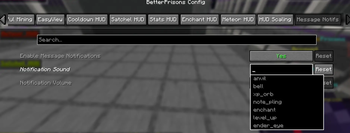
- DM sound alerts, pickaxe drop protection, shift-click auto-trade, and more
- Built-in updater — get notified of new versions and auto-install them
Cosmic Sky
Connect to Cosmic Sky and BetterCosmic shows its own toolset instead:
- Tracker HUD — session counts of Island Quests and adventure chests by tier, with a timer and Pause/Reset
- Player List HUD — a compact alphabetical list of everyone online
- Damage indicators — floating red/green combat numbers over nearby entities
- EasyView — trinket charges, pet cooldown timers, and quest-point / money-note / XP-bottle values shown right on items, plus local-time quest-point expiry
- Chest search and shift-click auto-trade, same as on Prisons
Configuration
A fully custom in-game menu (default I, or Mod Menu): collapsible panels, a drag-and-drop HUD editor, color pickers, and theme customization. No external libraries required.
Support: join the Discord — https://discord.gg/vJaH4Yr5Dq
显示 1-12 条,共 12 条
以上为资源接口提供的文件记录。安装时请在客户端确认文件、游戏版本及依赖。
还没有人评论,去客户端里说两句吧。
评论在新手盒子客户端中发表,这里同步展示。