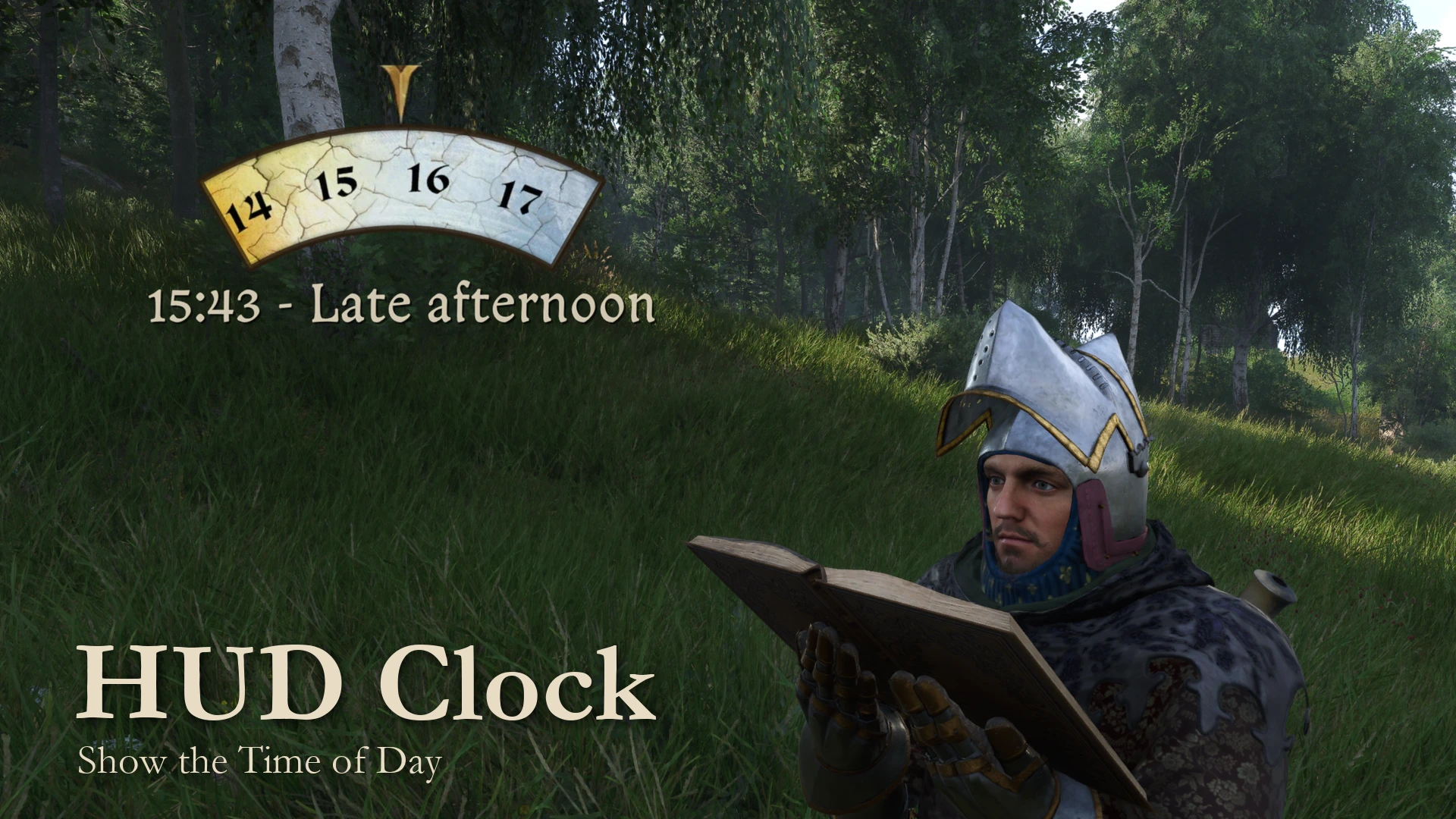
HUD时钟 - 显示一天中的时间
在HUD上显示游戏时间。
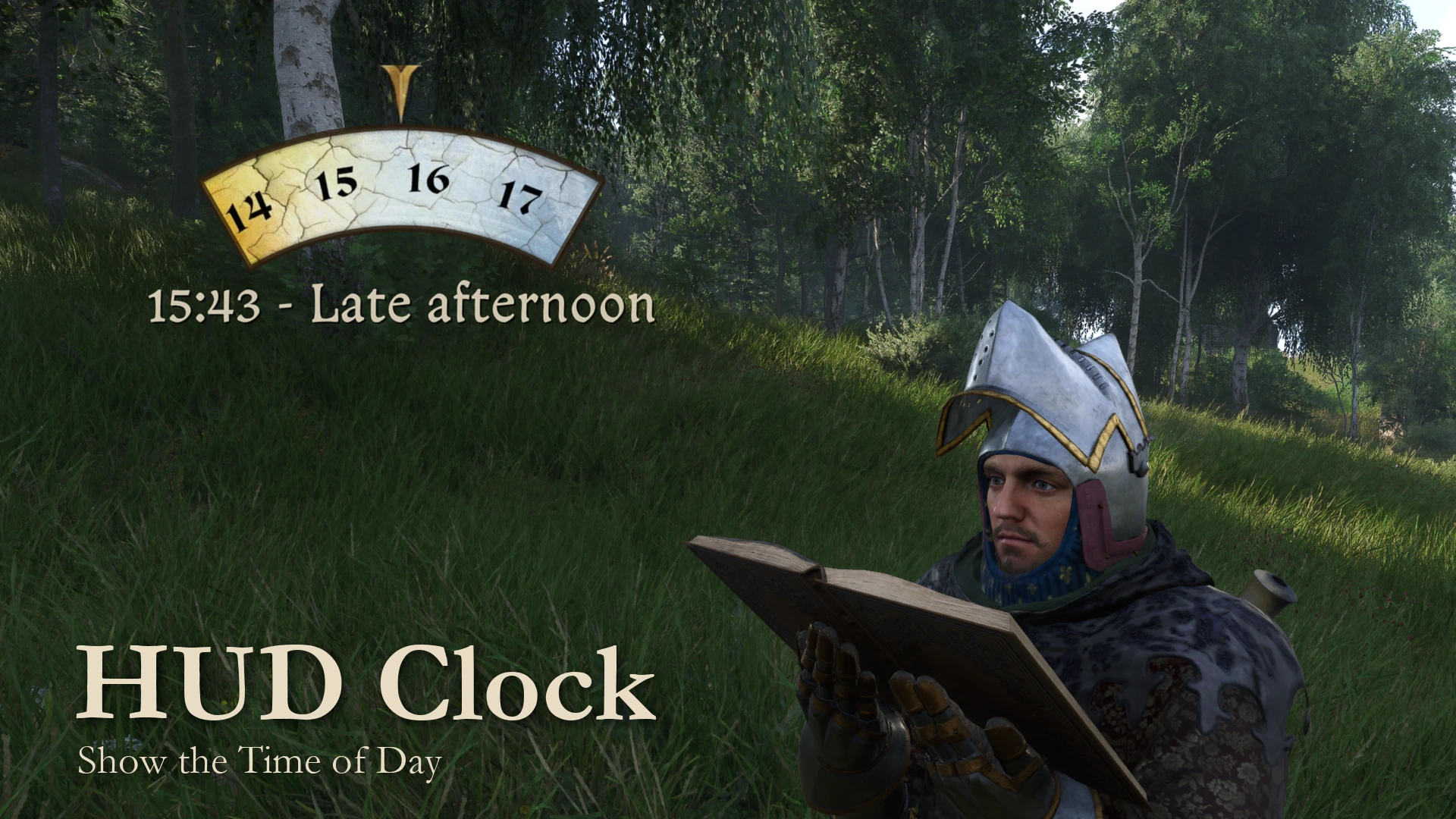 查看大图
[size=5]功能特性[/size]
[list]
[]在 HUD 和小游戏中显示(炼金、锻铁、掷骰、阅读),可选在拍照模式中显示。在菜单、对话和过场动画中隐藏。[/]
[]完全可自定义:24 或 12 小时制、时段、天数、实时时间、日月表盘、字体、颜色、位置以及显示时机。更多内容请参阅 KCD2_HUDClock.ini。[/]
[]开源,使用 [url=https://github.com/tkhquang/DetourModKit]DetourModKit[/url] 构建。[/]
[/list]
[size=5]前置需求[/size]
[list]
[]Steam 上的 Kingdom Come: Deliverance II 1.5.6。[/]
[][url=https://www.nexusmods.com/kingdomcomedeliverance2/mods/3332]Kingdom Come Script Extender (KCSE)[/url],或用于 ASI 附加组件的 ASI 加载器。[/]
[/list]
[size=5]安装[/size]
[b]主文件:[/b]使用你的模组管理器安装,或将其解压到你的 [b]Mods[/b] 文件夹中。使用 KCSE 时,仅此即可。
[spoiler]
[code]
<KC:D 2 folder>/
|-- Bin/
| \-- Win64MasterMasterSteamPGO/
| |-- KingdomCome.exe (game file)
| \-- WHGame.dll (game file)
\-- Mods/
\-- hud_clock/
|-- mod.manifest
|-- Data/
| \-- hud_clock.pak (the clock's movie)
\-- KCSE/
\-- Plugins/
|-- KCD2_HUDClock.dll (this mod)
|-- KCD2_HUDClock.ini (settings)
|-- KCD2_HUDClock_License.txt
\-- KCD2_HUDClock.log (created when the mod loads)[/code][/spoiler]
[b]不使用 KCSE:[/b]也安装主文件。如果没有 ASI 加载器,请将一个 x64 的 [url=https://github.com/ThirteenAG/Ultimate-ASI-Loader/releases]Ultimate ASI Loader[/url] DLL 解压到 WHGame.dll 旁边。然后将可选的 [b]ASI 附加组件[/b] 解压到游戏文件夹中。ASI 会读取其旁边的 KCD2_HUDClock.ini。
[spoiler]
[code]
<KC:D 2 folder>/
|-- Bin/
| \-- Win64MasterMasterSteamPGO/
| |-- KingdomCome.exe (game file)
| |-- WHGame.dll (game file)
| |-- dinput8.dll (ASI loader)
| |-- KCD2_HUDClock.asi (this mod)
| |-- KCD2_HUDClock.ini (settings)
| |-- KCD2_HUDClock_License.txt
| \-- KCD2_HUDClock.log (created when the mod loads)
\-- Mods/
\-- hud_clock/ (main file)[/code]在 Linux 或 Steam Deck 上,请将 [b]WINEDLLOVERRIDES="dinput8=n,b" %command%[/b] 添加到 Steam 启动选项中。[/spoiler]
[b]KCD2_HUDClock.log[/b] 会在模组运行后出现在 INI 旁边。如果同时安装了 KCSE 和附加组件,只会运行一个副本。要卸载,请删除 Mods/hud_clock 和附加组件的文件。
[size=5]设置[/size]
[b]KCD2_HUDClock.ini[/b] 解释了每一项设置,更改会在游戏运行时生效。
[b]ToggleKey[/b] 和 [b]ShowKey[/b] 默认为空。它们接受命名按键,例如 F7、Numpad1、Mouse4 或 Gamepad_A,组合键,例如 LShift+T,以及备选按键,例如 F7,Gamepad_LB+Gamepad_Y。请参阅 [url=https://github.com/tkhquang/DetourModKit?tab=readme-ov-file#supported-input-names]Supported Input Names[/url] 参考。控制器仅支持 XInput,请参阅 [url=https://github.com/tkhquang/DetourModKit?tab=readme-ov-file#gamepad-compatibility]Gamepad Compatibility[/url]。
[size=5]兼容性[/size]
[list]
[]默认不替换任何游戏文件,也不绑定任何按键,因此按键绑定、指南针和其他 HUD 模组可以与其一同工作。[/]
[/list]
[size=5]致谢[/size]
[list]
[]Warhorse Studios - Kingdom Come: Deliverance II[/]
[]LoriAwesome - [url=https://www.nexusmods.com/kingdomcomedeliverance2/mods/636]Show Time II[/url],提供了时段名称[/]
[]SkyAmigo - [url=https://www.nexusmods.com/skyrimspecialedition/mods/12937]A Matter of Time - A HUD clock widget[/url],提供了定时和周期显示的想法[/]
[/list]
我的所有 Kingdom Come: Deliverance II 模组和工具都可以在这个 [url=https://github.com/tkhquang/KCD2Tools]GitHub 仓库[/url] 中找到。欢迎贡献或提出改进建议!
正在加载版本记录…
正在加载评论…
评论在新手盒子客户端中发表,这里同步展示。