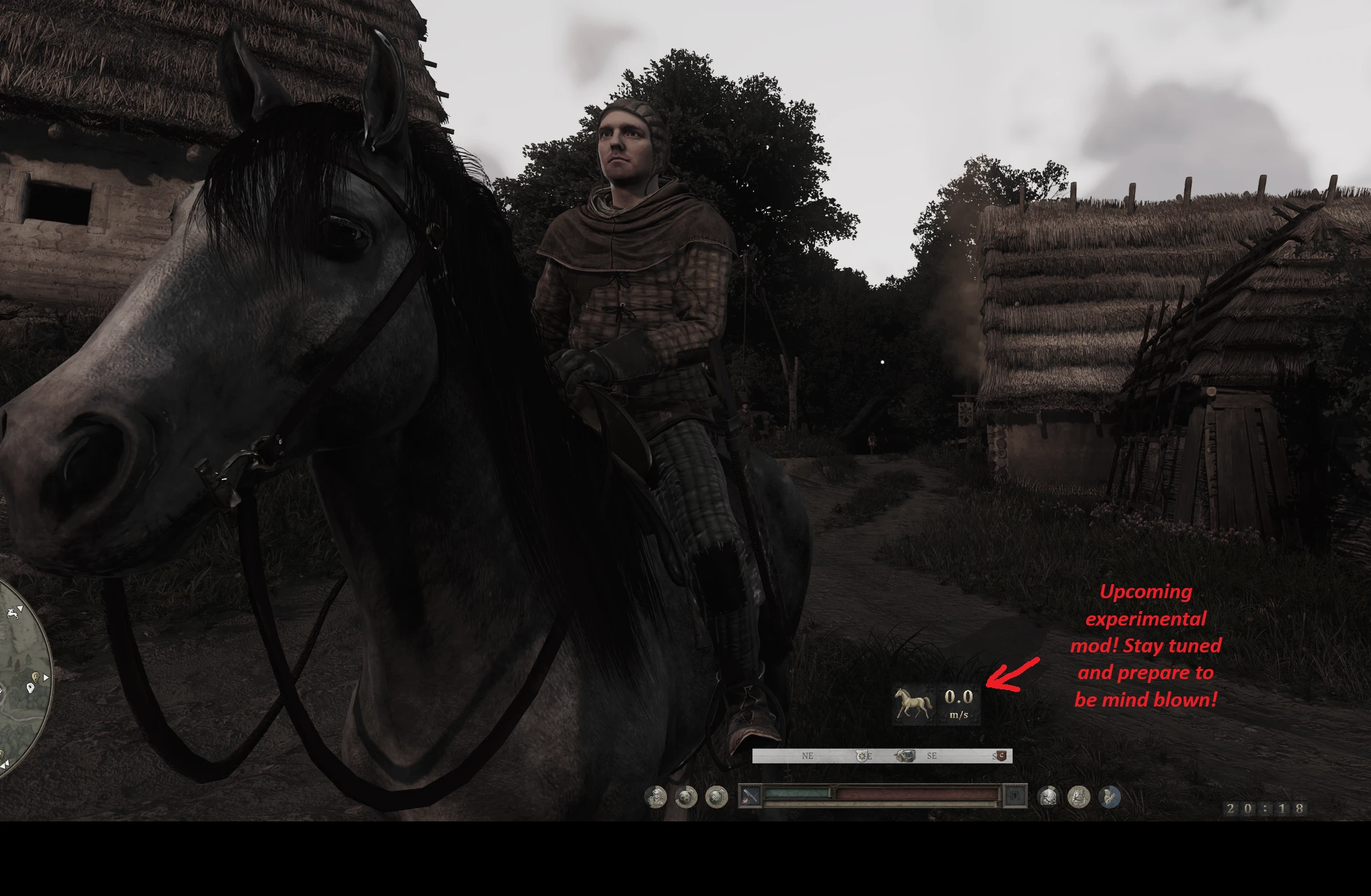
Dynamic HUD - MCM-Tunable
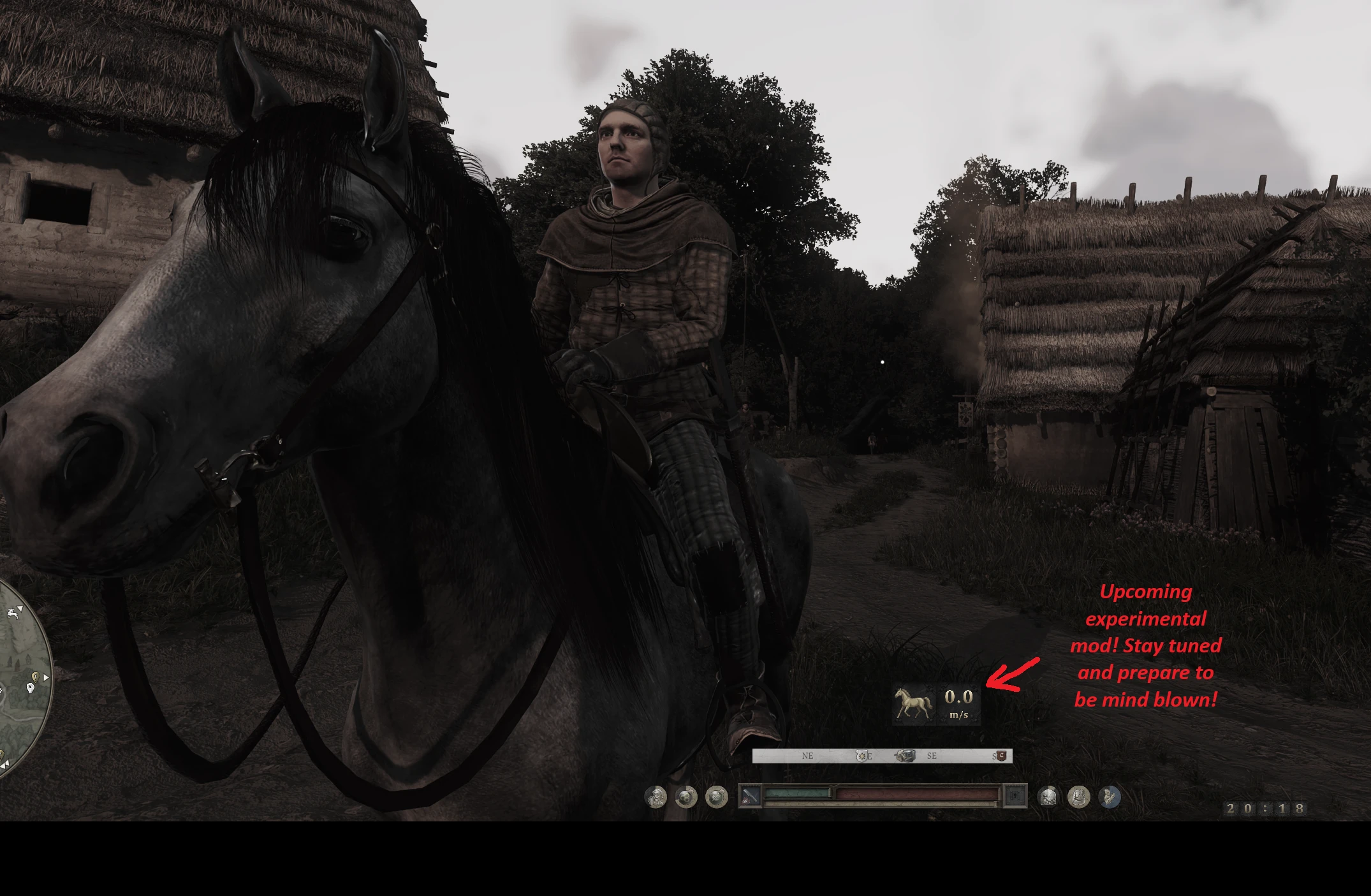
A fully modular in-game HUD that can be tuned through console or MCM, or the .cfg file in the mod folder (dont do that, you're going to hurt your brain).
 查看大图
查看大图[size=4][b]Description[/b][/size]
[size=3][color=#D4D4D8]Fully tunable HUD through MCM.[/color][/size]
[size=4][b]Installation instructions[/b][/size]
[size=3][color=#D4D4D8]Drop into your *\KingdomComeDeliverance2\Mods\ folder.[/color][/size]
[size=4][b]Main features[/b][/size]
[size=3][color=#D4D4D8]Tune every aspect of the HUD live in-game.[/color][/size]
[size=3][color=#D4D4D8]Includes a clock.
Move almost anything almost anywhere.[/color][/size]
[size=3][color=#D4D4D8]Added letterbox remover toggle.[/color][/size]
[size=3][color=#D4D4D8]RGB sliders for your reticle color[/color][/size]
[spoiler][color=#D4D4D8]White: 255, 255, 255
Standard Silver: 192, 192, 192
Platinum: 211, 211, 211
Gunmetal Silver: 169, 169, 169
Gold: 191, 163, 63
Metallic Gold: 212, 175, 55
24k Gold: 255, 215, 0
Old Antique Gold: 207, 181, 59
Rose Gold: 183, 110, 121
Deep indigo dye: 26, 0 101
True indigo: 63, 0, 25[/color][/spoiler]
[size=4][b]REQUIREMENTS:[/b][/size]
This one is required for the proper functioning of the mod:
- [url=https://www.nexusmods.com/kingdomcomedeliverance2/mods/3480]Dynamic Detector[/url] This mod detects multiple states like barter screen, inventory, cutscenes, scripted scenes, etc. Without it you will see parts of the HUD in all of those situations.
[size=3][b]Lets you configure the settings in game:[/b][/size]
[color=#D4D4D8][size=3]- [url=https://www.nexusmods.com/kingdomcomedeliverance2/mods/3363]Mod Configuration Men[/url] and its requirements. [url=https://www.nexusmods.com/kingdomcomedeliverance2/mods/3332]KCSE (Kingdom Come Script Extender)[/url], and its requirements.[/size][/color]
[b]Lets your settings persist across game restarts.[/b]
- [url=https://www.nexusmods.com/kingdomcomedeliverance2/mods/1523]LuaDB[/url] and its requirements. (ASI loader).
[size=3][b]OPTIONAL. Lets you export your carefully tuned settings to a plain text file you can re-import later by placing the backed up .cfg file with the same name it exported and clicking the import button in MCM:[/b][/size]
[size=3]- [url=https://www.nexusmods.com/kingdomcomedeliverance2/mods/3451]Mod Config Import Export[/url] and its requirements. Same as above[/size]
[size=3]NOTE 1: The minimap on my screenshot isnt part of this mod! Its the [url=https://www.nexusmods.com/kingdomcomedeliverance2/mods/3330]Minimap[/url] mod.[/size]
[size=3]NOTE 2: Fully compatible with [url=https://www.nexusmods.com/kingdomcomedeliverance2/mods/3356]Compass Overhaul[/url] and I highly recommend it.[/size]
[size=4][b]OPTIONAL usage for the Mod Config Import Export:[/b][/size]
When you click the backup button in MCM its going to dump the file to your kcd2 folder as a !!!!!!!!!!!!!dynamic_hud_config!!!!!!!!!!!!.cfg file . If the file didnt export to your root folder its because your KCD2 is installed in a protected folder like Program Files and its going to dump it in your user %USERPROFILE%\Saved Games\kcd2_mod_configs\ instead which you can reimport by clicking the import button. It will look for the exact filename it exported in both possible locations. [size=5][b]You dont have to use this.[/b][/size] [b][size=5]Its only for backing up your settings manually because you can spend a lot of time fine tuning your HUD![/size][/b]
[size=4][b]Shout outs[/b][/size]
[color=#D4D4D8]Big shout out to the LEGENDARY author of KCSE [url=https://www.nexusmods.com/profile/JerryYOJ/mods?gameId=7286]JerryYOJ[/url] who has opened an entire can of worm of possibilities with his INCREDIBLE mods!!! Check out all of his mods especially the [url=https://www.nexusmods.com/kingdomcomedeliverance2/mods/3427]Mod Limit Fix[/url].[/color]
显示 1-11 条,共 11 条
以上为资源接口提供的文件记录。安装时请在客户端确认文件、游戏版本及依赖。
还没有人评论,去客户端里说两句吧。
评论在新手盒子客户端中发表,这里同步展示。