Sharpening Overhaul
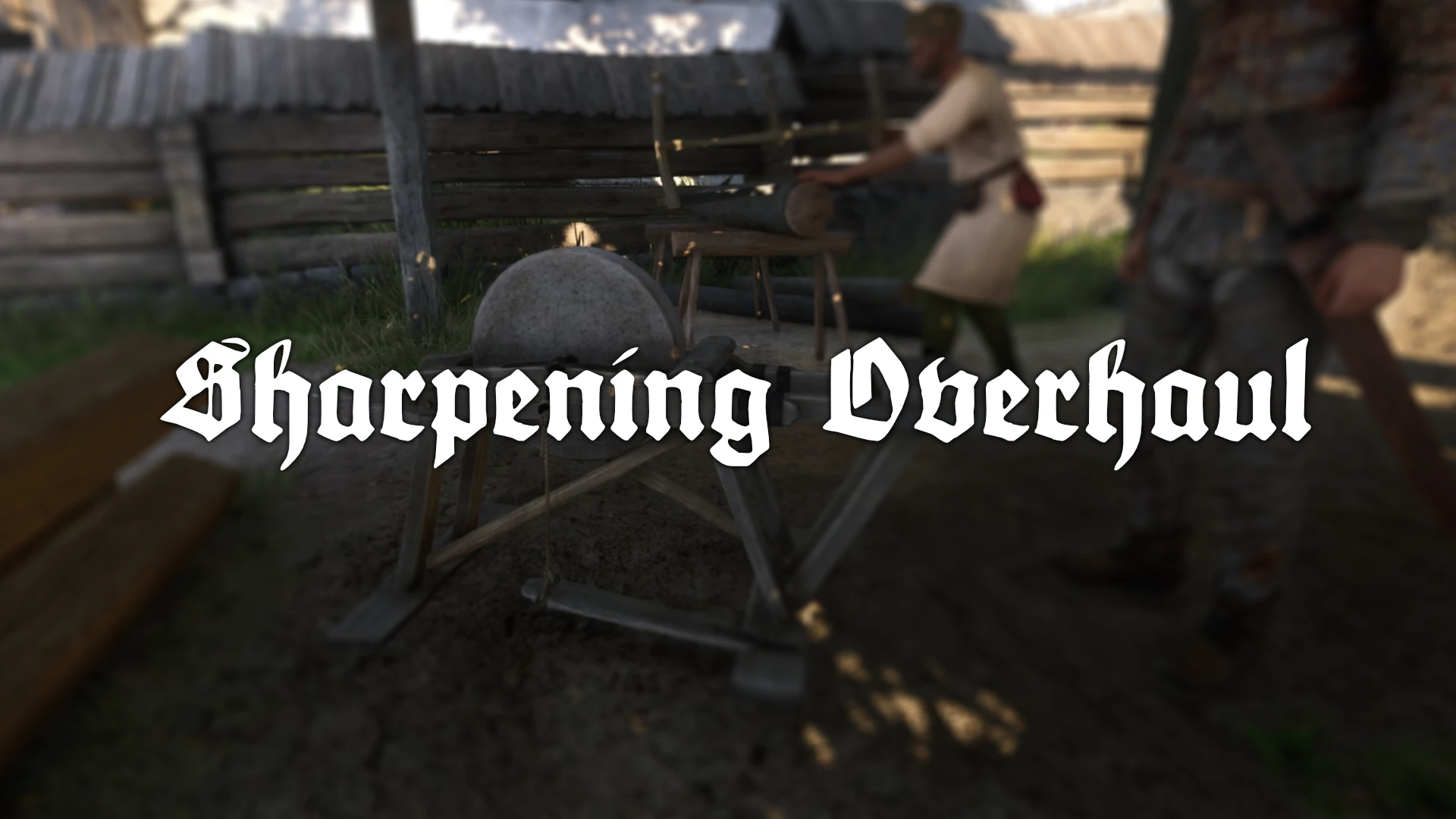
Grindstone sharpening now scales with Craftsmanship. Henry’s skill determines both how damaged a weapon he can work on and how sharp he can make it.
 查看大图
查看大图[url=https://next.nexusmods.com/profile/hoskope][img]https://i.imgur.com/7vE0RtD.png[/img][/url]
[center][img]https://i.imgur.com/m6hNMkX.png[/img][/center]
[center][/center]
[color=#D4D4D8][img]https://i.imgur.com/k7hwpkd.png[/img][/color]
This mod is for [b][color=#ff0000]hardcore [/color][/b]players. Game really has problems with maintaining equipment, well among other things.
[b]
Too many repairkits[/b], they are everywhere. I tried to tackle this, when game was released by editing [url=https://www.nexusmods.com/kingdomcomedeliverance2/mods/2168]inventory presets[/url], it was great, but mod was uncompatible with lot of mods, which add items to inventory presets. This happens because you have create completely new versions of lists if you want to remove items from lists.
[b]Equipment breakage. [/b]Equipment never brakes (i think quality I can break?), [color=#ff0000]0[/color] health weapon can be sharpened back to 100 easily, this mod tries to tackle this - even you can always use repair kits.
[b][color=#ff7700]Highly recommended[/color][/b] companion mod [url=https://www.nexusmods.com/kingdomcomedeliverance2/mods/1371]Repair Skill Overhaul[/url] ([i]makes repairing more challenging with repair kits[/i]) Pick [b]Hardcore[/b]!
[color=#d4d4d8][img]https://i.imgur.com/Ahf13zD.png[/img][/color]
[b]Sharpening Overhaul introduces dynamic lower and upper sharpening limits based on Henry’s Craftsmanship skill.[/b]
The lower limit determines how damaged a weapon can be before it is beyond Henry’s ability to work on at a grindstone. The upper limit determines the maximum condition he can achieve.
At low Craftsmanship, Henry can maintain serviceable weapons but cannot restore badly damaged blades or sharpen them to perfect condition. As his skill improves, the workable condition range expands: he can begin with more heavily damaged weapons and produce a finer edge.
[color=#D4D4D8]
[img]https://i.imgur.com/MoYBNxr.png[/img][/color]
[b]Dynamic Craftsmanship-Based Sharpening[/b]
Henry may have lost much of his experience, but he is still the son of a blacksmith. Even at low Craftsmanship levels, he understands how to maintain an ordinary blade.
Craftsmanship instead determines the full range of weapons Henry can handle:
[list]
[]The [b]Lower Sharpening Limit[/b] represents how badly damaged a weapon can be before grindstone work is no longer enough.[/]
[]The [b]Upper Sharpening Limit[/b] represents the best edge Henry can currently produce.[/]
[]Weapons below the lower limit require another repair method.[/]
[]Weapons already at or above the upper limit cannot be improved further.[/]
[]Reaching the upper limit during sharpening automatically ends the minigame.[/]
[/list]
[center][b][color=#e69138][size=4]Default Craftsmanship Scaling[/size][/color][/b] [/center]
[center][/center]
[center][code]CRAFTSMANSHIP MINIMUM MAXIMUM CRAFTSMANSHIP MINIMUM MAXIMUM
-----------------------------------------------------------------------
1 50% 76% 16 34% 86%
2 49% 76% 17 33% 87%
3 48% 77% 18 32% 88%
4 47% 77% 19 31% 89%
5 46% 78% 20 30% 90%
6 45% 78% 21 29% 92%
7 44% 79% 22 28% 94%
8 43% 79% 23 27% 96%
9 42% 80% 24 26% 98%
10 41% 80% 25 25% 100%
11 40% 81% 26 24% 100%
12 39% 82% 27 23% 100%
13 38% 83% 28 22% 100%
14 37% 84% 29 21% 100%
15 36% 85% 30 20% 100%[/code]At level 6, Henry’s default working range is [b]45–78%[/b]. At level 25 he can produce a perfect edge, while level 30 allows him to work with any weapon that has not fallen below the permanent 20% repair threshold. [/center]
[center]
[/center]
[center][img]https://i.imgur.com/OOrvl6W.gif[/img][/center]
[center]The grindstone now uses Henry’s Craftsmanship skill to determine how badly damaged a weapon he can sharpen and how sharp. [/center]
[color=#D4D4D8]
[img]https://i.imgur.com/dwec7wD.png[/img][/color]
[center]
[left]All gameplay settings include tooltips and take effect immediately.[/left]
[left][/left]
[left][/left]
[left][list]
[]Minimum Condition Offset: Positive values make the lower limit harder; negative values allow Henry to work on more damaged weapons.[/]
[]Lower Skill Influence: Controls how strongly Craftsmanship improves the lower limit. Higher values give skilled characters a greater advantage.[/]
[]Maximum Condition Offset: Positive values let Henry sharpen weapons further; negative values reduce his maximum result.[/]
[]Upper Skill Influence: Controls how strongly Craftsmanship restricts the upper limit. Higher values make low-skill sharpening more restrictive.[/]
[]Randomize Messages: Selects between several appropriate failure messages.[/]
[]Debug: Enables detailed logging for troubleshooting. Leave this disabled during normal play.[/]
[/list][/left]
[/center]
[center][spoiler]
[b][img]https://i.imgur.com/qfMPUJi.png[/img][/b]
[b]General settings and Lower Sharpening Limit configuration.
[/b]
[b][img]https://i.imgur.com/07SfMjK.png[/img][/b]
[b]Upper Sharpening Limit configuration and optional debug logging.[/b][/spoiler]
[/center]
[center][/center]
[center]
[left]Both limits can be enabled or disabled independently. Setting both Influence sliders to [b]100%[/b] and both Offset sliders to [b]0%[/b] uses the default progression shown in the Craftsmanship table. Mod Configuration Menu changes work immediately. KCDUtils and LuaDB are required only if those changes should persist after restarting the game.[/left]
[/center]
[center][/center]
[center][b][u]STANDALONE DEFAULTS[/u][/b]
Sharpening Overhaul requires LuaUtils and its supporting runtime, but it does not require KCDUtils, LuaDB, or Mod Configuration Menu.
Without these optional configuration components, the mod automatically uses the following defaults:
[code]Sharpening Overhaul: Enabled
Lower Sharpening Limit: Enabled
Upper Sharpening Limit: Enabled
Minimum Condition Offset: 0%
Lower Skill Influence: 100%
Maximum Condition Offset: 0%
Upper Skill Influence: 100%
Randomized Messages: Enabled
Debug Logging: Disabled[/code]
These defaults use the Craftsmanship progression table shown below without additional difficulty adjustments.
Mod Configuration Menu is only required for changing these settings in-game. KCDUtils and LuaDB are only required for saving customized settings between game restarts. [/center]
[color=#D4D4D8]
[img]https://i.imgur.com/qAVpJ3l.png[/img][/color]
[list]
[][color=#d4d4d8]Weapon breakage - break weapon (quality I - IV) when health reaches [/color][color=#ff0000]0[/color][color=#d4d4d8].[/color][/]
[/list][color=#d4d4d8][img]https://i.imgur.com/eIlshTp.png[/img][/color]
[list]
[][color=#d4d4d8]you can always use repair kits to fix your weapons, add some synergy with [url=https://www.nexusmods.com/kingdomcomedeliverance2/mods/1371]Repair Skill Overhaul[/url]. This mod raises level requirements needed for different quality weapons, but it also cuts down capacity of repairkits![/color][/]
[/list][color=#D4D4D8]
[img]https://i.imgur.com/h7QjUN9.png[/img]
[url=https://www.nexusmods.com/kingdomcomedeliverance2/users/35530515]Destuur1[/url] for [url=https://www.nexusmods.com/kingdomcomedeliverance2/mods/2410]KCDUtils[/url] ([i]miss you bro[/i]), [url=https://www.nexusmods.com/kingdomcomedeliverance2/users/103490858]JerryYOJ[/url] for [url=https://www.nexusmods.com/kingdomcomedeliverance2/mods/3363]Mod Menu[/url], [url=https://www.nexusmods.com/kingdomcomedeliverance2/mods/3439]Lua Utils[/url] ([i]and for all the required deps[/i]), [url=https://www.nexusmods.com/kingdomcomedeliverance2/users/35662530]muyuanjin[/url] for [url=https://www.nexusmods.com/kingdomcomedeliverance2/mods/1523]LuaDB[/url] and KCD2 Modding Community
[img]https://i.imgur.com/pE08OPT.png[/img][/color]
For the easiest installation and complete experience, install all of the following:
[list=1]
[][url=https://www.nexusmods.com/kingdomcomedeliverance2/mods/3381][b]Address Library for KCSE[/b][/url][/]
[][url=https://www.nexusmods.com/kingdomcomedeliverance2/mods/3332][b]KCSE[/b][/url][/]
[][url=https://www.nexusmods.com/kingdomcomedeliverance2/mods/3439][b]Lua Utils[/b][/url][/]
[][url=https://www.nexusmods.com/kingdomcomedeliverance2/mods/1523][b]LuaDB[/b][/url][/]
[][url=https://www.nexusmods.com/kingdomcomedeliverance2/mods/2410][b]KCD Utils[/b][/url][/]
[][url=https://www.nexusmods.com/kingdomcomedeliverance2/mods/3363][b]Mod Configuration Menu[/b][/url][/]
[]Install [b]Sharpening Overhaul[/b] into the Kingdom Come: Deliverance II mods folder.[/]
[/list]Follow the installation instructions on each mod page, particularly for Address Library, KCSE, and LuaDB.
This complete setup provides native sharpening support, an in-game configuration menu, and settings that persist between game restarts.
[b]In depth: why is still all needed?[/b]
[spoiler]
[color=#d4d4d8][b]Required dependencies[/b][/color]
[color=#d4d4d8]
Install the required mods in this order and follow the instructions on their respective mod pages:[/color]
[list=1]
[][color=#d4d4d8]Install [url=https://www.nexusmods.com/kingdomcomedeliverance2/mods/3381][b]Address Library for KCSE[/b][/url].[/color][/]
[][color=#d4d4d8]Install [url=https://www.nexusmods.com/kingdomcomedeliverance2/mods/3332][b]KCSE[/b][/url].[/color][/]
[][color=#d4d4d8]Install [url=https://www.nexusmods.com/kingdomcomedeliverance2/mods/3439][b]Lua Utils[/b][/url].[/color][/]
[][color=#d4d4d8]Install [b]Sharpening Overhaul[/b] into the Kingdom Come: Deliverance II mods [/color][color=#d4d4d8]folder.[/color][/]
[/list][color=#d4d4d8]Lua Utils provides the native condition-reading and minigame-exit functions required by [b]Sharpening Overhaul[/b]. The mod will leave grindstones unchanged if these APIs are unavailable.[/color]
[color=#d4d4d8]
[b]Optional in-game configuration[/b][/color]
[color=#d4d4d8]
Install [url=https://www.nexusmods.com/kingdomcomedeliverance2/mods/3363][b]Mod Configuration Menu[/b][/url] to adjust Sharpening Overhaul from inside the game. Without Mod Configuration Menu, the mod remains fully functional using its default settings.[/color]
[color=#d4d4d8]
[b]Optional settings persistence[/b][/color]
[color=#d4d4d8]
To save customized settings between game restarts, install both:[/color]
[list=1]
[][color=#d4d4d8][url=https://www.nexusmods.com/kingdomcomedeliverance2/mods/1523][b]LuaDB[/b][/url][/color][/]
[][color=#d4d4d8][url=https://www.nexusmods.com/kingdomcomedeliverance2/mods/2410][b]KCD Utils[/b][/url][/color][/]
[/list][color=#d4d4d8]Without KCDUtils and LuaDB, Mod Configuration Menu changes remain active for the current session but return to their defaults after restarting the game.[/color][/spoiler]
[color=#d4d4d8]Please also consider endorsing [url=https://www.nexusmods.com/kingdomcomedeliverance2/users/103490858][b]JerryYOJ[/b][/url] and leaving some kudos. Lua Utils, KCSE, and the surrounding native modding work made the complete version of [b]Sharpening Overhaul[/b] possible.[/color]
[center][img]https://media0.giphy.com/media/v1.Y2lkPTc5MGI3NjExOG85a2NkMHh0MW1uN2N4ZGpvOGFoMXNhN3IwajVtOTBuNWpvaWYyYSZlcD12MV9pbnRlcm5hbF9naWZfYnlfaWQmY3Q9Zw/OmGtCYLH9uSd2/giphy.gif[/img][/center]
[center][/center]
[color=#D4D4D8]
[img]https://i.imgur.com/d0iBx4H.png[/img]
1.0.0 Initial release
[url=https://github.com/hoskonen/gravesense][/url][url=https://github.com/hoskonen/sharpeningoverhaul]Github[/url][/color]
[center][/center]
[color=#D4D4D8][url=https://www.nexusmods.com/kingdomcomedeliverance2/mods/2008]
[img]https://i.imgur.com/SQAL1hH.jpeg[/img][/url][/color]
![https://next.nexusmods.com/profile/hoskope][img]https://i.imgur.com/7vE0RtD.png[/img][/url]](https://next.nexusmods.com/profile/hoskope%5D%5Bimg%5Dhttps://i.imgur.com/7vE0RtD.png%5B/img%5D%5B/url%5D)
![https://i.imgur.com/m6hNMkX.png[/img][/center]](https://i.imgur.com/m6hNMkX.png%5B/img%5D%5B/center%5D)
![https://i.imgur.com/k7hwpkd.png[/img][/color]](https://i.imgur.com/k7hwpkd.png%5B/img%5D%5B/color%5D)
![https://i.imgur.com/Ahf13zD.png[/img][/color]](https://i.imgur.com/Ahf13zD.png%5B/img%5D%5B/color%5D)
![https://i.imgur.com/MoYBNxr.png[/img][/color]](https://i.imgur.com/MoYBNxr.png%5B/img%5D%5B/color%5D)
![https://i.imgur.com/OOrvl6W.gif[/img][/center]](https://i.imgur.com/OOrvl6W.gif%5B/img%5D%5B/center%5D)
![https://i.imgur.com/dwec7wD.png[/img][/color]](https://i.imgur.com/dwec7wD.png%5B/img%5D%5B/color%5D)
![https://i.imgur.com/qfMPUJi.png[/img][/b]](https://i.imgur.com/qfMPUJi.png%5B/img%5D%5B/b%5D)
![https://i.imgur.com/07SfMjK.png[/img][/b]](https://i.imgur.com/07SfMjK.png%5B/img%5D%5B/b%5D)
![https://i.imgur.com/qAVpJ3l.png[/img][/color]](https://i.imgur.com/qAVpJ3l.png%5B/img%5D%5B/color%5D)
![https://i.imgur.com/eIlshTp.png[/img][/color]](https://i.imgur.com/eIlshTp.png%5B/img%5D%5B/color%5D)
![https://i.imgur.com/h7QjUN9.png[/img]](https://i.imgur.com/h7QjUN9.png%5B/img%5D)
![https://i.imgur.com/pE08OPT.png[/img][/color]](https://i.imgur.com/pE08OPT.png%5B/img%5D%5B/color%5D)
![https://media0.giphy.com/media/v1.Y2lkPTc5MGI3NjExOG85a2NkMHh0MW1uN2N4ZGpvOGFoMXNhN3IwajVtOTBuNWpvaWYyYSZlcD12MV9pbnRlcm5hbF9naWZfYnlfaWQmY3Q9Zw/OmGtCYLH9uSd2/giphy.gif[/img][/center]](https://media0.giphy.com/media/v1.Y2lkPTc5MGI3NjExOG85a2NkMHh0MW1uN2N4ZGpvOGFoMXNhN3IwajVtOTBuNWpvaWYyYSZlcD12MV9pbnRlcm5hbF9naWZfYnlfaWQmY3Q9Zw/OmGtCYLH9uSd2/giphy.gif%5B/img%5D%5B/center%5D)
![https://i.imgur.com/d0iBx4H.png[/img]](https://i.imgur.com/d0iBx4H.png%5B/img%5D)
![https://i.imgur.com/SQAL1hH.jpeg[/img][/url][/color]](https://i.imgur.com/SQAL1hH.jpeg%5B/img%5D%5B/url%5D%5B/color%5D)
还没有人评论,去客户端里说两句吧。
评论在新手盒子客户端中发表,这里同步展示。