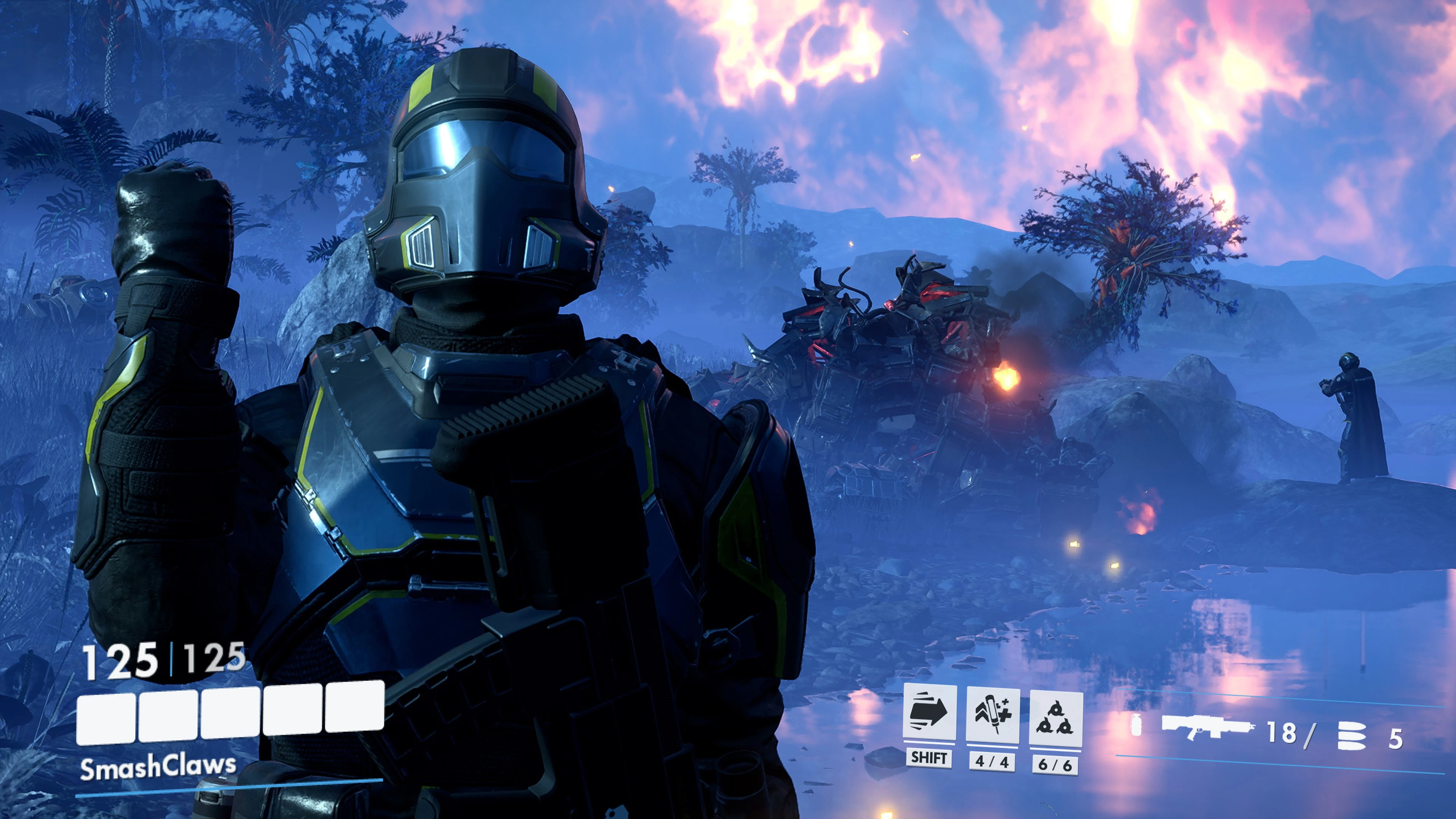
守望先锋 HUD 中英对照
为绝地潜兵提供守望先锋同款的武器、技能与生命值UI。Provide the Jedi infiltrators with the same weapons, skills, and health UI as those in Overwatch.
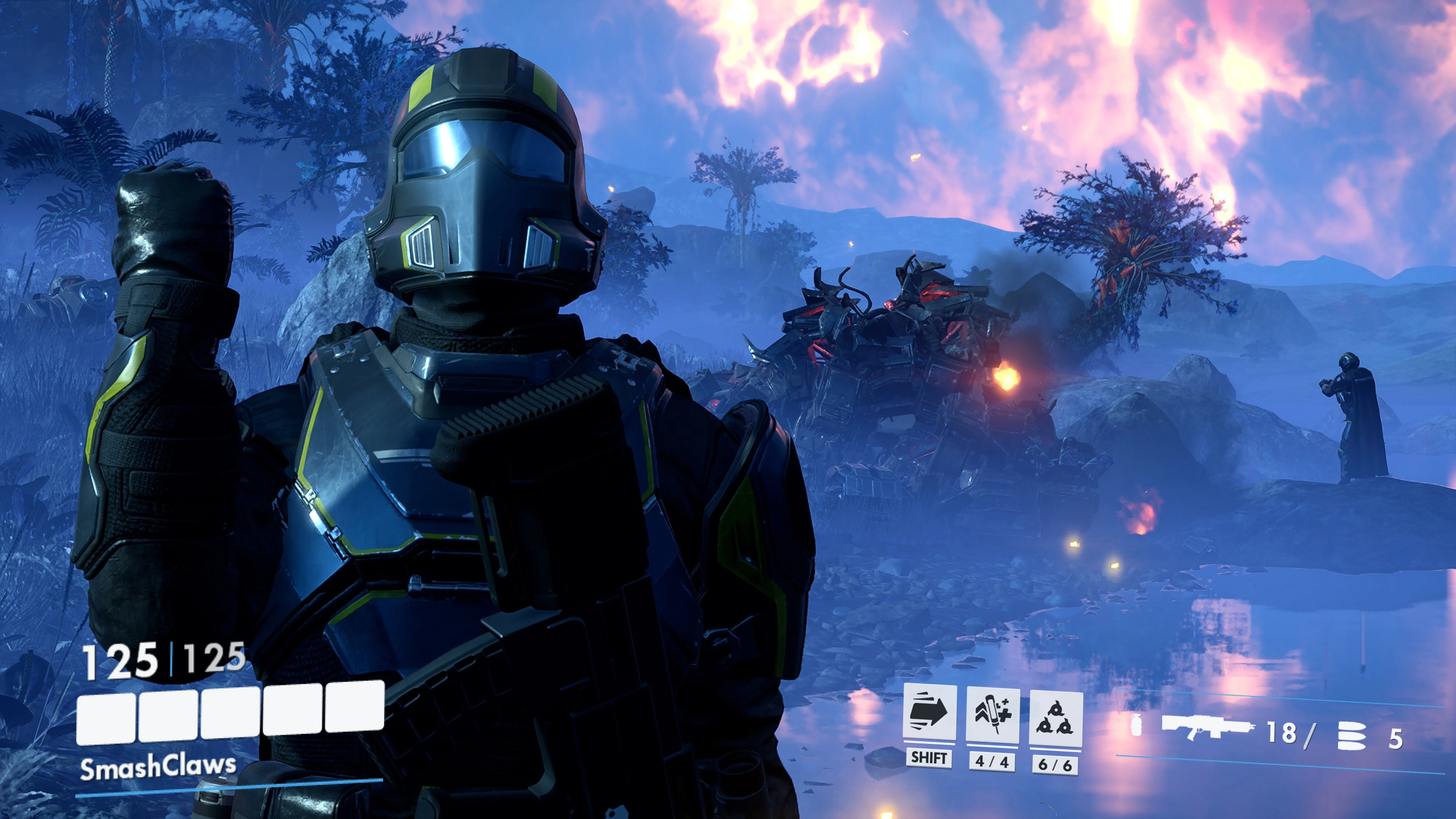 查看大图
CN:
OWHUD|守望先锋风格 HUD
为《绝地潜兵2》带来守望先锋风格的生命值、技能状态和武器弹药界面,让战斗信息更加直观,也让传播民主多一点熟悉的感觉。
使用前必看
请在游戏内 HUD 设置中关闭原版的生命值与武器 UI,避免重复显示和重叠。其它 UI 无需关闭。
特色功能
- 守望先锋风格生命条:显示当前生命值、最大生命值与玩家名称。
- 玩家号位配色:界面装饰颜色随当前玩家号位变化。
- 技能状态提示:显示奔跑、针剂和投掷物的激活状态。
- 补给数量显示:显示针剂与投掷物的剩余数量和最大携带量。
- 武器信息显示:显示武器剪影、投掷物图标、开火模式与弹药信息,支持背包供弹武器。
- 激光武器支持:显示武器热量、过热状态和备用冷却管数量。
- 独立界面调整:左下角与右下角 UI 可分别调整大小和透明度。
- 聊天框位置调整:可将聊天框上移,减少与武器栏重叠。
前置要求
使用本 MOD 需要:
- Bingus Shared Loader:推荐 v19 或更新版本。
- HD2Runtime:0.28.1 或兼容更新版本。(n网没有)
- Mod Options Menu:v1.2 或兼容更新版本,也可使用 Vanilla Plus 内置版本。
如果已使用 Vanilla Plus 内置的 Mod Options Menu,无需重复安装独立版。Vanilla Plus 和 Mod Bindings Menu 本身不是必需前置。
下载、安装与使用教程
- 下载文件 在本页面的 Files 标签页下载 OWHUD 完整安装包,并准备好上述前置。
- 关闭游戏 安装或更新 MOD 前,请完全退出《绝地潜兵2》。
- 导入 ARSENAL 打开 ARSENAL,使用添加模组/导入功能,选择下载的 OWHUD 安装包。尚未安装的前置也需要一并导入。
- 启用并部署 启用 OWHUD 和所需前置,然后执行部署。更新时先停用旧版,避免同时加载多个 OWHUD 版本。
- 调整原版 HUD 启动游戏,在游戏内 HUD 设置中关闭原版的生命值与武器 UI。其它 UI 无需关闭。
- 设置 OWHUD 打开游戏内的模组选项,找到 OWHUD,按个人喜好调整左右 UI 的大小、透明度和聊天框上移距离。
- 进入任务使用 进入任务后即可查看生命值、技能状态与武器信息。如果出现重复界面,请检查原版生命值与武器 UI 是否已关闭,以及是否同时启用了旧版本。
本下载为完整安装包,不需要旧版本打底。
使用说明
本 MOD 仅调整界面显示,不改变武器伤害、弹药数量或游戏机制。 未来游戏或前置发生较大更新时,可能需要更新 MOD。遇到问题时,欢迎提供游戏版本、前置版本、截图或日志,方便排查。
作者
@SmashClaws(bilibili),ChatGPT
欢迎分享实战截图、视频与使用反馈。为了超级地球,也为了更清晰的战斗信息。
EN:
OWHUD | Overwatch-style HUD
Bring an Overwatch-style HUD to Helldivers 2, with a redesigned health display, ability indicators and weapon information—for a clearer view of the fight.
Important
Disable the vanilla Health and Weapon HUD elements in the in-game HUD settings to prevent overlapping displays. All other HUD elements can remain enabled.
Features
- Overwatch-style health bar: Displays current health, maximum health and your player name.
- Squad-slot colors: HUD accents follow your current squad-slot color.
- Ability indicators: Displays active states for sprinting, stims and thrown explosives.
- Supply counters: Shows remaining stims and throwables alongside their carrying capacities.
- Weapon information: Displays weapon silhouettes, throwable icons, firing modes and ammunition, including backpack-fed weapons.
- Laser weapon support: Displays heat, overheat status and spare heat sinks.
- Independent customization: Adjust the size and transparency of the left and right HUD separately.
- Chat positioning: Move the chat panel upward to reduce overlap with the weapon HUD.
Requirements
This mod requires:
- Bingus Shared Loader: v19 or newer recommended.
- HD2Runtime: 0.28.1 or a compatible newer version.(Not on Nexus Mods)
- Mod Options Menu: v1.2 or a compatible newer version. The version bundled with Vanilla Plus is also supported.
If you already use the Mod Options Menu bundled with Vanilla Plus, a separate installation is unnecessary. Vanilla Plus itself and Mod Bindings Menu are not required.
Download, Installation & Usage Guide
- Download the files Download the complete OWHUD package from this page’s Files tab and obtain the prerequisites listed above.
- Close the game Fully exit Helldivers 2 before installing or updating the mod.
- Import into ARSENAL Open ARSENAL and use its add/import mod function to select the downloaded OWHUD package. Import any prerequisites you have not already installed.
- Enable and deploy Enable OWHUD and its prerequisites, then deploy them. When updating, disable the previous OWHUD version first.
- Configure the vanilla HUD Launch the game and disable the vanilla Health and Weapon HUD elements in the in-game HUD settings. Other HUD elements can remain enabled.
- Customize OWHUD Open Mod Options Menu, select OWHUD and adjust the left/right HUD size, transparency and upward chat offset to your preference.
- Enter a mission Your health, ability states and weapon information will appear during gameplay. If you see overlapping displays, check that the vanilla Health and Weapon HUD elements are disabled and that no older OWHUD version remains enabled.
This is a complete installation package. No previous version is required.
Notes
This mod changes the HUD presentation only. It does not alter weapon damage, ammunition quantities or gameplay mechanics. Major game or prerequisite updates may require a mod update. When reporting an issue, please include your game version, prerequisite versions and any relevant screenshots or logs.
Creator
@SmashClaws (bilibili), ChatGPT
Gameplay screenshots, videos and feedback are welcome. For Super Earth—and a clearer view of the fight.
正在加载版本记录…
正在加载评论…
评论在新手盒子客户端中发表,这里同步展示。