受折磨的材料来源提示 (EN_ZH_JA_KO)
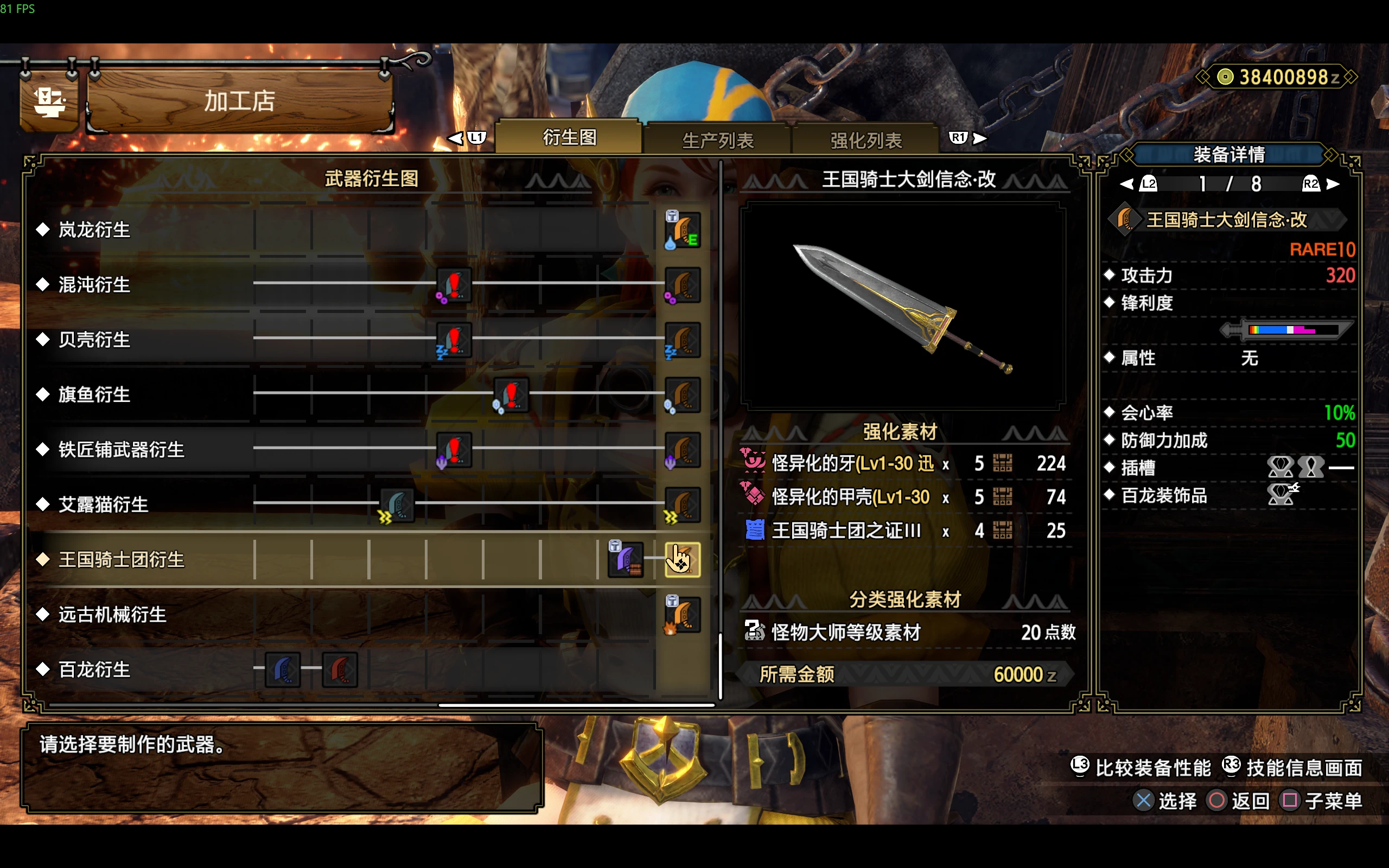
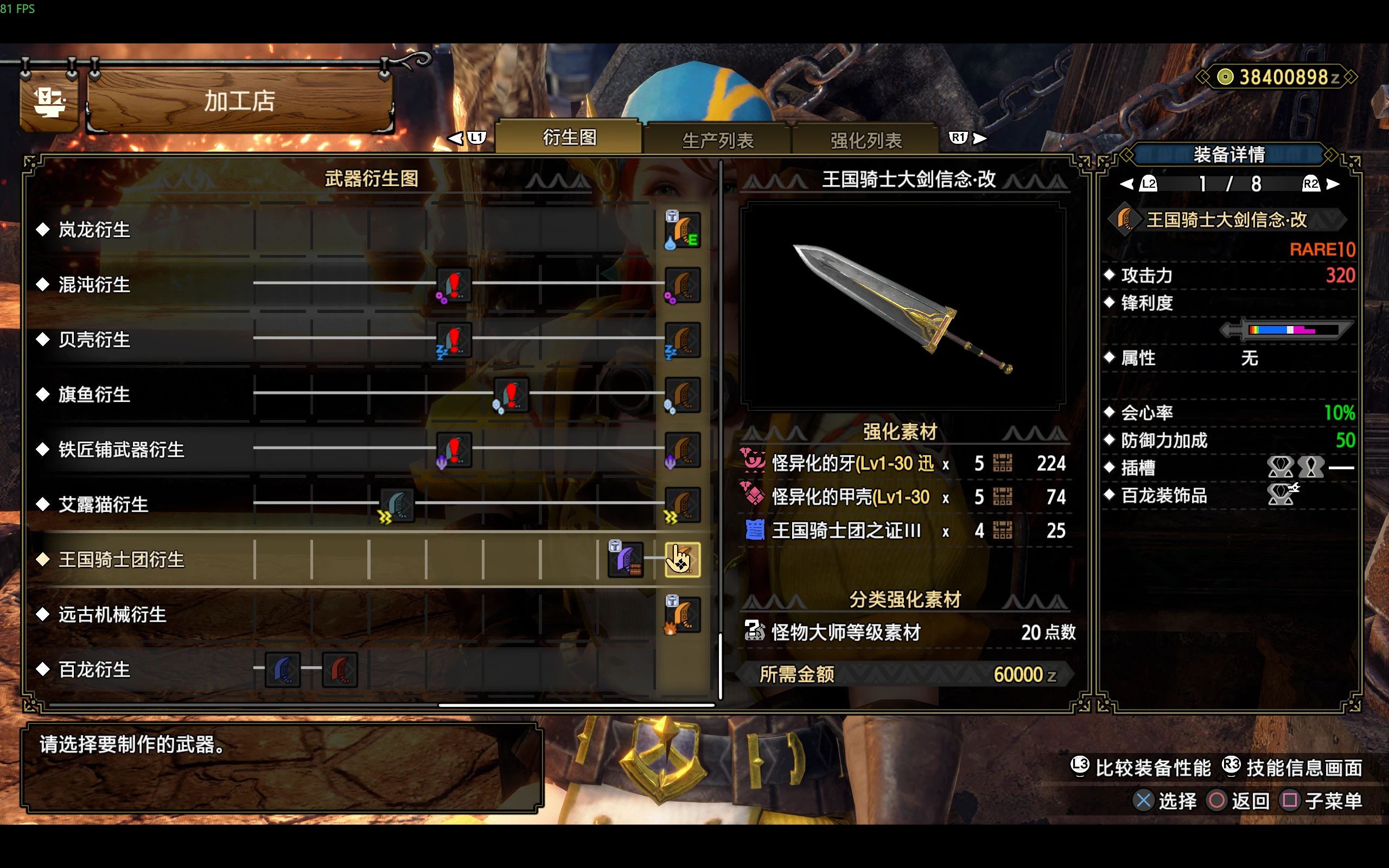
怪异素材获取提示:在加工屋、怪异炼化、愿望单、道具箱等任何显示怪异素材的地方,把能刷到它的怪异探究等级段和怪物接在素材名后面,任务中不改动。 Shows the Anomaly Investigation level range and monsters after every afflicted material name, on any screen (smithy, qurious crafting, wish
 查看大图
描述 Description
怪异素材获取提示:在怪异素材名后面直接写出能刷到它的怪异探究等级段和怪物,例如: 怪异化的凶浓血(Lv201-300 红莲爆鳞龙/棘茶龙/混沌黑蚀龙) 只要游戏显示怪异素材名就生效:加工屋(生产、强化、衍生图)、装饰品、怪异炼化、愿望单、道具箱等。
This mod tells you where to farm afflicted materials. Right after each material name it adds the Anomaly Investigation level range and the monsters that drop it, for example: Afflicted Dire Darkblood(Lv201-300 Seething Bazelgeuse/Flaming Espinas/Chaotic Gore Magala) It works anywhere the game shows an afflicted material: the smithy (forge, upgrade, weapon tree), decorations, qurious crafting, the wishlist and the item box.
安装指南 Installation instructions
先安装 REFramework。
把 zip 里的 reframework 文件夹解压到游戏目录(MonsterHunterRise.exe 所在的文件夹),解压后应有 reframework/autorun/QuriousHelper_MaterialSource.lua。
重启游戏。设置入口:按 Insert,打开 Script Generated UI →「怪异素材获取提示」。 卸载:删除 reframework/autorun/QuriousHelper_MaterialSource.lua;如需重置设置,再删除 reframework/data/QuriousHelper_MaterialSource.json。本 mod 不写入存档。
Install REFramework.
Extract the reframework folder from the zip into the game folder (the one with MonsterHunterRise.exe). You should end up with reframework/autorun/QuriousHelper_MaterialSource.lua.
Restart the game. Settings: press Insert, then open Script Generated UI > Afflicted Material Source Hint. Uninstall: delete reframework/autorun/QuriousHelper_MaterialSource.lua. To reset the settings, also delete reframework/data/QuriousHelper_MaterialSource.json. The mod never writes to your save.
主要功能 Main features
不限界面:只要显示怪异素材名,任何界面都生效。
名字太长时,在原来的格子里滚动显示,不会挡住数量。
任务中不改动:右侧拾取播报照常显示原名。
素材名和怪物名全部取自游戏文件(官方文本),支持简体中文、繁體中文、日语、韩语和英语,游戏设为哪种语言都能用。
菜单选项:开关;语言(自动、简体中文、繁體中文、日本語、한국어、English),决定菜单文字和提示中的怪物名;显示宽度、滚动速度和停留时间。
单个文件,不挂接任何游戏函数。
Works on any screen that shows an afflicted material name.
Long names scroll inside the original text box, so the quantities stay visible.
Nothing changes during quests. The pickup log on the right keeps the original names.
Material and monster names come from the game files (official text) in Simplified Chinese, Traditional Chinese, Japanese, Korean and English, so it works whatever language your game uses.
Menu: on/off; Language (Auto, 简体中文, 繁體中文, 日本語, 한국어, English), which sets the menu text and the monster names in the hint; display width, scroll speed and pause times.
One file. No hooks on game functions.
前置 Requirements
需要 REFramework。菜单里的中日韩文字使用 reframework/fonts 中的 NotoSans SC、TC、JP、KR 字体,多数 REFramework 整合包都自带。缺少这些字体时,游戏内提示不受影响,只是菜单可能显示成方块。 如果选择的语言和游戏语言不同,游戏字体里可能没有对应的文字(例如在中文游戏里显示韩文),建议保持「自动」。
REFramework. The CJK menu text uses the NotoSans SC, TC, JP and KR fonts in reframework/fonts, which most REFramework setups include. Without them the in-game hints still work, but the menu may show boxes. If you choose a language other than the game's, the game font may not have those characters (Korean in a Chinese game, for example). Auto is the safe choice.
致谢 Shout outs
等级段参考曉緋制作的社区整理图。只统计主要报酬,只收录怪异化怪物和怪异克服古龙,破怪玉排在最后。游戏数据结构参考 wwylele 的 mhrice。感谢 praydog 制作 REFramework。
Level ranges follow the community chart by 曉緋. Only main rewards count, only afflicted monsters and Risen Elder Dragons are included, and risegems are listed last. Data structures come from wwylele's mhrice. Thanks to praydog for REFramework.
正在加载版本记录…
正在加载评论…
评论在新手盒子客户端中发表,这里同步展示。