MHR 便利套装
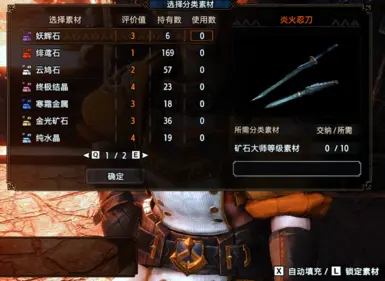
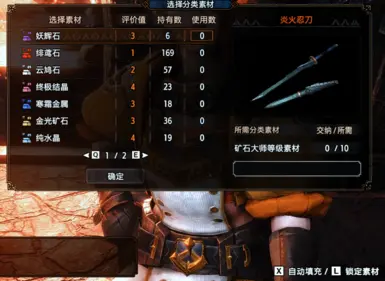
减少炼金、加工店制作/强化和怪异炼化时反复选素材、确认、投入点数的操作。It reduces repeated material selection, point filling, and confirmation steps in melding, smithy crafting/upgrading, and Qurious crafting menus.
 查看大图
查看大图功能
- 护石炼金:自动或按热键填充素材,支持锁定不想消耗的素材,支持最低保留数量。
- 护石炼金:精确填充后可自动确认,并可优先使用迅炼丹。
- 加工店制作/强化:在需要投入素材或点数的界面自动/手动填充,素材不足一次请求时不会强行投入。
- 怪异炼化防具:素材点数填满时可自动确认,也可手动确认。
- 怪异炼化武器:可用热键按已解锁等级升级到当前选择等级。
- 界面支持中文/英文,可在 REFramework UI 中切换语言。
默认热键
- 自动填充:X
- 锁定/解除锁定当前素材:L
- 怪异炼化武器升级:R
热键可以在 REFramework 的脚本界面中修改。
安装
- 安装 REFramework。
- 解压本 mod 到游戏目录,让压缩包里的 reframework 文件夹与游戏目录中的 reframework 合并。
- 进游戏后打开 REFramework UI,进入 Script Generated UI -> MHR Convenience Suite 调整设置。
卸载
删除:
- reframework/autorun/mhr_convenience_suite.lua
- reframework/autorun/mhr_convenience_suite
- reframework/data/mhr_convenience_suite
如果没有其他 mod 使用随包字体,也可以删除 reframework/fonts/NotoSansSC-Regular.otf。
English
A REFramework convenience suite for Monster Hunter Rise. It reduces repeated material selection, point filling, and confirmation steps in melding, smithy crafting/upgrading, and Qurious crafting menus.
Features
- Melding: fill materials automatically or with a hotkey, lock materials you do not want to spend, and keep a minimum reserve count.
- Melding: optionally confirm after an exact fill, with an option to prefer quick melding pudding.
- Smithy crafting/upgrading: fill material or point-input menus automatically or manually. If the remaining materials cannot cover one request, the mod stops instead of spending them.
- Qurious armor crafting: auto-confirm or manual-confirm when material points are full.
- Qurious weapon crafting: use a hotkey to upgrade to the selected level based on unlocked levels.
- Chinese and English UI, switchable in the REFramework UI.
Default Hotkeys
- Auto fill: X
- Lock/unlock selected material: L
- Qurious weapon upgrade: R
Hotkeys can be changed in the REFramework script UI.
Installation
- Install REFramework.
- Extract this mod into the game folder and merge the included reframework folder with your existing one.
- In game, open the REFramework UI and go to Script Generated UI -> MHR Convenience Suite to configure it.
Uninstallation
Delete:
- reframework/autorun/mhr_convenience_suite.lua
- reframework/autorun/mhr_convenience_suite
- reframework/data/mhr_convenience_suite
If no other mod uses the bundled font, you can also delete reframework/fonts/NotoSansSC-Regular.otf.
显示 1-12 条,共 12 条
以上为资源接口提供的文件记录。安装时请在客户端确认文件、游戏版本及依赖。
还没有人评论,去客户端里说两句吧。
评论在新手盒子客户端中发表,这里同步展示。