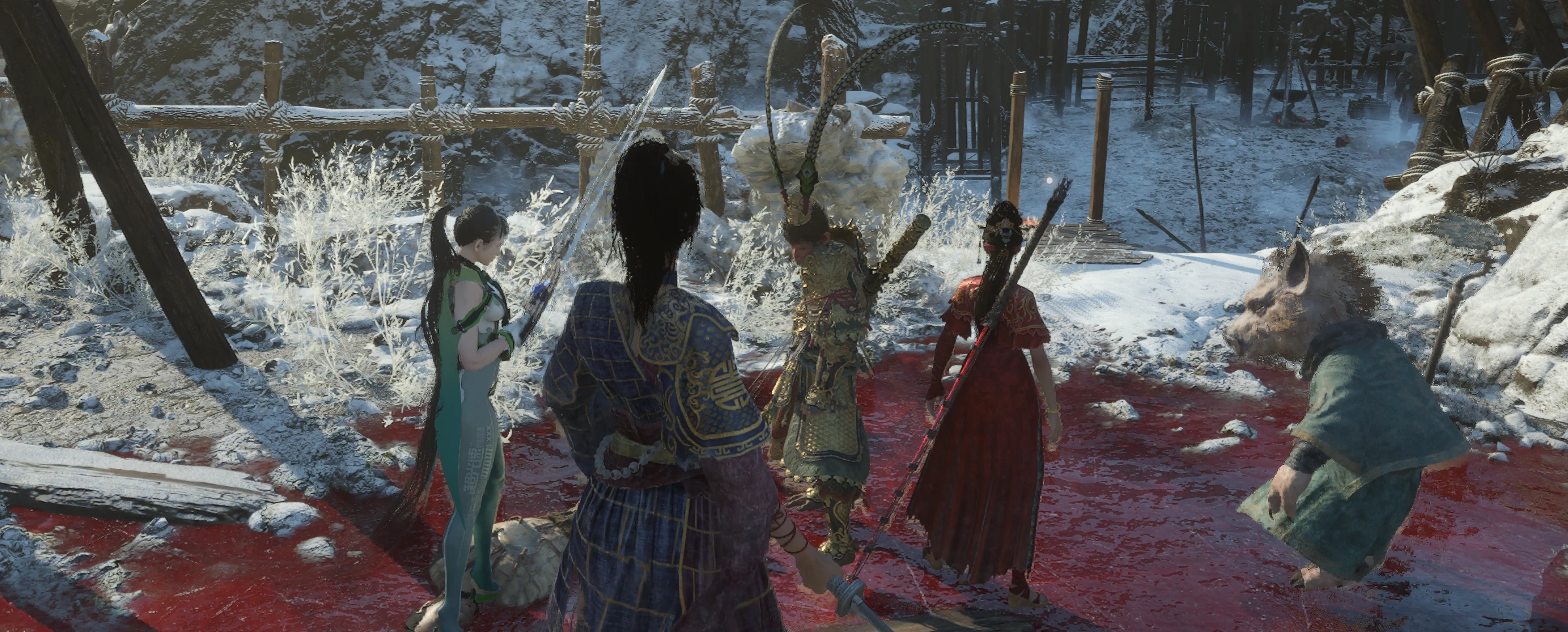
吴昌的宠物系统
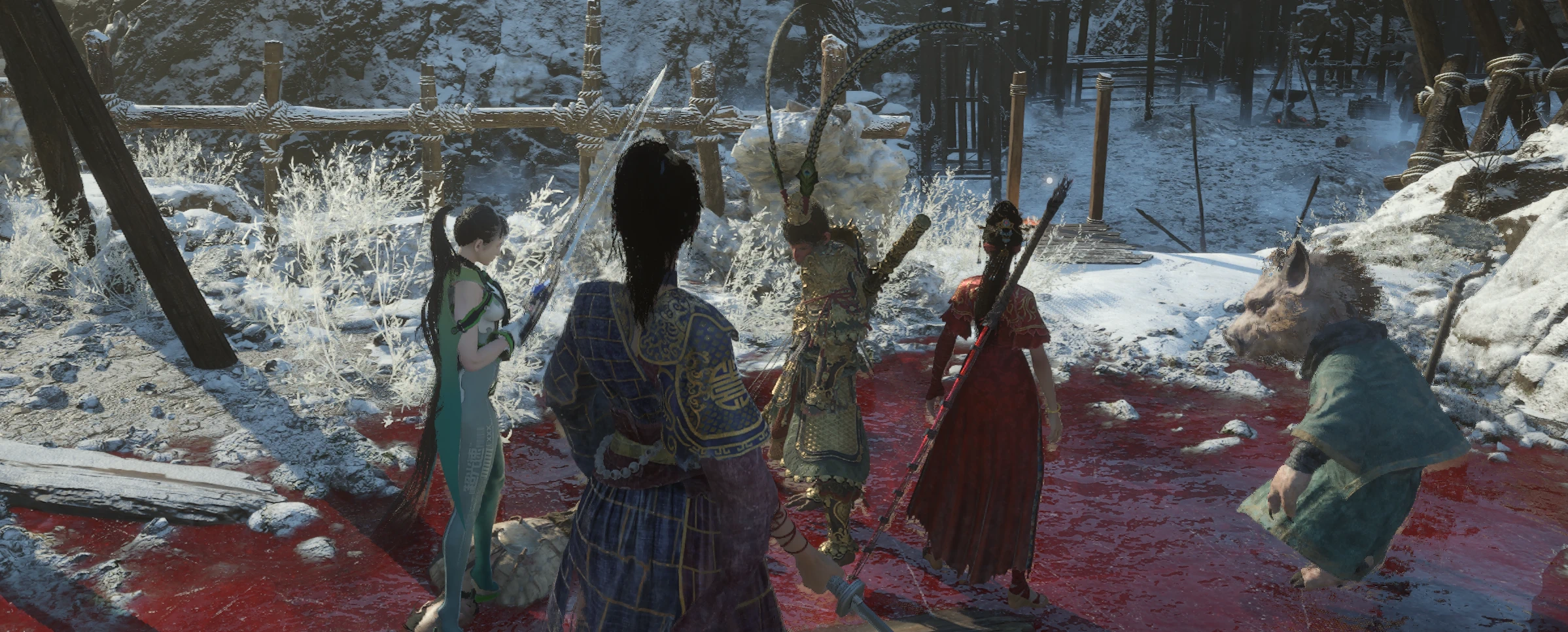
pet system of WuChang 加了四只宠物宝宝,黑猴悟空、八戒和伊芙、白姊云,宠物有自动拾取功能,有战斗模式和跟随模式,悟空有独立攻击模组,八戒战斗模式下为奶妈,低于50%释放蜀神润泽治疗主角
 查看大图
查看大图四宠物同行 · 独立完整包(2026-09-23)
介绍
为《明末:渊虚之羽》加入孙小圣、白小云、小八戒和伊芙四只伙伴。可选择普通跟随或战斗模式,通过游戏菜单“召唤宠物”管理,或使用键盘与手柄快捷键。 本包包含当前四宠物系统的脚本、模型、动画、服装及面板资源,不需要宠物旧版基础包,也不依赖坐骑、双化身或弹反假身 Mod。
操作
孙小圣:F5 普通模式;Ctrl+F5 战斗模式;手柄 L3+LB 普通模式。 白小云:F6 普通模式;Ctrl+F6 战斗模式;手柄 L3+LT 普通模式。 小八戒:F7 普通模式;Ctrl+F7 战斗支援模式;手柄 L3+RB 普通模式。 伊芙:F8 普通模式;Ctrl+F8 战斗模式;手柄 L3+RT 普通模式。 同模式再次按下为收回;已召唤但模式不同时切换模式。 L3+X:切换当前已选择召唤的宠物的普通/战斗模式,不召唤已收起的宠物。 L3 是按下左摇杆,按钮采用 Xbox 命名。先按住 L3 再按对应按钮,长按不重复触发。 也可在游戏菜单“召唤宠物”中选择宠物、模式和可用外观选项;当前版没有独立 F12 面板快捷键。 原生手柄动作未统一改绑,组合键可能同时触发原生动作;建议在安全位置操作。
功能
• 普通模式支持跟随、散步及符合条件的自动拾取。 • 孙小圣和白小云默认拾取半径 20 米,小八戒和伊芙默认 10 米;不是全地图拾取,受高度、距离和物品类型检查限制,不保证所有交互物品可拾取。 • 孙小圣、白小云和伊芙的战斗模式提供助战,表现受目标、地形及原生 AI 规则影响。 • 小八戒战斗模式为治疗支援:主角生命不高于 50%、存活且站在地面、没有同类治疗 Buff 时,调用原生“蜀神润泽”地面法阵;站在范围内按原生机制回血,每 40 秒最多触发一次。 • 治疗冷却独立保存,切模式、收回、换图和重生不会清空,关闭游戏期间时间也会经过。 • 记录宠物召唤选择、模式及适用的装备/体型偏好;换图、死亡或重启后,在有效主角和安全地面就绪后恢复选择。 • 主动收回会保存为不召唤。首次安装不带作者个人召唤或装备记录。
安装要求和步骤
需要 PC 版游戏和正确安装的兼容 UE4SS,支持 LoopInGameThreadWithDelay。UE4SS 不包含在本包内。
- 完整退出游戏。
- 将包内 Project_Plague 文件夹合并复制到游戏根目录。
- 确认脚本位于 Project_Plague\Binaries\Win64\ue4ss\Mods\MiniHuangJiane\Scripts\main.lua。
- 将随包全部 11 个 PAK 保留在 Project_Plague\Content\Paks~mods\,不要只复制脚本或只选部分资源。
- 保留 MiniHuangJiane\enabled.txt;如果 mods.txt 明确禁用 MiniHuangJiane,请将对应项改为 1。
- 重启游戏进入存档,在安全地面测试召唤。 升级用户先备份现有 Mod 文件夹;合并覆盖时保留自己的 Data/*.ini。不要把同一 Mod 改名复制成多个启用版本。 本包只带静态装备目录和空 Data 占位文件,不带本机 ini、备份、指令、调试记录或外部装备选择器。
配置、兼容和卸载
退出游戏后编辑 Scripts 内对应 MiniWukongConfig、MiniXinMoConfig、MiniBajieConfig 或 MiniEveConfig.lua,再重启生效。 避免其他 Mod 占用相同快捷键。多个宠物同时在场、战斗及首次加载可能增加性能开销;不保证所有场景没有卡顿或动画穿插。 退出游戏后移走 MiniHuangJiane 文件夹及本包提供的 11 个 PAK 可卸载;若其他 Mod 共用这些资源,需先确认其依赖。 角色资源采用现有移植和适配内容,不代表原作品官方联动。
验证与反馈
本分享包保留当前安装逻辑,完成 Lua 语法、模块依赖、文件一致性及 ZIP 完整性检查;打包检查不等于四只宠物全部功能在所有场景实机验证。 发生问题请说明宠物、模式、敌人/场景及操作过程,并提供 UE4SS.log 对应记录。
========================================
Four Companions — Standalone Complete Package (2026-09-23)
Description Adds four companions to WUCHANG: Fallen Feathers: Sun Xiaosheng, Bai Xiaoyun, Little Bajie, and Eve. Choose following or combat modes through the in-game pet menu or keyboard/controller shortcuts. Includes the current scripts, models, animations, wardrobe, and panel resources. No older pet base package, mount, avatar-transformation, or parry-echo mod is required.
Controls Sun Xiaosheng: F5 follow; Ctrl+F5 combat; L3+LB follow. Bai Xiaoyun: F6 follow; Ctrl+F6 combat; L3+LT follow. Little Bajie: F7 follow; Ctrl+F7 combat support; L3+RB follow. Eve: F8 follow; Ctrl+F8 combat; L3+RT follow. Repeat the same mode shortcut to dismiss. Selecting a different mode switches the summoned companion's mode. L3+X switches the follow/combat modes of companions currently selected for summoning; dismissed companions are not summoned. L3 means clicking the left stick. Xbox button labels are used. Hold L3 first, then press the other button. Holding the combination does not repeatedly toggle it. The in-game pet menu also offers companion, mode, and available appearance options. This edition does not use a standalone F12 panel shortcut. Native controller actions are not universally remapped and may also trigger; use the shortcuts in a safe location.
Features • Following, wandering, and automatic pickup of eligible items. • Default pickup radius: 20 meters for Sun Xiaosheng and Bai Xiaoyun; 10 meters for Bajie and Eve. Height, distance, and item-type checks apply. Not every interactable object is supported. • Sun Xiaosheng, Bai Xiaoyun, and Eve provide combat assistance, subject to targets, terrain, and native AI behavior. • Bajie's combat mode provides healing support: when the player is alive, grounded, at 50% HP or below, and without the same active healing buff, he invokes the native healing-circle spell. Healing follows the original area rules, with at most one activation every 40 seconds. • The healing cooldown persists through mode changes, dismissal, map changes, and respawns; time also passes while the game is closed. • Companion selections, modes, and applicable equipment/size preferences are saved. Restoration waits for a valid player and safe ground after map changes, death, or restarting. • Manual dismissal is remembered. The author's personal summon and equipment settings are not included.
Requirements and Installation Requires the PC game and compatible UE4SS with LoopInGameThreadWithDelay. UE4SS is not included.
- Fully close the game.
- Merge the archive's Project_Plague folder into the game root directory.
- Confirm the entry script is at Project_Plague\Binaries\Win64\ue4ss\Mods\MiniHuangJiane\Scripts\main.lua.
- Keep all 11 included PAK files in Project_Plague\Content\Paks~mods. Scripts alone or a partial asset selection are insufficient.
- Keep MiniHuangJiane\enabled.txt. If mods.txt explicitly disables MiniHuangJiane, change that entry to 1.
- Restart, load your save, and test on safe ground. Back up existing installations before upgrading. Preserve your own Data/*.ini files when merging. Do not load renamed duplicate copies. Only the static equipment catalog and an empty Data placeholder are included. Personal INI files, backups, command files, debug records, and the external equipment selector are excluded.
Configuration, Compatibility, and Uninstallation With the game closed, edit the relevant MiniWukongConfig, MiniXinMoConfig, MiniBajieConfig, or MiniEveConfig.lua file in Scripts, then restart. Avoid conflicting hotkeys. Multiple companions, combat, and initial asset loading may increase performance costs. Stutter and animation clipping are not ruled out. To uninstall, close the game and remove MiniHuangJiane and the 11 included PAK files. Check shared dependencies first if another mod uses those assets. The character assets use existing ports and adaptations; this is not an official crossover.
Validation and Support The package preserves the currently installed behavior. Lua syntax, module dependencies, file consistency, and ZIP integrity were checked. Packaging validation is not comprehensive in-game verification of all four companions. For issues, describe the companion, mode, location/enemy, and steps, and include the relevant UE4SS.log entries.
正在加载版本记录…
正在加载评论…
评论在新手盒子客户端中发表,这里同步展示。