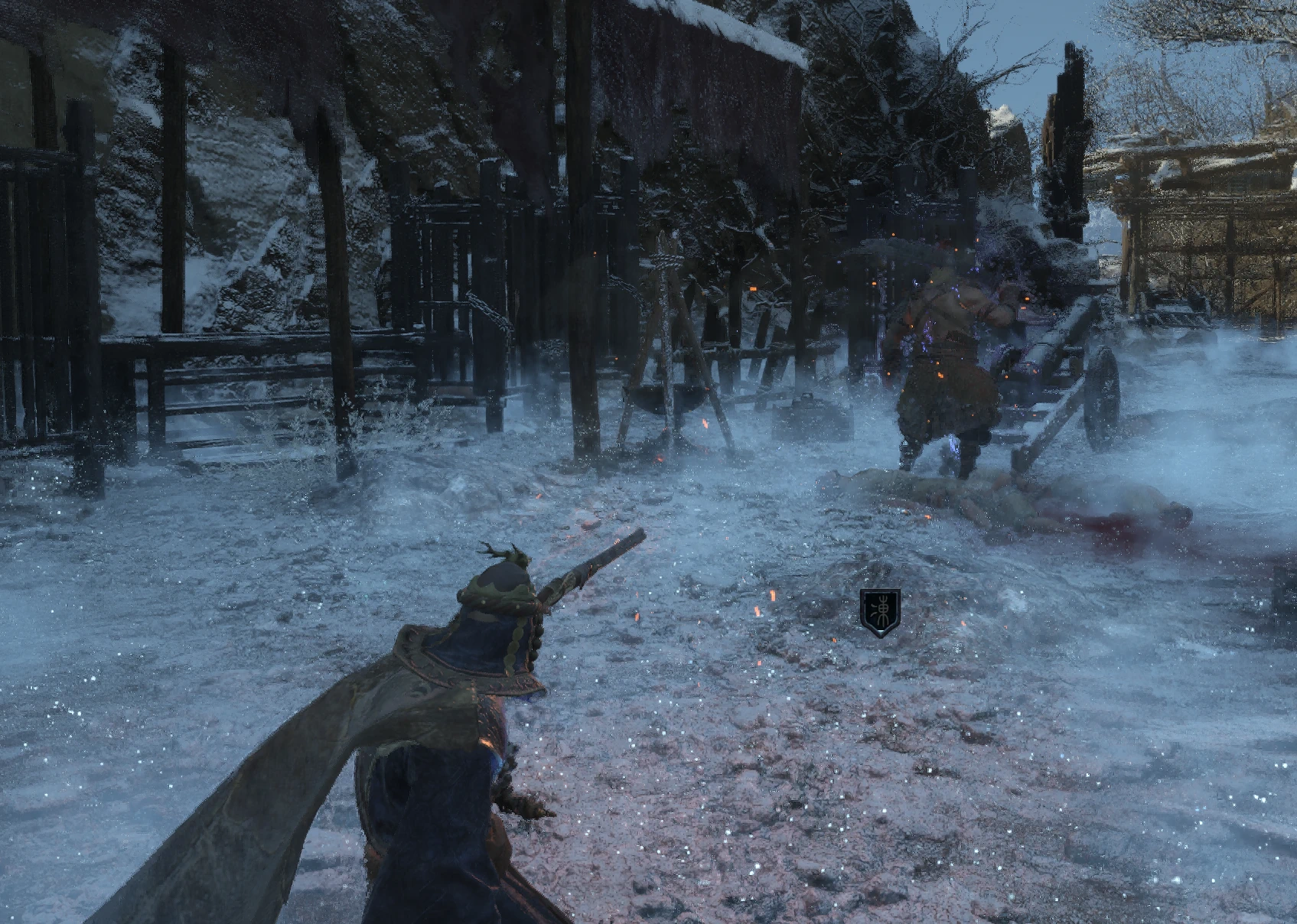
角色技能
briefly transform into an archer 化身弓弩手和刘文秀,类似黑猴的精魄化身技
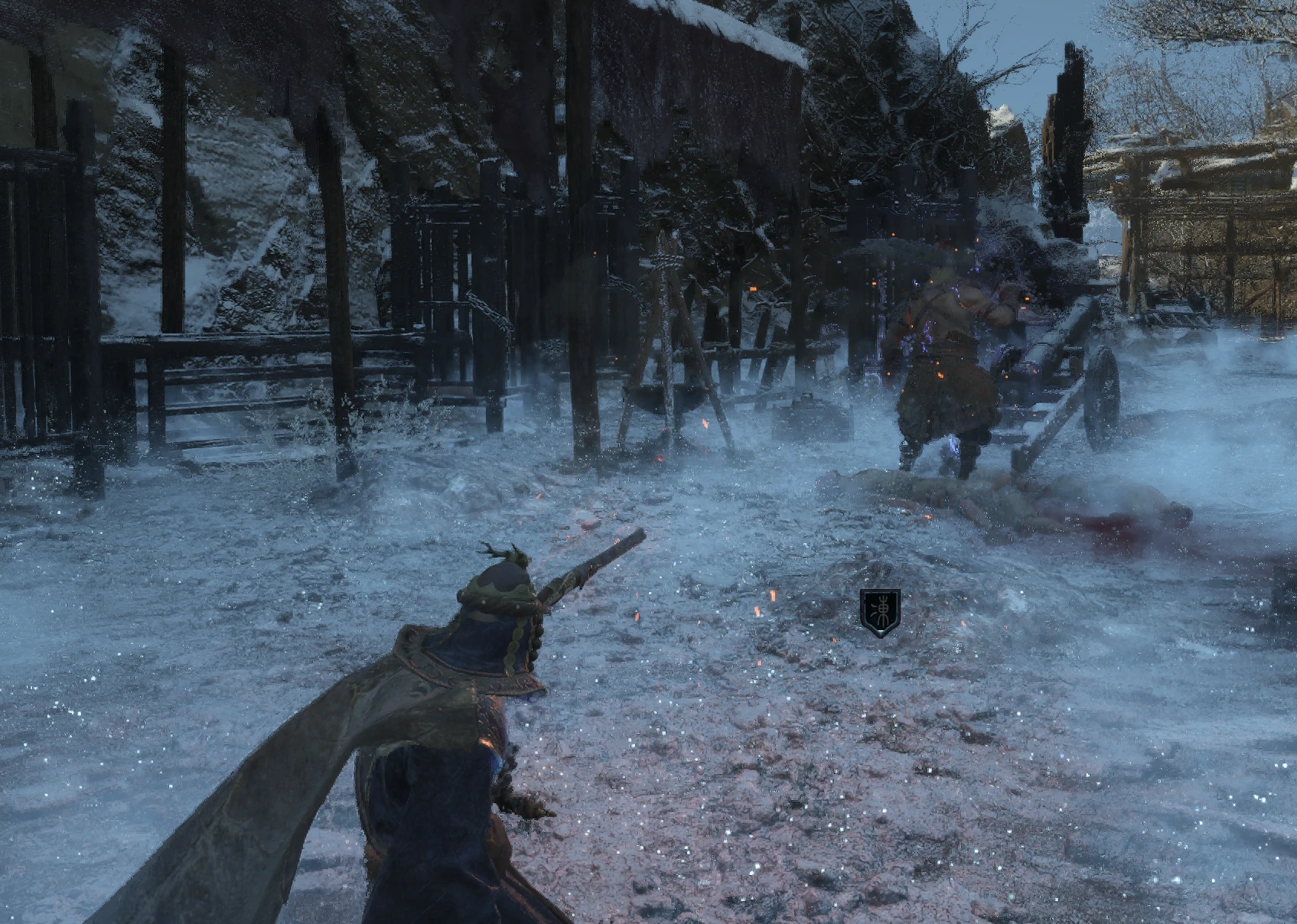 查看大图
查看大图中文介绍
为《明末:渊虚之羽》添加两种可主动施放的化身技能:弩兵火箭五连射与刘文秀原生三连射。技能结束后自动恢复主角,也可使用相同快捷键提前取消。
主要功能
• 弩兵化身:约 1.5 秒内发射五支火箭,冷却 8 秒。每箭基础火属性伤害为 50,成功命中后附加 60 点燃烧积累。实际伤害和燃烧触发受敌人抗性等游戏机制影响。 • 刘文秀化身:使用原生三连射动画与弹丸配置,保留闪电、麻痹效果及完整收招,持续约 3.06 秒。化身外观缩放为原来的 0.7 倍。 • 支持键盘与手柄,锁定敌人时朝目标射击。 • 两种化身不能同时施放,不额外消耗羽毛、物品或法术槽。 • 不修改存档、装备或全局数据表,无需替换游戏 PAK。
操作方式
• 弩兵:键盘 J / 手柄 L3+Y • 刘文秀:键盘 U / 手柄 L3+B • 施放期间再次按相同快捷键,可取消化身。已射出的弹丸继续飞行。 • 手柄按键采用 Xbox 命名。L3 指按下左摇杆,建议先按住 L3,再按对应面键。 • 请进入存档、站稳并结束当前动作后施放。化身不提供无敌,受击等情况可能中断技能。
安装要求与步骤
需要已正确安装且支持
LoopInGameThreadWithDelay的 UE4SS。
- 完整退出游戏。
- 禁用或移走旧版 CrossbowAvatar 和 LiuWenxiuAvatar,避免重复加载。
- 将压缩包内的 AvatarSkills 文件夹复制到:
Project_Plague\Binaries\Win64\ue4ss\Mods\ - 确认存在
AvatarSkills\Scripts\main.lua和AvatarSkills\enabled.txt。 - 重新启动游戏。
本包不包含 UE4SS,也不依赖其他自制 Mod。卸载时退出游戏并移走 AvatarSkills 文件夹即可。
配置与版本说明
可在退出游戏后编辑
CrossbowConfig.lua和
LiuWenxiuConfig.lua,调整键盘快捷键及相关参数。
v1.0.1 修正了化身结束后持续按住 L3 可能再次锁定攻击输入的问题,完善了退出恢复与失败重试流程。相关修复已通过离线测试,手柄操作及中断恢复仍需更多实机验证。
English Description
Adds two activated transformation skills to WUCHANG: Fallen Feathers: a Crossbowman fire-arrow volley and Liu Wenxiu’s native triple shot. Your character returns to normal after the skill finishes, or you can cancel early using the same shortcut.
Main Features
• Crossbowman Transformation: Fires five flaming arrows in approximately 1.5 seconds, with an 8-second cooldown. Each arrow has 50 base fire damage and applies 60 burn buildup on a successful hit. Actual damage and burn activation depend on enemy resistances and the game’s combat mechanics. • Liu Wenxiu Transformation: Uses the native triple-shot animation and projectile configuration, retaining lightning damage, paralysis effects, and the full recovery animation. Lasts approximately 3.06 seconds, with the visual model scaled to 70% of its original size. • Keyboard and controller support, with aiming toward your locked-on target. • Only one transformation can be active at a time. No additional feather, item, or spell-slot cost. • Does not modify saves, equipment, or global data tables. No game PAK replacement is required.
Controls
• Crossbowman: J / L3 + Y • Liu Wenxiu: U / L3 + B • Press the same shortcut again during the skill to cancel. Projectiles already fired remain active. • Controller labels follow the Xbox layout. L3 means clicking the left stick. Hold L3 first, then press the face button. • Enter your save and finish your current action before casting while standing on the ground. Transformations do not grant invulnerability and may be interrupted by taking damage.
Requirements and Installation
Requires a working UE4SS installation with support for
LoopInGameThreadWithDelay.
- Fully close the game.
- Disable or remove the standalone CrossbowAvatar and LiuWenxiuAvatar mods to prevent duplicate loading.
- Copy the AvatarSkills folder from the archive into:
Project_Plague\Binaries\Win64\ue4ss\Mods\ - Confirm that
AvatarSkills\Scripts\main.luaandAvatarSkills\enabled.txtare present. - Restart the game.
UE4SS is not included. No other custom mods are required. To uninstall, close the game and remove the AvatarSkills folder.
Configuration and Version Notes
With the game closed, edit
CrossbowConfig.luaand
LiuWenxiuConfig.luato adjust keyboard shortcuts and available settings.
Version 1.0.1 addresses attack input being locked again when L3 remains held after a transformation, and improves cleanup and restoration retries. These changes have passed offline tests; controller behavior and recovery after interruptions still require further in-game testing.
When reporting an issue, please include UE4SS.log entries containing AvatarSkills, CrossbowAvatar, or LiuWenxiuAvatar.
正在加载版本记录…
正在加载评论…
评论在新手盒子客户端中发表,这里同步展示。