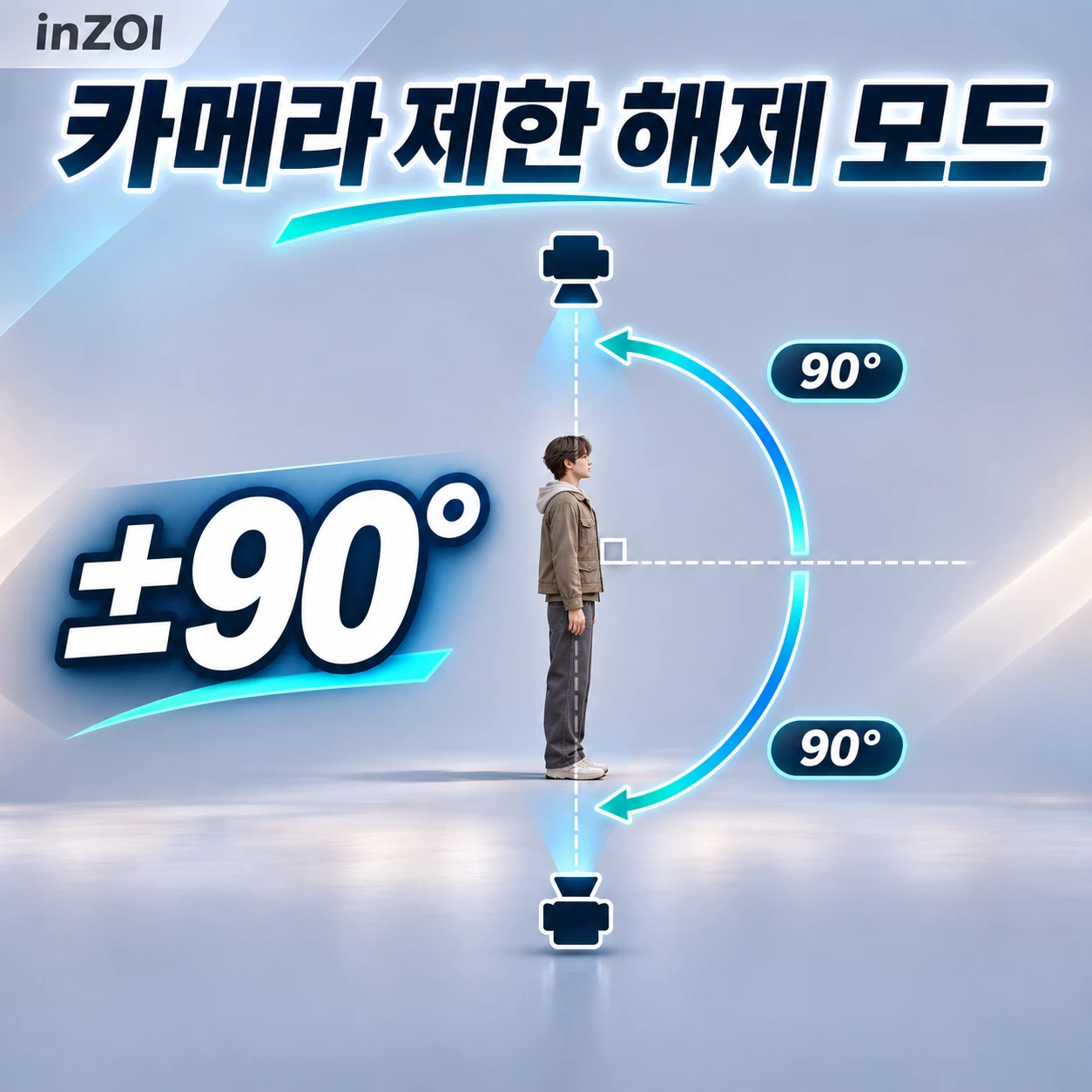
相机限制解锁
将俯视角·肩视角相机的上下旋转范围扩展至±90度,并解除近距离时隐藏角色的设定。在俯视角和肩视角下将相机垂直旋转范围扩展至±90°,并禁用角色近距离隐藏功能。
 查看大图
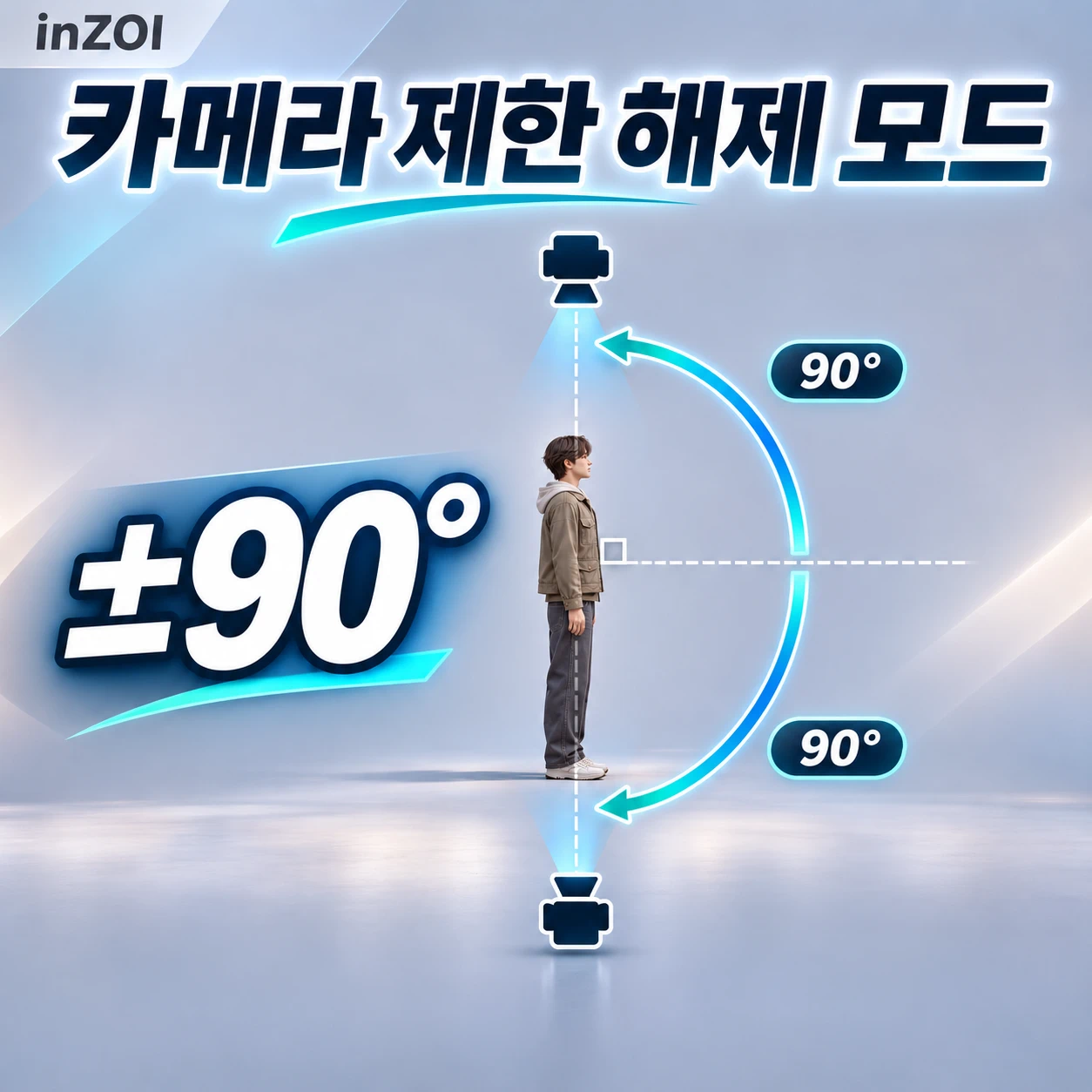
카메라 제한 해제 모드 (Camera Limit Unlock)
한국어
inZOI에서 더 자유로운 카메라 구도를 사용해 보세요! 탑뷰와 숄더뷰 모두 카메라의 상하 회전 범위를 -90도부터 +90도까지 확장하여 캐릭터를 아래에서 올려다보거나 위에서 내려다볼 수 있습니다.
카메라가 가까워지면 캐릭터가 투명해지거나 사라지는 근접 숨김 효과도 해제합니다.
주요 기능
- 탑뷰와 숄더뷰 모두 지원합니다.
- 가까운 거리에서도 캐릭터가 계속 표시됩니다.
- 기존 게임의 카메라 조작을 그대로 사용합니다.
- 별도의 설정창이나 단축키 없이 활성화하면 자동 적용됩니다.
- 바닥과 벽에 대한 기본 카메라 충돌은 유지됩니다.
수동 설치 방법
- inZOI를 완전히 종료합니다.
- 다운로드한 ZIP 파일의 압축을 풉니다.
- LowAngleCamera_C9502CED 폴더를 문서\inZOI\Mods\InGame\ 안에 넣습니다.
- 다음 위치에 파일이 있는지 확인합니다. 문서\inZOI\Mods\InGame\LowAngleCamera_C9502CED\LowAngleCamera_C9502CED.uplugin
- 게임을 실행하고 모드 > 내 모드 관리에서 카메라 제한 해제 모드 (Camera Limit Unlock)를 활성화합니다.
- 활성화 후 게임을 재시작합니다.
문서 폴더를 OneDrive로 관리하고 있다면 OneDrive 안의 문서 폴더를 사용하세요. 모드 폴더 이름을 변경하지 말고 ui 폴더를 포함한 모든 파일을 유지해 주세요. 별도의 모드 로더는 필요하지 않습니다.
업데이트 방법
게임을 완전히 종료한 뒤 기존 LowAngleCamera_C9502CED 폴더를 새 버전으로 교체하세요. 동일한 모드는 한 곳에만 설치해야 합니다. CurseForge로 설치한 버전이 있다면 해당 설치본을 제거한 뒤 넥서스 버전을 수동 설치하세요.
삭제 방법
게임의 모드 관리에서 모드를 비활성화하고 게임을 종료합니다. 이후 문서\inZOI\Mods\InGame\ 안의 LowAngleCamera_C9502CED 폴더만 삭제하고 게임을 다시 실행하세요.
호환성 및 참고 사항
- 동일한 카메라 회전 제한이나 캐릭터 숨김 설정을 변경하는 다른 모드와 충돌할 수 있습니다.
- 렌즈의 화각(FOV)이 아닌 카메라의 상하 회전 제한을 변경합니다.
- 바닥과 벽은 여전히 카메라를 가로막습니다. 실제 구도는 주변 지형과 카메라 거리의 영향을 받습니다.
- 캐릭터 근접 숨김에 적용되며, 벽이나 지형을 투명하게 만드는 기능은 아닙니다.
- Windows 게임 빌드 20261027.16617.W에서 탑뷰, 숄더뷰 및 게임 재시작 후 자동 적용을 확인했습니다. 향후 게임 업데이트에 따라 모드 업데이트가 필요할 수 있습니다.
ENGLISH
Camera Limit Unlock
Enjoy more camera freedom in inZOI! This mod expands the vertical camera rotation range to -90 through +90 degrees in both Top View and Shoulder View, allowing you to look up at your Zoi from below or look down from above.
It also disables the proximity-hiding effect that makes your Zoi fade out or disappear when the camera gets too close.
Features
- Supports both Top View and Shoulder View.
- Keeps your Zoi visible at close camera distances.
- Uses the game's existing camera controls.
- Applies automatically when enabled, with no extra menus or hotkeys.
- Preserves normal camera collision with floors and walls.
Manual Installation
- Close inZOI completely.
- Extract the downloaded ZIP file.
- Copy the LowAngleCamera_C9502CED folder into Documents\inZOI\Mods\InGame.
- Check that this file exists at the following location: Documents\inZOI\Mods\InGame\LowAngleCamera_C9502CED\LowAngleCamera_C9502CED.uplugin
- Launch the game and open Mods > My Mods.
- Enable 카메라 제한 해제 모드 (Camera Limit Unlock), then restart the game.
If your Documents folder is managed by OneDrive, use the corresponding Documents folder under OneDrive. Keep the original mod folder name and all included files, including the ui folder. No separate mod loader is required.
Updating
Close the game and replace the previous LowAngleCamera_C9502CED folder with the new version. Keep only one installed copy. If you already installed this mod through CurseForge, remove that installation before installing the Nexus version manually.
Uninstallation
Disable the mod in the game's mod manager and close the game. Delete only the LowAngleCamera_C9502CED folder from Documents\inZOI\Mods\InGame, then launch the game again.
Compatibility and Notes
- Other camera mods that change the same rotation limits or character-hiding settings may conflict.
- This mod changes vertical camera rotation limits, not the field of view (FOV).
- Floors and walls still block the camera. Your camera distance and surroundings can affect the available framing.
- This affects character proximity hiding; it does not make walls or terrain transparent.
- Tested on Windows game build 20261027.16617.W, including Top View, Shoulder View, and automatic loading after restarting the game. Future game updates may require a mod update.
正在加载版本记录…
正在加载评论…
评论在新手盒子客户端中发表,这里同步展示。