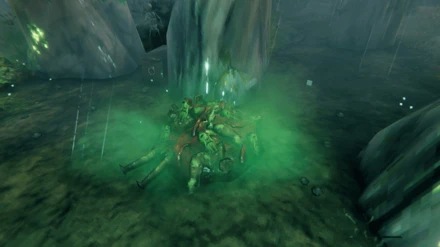
瓦尔海姆生成器冷却
厌倦了尸鬼源源不断地从尸堆里爬出来?在F1菜单中用每个生成器对应的滑块,设置尸堆、骨堆、灰矮人巢穴等生成器在生物之间的等待时间。第一批照常生成,之后的重新生成会变慢。无需服务器安装;在多人游戏中可用,玩家之间使用该模组不会产生冲突。
 查看大图
描述
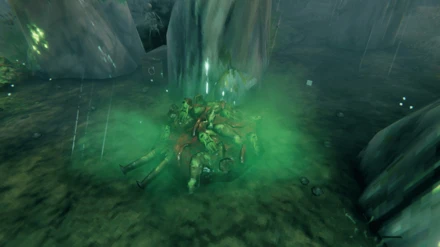
A BepInEx mod for Valheim that lets you choose how long creature spawners wait between two creatures. Vanilla body piles in the Swamp try to spawn a draugr every 5 seconds. Kill one and another rises almost at once, so clearing a crypt entrance or a swamp village turns into an endless fight. With this mod, the first group still spawns as usual, then respawns follow the interval you set. It works for every spawner of this kind: body piles, bone piles, greydwarf nests, and more.

主要功能
- 一个全局倍率以及每种刷怪类型各一个倍率,两者都作为滑块显示在游戏内配置窗口(F1)中。每个刷怪点会在滑块旁显示其最终间隔,例如 x4.0 = 20 s (vanilla 5 s)
- 更改立即生效,无需重启。
- 自然首波:当你抵达一个刷怪点时,其第一组生物仍按原版节奏生成(最多达到该刷怪点的 maxNear 生物数量),之后的重新生成才会应用你所设置的间隔。
- 多人游戏:只有想要该功能的玩家需要安装此模组,服务器上无需安装任何内容。你的设置会应用于你的客户端所运行的刷怪点附近的每个人。
安装说明
- 将
ValheimSpawnerCooldown.dll复制到 plugins 文件夹:- 手动安装:
<Valheim folder>\BepInEx\plugins\ - r2modman:
%APPDATA%\r2modmanPlus-local\Valheim\profiles\<profile name>\BepInEx\plugins\
- 手动安装:
- (重新)启动游戏
配置插件:在游戏中按 F1(需安装 Valheim Configuration Manager)并打开 Spawner Cooldown,或者在游戏关闭时编辑
BepInEx\config\alex83690.valheim.spawnercooldown.cfg。
前置要求
报告问题
https://github.com/alexandre-le-borgne/ValheimSpawnerCooldown/issues
许可证
ValheimSpawnerCooldown © 2026 by Alexandre Le Borgne is licensed under CC BY-NC-SA 4.0
正在加载版本记录…
正在加载评论…
评论在新手盒子客户端中发表,这里同步展示。