焰灵地图传送
使用焰灵之核进行传送/Teleport from the map using Surtling Cores
 查看大图
查看大图SurtlingMapTeleport(焰灵传送)
用焰灵之核,从地图上直接传送。Teleport from the map using Surtling Cores.
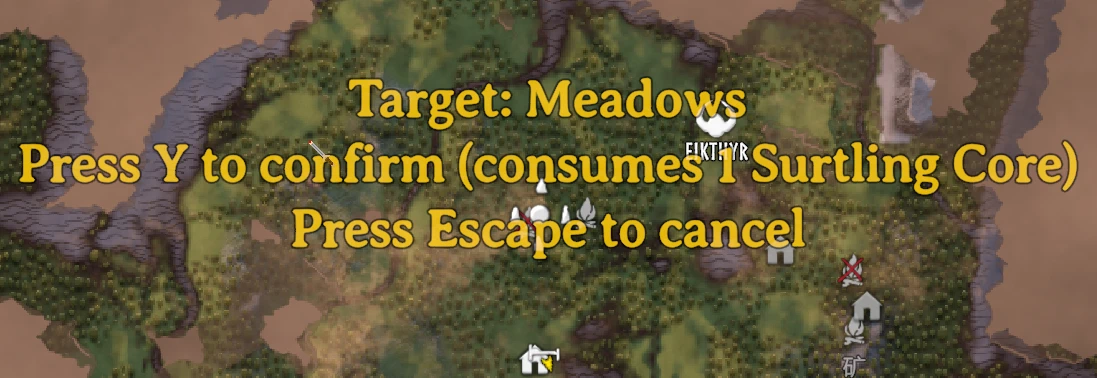
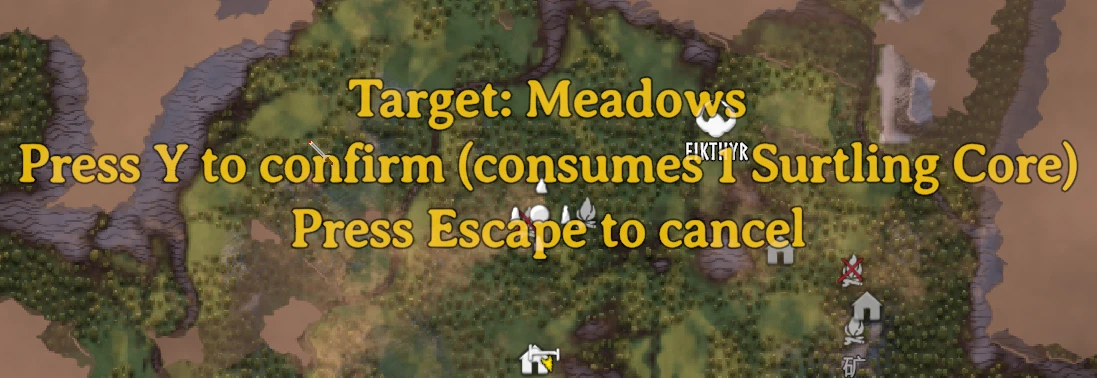
打开原版 M 大地图,按住 左 Alt + 左键 点击任意已探索位置,按 Y 确认,即可消耗背包中的 1 个焰灵之核(Surtling Core) 传送过去。支持中文 / English 双语,跟随游戏语言自动切换。
Open the vanilla M map, hold Left Alt + Left Click on any explored spot, press Y to confirm, and teleport there at the cost of 1 Surtling Core. UI is bilingual (中文/English) and follows your game language.
功能特点 Features
- 🗺️ 使用原版 M 键大地图,不额外添加传送菜单。Uses the vanilla M map — no extra menus.
- 🔥 每次传送消耗 1 个 焰灵之核(SurtlingCore),确认时才扣除。Consumes 1 Surtling Core per teleport, deducted only after confirmation.
- ✅ 二次确认:Y 确认 / Esc 取消,超时自动取消,避免误点。Two-step confirm: Y to confirm, Esc to cancel, with auto-timeout.
- 🚫 未探索区域无法传送(原版迷雾区域不可见也不可选)。Unexplored areas cannot be targeted.
- ⛰️ 高度安全处理:自动取地面高度并额外抬升,避免卡进地下。Safe height handling: snaps to terrain height with extra lift so you never spawn underground.
- 🌐 中英双语,跟随游戏语言。Bilingual UI that follows the game language.
- ⚙️ 按键与消耗物 ID 均可在配置文件中修改。Keys and item ID are configurable.
使用方法 How to use
- 按 M 打开大地图。Press M to open the map.
- 鼠标悬停在已探索地形上,右上角会显示生物群系名称。Hover over explored terrain to see the biome name (top-right).
- 按住左 Alt + 鼠标左键 点击目标位置。Hold Left Alt + Left Click on your target.
- 屏幕中央出现确认提示后,按 Y 传送 / Esc 取消。Press Y to teleport or Esc to cancel.
配置 Config
首次运行后生成 BepInEx\config\com.yuanling.teleport.cfg,可修改发起键、确认键、取消键、抬升高度、超时时间、物品 ID。A config file is generated on first run — modifier key, confirm/cancel keys, height offset, timeout, and item ID are all adjustable.
要求 Requirements
- BepInEx for Valheim
还没有人评论,去客户端里说两句吧。
评论在新手盒子客户端中发表,这里同步展示。