FarmGridRemake
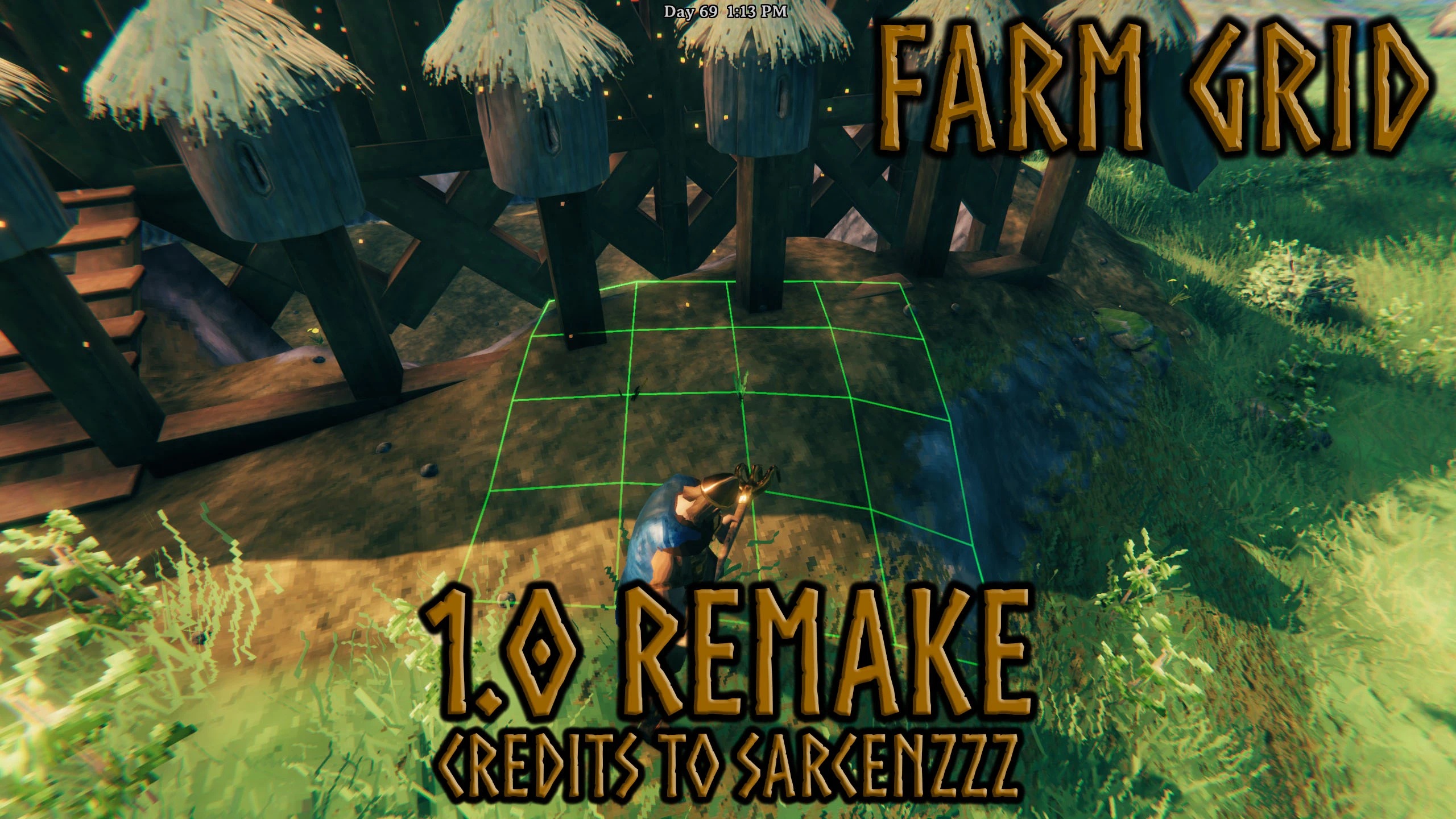
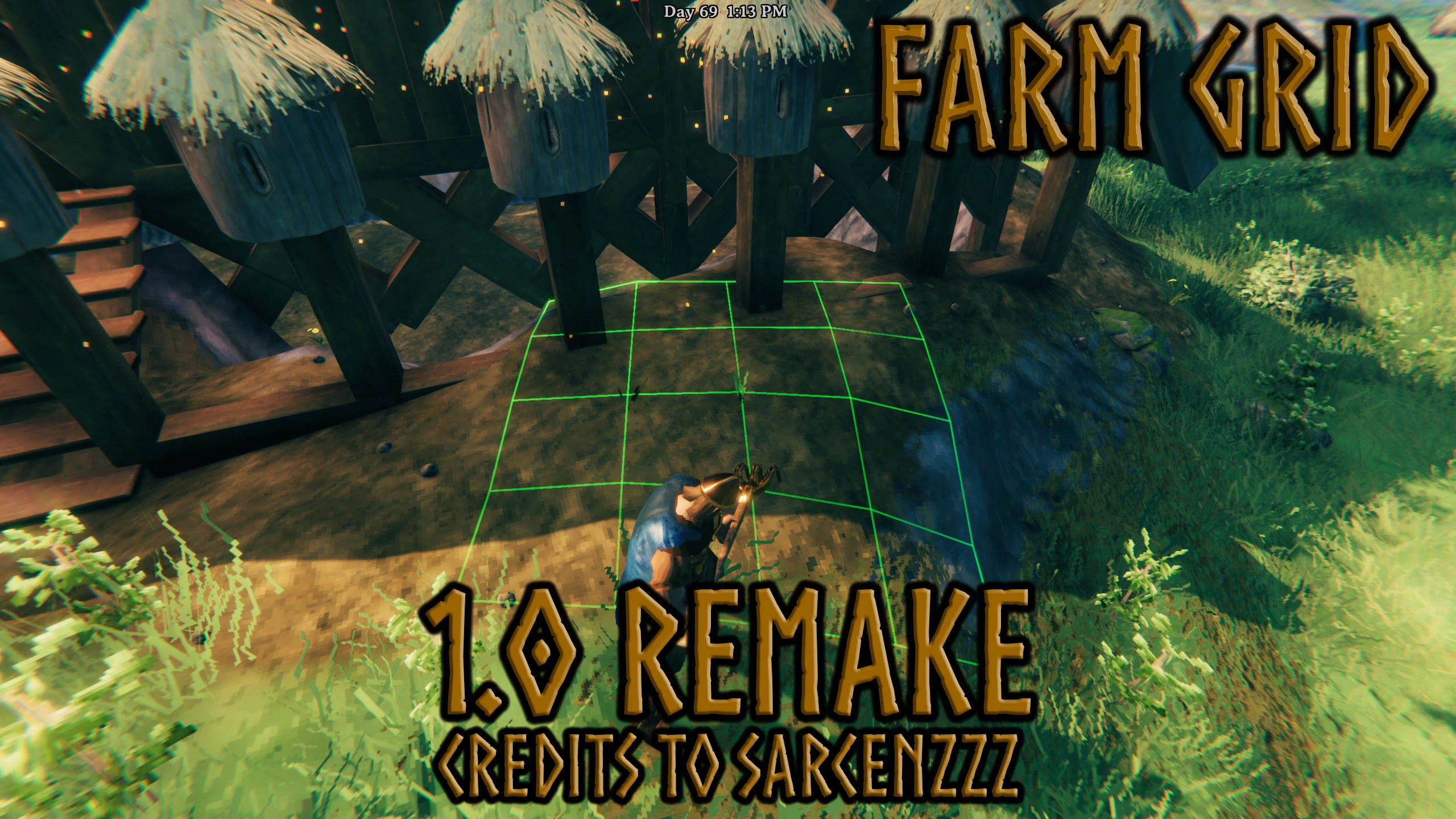
Allows for all plants planted with the cultivator to automatically be snapped and placed into a grid in which they will have enough space to grow.
 查看大图
查看大图[b]FarmGridRemake updates the original FarmGrid concept for current Valheim versions. It snaps cultivator placement locally to nearby plants, automatically recognizes cultivator-added plant prefabs, can temporarily or permanently disable the grid, supports cultivator deconstruction, and can optionally remove plant growth restri[/b]ctions.
[heading]Features[/heading]
[list]
[]Snaps cultivator planting positions locally to nearby recognized plants.[/]
[]Hold [b]Left Shift[/b] to use the red secondary half-cell grid. Red positions are available on local X, local Y, and diagonal directions between the green grid positions.[/]
[]With
[code]AllowPlantOverlap = true[/code] and
[code]removeGrowthRestrictions = true[/code], green and Shift-red snapping can use occupied crop positions, including snapping directly on top of the selected anchor.[/]
[]Rotating a plant rotates the grids around the active snap point without dragging the plant around the anchor.[/]
[]Planting a crop no longer re-anchors, rotates, or recentres the grid just because the newly planted crop or replacement placement ghost appeared.[/]
[]Any recognized cultivator plant can be used as the local snap anchor, including different plant types, when
[code]ConnectToOtherPlants = true[/code].[/]
[]Set
[code]ConnectToOtherPlants = false[/code] to restrict snapping to the same plant type as the plant currently being placed.[/]
[]Uses the real Valheim
[code]Plant.m_growRadius[/code] when available.[/]
[]Automatically discovers plant prefabs registered in the live cultivator
[code]PieceTable[/code].[/]
[]Optional custom grid size.[/]
[]Separate
[code]EnableGrid[/code] master switch.[/]
[]Hold a configurable key to temporarily disable snapping and grid lines.[/]
[]Grid visuals and snapping are client-side.[/]
[]Optional
[code]AllowPlantOverlap[/code] lets multiple plants occupy the exact same position.[/]
[]Plant overlap only works when unrestricted planting is enabled with
[code]removeGrowthRestrictions = true[/code].[/]
[]Multiplayer unrestricted growth requires the host/server and clients to run the plugin.[/]
[/list][heading]Cultivator Plant Detection[/heading]
FarmGridRemake reads the cultivator's current
[code]PieceTable[/code] and caches recognized plant prefab names and layers.
[code]Plant[/code] components use their actual growth radius. Recognized cultivator entries without a
[code]Plant[/code] component use a safe fallback spacing unless overridden in
[code]customPlants[/code].
You can override a prefab's spacing with:
[code]customPlants = PrefabName:0.5, AnotherPrefab:1.0[/code][heading]Grid Size[/heading]
Automatic spacing is used by default.
[code][Grid Size]
useCustomGridSize = false
customGridSize = 1.0[/code]When
[code]useCustomGridSize = true[/code], every recognized plant uses
[code]customGridSize[/code] instead of calculated growth spacing. The red secondary grid uses the same cell size, with its half-cell positions exactly
[code]customGridSize / 2[/code] from the green grid on each active local axis.
[heading]Grid Toggle[/heading]
[code][Grid Toggle]
EnableGrid = true
DisableHoldGridKey = LeftAlt
SecondaryGridKey = LeftShift
holdToDisableGrid = true
ConnectToOtherPlants = true[/code][list]
[][code]EnableGrid = false[/code] disables snapping and grid lines completely.[/]
[][code]DisableHoldGridKey[/code] is the key used for the temporary bypass.[/]
[][code]holdToDisableGrid = true[/code] enables the temporary hold bypass.[/]
[]The default hold-to-disable key is [b]LeftAlt[/b].[/]
[]The default secondary-grid key is [b]Left Shift[/b].[/]
[]While Shift is held, FarmGrid shows the red X-half, Y-half, and diagonal half-cell phases so red positions are visible in every direction between the green grid lines.[/]
[]Red snapping uses the nearest immediate half-cell position around the selected plant anchor. Occupied red targets and the exact anchor position are only allowed when both
[code]AllowPlantOverlap = true[/code] and
[code]removeGrowthRestrictions = true[/code].[/]
[][code]ConnectToOtherPlants = true[/code] allows any recognized cultivator plant type to act as the local anchor.[/]
[][code]ConnectToOtherPlants = false[/code] restricts local anchors to the same plant type as the plant currently being placed.[/]
[/list]Disabling the grid does not disable cultivator deconstruction or unrestricted growth.
[heading]Plant Without Restrictions[/heading]
[code][Plant Growth]
removeGrowthRestrictions = true
AllowPlantOverlap = true[/code][code]removeGrowthRestrictions[/code] is the toggle for planting without normal Valheim plant restrictions. When enabled, FarmGridRemake bypasses the supported
[code]Plant[/code] checks, including:
[list]
[]biome/environment restrictions;[/]
[]cultivated-ground requirements;[/]
[]grow-space checks;[/]
[]the main
[code]CanGrow[/code] restriction gate.[/]
[/list]It also prevents supported planted objects from being destroyed solely because those growth checks fail.
[code]AllowPlantOverlap = true[/code] is enabled by default and allows multiple recognized plants to snap into the exact same position and allows occupied green/red snap targets. This setting is only active when
[code]removeGrowthRestrictions = true[/code]. If unrestricted planting is disabled, FarmGrid ignores
[code]AllowPlantOverlap[/code] and keeps overlap prevention enabled.
This affects growth rules only. It does not make plants float in midair or bypass unrelated physical placement rules.
Plant-to-plant snapping and rotated grids
FarmGridRemake does not use a universal/world grid. It only snaps when a recognized plant is nearby. The nearest valid recognized plant becomes the local anchor, and FarmGrid offers only the eight immediate green neighbour positions around that plant.
Holding [b]Left Shift[/b] switches to the immediate red half-cell positions around the same anchor. Cardinal red positions sit halfway on local X or local Y, and diagonal red positions sit halfway on both axes. The red visual grid displays all three interleaved half-cell phases at once, so the available red alignment is visible in every direction. Occupied red targets and exact on-top anchor snapping are only enabled when both
[code]AllowPlantOverlap = true[/code] and
[code]removeGrowthRestrictions = true[/code].
The current local anchor and grid orientation are retained after a successful placement while the cursor remains on the same cell. This prevents the newly planted crop from instantly becoming the anchor and stops the visible grid from rotating or jumping after every click. Move the placement cursor toward another cell/plant and normal nearest-anchor selection resumes, so newly placed plants can still be used to extend a row or layout intentionally. With
[code]ConnectToOtherPlants = true[/code], different recognized cultivator plant types can anchor each other. With it disabled, only matching plant types connect.
Automatic spacing is based on the plant currently being placed, while
[code]customGridSize[/code] overrides both green and red spacing. Green and red snapping rotate with the placement angle, and plants on modded physics layers or added by Plant Everything can still be used as local anchors.
[heading]Configuration[/heading]
Generated config:
[code]BepInEx/config/Moopfam.FarmGridRemake.cfg[/code][code][FarmGrid]
plantSpacing = 0.01
farmGridSections = 2
farmGridYOffset = 0.2
farmGridColor = 0, 1, 0, 0.35
secondaryGridColor = 1, 0, 0, 0.35
# 0 follows the plant placement rotation. 1-360 locks the grid to that world rotation.
farmGridFixedRotation = 0
plantObjectMasks = piece,piece_nonsolid,item
customPlants =
[Grid Size]
useCustomGridSize = false
customGridSize = 1.0
[Grid Toggle]
EnableGrid = true
DisableHoldGridKey = LeftAlt
SecondaryGridKey = LeftShift
holdToDisableGrid = true
ConnectToOtherPlants = true
[Plant Growth]
removeGrowthRestrictions = true
AllowPlantOverlap = true[/code][heading]Single Player and Multiplayer[/heading]
Single player
Install FarmGridRemake on the client. Unrestricted growth works locally when
[code]removeGrowthRestrictions = true[/code].
Hosted multiplayer
For consistent unrestricted growth, install FarmGridRemake on the host and all clients.
Dedicated server
For consistent unrestricted growth, install FarmGridRemake on the dedicated server and all clients.
Grid snapping, grid lines, and the hold bypass are visual/client-side features. The server requirement applies to unrestricted growth.
[heading]Installation[/heading]
Client
[list=1]
[]Install BepInExPack for Valheim.[/]
[]Place
[code]FarmGridRemake.dll[/code] in
[code]Valheim/BepInEx/plugins/[/code].[/]
[]Start Valheim.[/]
[/list]Dedicated server
[list=1]
[]Install BepInExPack on the server.[/]
[]Place
[code]FarmGridRemake.dll[/code] in the server's
[code]BepInEx/plugins/[/code].[/]
[]Enable
[code]removeGrowthRestrictions[/code] in the server config if unrestricted growth is wanted.[/]
[]Install the plugin on connecting clients for consistent multiplayer growth behavior.[/]
[/list][heading][color=#00ff00][size=6]Credits / Important Note[/size][/color][/heading]
[list]
[][color=#00ff00][size=6][b]Original FarmGrid concept/code:[/b] Sarcenzzz
[url=https://www.nexusmods.com/valheim/users/3061574]https://www.nexusmods.com/valheim/users/3061574[/url][/size][/color][/]
[][color=#00ff00][size=6][b]Advize:[/b] creator of [b]Plant Everything[/b] and [b]Plant Easily[/b][/size][/color][/]
[/list][color=#00ff00][size=6]I was unaware that Advize already had his own version of this type of planting/grid functionality when I made FarmGridRemake.
If you are looking for a maintained planting/grid solution, I recommend downloading [b]Advize's Plant Easily[/b] instead:
[url=https://www.nexusmods.com/valheim/mods/2350]https://www.nexusmods.com/valheim/mods/2350[/url]
Please support the original authors and their work.[/size][/color]
[heading]Version[/heading]
[b]1.1.3[/b]
[heading]Changelog[/heading]
1.1.3
[list]
[]Fixed the grid rotating, recentering, or switching anchors immediately after each plant is placed.[/]
[]The freshly planted crop no longer forces a new grid anchor or orientation.[/]
[]Preserved manual rotation, intentional anchor changes, the Left Shift red midpoint grid, cross-plant linking, and optional plant overlap.[/]
[/list]1.1.2
[list]
[]Added a configurable hold key to temporarily disable FarmGrid snapping and grid lines, default [b]LeftAlt[/b]. ([url=https://next.nexusmods.com/profile/diffByDefault][b]diffByDefault[/b][/url])[/]
[]Changed the default FarmGrid color to green.[/]
[]Added cross-plant grid linking so all recognized cultivator plants can connect to the same grid alignment.[/]
[]Added a configurable secondary grid key, default [b]LeftShift[/b], that shows a red interleaved grid between the green grid positions.[/]
[]Added optional
[code]AllowPlantOverlap[/code] for stacking multiple plants in the same position when unrestricted planting is enabled.[/]
[/list]1.1.1
[list]
[]Added Plant Everything support.[/]
[/list]1.1
[list]
[]Fixed package metadata.[/]
[/list]1.0
[list]
[]Initial FarmGridRemake release for current Valheim versions.[/]
[/list]
还没有人评论,去客户端里说两句吧。
评论在新手盒子客户端中发表,这里同步展示。