AutoPin
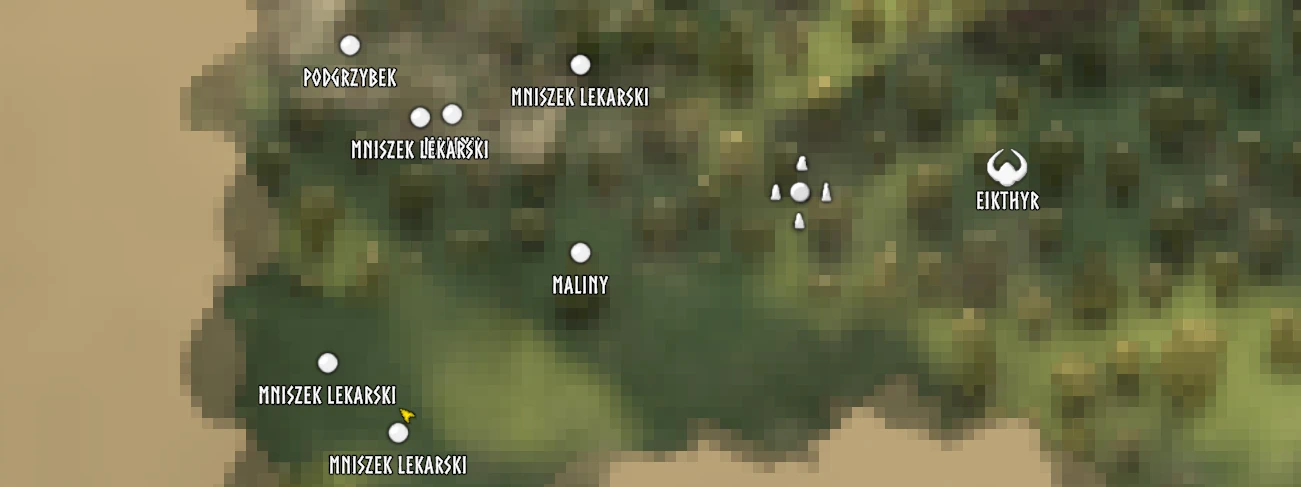
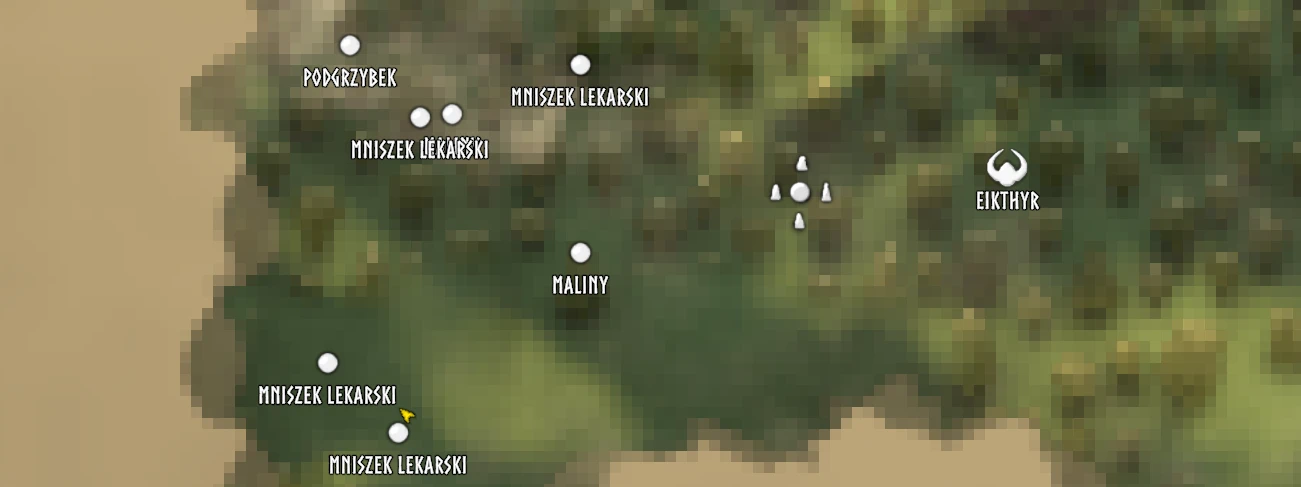
AutoPin mod for Valheim. Detailed config. Support for all languages (changes pins per active language)
 查看大图
查看大图[size=5][b]Configuration[/b][/size]
The config file is created on first launch:
[code]BepInEx/config/pl.rookie.autopin.cfg[/code]Changes are picked up [b]while the game is running[/b]. Just save the file.
[line]
[size=4][b]General[/b][/size]
[list]
[][b]Enabled[/b] (default: true). Master switch. Press [b]F8[/b] in game to toggle it ([i]ToggleKey[/i]).[/]
[][b]Mode[/b] (default: [b]Hover[/b]). How pins are placed:
[list]
[][b]Hover[/b]: pins the object you are looking at. You only mark what you have actually seen.[/]
[][b]Area[/b]: pins everything within [i]Radius[/i] (default 30 m) around you.[/]
[][b]Both[/b]: Hover and Area together.[/]
[][b]Off[/b]: no automatic pins.[/]
[/list][/]
[][b]MaxDistance[/b] (default: 15 m). How far away a looked-at object can be pinned in Hover mode. Lower it (10-20 m) if you want to walk up to things first.[/]
[][b]ShowMessages[/b] (default: true). Short top-left message when a pin is added or removed.[/]
[/list]
[quote][b]Immersion note:[/b] Area mode also finds objects you can't see, such as buried silver veins or scrap piles, without a Wishbone. Stick with Hover if that feels like cheating.[/quote]
[line]
[size=4][b]Categories[/b][/size]
Every object type has its own section with the same options:
[list]
[][b]Enabled[/b]: pin this category or not.[/]
[][b]Label[/b]: pin name. Defaults are game translation keys, so pins show up [b]in your game language[/b].[/]
[][b]Icon[/b]: Icon0-Icon4 (fire, house, hammer, dot, rune) or Boss.[/]
[][b]RemoveWhenGone[/b]: removes the pin when you come back and the object is gone (e.g. ore mined out).[/]
[][b]DuplicateRadius[/b]: no second pin of the same category within this distance. A patch of bushes gets one pin, not twenty.[/]
[/list]
[b]What is pinned by default[/b]
[list]
[][b]Ores[/b] (hammer, removed when mined out): copper, tin, silver, obsidian, muddy scrap piles, meteorites, leviathans, lava leviathans ([i]lava leviathan pins stay[/i]).[/]
[][b]Plants[/b] (dot, pins stay): raspberries, blueberries, cloudberries, mushrooms (common, yellow, blue), jotun puffs, magecap, thistle, dandelion, carrot/turnip/onion seeds, wild flax and barley, fiddlehead, smoke puffs.[/]
[][b]Locations[/b] (house, pins stay): burial chambers, sunken crypts, troll caves, frost caves, infested mines, putrid holes, Charred Fortress, Hildir's dungeons, Haldor, Hildir, Bog Witch.[/]
[][b]Boss altars[/b] (boss icon, pins stay): Eikthyr, The Elder, Bonemass, Moder, Yagluth, The Queen, Fader.[/]
[][b]Other[/b] (fire): tar pits ([i]pins stay[/i]), wild beehives, greydwarf nests, body piles, dragon eggs.[/]
[/list]Don't need something? Set [b]Enabled = false[/b] in its section.
[line]
[size=4][b]Adding your own objects[/b][/size]
There are three empty sections, [b]Custom - 1[/b] to [b]Custom - 3[/b].
[list=1]
[]Set [b]LogLookedAtObjects = true[/b] in [i][1 - General][/i].[/]
[]Look at the object in game and find its name in [i]BepInEx/LogOutput.log[/i], e.g.
[code]Looking at: prefab 'Pickable_Flint', location '-' (collider '...')[/code]For locations (dungeons, camps) use the [i]location[/i] name.[/]
[]Fill in a custom section:[/]
[/list][code][Custom - 1]
Enabled = true
Label = Flint
Icon = Icon3
Prefabs = Pickable_Flint
RemoveWhenGone = true
DuplicateRadius = 10[/code][i]Label[/i] can be plain text or a game translation key like [i]$item_flint[/i]. [i]Prefabs[/i] accepts several comma-separated names.
[line]
[size=4][b]Good to know[/b][/size]
[list]
[]Client-side only. Nothing needs to be installed on the server, and pins are saved with your character's map like normal pins.[/]
[]AutoPin recognises its own pins by [b]Label + Icon[/b]. A manual pin with exactly the same name and icon may be treated as an AutoPin pin.[/]
[]Pins can be shared at the cartography table. Players without the mod see them translated into their own language, except Leviathan and Hildir's dungeon pins. Those two names come from the mod and show as [i][autopin_...][/i] without it.[/]
[/list]
还没有人评论,去客户端里说两句吧。
评论在新手盒子客户端中发表,这里同步展示。