避难所
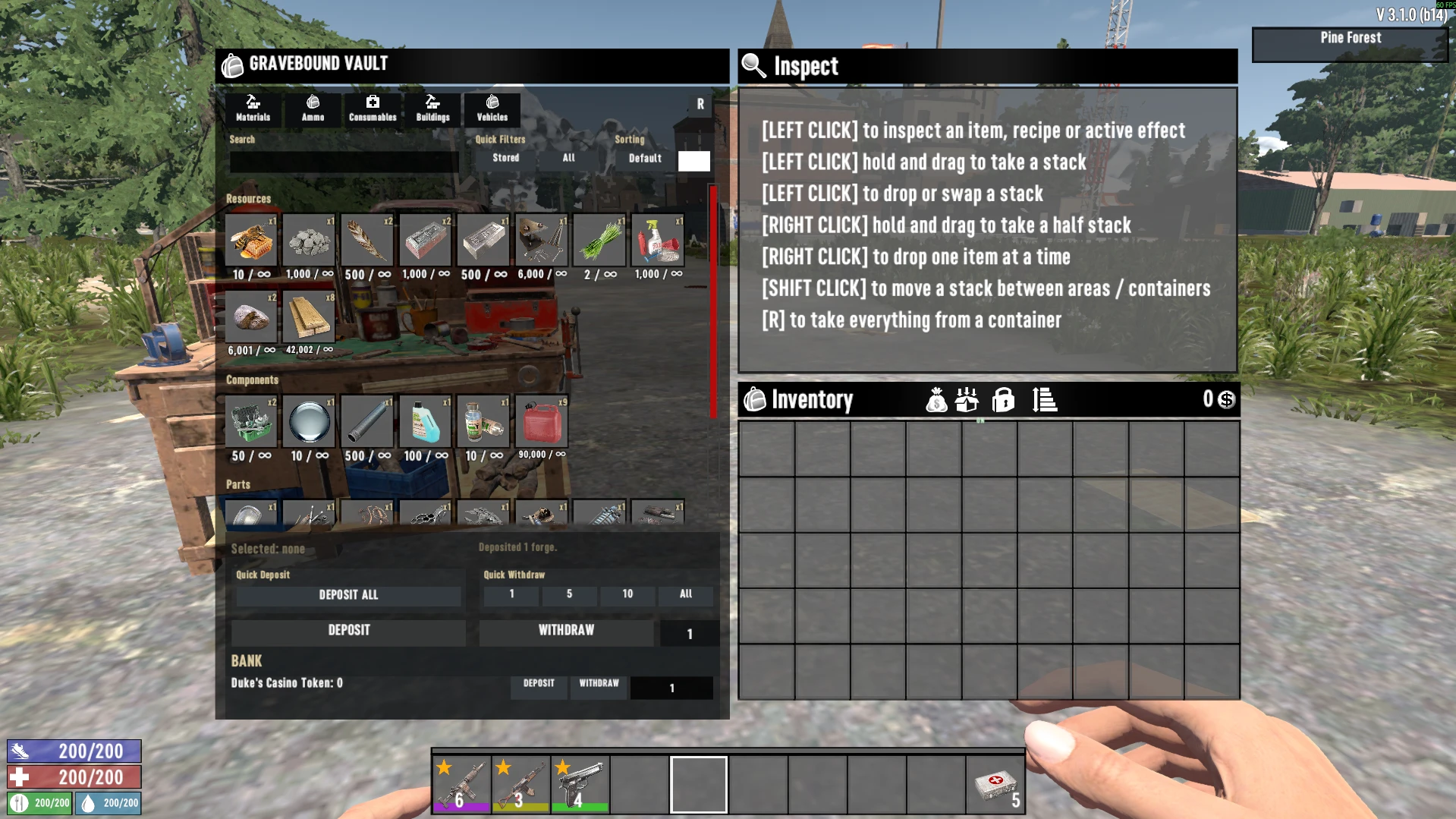
The Vault是一个玩家仓库,拥有无限存储空间,你可以在那里制作、修理、加油、装弹,甚至存放你的载具,并可选择生成或召回
 查看大图
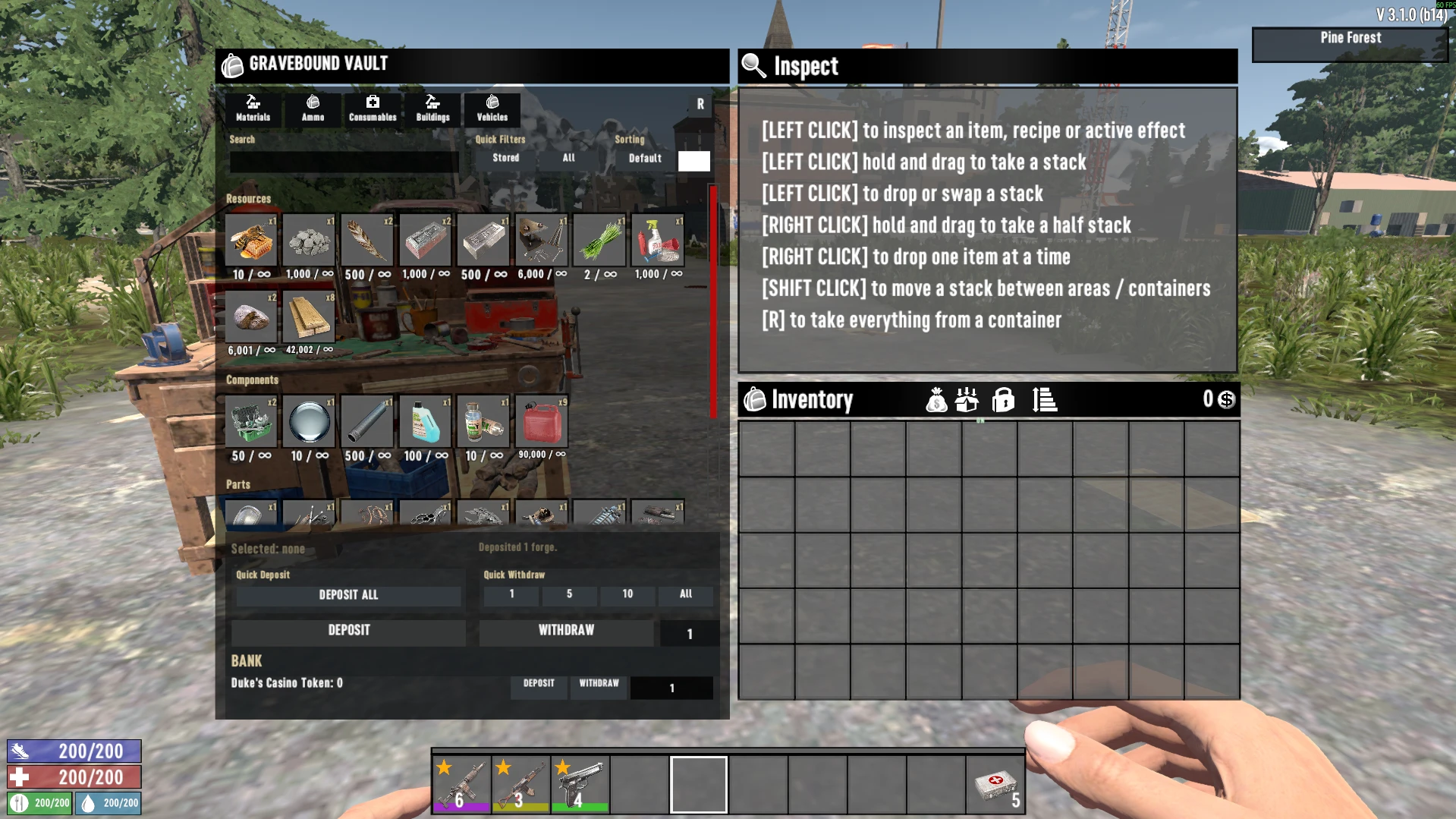
[color=#D4D4D8]Vault 是一个无限存储空间,你可以在其中制作、修理、加油,甚至同时拥有自己的车库和银行。[/color]
[color=#D4D4D8]这是我和朋友们为 V2.0 做的一个老项目,但我们一直没完成。[/color]
[color=#D4D4D8]Vault 不会替换原版背包,它只是把所有资源移到那里以节省你的物品栏空间,同时你可以直接在工作台使用它们,或直接从 Vault 中为武器装弹。[/color]
[color=#ff0000][size=4][b]重要:该模组已在有/无其他模组的情况下测试了许多小时,但 bug 总会出现,所以请保留存档备份[/b][/size][/color][color=#D4D4D8][size=5][b] [/b][/size][/color]
[size=4][b]主 Vault[/b][/size]
[color=#D4D4D8]主 Vault 从普通物品栏标题栏中的专属按钮打开,显示在背包旁边。[/color]
[color=#D4D4D8]当前存储分组包括:[/color]
[list]
[][b]材料:[/b]资源、组件和零件[/]
[][b]弹药[/b]:弹药和爆炸物[/]
[][b]消耗品[/b]:食物、饮料和医疗品[/]
[][b]建筑[/b]:方块、可放置物和装饰[/]
[][b]载具[/b]:打开专属载具车库,拥有自己的召唤和从世界中召回功能[/]
[/list]以上所有内容均由[color=#D4D4D8]配置驱动,因此你可以把其他模组的物品加入 Vault。[/color]
[b][size=4]围绕 Vault 构建的系统[/size][/b]
[list]
[]从 Vault 制作:你可以随时使用手工制作或工作台从 Vault 制作,无需取出资源。[/]
[]弹药装弹[/]
[]载具加油[/]
[]建筑修理/升级[/]
[]从商人处购买[/]
[]载具车库:你可以使用车库存放载具,并用快捷键随时召唤或召回载具[/]
[/list]
[size=4][b]配置文件[/b][/size]
[color=#D4D4D8]Vault 使用 GraveboundVaultConfig.json 作为主配置文件(直到我把所有内容加入设置选项卡),并使用 GraveboundVaultUI.json 作为 UI 相关配置。[/color]
[b]1. GraveboundVaultConfig.json[/b]
[color=#D4D4D8]这是模组的主默认配置文件,它仅在首次游玩该模组或创建新游戏时生效。[/color]
[b]编辑物品列表[/b]
[color=#D4D4D8]使用游戏物品定义中使用的精确稳定物品名称,不要使用本地化显示名称。[/color]
武器、护甲和工具等物品目前不被 Vault 接受,因为你可能会丢失属性,所以硬编码为不接受它们,默认设为 "false"。
[code] "rules": {
"GroupClassificationOverrides": [],
"ItemClassificationOverrides": [],
"FamilyEnabled": {
"Materials": true,
"Ammo": true,
"Consumables": true,
"Gear": false,
"Armor": false,
"Building": true,
"Vehicles": true,
"Other": true
},
"CategoryEnabled": {
"Materials/Resources": true,
"Materials/Components": true,
"Materials/Parts": true,
"Ammo/Ammunition": true,
"Ammo/Explosives": true,
"Consumables/Food": true,
"Consumables/Drinks": true,
"Consumables/Medical": true,
"Gear/Weapons": false,
"Gear/Tools": false,
"Armor/Armor": false,
"Armor/Clothing": false,
"Building/Blocks": true,
"Building/Placeables": true,
"Building/Decor": true,
"Vehicles/Vehicles": false,
"Vehicles/VehicleParts": true,
"Other/Other": true,
"Other/Unknown": true
},[/code]
[b]容量[/b]
[code]"PerItemCapacityStacks": 1[/code]
[color=#D4D4D8]0 表示无限。任何正值表示该物品当前运行时堆叠的允许数量,如果你使用了堆叠模组,它会自动[/color]检测堆叠大小并使用它。
[b]QoL 系统[/b]
[code] "craft": {
"enabled": true,
"perItemExposureCap": 50000
},
"refuel": {
"enabled": true,
"perTransactionExposureCap": 2500
},
"repairReload": {
"repairEnabled": true,
"reloadEnabled": true,
"perTransactionExposureCap": 2500
},
"buildingActions": {
"buildingRepairEnabled": true,
"blockUpgradeEnabled": true
},
"trader": {
"traderPurchaseEnabled": true,
"perTransactionExposureCap": 200000
},[/code]
[b]自动存入[/b]
默认设为 false,你可以在游戏内 Vault 图标旁更改,它会自动将所有资源直接存入 Vault,而不经过物品栏
[code] "autoDeposit": {
"enabled": false,
"singleLoot": true,
"lootAll": true,
"worldPickup": true,
"recoverableProjectilePickup": true,
"harvesting": true,
"questRewards": true,
"bundleOpenOutput": true,
"scrapOutput": true,
"traderPurchase": true
},[/code]
[b]载具快捷键[/b]
[code] "vehicles": {
"enabled": true,
"entries": [
{ "itemId": "vehicleBicyclePlaceable", "enabled": true },
{ "itemId": "vehicleMinibikePlaceable", "enabled": true },
{ "itemId": "vehicleMotorcyclePlaceable", "enabled": true },
{ "itemId": "vehicleTruck4x4Placeable", "enabled": true },
{ "itemId": "vehicleGyrocopterPlaceable", "enabled": true }
],
"summon": { "enabled": true, "hotkey": "" },
"recall": { "enabled": true, "hotkey": "" }
},[/code]
忽略这里的 "hotkey",因为每辆载具在游戏内都有自己的快捷键可绑定。
[b]向 Vault 添加物品[/b]
你可以在此自定义物品、分组和选项卡,选择最适合你的方式,只需将物品名称加入列表,你可以在[url=https://7d2dmodding.wiki.gg/wiki/Items.xml]此处[/url]获取物品名称(请记住该模组不接受任何武器、护甲或工具)
[code] "categories": [
{
"id": "ordinary.materials.resources",
"nameKey": "gbv.category.resources",
"fallbackName": "Resources",
"order": 100,
"enabled": true,
"activeSlotCount": 50,
"familiesAny": [
"Materials"
],
"categoriesAny": [
"Resources"
],
"items": [
"resourceBeeswax",
"resourceBone",
"resourceScrapBrass",
"resourceCandleStick",
"resourceDoorKnob"
]
},[/code]
[spoiler]"familiesAny" 和 " categoriesAny" 是我们为智能分类家族创建的旧系统,因此它不应与任何内容冲突[/spoiler]
[b]2. GraveboundVaultUI.json[/b]
[color=#D4D4D8]此文件仅为布局文件,它控制 UI 几何布局[/color]
[b]3. 每个世界的 vault-rules.json[/b]
[color=#D4D4D8]位置:[/color]
[code]%APPDATA%\7DaysToDie\Saves\<World>\<Save>\GraveboundVault\vault-rules.json[/code]
[color=#D4D4D8]此文件与 [b]GraveboundVaultConfig[/b].json 相同,但用于已加载的游戏[/color]
[color=#D4D4D8][size=4][b]不要随意手动编辑存储或日志文件。在更改或删除存档本地 GraveboundVault 文件夹下的任何内容之前,请备份存档。[/b][/size][/color]
[size=4][b]已知 Bug[/b][/size]
[list=1]
[][size=2]迷你摩托无法加入车库[/size][/]
[][size=2]Vault 中缺少物品[/size][/]
[]某些键盘快捷键会使物品栏翻转(按两次 Tab 关闭物品栏)[/]
[]车库按钮上的白色方块[/]
[/list]
提交 bug 报告前,请确保在 GraveboundVaultConfig.json 中将日志记录设为 true 并提交日志
[code] "logging": {
"schemaVersion": 1,
"enabled": true
},[/code]
[color=#D4D4D8]
[b]卸载[/b]
移除模组前,请从 Vault/车库中取出所有内容[/color]
[spoiler][color=#D4D4D8]有任何我忘记提到的内容都可以随时提问,我不擅长写详细信息 :)[/color][/spoiler]
正在加载版本记录…
正在加载评论…
评论在新手盒子客户端中发表,这里同步展示。