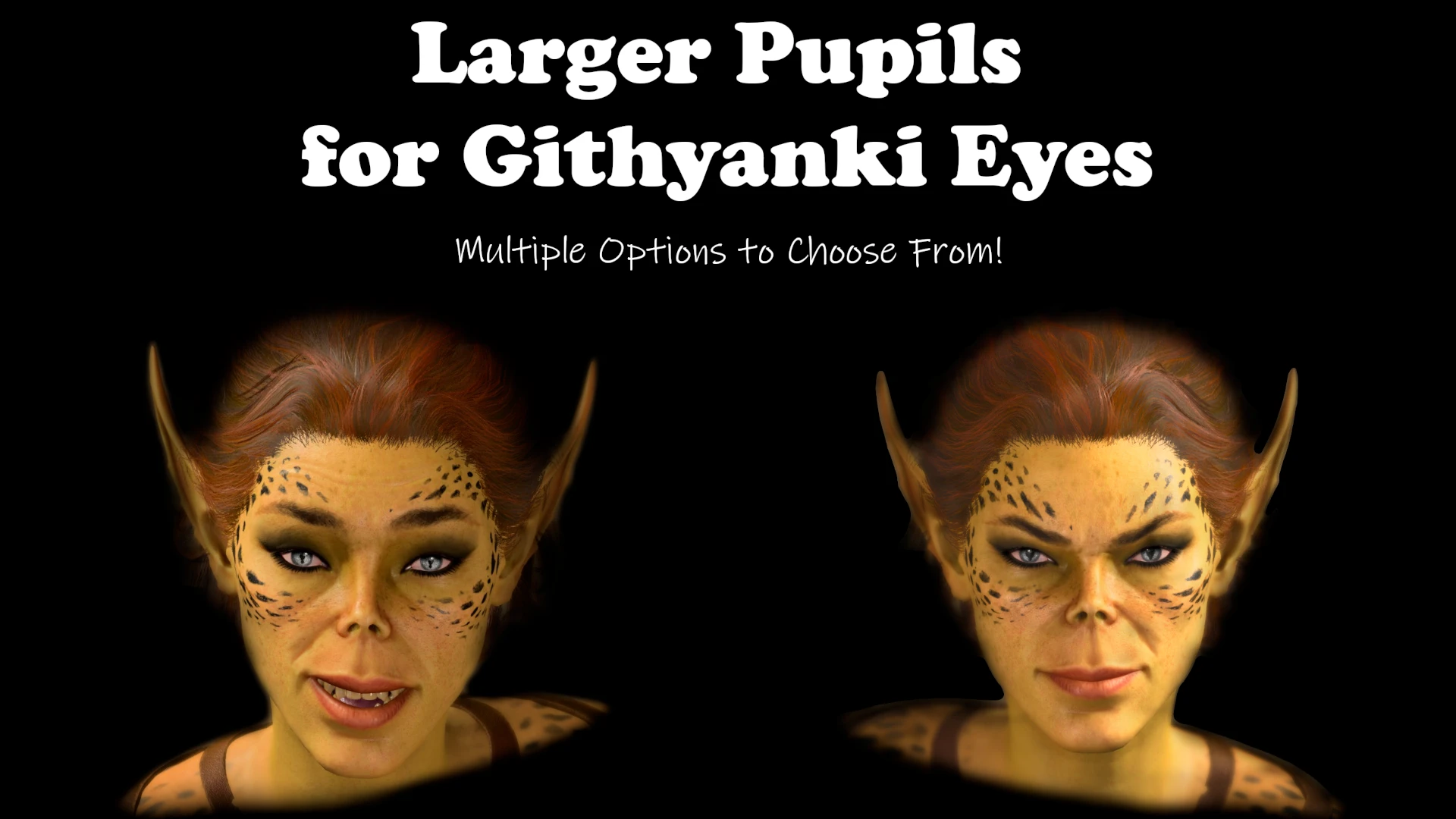
Larger Pupils for Githyanki Eyes
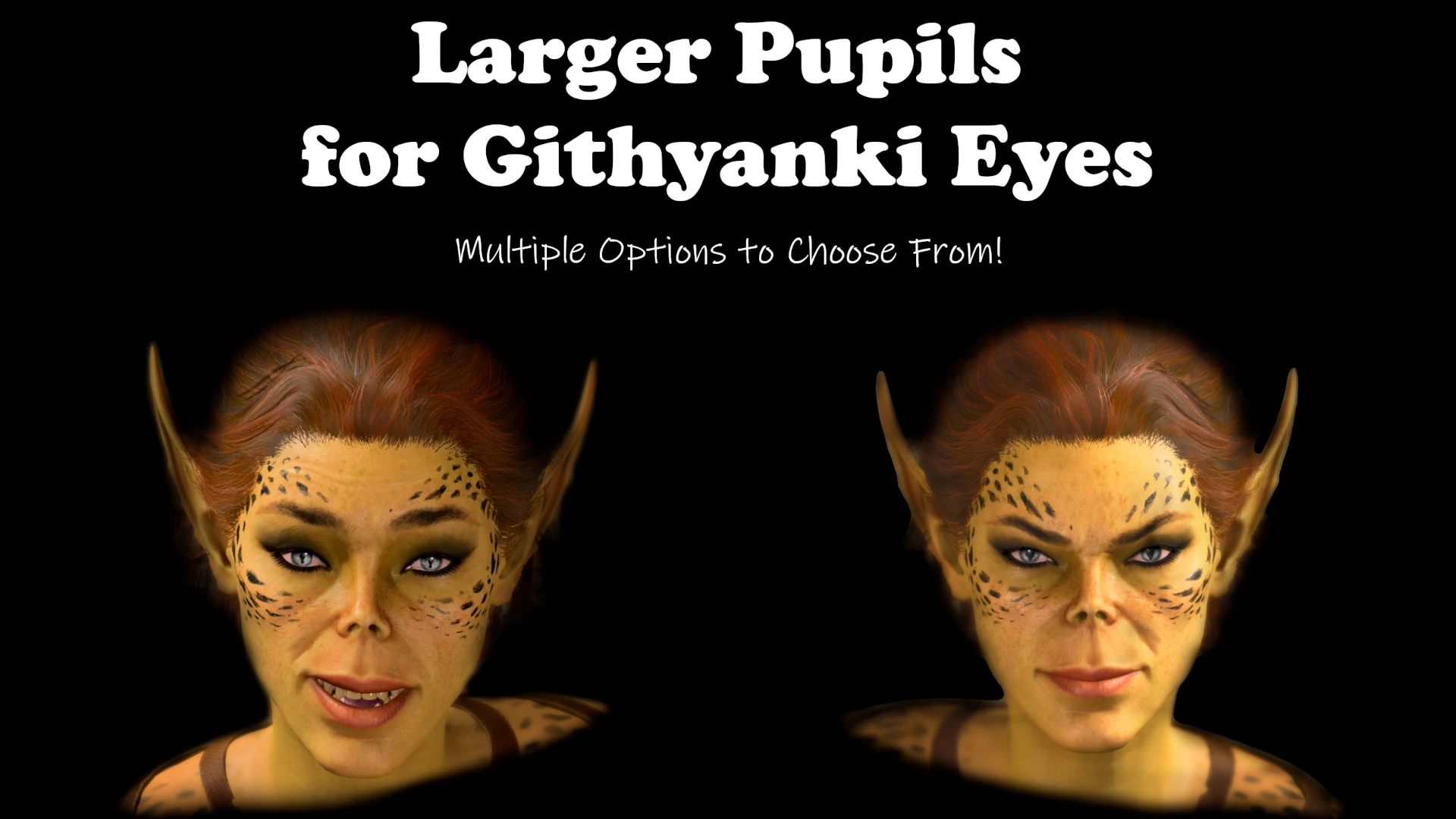
This mod widens the pupils of Githyanki eyes without sacrificing their original gecko-like qualities. Two options are available with one being noticeably wider, yet close to vanilla and the other being as drastically dilated as possible without losing the pupil's unique shape.
 查看大图
查看大图[left][b][color=#6d9eeb][size=4]What is this mod?[/size][/color]
[/b][/left]
[list]
[]This mod widens the pupils of Githyanki eyes without sacrificing their original gecko-like qualities. [/]
[]Choose from [b]noticeably wider[/b], yet close to vanilla or [b]drastically dilated[/b].[/]
[/list]
[color=#6d9eeb][size=4][b]Installation
[/b][/size][/color]Simply drop the .zip into the [b]BG3 Mod Manager[/b]. If you're using the [b]non-EotB[/b] version, It is also available via the in-game mod-manager.
The EotB version requires [url=https://www.nexusmods.com/baldursgate3/mods/315]Eyes of the Beholder[/url] to run and is NOT available via in-game mod-manager or mod.io.
[size=4]
[color=#6d9eeb][b]Known Conflicts
[/b][/color]All other mods that change the Githyanki eye texture file such as [url=https://www.nexusmods.com/baldursgate3/mods/17647]Githyanki Frog Eyes[/url].[/size]
[left][b][color=#6d9eeb][size=3][size=4]Frequently Asked Questions[/size][/size][/color][/b][/left]
[list=1]
[][size=3]Can you make your mods work with my favorite mod that someone else other than you or I created?[/size]
[list]
[][size=3]Unfortunately, the answer is no. Why? With all the countless other mods out there that there's simply too many permutations and it exponentially complicates maintenance on my mods.[/size][/]
[][size=3]But I'm a mod author and I'd like for our mods to play nicely together!!![/size]
[list]
[][size=3] Send me a DM and we can talk about it. With your intimate knowledge of how your mod is built, there's a chance we can make it work![/size][/]
[/list][/]
[/list][/]
[][size=3]I've run into a problem with your mod. How do I submit a bug report?[/size]
[list]
[][size=3]First thing's first. Unload ALL other mods and try the mod you're having trouble with one more time.[/size]
[list]
[][size=3]If that fixed it that means you've found a mod conflict. Please see FAQ 1 about addressing mod conflicts.[/size][/]
[/list][/]
[][size=3]Still having trouble? Drop me a note and I'll look into it. [/size][/]
[/list][/]
[/list][size=3]Thanks so much in advance for your understanding and continued support. 🙏❤️ [/size]
[size=4][b][color=#6d9eeb]Created with the Official BG3 Mod Toolkit[/color]
[/b][/size]
[url=https://discord.gg/bg3mods][/url]
[center][url=https://discord.gg/bg3mods][img]https://i.imgur.com/r4g8fs4.png[/img][/url][/center]
[url=https://discord.gg/bg3mods][/url]
![https://discord.gg/bg3mods][img]https://i.imgur.com/r4g8fs4.png[/img][/url][/center]](https://discord.gg/bg3mods%5D%5Bimg%5Dhttps://i.imgur.com/r4g8fs4.png%5B/img%5D%5B/url%5D%5B/center%5D)
正在加载版本记录…
正在加载评论…
评论在新手盒子客户端中发表,这里同步展示。