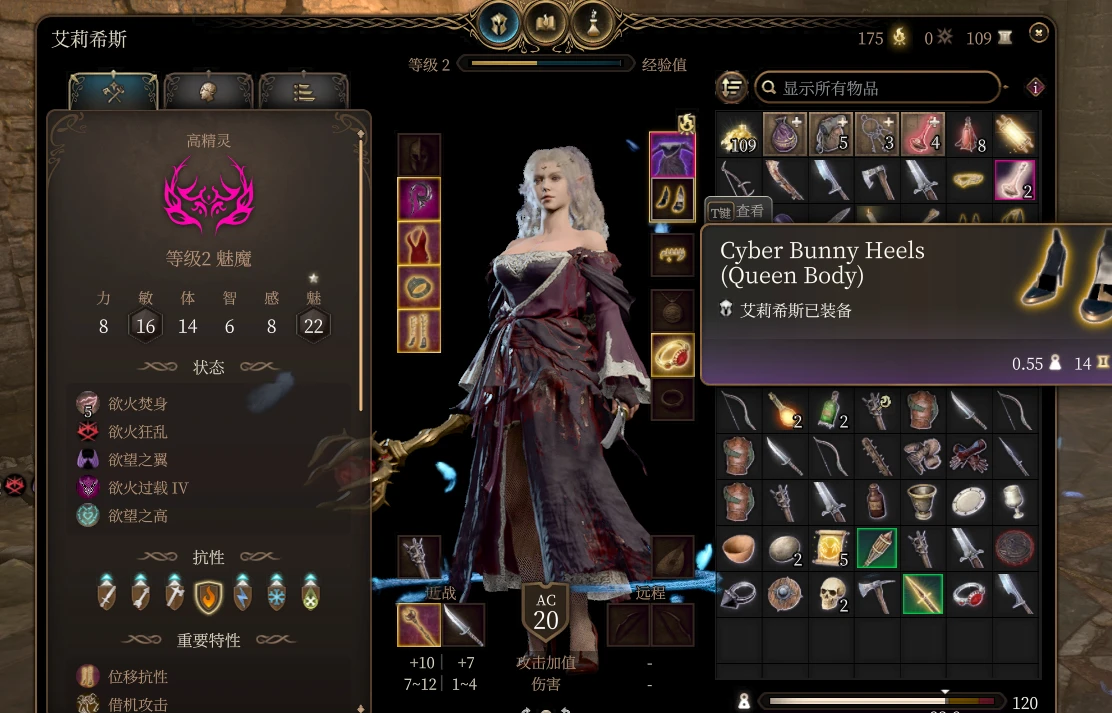
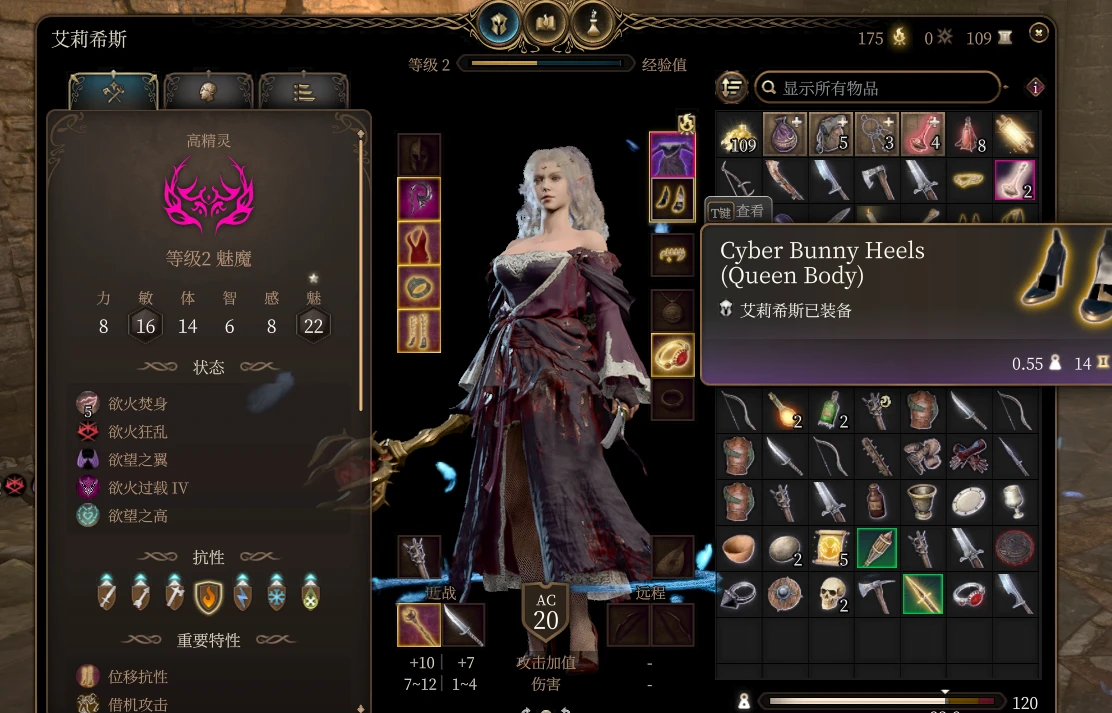
Heels Mod - Dynamic High Heel Footsteps
Adds dynamic, surface-aware high-heel footsteps to compatible shoes while leaving all unmarked footwear untouched. Includes the reusable HEELS_FOOTWEAR framework, live equip/unequip detection, and support for compatibility patches. Requires BG3 Script Extender.
 查看大图
查看大图[size=6][color=#E39A45][b]Heels Mod[/b][/color][/size]
[b]Heels Mod[/b] is a reusable high-heel footstep audio framework for [i]Baldur's Gate 3[/i]. Compatible footwear automatically gains high-heel contact sounds while walking and running, while every unmarked shoe remains untouched.
[quote][b]Audio only:[/b] this mod does not change shoe models, heel height, foot poses, animations, body meshes, or character height.[/quote][line]
[size=5][color=#D7AD72][b]Quick Start[/b][/color][/size]
[list=1]
[]Install [b]BG3 Script Extender[/b], Revision 32 or newer.[/]
[]Install
[code]HeelsMod.pak[/code]with BG3 Mod Manager.[/]
[]Move [b]Heels Mod[/b] to Active Mods and export the load order.[/]
[]Install a compatibility patch for the footwear you want to use.[/]
[]Fully restart the game after installing or updating the mod.[/]
[/list][size=5][color=#D7AD72][b]How To Use[/b][/color][/size]
There is no configuration menu. Equip a supported pair of shoes and the heel sounds activate automatically. Removing the shoes restores normal footsteps immediately.
[list]
[]Shoes carried in the inventory do not activate the effect.[/]
[]Unmarked footwear remains unchanged.[/]
[]The
[code]HEELS_FOOTWEAR[/code]marker is hidden and does not appear in the character interface.[/]
[/list][size=5][color=#D7AD72][b]Main Features[/b][/color][/size]
[list]
[]Dynamic high-heel footsteps for compatible footwear[/]
[]Automatic live equip and unequip detection[/]
[]Surface-aware audio routing with randomized sound variations[/]
[]Preserves the game's existing surface detail[/]
[]Does not modify native
[code]StepsType[/code]values[/]
[]Reusable opt-in framework for compatibility patches[/]
[]No effect on unsupported shoes or unrelated characters[/]
[/list][size=5][color=#D7AD72][b]Queen's Garments Compatibility[/b][/color][/size]
The original [b]Queen's Garments[/b] is available on [url=https://mod.io/g/baldursgate3/m/queens-garments]mod.io[/url]. Install the separate [b]Queen's Garments - Heels Patch[/b] after both requirements.
[list=1]
[]Queen's Garments[/]
[]Heels Mod[/]
[]Queen's Garments - Heels Patch[/]
[/list][line]
[size=6][color=#E39A45][b]Manual Footwear Setup[/b][/color][/size]
Use these instructions when a pair of shoes does not already have a compatibility patch. This procedure changes its footstep audio only.
[size=4][color=#EFD0A4][b]1. Unpack And Locate The Shoe[/b][/color][/size]
Unpack the footwear PAK with BG3 Modder's Multitool, LSLib, or another compatible tool. Armor Stats are normally stored under:
[code]Public/MOD_FOLDER/Stats/Generated/Data/[/code]Find the shoe's internal Stats name or
[code]RootTemplate[/code]UUID in
[code]Armor.txt[/code]or another TXT file in that directory. Confirm that it occupies
[code]Boots[/code]or
[code]VanityBoots[/code].
[code]new entry "MY_CUSTOM_HEELS"
type "Armor"
using "_Vanity_Shoes_Generic_Rich"
data "RootTemplate" "00000000-0000-0000-0000-000000000000"[/code][quote]Do not mark body outfits, underwear, gloves, cloaks, headwear, or full-body clothing that only includes decorative shoes.[/quote][size=4][color=#EFD0A4][b]2. Add The Heels Marker[/b][/color][/size]
Add the following line to the shoe's Armor entry:
[code]data "PassivesOnEquip" "HEELS_FOOTWEAR"[/code]If
[code]PassivesOnEquip[/code]already exists, preserve every original passive and append the marker with a semicolon:
[code]data "PassivesOnEquip" "PASSIVE_A;PASSIVE_B;HEELS_FOOTWEAR"[/code]Never replace or remove the shoe's original passives.
[size=4][color=#EFD0A4][b]3. Add The Heels Mod Dependency[/b][/color][/size]
Add this node to the footwear mod or compatibility patch's
[code]meta.lsx[/code]dependency list:
[code]<node id="ModuleShortDesc">
<attribute id="Folder" type="LSString" value="HeelsMod_a51f5405-30e3-41a2-bc16-ad7682fb14ea"/>
<attribute id="MD5" type="LSString" value=""/>
<attribute id="Name" type="LSString" value="Heels Mod"/>
<attribute id="PublishHandle" type="uint64" value="0"/>
<attribute id="UUID" type="guid" value="a51f5405-30e3-41a2-bc16-ad7682fb14ea"/>
<attribute id="Version64" type="int64" value="36028797018963973"/>
</node>[/code]A separate compatibility patch should also declare the original footwear mod as a dependency.
[size=4][color=#EFD0A4][b]4. Create A Distribution-Safe Patch[/b][/color][/size]
For personal use, you may edit and repack the footwear mod directly. For public distribution, create a separate add-on with its own module UUID:
[code]Mods/MyHeelsPatch_UUID/meta.lsx
Public/MyHeelsPatch_UUID/Stats/Generated/Data/MyHeelsPatch_Armor.txt[/code]Copy only the complete Armor entries being modified, then append
[code]HEELS_FOOTWEAR[/code].
[quote][b]Copyright notice:[/b] do not redistribute the original mod's full PAK, meshes, textures, icons, localization, or unrelated Stats files without permission.[/quote][size=4][color=#EFD0A4][b]5. Package And Test[/b][/color][/size]
Package the add-on as a PAK and use this load order:
[list=1]
[]Original footwear mod[/]
[]Heels Mod[/]
[]Compatibility patch[/]
[/list]Restart the game, equip the modified shoes, and walk or run. Removing them should immediately restore normal footsteps.
[quote][color=#E39A45][b]Important:[/b][/color] Do not create a custom
[code]StepsType[/code]named
[code]Heels[/code]and do not assign numeric value
[code]7[/code]. Baldur's Gate 3 has no native Heels switch branch, so unsupported values may produce silent footsteps.[/quote][line]
[size=5][color=#D7AD72][b]Troubleshooting[/b][/color][/size]
[list]
[]Confirm that BG3 Script Extender is installed and working.[/]
[]Confirm that Heels Mod is active and exported.[/]
[]Confirm that the correct Armor stat received
[code]HEELS_FOOTWEAR[/code].[/]
[]Preserve all existing
[code]PassivesOnEquip[/code]values.[/]
[]Place compatibility patches after their requirements.[/]
[]Equip the shoes instead of merely carrying them.[/]
[]Fully restart the game after installing or updating files.[/]
[/list][size=5][color=#D7AD72][b]Requirements[/b][/color][/size]
[list]
[]Baldur's Gate 3[/]
[]BG3 Script Extender, Revision 32 or newer[/]
[]A supported footwear mod or compatibility patch[/]
[]BG3 Mod Manager is recommended[/]
[/list]Heels Mod is independent of GrazztRing and does not require it.
[size=5][color=#D7AD72][b]Credits[/b][/color][/size]
[list]
[][b]Norbyte[/b] for BG3 Script Extender[/]
[][b]Larian Studios[/b] for Baldur's Gate 3[/]
[][b]Skirbie[/b] for Queen's Garments[/]
[]The BG3 modding community for its tools, documentation, testing, and research[/]
[/list]
正在加载版本记录…
正在加载评论…
评论在新手盒子客户端中发表,这里同步展示。