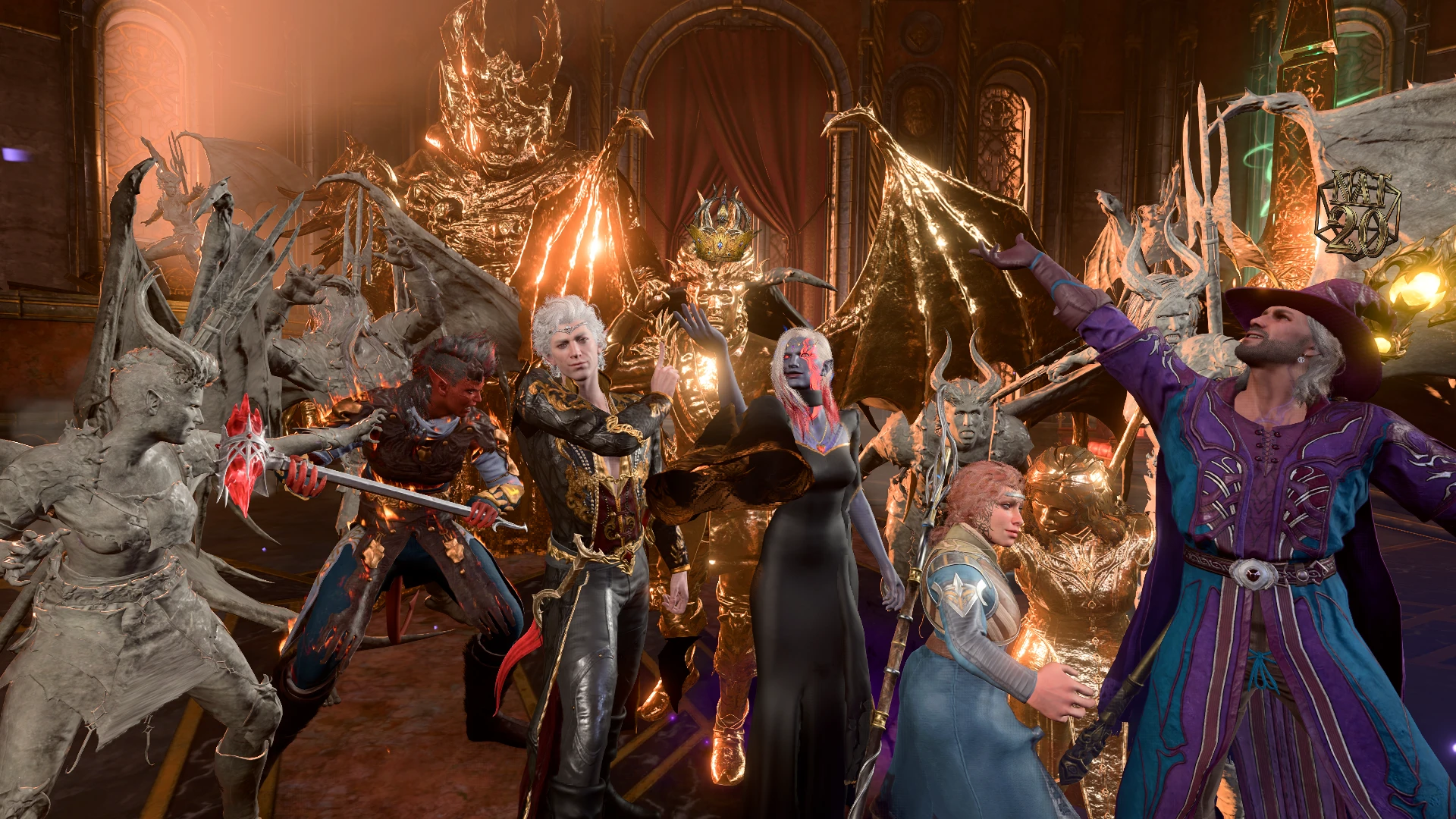
Flesh to Stone Leave Combat and Reward XP (Plus Midas and Medusa Spells)
Here I come with another niche mod: changing Flesh to Stone/Gold to allow players to leave combat and reward party with XP when the last enemy is petrified. Also includes Homebrew Flesh to Stone buff and Homebrew Spells inspired by the Greek mythology of Midas & Medusa.
 查看大图
查看大图[size=3]One of the pet peeves I have in this game is that combat doesn't end after Petrifying the last enemy, so you end up having to kill them afterwards anyway. [s]I want my own collection of Terracotta Army and[/s] this mod remedies that, I made 2 versions of this. One edits the Petrified or Turned to Gold [color=#b6d7a8][b]Conditions ONLY[/b][/color], The other includes a [b][color=#b4a7d6]Buff to Flesh to Stone[/color][/b] by giving it Recast, I always thought it's really weak compared to all the other Level 6 spells. [color=#6d9eeb][size=3][b][u]ONLY NEED TO INSTALL ONE OF THE MAIN FILES[/u][/b][/size][/color]. So here are the changes I made, anything not listed is either not intended or not caused by this mod.[/size]
[color=#b6d7a8][size=4][b][u]Conditions Only version:[/u][/b][/size][/color]
[spoiler]
[list]
[][size=3]Combat will end when the last enemy is Petrified or Turned to Gold.[/size][/]
[][size=3]Reward XP once enemies are Petrified, just like knocking them unconscious. [color=#6d9eeb][b]Only happens once[/b][/color], you won't get replicate XP if you kill them later.[/size][/]
[][size=3]Replaced the "dabbing" animation when they are Petrified because I thought it looks stupid, I hope no one misses that. Now they look at their hands instead.[/size][/]
[][size=3]Enemies make death sound when they are Petrified.[/size][/]
[/list][/spoiler]
[color=#b4a7d6][size=4][b][u]Flesh to Stone Buff version:[/u][/b][/size][/color]
[spoiler]
[list]
[][size=3]All of above changes.[/size][/]
[/list][list]
[][size=3]Inventories of Petrified characters are lootable now, might need to right click to loot them. [b][color=#e06666]Does Not Work Retrospectively[/color][/b] on already Petrified character.[/size][/]
[/list][list]
[][size=3]After casting Flesh to Stone with a spell slot or a scroll, you will now get to [color=#b4a7d6][b]Recast Flesh to Stone[/b][/color] & [color=#f1c232][b]Flesh to Gold[/b][/color] ([i]they are pretty much the same just with different aesthetic[/i]) without expending a spell slot. You can do this outside of combat and you don't need to [color=#f6b26b]Concentrate[/color] on Flesh to Stone anymore.[/size][/]
[/list][list]
NOTE: Unfortunately, you have to cast the first Flesh to Stone on a Creature or an Object (e.g. a bedroll, a bench, anything that is highlighted with Yellow when you hover over) for this to work. Targeting the ground won't give you the Recast, I'd like to fix this but I also want to try to keep my edit to the Vanilla spell to a minimum.[/list][list]
[][size=3]The Recast does not require [color=#f6b26b]Concentration[/color], so you can target multiple enemies simultaneously.[/size][/]
[/list][list]
[][size=3]Or you can target enemies with the Recast again [b][color=#e06666]AFTER[/color][/b] they reach the [color=#b4a7d6]2nd stage of Flesh to Stone[/color]/[color=#f1c232]Gold[/color] to force them to make [color=#ea9999]Constitution Save[/color] or be Petrified (won't work with vanilla Flesh to Stone), effectively skipping a turn and a save to petrify them.[/size][/]
[/list][list]
[][size=3]If you don't like any of the changes above, say you just want the recast. You can just cast it once on an enemy and ignore the rest (except for the Concentration, that's gone), it will still work like a normal Flesh to Stone. Also no changes have been made to the Vanilla Flesh to Stone, except that now it gives you the Recast.[/size][/]
[/list][list]
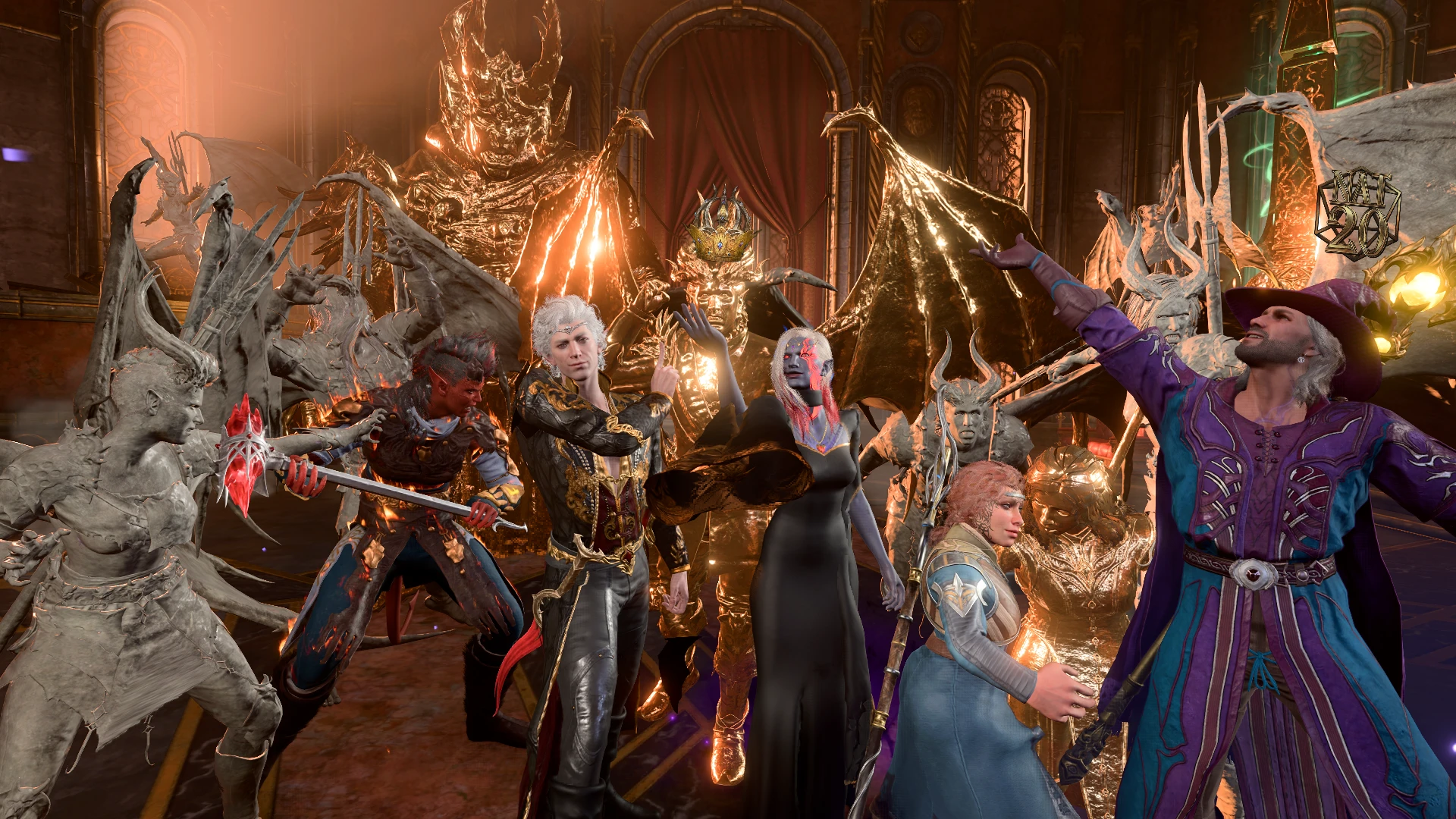
[][size=3]You can use the Recast on [color=#9fc5e8][b]Objects[/b][/color] or [b][color=#9fc5e8][size=3][b][color=#9fc5e8]Equipment[/color][/b][/size][/color][/b] to give them a Petrified/Golden look, your weapons and armour will even look golden in cutscenes (see screenshots). The effect will only last until Long Rest and can be removed by [color=#ea9999]attacking the object[/color]. If you want to keep the effect permanently, guess what? Just use the Recast on Petrified/Gilded object again. They will all be removed if whoever casts them die as a failsafe.[/size][/]
[/list] [size=2][i]I know it's called Flesh to Stone, but let me have fun, ok? BTW if you want to put more visual effects on equipments, check out [url=https://www.nexusmods.com/baldursgate3/mods/14717]Armory[/url].[/i][/size][/spoiler]
[size=3]Added a spell to "move" Petrified Characters in [b][color=#b4a7d6]Buff version[/color][/b], here are the details.[/size]
[spoiler]
[list]
[][size=3]The Spell will be available alongside [size=3][color=#b4a7d6][b]Flesh to Stone[/b][/color] & [color=#f1c232][b]Flesh to Gold[/b][/color][/size] [color=#f1c232][size=3][b]Recast[/b][/size][/color].[/size][/]
[/list][list]
[][size=3]Target Petrified/Golden characters to pick them up, [color=#e06666][b]Killing[/b][/color] them in the process (only way I know to pick up characters). It’ll take a second to go into your inventory, sorry for the jank but some things in this game won’t work if they are executed simultaneously. The Petrified corpse’s weight is reduced for convenience. Put the Petrified corpse, or rather ash, where you want and [color=#a4c2f4][b]Use the Same Spell Again[/b][/color] on the corpse to Rebuild it. It will be resurrected and before it’s re-Petrified, the target will face towards the caster so you can control the direction it’s facing.[/size][/]
[/list][list]
Don’t bother rotating the corpse, every time they are resurrected, they will always face towards the direction they died for some reason. Hence my method (it’s actually just the Enthrall spell). Not available for Party members because the game freaks the hell out.[/list][list]
[][size=3]You can also Petrify or turn dead characters into gold now. Just target a corpse with the [color=#b4a7d6][b]Recast[/b][/color] first then use the new spell on it. They will be Petrified/Turned to Gold accordingly, of course. Now, I’ve tested this a bit and haven’t found any big problem, but not enough to guarantee the stability of resurrecting dead NPCs especially ones involved in Quests. If you want to be absolutely safe, [color=#e06666]Do Not[/color] use the spell on Important Story NPCs, especially recurring characters, e.g. the Hag, Minthara, etc. Use at your own risks.[/size][/]
[/list] [color=#e06666][size=4][b][u]Issues:[/u][/b][/size][/color]
[list]
[][size=3]Unfortunately if you’re collecting Petrified characters at camp, they won’t automatically move with you to the new camp. You’ll have to move them manually, but don’t worry, you can still go back to the last camp they were in as long as you haven’t progress to the next act. With the exception of Act 3 City Docks Camp, once you rented the Elfsong room you can’t return to the Docks Camp. [/size][/]
[/list][list]
[][size=3]Petrified characters are pretty resource intensive for some reason. Try not to gather too many in one place.[/size][/]
[/list][list]
[][size=3]The game seems to delete some characters no matter what after a long rest. If your statues disappear after a long rest, they are the ones I’m talking about.[/size][/]
[/list][list]
[][size=3][s]Using this spell on characters outside of camps will result in the corpse being marked as a crime to move it.[/s] Fixed by giving Petrified characters temporary 'MONSTER' Tag since the game won't mark entities with 'BEAST' or [size=3]'MONSTER' Tag[/size]. Tried to fix this with scripts, but nothing worked. [/size][/]
[/list][/spoiler]
[color=#e06666][size=5][b][u]WARNING (PLEASE READ)[/u][/b][/size][/color]
[list]
[][size=3]When I'm testing this mod I came across a pretty weird glitch, I can't trigger it reliably and don't have a permanent fix so far. It seems to only happen when one of your companions or summons is Petrified, and sometimes when that happens you [color=#c9daf8][u][b]Cannot End Turn[/b][/u][/color] or [color=#c9daf8][u][b]Exit End Turn Mode[/b][/u][/color]. If this happens don't worry, [color=#6d9eeb][u][b]just Save and Reload the Game[/b][/u][/color]. That fixes the issue for me, but if it doesn't let me know. I believe it's a vanilla bug, anyone with more info please share in the comments.[/size][/]
[/list]
[list]
[][size=3][color=#e06666][u][b]DO NOT PETRIFY IMPORTANT NPCs[/b][/u][/color] that are actively involved in Quests or that you are required to kill in order to progress (e.g. Ketheric, Orin, Gortash, Cazador, etc.). Even if you killed them in Petrified state, it would still break their relative quests. You are virtually killing them by Petrifying them unless you restore them with Basilisk Oil or Greater Restoration. And if the NPCs aren't able to do what they are supposed to do during the quests, that will break the quests. I'm afraid there's not much I can do here, this is how it is in Vanilla and way beyond me to fix. I guess my advice is to make a save you can return to before Petrifying Quest-related NPCs, general or unnamed enemies with no dialogues should be completely safe to Petrify.[/size][/]
[/list]
[list]
[][size=3]Petrifying Mizora before finishing Wyll's quest wyll [/size]size=2[/size][size=3] break his quest, but it should be safe to Petrify her [b][color=#e06666]AFTER[/color][/b] completing his quest. [/size][/]
[/list]
[list]
[][size=3]Petrified characters can be pretty resource intensive for some reason, especially in Photo Mode.[/size][/]
[/list]
[size=4][u][b][color=#f1c232]Optional File: Midas[/color] & [color=#6aa84f]Medusa (Does Not Require Main File)[/color][/b][/u][/size]
[size=3]Standalone version of Midas & Medusa from my [url=https://www.nexusmods.com/baldursgate3/mods/20299]Homebrew Wild Magic[/url] mod, putting this here since they are relevant to petrification. I'm sure most people are familiar with the Greek mythology of Midas & Medusa, so I won't explain too much. All the details are in the spell descriptions.[/size]
[size=3]How to get these spells:
I've added 2 items to the [color=#c27ba0][b]Tutorial Chest[/b][/color] that will grant the spells (there is actually a couple variations of the spells btw, why not?) that come inside a pouch called [b][color=#6d9eeb]Bag of Myths[/color][/b] [/size][size=2]([i]I'm not good at naming things, sorry[/i])[/size][size=3]. I reckon most people browsing here has already installed weapons or armour mods, so you should know how to get items from Tutorial Chest. Recommend using [url=http:///www.nexusmods.com/baldursgate3/mods/8295]AV Item Shipment Framework[/url], if it isn't in the Tutorial Chest, you'll need to reset it.[/size]
[spoiler]
[color=#f1c232][size=4][u][b]Midas Touch[/b][/u][/size][/color][size=3]
Everything the character touch and everything that touches them turn into gold. Including their [color=#f1c232]weapons, armour, [u]potions and elixirs, hence they CANNOT drink them[/u][/color]. They get a melee attack called, well, [color=#f1c232]Midas Touch[/color] that uses [b][color=#6fa8dc]Melee Spell Attack[/color][/b] [/size][size=2]([i]sorry martials[/i])[/size][size=3] to turn creatures or objects to gold. They'll need to [b][color=#6fa8dc]Succeed 2 Attacks Consecutively[/color][/b] to do that to a creature, and creatures turned to gold can make a [color=#ea9999]Constitution Save[/color] to break free each time they are damaged.
If companions hit the character with melee spell or unarmed attack, shove or use help action on the character, the companions will be [b][color=#f1c232]Turned to Gold[/color][/b]. To prevent this from getting too Overpowered, enemies that touch the character will only get [color=#f1c232][b]First Stage of the Petrification[/b][/color].[/size]
[color=#6aa84f][size=4][u][b]Medusa[/b][/u][/size][/color][size=3]
Any [color=#cfe2f3]Humanoids[/color] or [color=#d5a6bd]Beasts[/color] within 5 metres that [b][color=#6fa8dc]Can See[/color][/b] the head of the character having the Curse (the character isn't Heavily Obscured, Hidden, Invisible, etc.) will need to make a [color=#ea9999]Constitution Save[/color] or be [color=#6aa84f][b]Petrified[/b][/color] for 5 turns. Petrified creatures can make a save each turn to break free. If they fail [color=#6aa84f][b]All 5 Saving Throws[/b][/color], they will be Petrified until Long Rest.
This curse [color=#6aa84f][b]Affect Companions[/b][/color] as well and cannot be "turned off" during combat, however [color=#d9d2e9][u]wearing a hat or helmet[/u][/color] will prevent the curse from affecting anyone. Also I've implemented it to automatically switch off outside of combat since Petrifying companions every 5 seconds isn't fun, can be disabled in Passive.[/size]
P.S. I tried to make the items behave like scrolls but scrolls apparently do not like container spells (spells like Create or Destroy Water) for some reason. Every time I assign container spell to a scroll it crashes the game, which doesn't make sense because Disguise Self is a container spell and we have scrolls of them in the game. Whatever, doesn't matter.[/spoiler]
[color=#fff2cc][size=5][b][u]Compatibility & Uninstall[/u][/b][/size][/color][color=#b6d7a8][size=4][b]
Conditions Only version: [/b][/size][/color]
[size=3]I've only edited the Petrified and Turned to Gold conditions, no changes were made to the Petrification stages. [size=3]Put this mod [color=#e06666][b]AFTER[/b][/color][/size] any mod editing Petrified and Turned to Gold conditions, and it should overwrite and merge my changes with them. Should be safe to uninstall mid-playthrough.[/size]
[color=#b4a7d6][size=4][b]Flesh to Stone Buff version:[/b][/size][/color]
[size=3]Same as above, but with 1 additional edit of SpellProperties to Flesh to Stone, which is empty in Vanilla. Will probably work with any mod editing Flesh to Stone if you put my mod [b][color=#e06666]AFTER[/color][/b] them. Any changes to Flesh to Stone made by other mods [color=#e06666][b]WILL NOT[/b][/color] apply to the Recast. Make sure no characters have the Recast when uninstalling, take a Long Rest to remove it. Also if you have Petrified objects or armour before, remove the effects manually or kill the characters that cast the spell and revive them after. Alternatively, just use [size=3][url=https://www.nexusmods.com/baldursgate3/mods/9701]Mod Uninstaller[/url][/size].[/size]
[size=4]
[color=#f1c232][b]Midas[/b][/color] & [color=#6aa84f][b]Medusa[/b][/color]:[/size]
[size=3]Should have no conflict whatsoever. Because this file adds items to the save, it's absolutely not safe to uninstall after activating it [b][color=#e06666]UNLESS[/color][/b] you use [size=3][url=https://www.nexusmods.com/baldursgate3/mods/9701]Mod Uninstaller[/url].[/size][/size]
[color=#c27ba0][size=4][b]Note:[/b][/size][/color]
[size=3]In case you didn't know, [url=https://mod.io/g/baldursgate3/m/item-and-spell-bug-fixes#description]Item and Spell Bug Fixes[/url] (great mod btw) also includes changes to Flesh to Stone to make it behave like Tabletop. Should be compatible with that mod.[/size]
[color=#6fa8dc][size=5][u][b]Installation[/b][/u][/size][/color][size=3][size=3]
Install this like any other pak files. Recommend using [url=https://bg3modmanager.net/]BG3 Mod Manager[/url], remember to export order to Game. If you’re installing this mid-playthrough. It’s good practice to make a manual save before downloading so you have a save to fall back to, this goes for any other mods.[/size][/size]
[size=3]Made with BG3 Toolkit. [url=https://bg3.norbyte.dev/search]BG3 Search Engine[/url] has been incredibly helpful in making this mod.[/size]
[size=3]Mods used in screenshots:[/size]
[url=https://next.nexusmods.com/profile/Caites/mods?gameId=3474]Caites UI Mods[/url]
[url=https://www.nexusmods.com/baldursgate3/mods/16325]Kazstra's Virtual Tav x Tattoo Makeup and Scar Extender[/url]
[url=https://www.nexusmods.com/baldursgate3/mods/4974]Demon Eyes[/url]
[url=https://www.nexusmods.com/baldursgate3/mods/17353]Flaming Hair[/url]
[url=https://www.nexusmods.com/baldursgate3/mods/3156]Bhaal Tattoo Collection[/url]
[url=https://www.nexusmods.com/baldursgate3/mods/17126]Y-Shaped Autopsy Scars – for KAVT[/url]
[url=https://www.nexusmods.com/baldursgate3/mods/17130]Chest Glow for KAVT[/url]
[url=https://www.nexusmods.com/baldursgate3/mods/4347]Random (Neck) Scars WIP[/url]
[url=https://www.nexusmods.com/baldursgate3/mods/17123]Character Appearance Edit WIP[/url]
[url=https://www.nexusmods.com/baldursgate3/mods/12007]EasyDye 2.0[/url]
[url=https://www.nexusmods.com/baldursgate3/mods/14717]Armory - Auto-Transmog Vanity Outfit Manager[/url]
[url=https://www.nexusmods.com/baldursgate3/mods/17679]Myky's Accessories[/url]
[url=https://www.nexusmods.com/baldursgate3/mods/11055]Glowing Accessories and Dyes[/url]
[url=https://www.nexusmods.com/baldursgate3/mods/14819]Luminous Threads (Persephone's Gift)[/url]
[url=https://www.patreon.com/posts/108620108]Enchanter Robe[/url]
[url=https://www.nexusmods.com/baldursgate3/mods/15615]Astarion Alternative Starter Equipment[/url]
[url=https://www.nexusmods.com/baldursgate3/mods/10989]V-Neck Rich Clothes[/url]
[url=https://www.nexusmods.com/baldursgate3/mods/3483]Extra Gear[/url]
[url=https://www.nexusmods.com/baldursgate3/mods/15154]Leaves of Grass - Druid Gear - Armor - Clothing[/url]
[url=https://mod.io/g/baldursgate3/m/withersbignaturals#description]Withers Big Naturals[/url]
[url=https://www.nexusmods.com/baldursgate3/mods/16773]Inferna Victoria - Raphael's Regal Redesign[/url]
[url=https://www.nexusmods.com/baldursgate3/mods/8115]Alternative Shadowheart Tattoos[/url]
[url=https://www.nexusmods.com/baldursgate3/mods/16176]Gale’s Glowing Orb[/url]
[url=https://www.nexusmods.com/baldursgate3/mods/11172]Configurable Party Limit[/url]
[url=https://www.nexusmods.com/baldursgate3/mods/16977]Weapon Sheathing on Hip CORRECT anims[/url]
[url=https://www.nexusmods.com/baldursgate3/mods/17597]Extra Camera Mode Poses and Animations[/url]
[url=https://www.nexusmods.com/baldursgate3/mods/16942]Get a Room - Photo Mode Romance Poses and Animations[/url]
[url=https://www.nexusmods.com/baldursgate3/mods/17189]Compatibility Patch for Photo Mode Pose Mods[/url]
[url=https://www.nexusmods.com/baldursgate3/mods/1646]Recruit any NPC[/url] (I only used this to take screenshot. It’s very outdated, don’t activate this in normal playthroughs)
正在加载版本记录…
正在加载评论…
评论在新手盒子客户端中发表,这里同步展示。