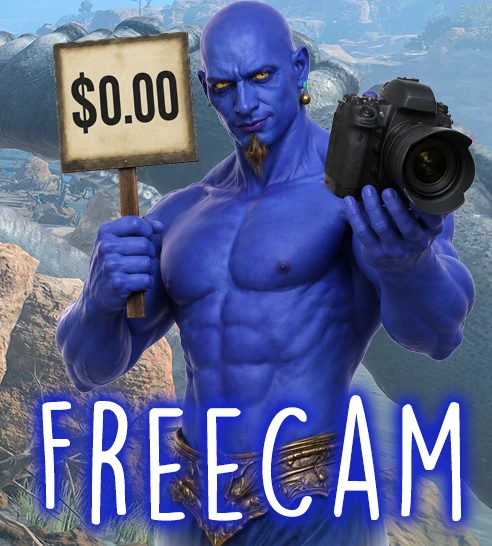
Fricken FreeCam
Move the camera around freely
 查看大图
查看大图[center][color=#ffff00][size=6][b]A Truly Free FreeCam[/b][/size][/color][/center]
[center][/center]
[center][size=4]This mod gives you a way to move the camera freely, independent of your character.[/size][/center]
[center][youtube]g3PufbFBLwA[/youtube][/center]
[size=5]A big shout out to [color=#ffff00]Moxi[/color], who figured out a weird, clever trick that made the long-range mode possible. [/size]
[quote][center][color=#ffff00][size=4][b]Default Controls[/b][/size][/color][/center]
[/quote]
[list]
[][b][color=#ff7700]Start FreeCam[/color][/b]: [b]Ctrl-Alt-Shift + F[/b][/]
[][b][color=#ff7700]Move FreeCam Forward[/color][/b]: [b]W[/b][/]
[][b][color=#ff7700]Move FreeCam Left[/color][color=#ff7700]: [/color][color=#ffffff]A[/color][/b][/]
[][b][color=#ff7700]Move FreeCam Right: [/color][color=#f4f4f4]S[/color][/b][/]
[][b][color=#ff7700]Move FreeCam Back: [/color][color=#ffffff]D[/color][/b][/]
[][b][color=#ff7700]Move FreeCam Up: [/color][color=#ffffff]R[/color][/b][/]
[][b][color=#ff7700]Move FreeCam Down: [/color][color=#ffffff]F[/color] [/b][/]
[][b][color=#ff7700]Faster FreeCam[/color]: Up[/b][/]
[][b][color=#ff7700]Slower FreeCam[/color]: Down[/b][/]
[][b][color=#ff7700]Exit FreeCam[/color]: Escape[/b][/]
[/list]All of these key bindings are user-configurable and can be found in the Keyboard tab of FreeCam's MCM settings. (The Start keybinding can be found in the normal MCM hotkeys section.)
[quote][center][color=#ffff00][size=4][b]Options[/b][/size][/color][/center]
[/quote]
You can change the following in the MCM settings:
[list=1]
[]How fast the FreeCam moves. [/]
[]Whether to hide the BG3 UI when in FreeCam mode[/]
[]ALL OF THE KEYBINDINGS used during FreeCam mode[/]
[]BG3SX Compatability: Enabling this will disable BG3SX's camera snapping[/]
[/list]
[center][quote][color=#ffff00][size=4][b]Technical[/b][/size][/color][/quote][/center]
Due to the character-centric way BG3 handles the camera, there's two different free-cam modes. The mod will seamlessly switch between the two modes when necessary. You may notice a small jump when that happens. Each mode has strengths and weaknesses.
[center][color=#00ffff][size=4][b]Short-Range Free Cam
[/b][/size][/color][/center]
[list]
[][b][color=#00ff00]Pros[/color][/b]: Smoother Movement. Can still see all characters.[/]
[][b][color=#ff0000]Cons[/color][/b]: Cannot travel further than 60m from the player[/]
[/list][center][youtube]zYuXOv_ZYFI[/youtube][/center]
[center][/center]
[center][size=4][color=#00ffff][b]Long-Range Free Cam[/b][/color][/size]
[/center]
[list]
[][b][color=#00ff00]Pros[/color][/b]: Can go anywhere on the map[/]
[][b][color=#ff0000]Cons[/color][/b]: Movement is a little less smooth. All characters, including NPCs and enemies, become hidden.[/]
[/list][center][youtube]ZNPVehBhZHo[/youtube][/center]
[quote][center][color=#ffff00][size=5][b]My Mods[/b][/size][/color][/center]
[/quote]
Game Tools
[list]
[][size=4][url=https://www.nexusmods.com/baldursgate3/mods/21922]EZ-Manipulator[/url][/size] (gizmo to move, scale, rotate characters, items and scenery)[/]
[][size=4][url=https://www.nexusmods.com/baldursgate3/mods/22888]Fricken FreeCam[/url][/size] (move the camera freely)[/]
[][size=4][url=https://www.nexusmods.com/baldursgate3/mods/23675]MF Radio[/url][/size] (in game radio that can play native and downloaded music)[/]
[][size=4][url=https://www.nexusmods.com/baldursgate3/mods/18219]RangeFinder[/url][/size] (visualizes movement ranges and attacks, plan/automate moves)[/]
[][size=4][url=https://www.nexusmods.com/baldursgate3/mods/19332]Tav's Journal[/url][/size] (create in-game journals with photos, export and share)[/]
[][size=4][url=https://www.nexusmods.com/baldursgate3/mods/19886]Tav's Clock[/url][/size] (a small clock and session timer you can place anywhere)[/]
[/list]QOL
[list]
[][size=4][url=https://www.nexusmods.com/baldursgate3/mods/19911]EZ-Undo[/url][/size] (undo all moves you made this turn)[/]
[][size=4][url=https://www.nexusmods.com/baldursgate3/mods/23194]Group Climbing Fix[/url][/size] (allows multiple characters to climb ladders at the same time)[/]
[][size=4][url=https://www.nexusmods.com/baldursgate3/mods/23322]Level Directory[/url][/size] (lets you teleport to any level or installed custom level safely without messing up story progress)[/]
[][size=4][url=https://www.nexusmods.com/baldursgate3/mods/23262]M&M Group Climbing Fix[/url][/size] (mac-compatible mod that allows multiple characters to climb ladders at the same time.)[/]
[][size=4][url=https://www.nexusmods.com/baldursgate3/mods/22531]No More Mod warning[/url][/size] (suppresses mod conflict warnings)[/]
[/list]Libraries and External Tools
[list]
[][size=4][url=https://www.nexusmods.com/baldursgate3/mods/18883]MazzleDocs[/url][/size] (library for showing pretty in-game documentation, tutorials, or full mod GUIs)[/]
[][size=4][url=https://www.nexusmods.com/baldursgate3/mods/18231]MazzleLib[/url][/size] (core library for my other mods)[/]
[][size=4][url=https://www.nexusmods.com/baldursgate3/mods/22530]My Assistant Ken[/url][/size] (library that helps other mods interface with Noesis)[/]
[][size=4][url=https://www.nexusmods.com/baldursgate3/mods/19914]Oops All Characters (with Simple NPC/Enemy Spawner)[/url][/size] (lets you spawn most characters on any level)[/]
[][size=4][url=https://www.nexusmods.com/baldursgate3/mods/19560]Photo Hub[/url][/size] (external tool and mod that allows mods to access your screenshots and images)[/]
[][size=4][url=https://www.nexusmods.com/baldursgate3/mods/23671]Music Hub[/url][/size] (downloads and converts music and makes available to BG3)[/]
[/list]Mods for Modders
[list]
[][size=4][url=https://www.nexusmods.com/baldursgate3/mods/22819]Court of Intense Judgment Outfit Reviewer[/url][/size] (spawns characters to let clothes modders see an outfit on all body types)[/]
[][size=4][url=https://www.nexusmods.com/baldursgate3/mods/20512]Image Importer[/url][/size] (modding utility for importing images into mods)[/]
[][size=4][url=https://www.nexusmods.com/baldursgate3/mods/19849]KnowEasier Noesis Debugger[/url][/size] (modding utility for inspecting BG3's native GUI)[/]
[/list]
[quote][center][color=#ffff00][size=5][b]Support This Mod[/b][/size][/color][/center]
[/quote]
[center]If you find this useful, please consider making a donation.
[url=https://ko-fi.com/mazzle][img]https://github.com/doodlum/nexusmods-widgets/blob/main/Ko-fi_40px_60fps.png?raw=true[/img][/url][/center]
![https://ko-fi.com/mazzle][img]https://github.com/doodlum/nexusmods-widgets/blob/main/Ko-fi_40px_60fps.png?raw=true[/img][/url][/center]](https://ko-fi.com/mazzle%5D%5Bimg%5Dhttps://github.com/doodlum/nexusmods-widgets/blob/main/Ko-fi_40px_60fps.png?raw=true%5B/img%5D%5B/url%5D%5B/center%5D)
正在加载版本记录…
正在加载评论…
评论在新手盒子客户端中发表,这里同步展示。