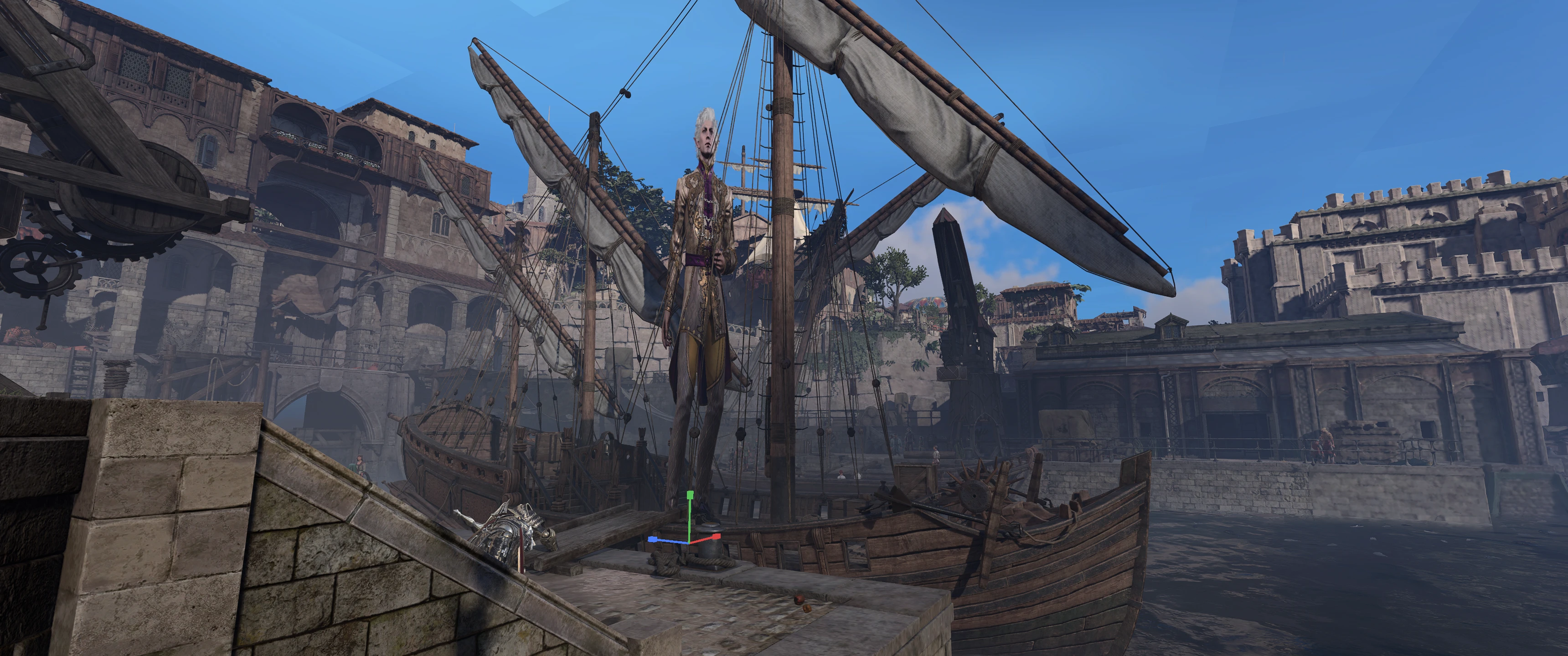
EZ-Manipulator - 物体移动-旋转-变换小控件
该模组提供了一个用户界面,用于选择角色、物品和场景,并配备了便捷的操作工具,可移动、缩放和旋转所选物品。玩家可将此模组作为独立工具使用,以便操控对象;同时,其他模组开发者也能将其作为库,在他们自己的界面中加入变换工具。
 查看大图
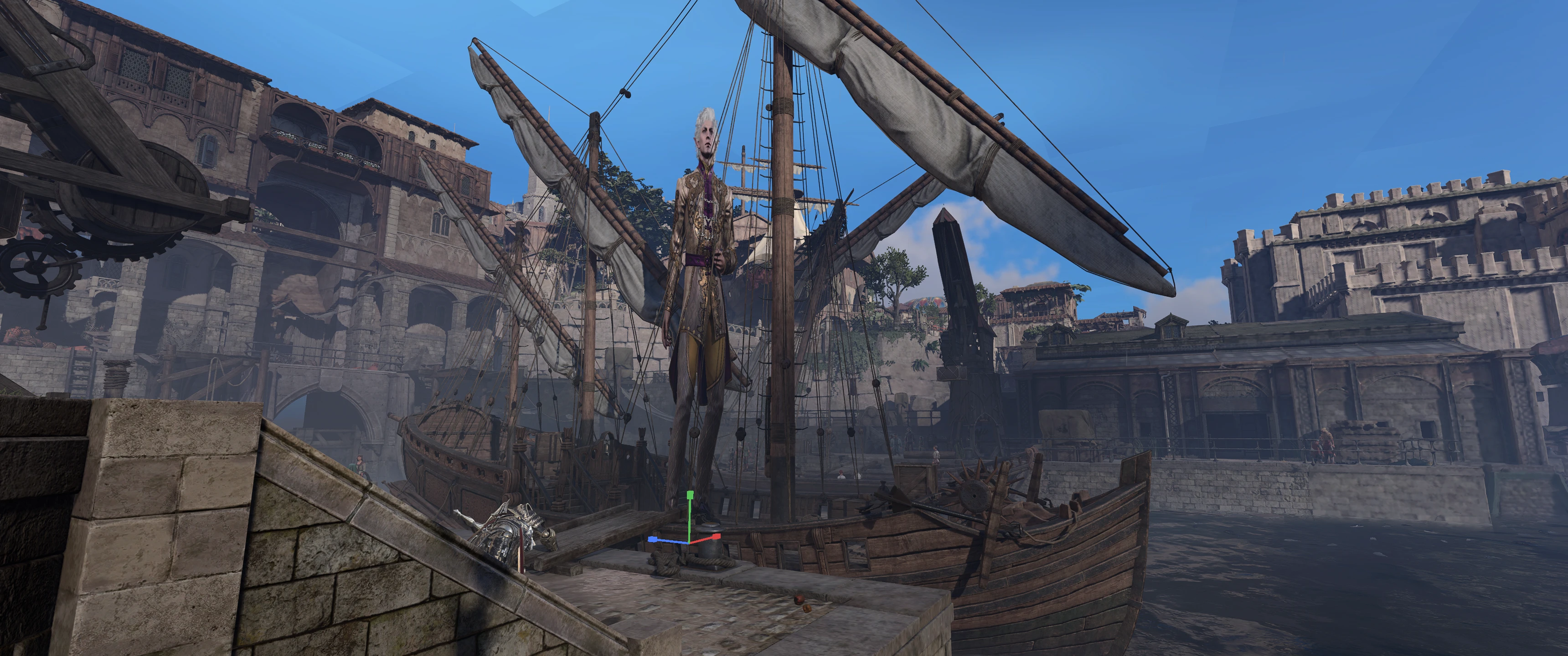
查看大图本模组提供了一个UI,用于选择角色、物品和场景,以及一个流畅的Gizmo(变换控件),用于移动、缩放和旋转所选物品。玩家可以将此模组作为独立工具来操纵物体,而其他模组制作者则可以将其作为库,为自己的GUI添加变换Gizmo。
注意: 此模组的核心代码由 RingoIp 开发,作为其优秀的 RealmBuilder 模组的一部分。我强烈建议你去看看那个模组。我添加了一些新功能并更改了一些次要的UI,但我的主要贡献是泛化了代码并为其他模组创建了API。非常感谢RingoIp的慷慨,允许我和其他模组制作者使用他们的Gizmo代码。

玩家使用指南
EZ-Manipulator 提供了一个世界内的移动、旋转和缩放Gizmo,用于操纵世界中的物体。当模组激活时,你可以选择一个或多个角色、物品和场景物体。你可以单独选择物品,也可以使用框选。当你选中某些物体后,你可以移动、旋转或缩放所选内容。此外,还有许多其他类似的功能可以对所选内容执行,这些功能在下面列出。
默认控制
有一个全局MCM热键,名为 切换变换工具栏,默认绑定到 Shift-T,它将打开EZ-Manipulator。如果你将此模组作为独立模组使用,请使用此键位开始。如果你将此模组作为另一个模组的依赖项,则无需使用此键位。另一个模组会在其工具打开时自动激活工具栏和Gizmo。
当变换工具栏可见时,许多新的键位将变为可用。标记为 未绑定 的条目是存在的,但在用户在MCM中分配之前没有默认键位。
- 全局 / MCM:Shift+T - 切换变换工具栏的开关。
- 常规:Shift+X - 清除由全局快捷键流程创建的所有Gizmo。
- 选择:鼠标左键 - 选择悬停的物体。使用相同输入拖动可进行框选。
- 选择:Shift + 鼠标左键 - 将点击或框选的物体添加到当前选择中。
- 工具栏:Escape - 清除当前选择。
- 工具栏:H - 隐藏选中的实体。
- 工具栏:Shift+H - 再次显示选中的实体。
- 工具栏:Shift+G - 为选中的实体重新启用重力。
- 工具栏:Shift+F - 通过禁用重力来冻结选中的实体。
- 工具栏:Ctrl+G - 将选中的实体吸附到地面。
- 工具栏:Ctrl+S - 将选中的实体吸附到悬停的实体上。
- 工具栏:未绑定 - 旋转选中的实体以面向光标或3D光标。
- 工具栏:未绑定 - 将选中的实体移动到光标或3D光标位置。
- 工具栏:Shift + 鼠标右键 - 在需要时创建3D光标,然后将其移动到当前拾取位置。
- 工具栏:未绑定 - 将3D光标吸附到当前选择的中心。
- 工具栏:Ctrl+Z - 撤销最后一步内置的变换历史记录。
- 工具栏:Ctrl+Y - 重做上一步撤销的变换历史记录。
- 变换:G - 在当前选择上开始移动模式。
- 变换:R - 在当前选择上开始旋转模式。
- 变换:L - 在当前选择上开始缩放模式。
- 变换:T - 循环切换移动、旋转和缩放模式。
- 变换:数字键盘 . - 将相机移动到当前选择处。
- 变换:X / Y / Z - 拖动时,将活动变换约束到该轴。
- 变换:按住 Shift - 拖动时,降低变换速度以实现更精细的控制。
- 绑定:Shift+B - 将当前选择绑定到悬停的实体上。
- 绑定:U - 解除当前选择与其父级的绑定。
所有输入均可通过MCM进行用户配置。
模组制作者指南
如果你要将EZ-Manipulator集成到自己的模组中,公共Lua API位于 Mods.GizmoLib.API。
快速开始
一个有效的集成需要两件事:
- 创建一个操纵器(manipulator),通过调用
Mods.GizmoLib.API.CreateManipulator() - 激活它,通过调用
manipulator:SetActive(true)
示例:操纵一组用户选择的物体
游戏时选择是通过 选择 键位内置的。默认情况下是 鼠标左键,但用户可以在MCM中重新绑定。框选使用相同的绑定作为拖动手势。
local manipulator = Mods.GizmoLib.API.CreateManipulator()
-- 限制内置点击处理器将选择的实体类型。
-- 如果不设置,点击任何角色、物品或场景物体都会被选中。
manipulator.Config.IsSelectableEntity = function(info)
    -- info.Type 是 "Character", "Item", "Scenery" 或 "Unknown"
    return info.Type == "Item"
end
-- 从你的工具的开关函数中调用。
function MyMod.EnableGizmo()
    manipulator:SetActive(true)
end
function MyMod.DisableGizmo()
    manipulator:SetActive(false)
    manipulator:Clear()
end
示例:操纵一组特定物体
如果你的模组已经知道它想要编辑哪些世界物体,可以直接将这些GUID传递给操纵器。
local manipulator = Mods.GizmoLib.API.CreateManipulator()
MyMod.ActiveObjectGuids = {
    "5eae43dd-3a35-4d77-af62-07a4e2014d6d",
    "3a2d083d-9931-490b-bd19-b80ea79b800d",
}

local function refreshManipulatorSelection()
    if #MyMod.ActiveObjectGuids == 0 then
        manipulator:Clear()
        return
    end
    manipulator:Select(MyMod.ActiveObjectGuids)
end

function MyMod.OpenPlacementTool()
    manipulator:SetActive(true)
    refreshManipulatorSelection()
end

function MyMod.SetActiveObjects(guids)
    MyMod.ActiveObjectGuids = guids or {}
    refreshManipulatorSelection()
end

function MyMod.ClosePlacementTool()
    manipulator:SetActive(false)
    manipulator:Clear()
end
当你想要一次性替换整个选择时,使用 manipulator:Select(objects)。当你想要将单个物体追加到当前选择时,使用 manipulator:AddTarget(object)。当你想要移除单个物体而无需自己重建其余选择时,使用 manipulator:RemoveTarget(object)。
Gizmo 出现在实体的位置。玩家按 G 移动,R 旋转,L 缩放,Escape 清除当前选择。
这就是全部要求了。 以下是所有可选内容。
关键概念
操纵器(Manipulator)
你的模组交互的中心对象。在公共API中,这是一个 APIManipulator。它拥有Gizmo小部件、当前选择、坐标空间、枢轴模式和撤销堆栈。大多数模组只创建一个。
游戏对象(GameObject)
单个实体(物品、角色、场景或注册的自定义类型)的包装器,为其提供统一的变换接口。你很少自己创建这些。manipulator:Select() 接受GUID并自动构建它们。
模式(Mode)
Gizmo正在执行的操作:"Move"、"Rotate" 或 "Scale"。
空间(Space)
"World"- 轴始终指向世界X/Y/Z方向。"Local"- 轴与最后选中的实体自身的方向对齐。"Parent"- 轴与选中实体的父级对齐。"Anchor"- 轴与锚点的方向对齐。
枢轴模式(Pivot Mode)
"Median"- 整个选择的几何中心。"Individual"- 每个实体围绕自己的原点旋转或缩放。"Active"- 你添加到选择中的最后一个实体。"Anchor"- 世界中的锚点实体。
对变换做出反应
通过GizmoLib API订阅EZ-Manipulator事件,以便在发生更改时运行你自己的代码。
使用 Mods.GizmoLib.API.Events 进行订阅。
-- 当玩家完成一次拖动(鼠标释放)时触发一次。
Mods.GizmoLib.API.Events.OnTransformEnd:Subscribe(function(data)
    -- data.Mode            -> "Move", "Rotate", 或 "Scale"
    -- data.Targets         -> GameObject 对象数组
    -- data.StartTransforms -> table[guid] = { Translate, RotationQuat, Scale }
    -- data.EndTransforms   -> 相同结构,移动后
    for _, obj in ipairs(data.Targets) do
        local endT = data.EndTransforms[obj.Guid]
        print(obj.Guid, "moved to", endT.Translate[1], endT.Translate[2], endT.Translate[3])
    end
end)

-- 玩家拖动时每一帧触发。
Mods.GizmoLib.API.Events.OnTransformApplied:Subscribe(function(data)
    -- data.Delta 包含每帧的变化。
end)

-- 当选择更改时触发。
Mods.GizmoLib.API.Events.OnSelectionChanged:Subscribe(function(targets)
    print("Selection changed, count:", #targets)
end)

-- 当变换模式更改时触发。
Mods.GizmoLib.API.Events.OnModeChanged:Subscribe(function(mode)
    print("Mode is now:", mode)
end)

-- 当工具栏的“移动到光标”命令执行时触发。
Mods.GizmoLib.API.Events.OnMoveToCursor:Subscribe(function(data)
    print("MoveToCursor fired for", #data.TargetGuids, "target(s)")
end)
事件参考
使用 :Subscribe(callback) 进行订阅。返回的数字是一个ID,你可以将其传递给 :Unsubscribe(id) 以停止监听。
OnSelectionChanged-GameObject[]: 选择被替换或清除。OnTransformStart-{ Mode, Targets, StartTransforms }: 玩家开始拖动。OnTransformApplied-{ Mode, Targets, Delta }: 拖动期间的每一帧。OnTransformEnd-{ Mode, Targets, StartTransforms, EndTransforms }: 玩家释放或确认。OnModeChanged-string: 调用了SetMode或CycleMode。OnSpaceChanged-string: 调用了SetSpace。OnEntityClicked-{ Entity, Type, Guid }: 内置的点击处理器拾取了一个实体。OnCommandExecuted-{ Name, Editor, Manipulator, Targets, TargetGuids, ... }: 任何受支持的工具栏命令执行。OnClearSelection-{ Name, Editor, Manipulator, Targets, TargetGuids }: 执行“清除选择”。OnMove3DCursor-{ Name, Editor, Manipulator, Targets, TargetGuids, CursorGuid }: 执行“移动3D光标”。OnSnap3DCursor-{ Name, Editor, Manipulator, Targets, TargetGuids, CursorGuid, Position }: 执行“吸附3D光标”。OnSnapToHover-{ Name, Editor, Manipulator, Targets, TargetGuids, HoveredGuid, TargetTransform }: 执行“吸附到悬停”。OnLookAtCursor-{ Name, Editor, Manipulator, Targets, TargetGuids, FocusPoint, Transforms }: 执行“面向光标”。OnMoveToCursor-{ Name, Editor, Manipulator, Targets, TargetGuids, Position, Rotation, CursorGuid, Transforms }: 执行“移动到光标”。OnSnapToGround-{ Name, Editor, Manipulator, Targets, TargetGuids }: 执行“吸附到地面”。OnBindTo-{ Name, Editor, Manipulator, Targets, TargetGuids, ParentGuid }: 执行“绑定到”。OnUnbind-{ Name, Editor, Manipulator, Targets, TargetGuids }: 执行“解除绑定”。OnHideSelection-{ Name, Editor, Manipulator, Targets, TargetGuids, Attributes }: 执行“隐藏选择”。OnShowSelection-{ Name, Editor, Manipulator, Targets, TargetGuids, Attributes }: 执行“显示选择”。OnApplyGravity-{ Name, Editor, Manipulator, Targets, TargetGuids, Attributes }: 执行“应用重力”。OnFreezeGravity-{ Name, Editor, Manipulator, Targets, TargetGuids, Attributes }: 执行“冻结重力”。OnUndo-{ Name, Editor, Manipulator, Targets, TargetGuids }: 执行“撤销”。OnRedo-{ Name, Editor, Manipulator, Targets, TargetGuids }: 执行“重做”。
Type 是 "Character"、"Item"、"Scenery" 或 "Unknown" 之一。
对于命令风格的事件,当活动编辑器属于私有操纵器时,Manipulator 是由 CreateManipulator() 返回的拥有者。对于内置的全局编辑器,它将是 nil。
-- 记录每次实体点击。
Mods.GizmoLib.API.Events.OnEntityClicked:Subscribe(function(info)
    print("Clicked:", info.Guid, "(", info.Type, ")")
end)

-- 只监听属于你操纵器的MoveToCursor调用。
local myManipulator = Mods.GizmoLib.API.CreateManipulator()
Mods.GizmoLib.API.Events.OnMoveToCursor:Subscribe(function(data)
    if data.Manipulator ~= myManipulator then
        return
    end
    print("My manipulator moved", #data.TargetGuids, "object(s) to the cursor")
end)
要过滤内置点击处理器将选择的实体,请在操纵器的 Config 上设置 IsSelectableEntity。
Mods.GizmoLib.API.Events.OnTransformEnd:Subscribe(function(data)
    for _, obj in ipairs(data.Targets) do
        local s = data.StartTransforms[obj.Guid]
        local e = data.EndTransforms[obj.Guid]
        print(string.format("[%s] %s -> %s mode", obj.Guid, tostring(s.Translate), data.Mode))
    end
end)
API参考
所有外部调用都通过 Mods.GizmoLib.API 和由 CreateManipulator() 返回的操纵器对象进行。
顶层
API.CreateManipulator()- 创建一个新的独立操纵器。返回一个APIManipulator。API.CreateBoxSelector(manipulator?)- 创建一个右键拖动框选器,可选择连接到操纵器。API.SetActive(bool)- 全局显示或隐藏Gizmo。推荐优先使用manipulator:SetActive()。API.GetActiveEditor()- 返回GizmoLib当前认为活动的编辑器。API.GetEditorOwner(editor)- 返回拥有编辑器的APIManipulator,对于内置的全局编辑器则返回nil。API.RegisterObjectType(name, {Match, New})- 注册一个自定义实体类型,以便GameObject.Create识别它。API.GameObject.Create(guid)- 显式地将GUID包装在MovableProxy中。Select、AddTarget和RemoveTarget会自动执行此操作。
操纵器实例
manipulator:SetActive(bool)- 激活或停用此操纵器。一次只能有一个处于活动状态。manipulator:Select(objects)- 替换当前选择。manipulator:AddTarget(object)- 将单个实体追加到当前选择。manipulator:RemoveTarget(object)- 从当前选择中移除单个实体。manipulator:Clear()- 取消选择所有内容并隐藏Gizmo。manipulator:SetMode(mode)- 设置Gizmo模式:"Move"、"Rotate"或"Scale"。manipulator:CycleMode()- 在 Move -> Rotate -> Scale 之间循环切换。manipulator:SetSpace(space)- 设置坐标空间:"World"、"Local"、"Parent"或"Anchor"。manipulator:SetPivotMode(mode)- 设置枢轴:"Median"、"Individual"、"Active"或"Anchor"。manipulator:SetAnchorPosition(vec3)- 移动由Anchor空间和枢轴模式使用的锚点。
框选器实例
selector.Enabled = bool- 启用或禁用框选器。selector.OnSelect = fun(selectedGuids, additive)- 可选回调。selectedGuids是一个guid -> true的表。
配置参考
Mods.GizmoLib.API.Config 保存了创建新操纵器时使用的默认值。
local Config = Mods.GizmoLib.API.Config
-- 调用 CreateManipulator() 时应用的默认值
Config.DefaultSpace       = "World"
Config.DefaultPivotMode   = "Median"
Config.MaxSelectionSize   = 100

-- 历史记录
Config.EnableBuiltInHistory = true
Config.MaxHistorySize       = 100

-- 框选
Config.GetSelectableEntities = nil
每个操纵器也有自己的 Config 表,该表在创建时是这些默认值的副本。你可以随时更改特定操纵器的设置。
local manipulator = Mods.GizmoLib.API.CreateManipulator()
manipulator.Config.EnableBuiltInHistory = false
manipulator.Config.MaxSelectionSize     = 10
manipulator.Config.IsSelectableEntity = function(info)
    return info.Type == "Item"
end
多个操纵器实例
Mods.GizmoLib.API.CreateManipulator() 每次调用都会创建一个完全独立的操纵器。如果你的模组有两个独立的工具,每个工具都需要自己的Gizmo(例如,一个道具放置器和一个灯光编辑器),这很有用。
local GL = Mods.GizmoLib.API
local propManipulator  = GL.CreateManipulator()
local lightManipulator = GL.CreateManipulator()

function MyMod.SwitchToPropMode()
    lightManipulator:SetActive(false)
    lightManipulator:Clear()
    propManipulator:SetActive(true)
end

function MyMod.SwitchToLightMode()
    propManipulator:SetActive(false)
    propManipulator:Clear()
    lightManipulator:SetActive(true)
end
一次只能有一个操纵器处于活动状态。如果另一个操纵器已经处于活动状态,激活第二个操纵器将被拒绝,直到当前操纵器通过 :SetActive(false) 停用。
我的其他模组
游戏工具
- EZ-Manipulator (用于移动、缩放、旋转角色、物品和场景的Gizmo)
- Fricken FreeCam (自由移动相机)
- MF Radio (游戏内收音机,可播放本地和下载的音乐)
- RangeFinder (可视化移动范围和攻击,计划/自动化移动)
- Tav's Journal (创建带照片的游戏内日志,可导出和分享)
- Tav's Clock (一个可以放置在任何地方的小时钟和会话计时器)
QOL(生活质量)
- EZ-Undo (撤销你在本回合所做的所有移动)
- Group Climbing Fix (允许多个角色同时爬梯子)
- Level Directory (允许你安全地传送至任何关卡或已安装的自定义关卡,而不会弄乱故事进度)
- M&M Group Climbing Fix (Mac兼容的模组,允许多个角色同时爬梯子)
- No More Mod warning (抑制模组冲突警告)
库和外部工具
- MazzleDocs (用于显示漂亮的游戏内文档、教程或完整模组GUI的库)
- MazzleLib (我的其他模组的核心库)
- My Assistant Ken (帮助其他模组与Noesis交互的库)
- Oops All Characters (with Simple NPC/Enemy Spawner) (允许你在任何关卡中生成大多数角色)
- Photo Hub (外部工具和模组,允许模组访问你的截图和图像)
- Music Hub (下载并转换音乐,并使其可用于BG3)
供模组制作者使用的模组
- Court of Intense Judgment Outfit Reviewer (生成角色,让服装模组作者查看所有体型上的装备效果)
- Image Importer (用于将图像导入模组的模组实用工具)
- KnowEasier Noesis Debugger (用于检查BG3原生GUI的模组实用工具)
支持本模组如果你觉得这个模组有用,请考虑捐赠。

正在加载版本记录…
正在加载评论…
评论在新手盒子客户端中发表,这里同步展示。