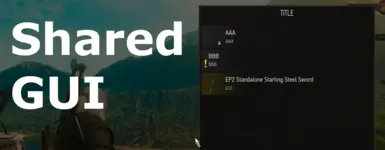
共享GUI
Loot Popup(拾取弹出窗口)和Notification Popup(通知弹出窗口)的自定义版本。
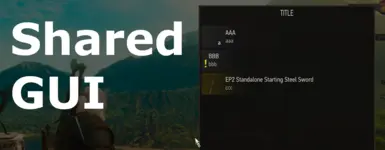 查看大图
[color=#ffff00]需要游戏版本 4.04a_REDkit_Update_2(本模组发布时的最新版本)。[/color]
目的
这是一个自定义 GUI,旨在作为所有模组开发者的共享资源。 通过让用户预先安装 Shared GUI,其他模组将能够使用其自定义 GUI 组件。
https://www.youtube.com/watch?v=-_seCQc-w-E
功能
此部分面向模组开发者。
自定义战利品弹窗
一个包含可点击条目的 GUI。
要使用它,你需要实例化 SGUI_W3LootPopupData 类并设置几个变量。
设置好变量后,调用 SGUI_Loot_OpenPopup(popupData : SGUI_W3LootPopupData) 来显示 GUI。
可配置变量:
class SGUI_W3LootPopupData extends CObject
{
	var tag : string; // 用于标识哪个模组打开了此弹窗的标签。
	var title : string; // 显示在面板顶部的文本。
	var isPause : bool; // 弹窗打开时是否暂停游戏。
	var isBackgroundFilter : bool; // 是否对背景应用半透明黑色滤镜。
	var scale : SGUI_Loot_Enum_Scale; // 允许你选择弹窗缩放是跟随游戏设置,还是强制设为“大”或“小”。
	var inputContext : name; // 弹窗期间的输入上下文。
	var scroll : float; // 弹窗打开时的滚动位置。
	var index : int; // 弹窗打开时将聚焦的条目索引。
	var x, y : float; // 弹窗显示位置。使用左下角作为参考点。设置值在 0 到 1 之间。如果设置为 -1,则大致显示在屏幕中央。
	var entries : array< SGUI_Loot_Struct_EntryContents >; // 每个条目的设置。
	default inputContext = 'EMPTY_CONTEXT';
	default x = -1; default y = -1;
}

struct SGUI_Loot_Struct_EntryContents
{
	var sgui_lsec_id_str : string; // 可被 OnChangedIndex 和 OnSelect 函数接收的 ID。
	var sgui_lsec_id_name : name; // 可被 OnChangedIndex 和 OnSelect 函数接收的 ID。
	var sgui_lsec_id_item : SItemUniqueId; // 可被 OnChangedIndex 和 OnSelect 函数接收的 ID。
	var sgui_lsec_label : string; // 条目的主文本。
	var sgui_lsec_subLabel : string; // 显示在主文本下方的副文本。
	var sgui_lsec_iconPath : string; // 显示在主文本左侧的图标的路径。
	var sgui_lsec_quantity : string; // 显示在图标右下角的文本。
	var sgui_lsec_isIconSemiTransparent : bool; // 使图标半透明。
	var sgui_lsec_isExclamation : bool; // 在图标左侧显示感叹号。
	var sgui_lsec_color : SGUI_Loot_Enum_Colors; // 条目的背景颜色。
}
示例:

exec function sgui_loot_test()
{
	var popupData : SGUI_W3LootPopupData = new SGUI_W3LootPopupData in theGame;
	var contents : SGUI_Loot_Struct_EntryContents;
	var item : SItemUniqueId;


	popupData.tag = "sgui_loot_test";
	popupData.title = "TITLE";
	popupData.x = 0.5;
	popupData.y = 0.8;
	popupData.isPause = true;
	popupData.isBackgroundFilter = true;
	popupData.scale = SGUI_LES_large;

	contents.sgui_lsec_id_str = "A";
	contents.sgui_lsec_id_name = 'a';
	contents.sgui_lsec_label = "AAA";
	contents.sgui_lsec_subLabel = "aaa";
	contents.sgui_lsec_quantity = "a";
	contents.sgui_lsec_isExclamation = false;
	SGUI_Loot_PushContents(popupData, contents);

	contents.sgui_lsec_id_str = "B";
	contents.sgui_lsec_id_name = 'b';
	contents.sgui_lsec_label = "BBB";
	contents.sgui_lsec_subLabel = "bbb";
	contents.sgui_lsec_isExclamation = true;
	SGUI_Loot_PushContents(popupData, contents);

	GetWitcherPlayer().GetItemEquippedOnSlot(EES_SteelSword, item);
	contents.sgui_lsec_id_str = "C";
	contents.sgui_lsec_id_name = thePlayer.inv.GetItemName(item);
	contents.sgui_lsec_id_item = item;
	contents.sgui_lsec_label = thePlayer.inv.GetItemName(item);
	contents.sgui_lsec_subLabel = "ccc";
	contents.sgui_lsec_iconPath = thePlayer.inv.GetItemIconPathByUniqueID(item);
	contents.sgui_lsec_isIconSemiTransparent = true;
	contents.sgui_lsec_color = thePlayer.inv.GetItemQuality(item);
	SGUI_Loot_PushContents(popupData, contents);

	SGUI_Loot_OpenPopup(popupData);
}
通过包装 OnChangedIndex 和 OnSelect 事件,你可以在聚焦条目更改和点击条目时接收索引和 ID。
[color=#ffff00]包装事件时,你必须始终执行标签验证,以将其与其他模组打开的战利品弹窗区分开来。(你可以使用 SGUI_Loot_GetTag() 函数获取当前打开的自定义战利品弹窗的标签。)[/color]
//当聚焦条目更改时调用的函数。接收索引和 ID。
event OnChangedIndex( index : int, id_str : string, id_name : name, id_item : SItemUniqueId ) : void
{
	this.indexToFocus = index;
	//theGame.GetGuiManager().ShowNotification("OnChangedIndex" + "<br>index: " + index + "<br>id_str: " + id_str + "<br>id_name: " + id_name + "<br>id_item: " + thePlayer.inv.GetItemName(id_item));
}

// 当点击条目(或按下 E 键)时调用的函数。接收索引和 ID。
event OnSelect( index : int, id_str : string, id_name : name, id_item : SItemUniqueId ) : void
{
	//theGame.GetGuiManager().ShowNotification("OnSelect" + "<br>index: " + index + "<br>id_str: " + id_str + "<br>id_name: " + id_name + "<br>id_item: " + thePlayer.inv.GetItemName(id_item));
}
示例:
@wrapMethod(SGUI_CR4LootPopup) function OnSelect( index : int, id_str : string, id_name : name, id_item : SItemUniqueId )
{
	var notificationData : SGUI_W3NotificationData = new SGUI_W3NotificationData in theGame;
	var i : int;


	if( SGUI_Loot_GetTag() != "sgui_test_1" )
	{
		return wrappedMethod( index, id_str, id_name, id_item );
	}

	notificationData.messageText = id_str;
	notificationData.x = 0.1;
	notificationData.y = index * 0.1;
	notificationData.alpha = 0.6;
	for( i=0; i<index; i+=1 )
	{
		notificationData.color += 0x111111;
	}

	SGUI_Notification_OpenPopup_1(notificationData);

	return true;
}
弹窗可以使用 ESC 键或鼠标右键关闭,但也可以通过脚本调用 SGUI_Loot_ClosePopup( optional tag : string ) 函数来关闭。
自定义通知弹窗
一个文本显示弹窗,允许自由自定义面板颜色和大小。
要使用它,你需要实例化 SGUI_W3NotificationData 类并设置几个变量。
设置好变量后,调用 SGUI_Notification_OpenPopup_1(notificationData : SGUI_W3NotificationData) 或 SGUI_Notification_OpenPopup_2(notificationData : SGUI_W3NotificationData) 来显示弹窗。
SGUI_Notification_OpenPopup_2 是 SGUI_Notification_OpenPopup_1 的副本。
这允许同时显示两个通知弹窗。
原版通知弹窗在出现和消失时有动画,但这些动画已在自定义通知弹窗中被移除。 起初,我计划实现一个启用或禁用动画的选项,但由于会导致错误,我决定不包含它。
可配置变量:
class SGUI_W3NotificationData extends CObject
{
	public var messageText 	: string; // 文本。
	public var duration    	: float; // 显示弹窗的持续时间。以毫秒为单位设置。如果设置为 -1,它将不再随时间自动关闭。
	public var queue		: bool; // 等待直到当前显示的通知弹窗关闭。
	default duration = 4000;

	var x, y : float; // 弹窗显示位置。使用左下角作为参考点。设置值在 0 到 1 之间。
	var w : float; // 面板的宽度。高度会根据文本长度自动调整。如果设置为 -1,则使用与原版相同的宽度(在 200 到 400 之间自动调整)。
	var color : int; // 面板颜色。使用十六进制值设置,例如 `0xFFFFFF`。如果设置为 `-1`,将使用原版颜色。
	var alpha : float; // 面板不透明度。设置值在 0 到 1 之间。
	default x = 0.05;
	default y = 0.95;
	default w = -1;
	default color = -1;
	default alpha = 0.95;
}
示例:

exec function sgui_ov_test() : void
{
	var notificationData : SGUI_W3NotificationData;

	notificationData = new SGUI_W3NotificationData in theGame.GetGuiManager();
	notificationData.messageText = "<font color='#FFFFFF'>" + "AAAAAAAAAAAAAAAAAA" + "</font>";
	notificationData.w = 800;
	notificationData.color = 0x333333;
	notificationData.alpha = 0.8;

	notificationData.x = 0.3;
	notificationData.y = 0.4;
	SGUI_Notification_OpenPopup_1(notificationData);

	notificationData.x = 0.3;
	notificationData.y = 0.5;
	SGUI_Notification_OpenPopup_2(notificationData);
}
如果持续时间设置为 -1,你必须通过脚本调用 SGUI_Notification_ClosePopup_1() 或 SGUI_Notification_ClosePopup_2() 来关闭弹窗。
从 SWF 中提取的图标
我从 SWF 文件中提取了几个图标,并将其与模组打包在一起。
你可以从“选项”文件工作区查看模组打包的图标。
在 HTML 文本区域显示这些图标时,你可以使用函数 SGUI_Icon_GetScaledIcon(iconName : string, iconSize : int, optional vspace : int),它会自动调整宽高比以匹配指定的 iconSize。
更新日志
版本 1.2.0
- 为自定义战利品弹窗添加了识别标签。
版本 1.1.3
- 为事件
OnCloseLootWindow()和OnConfigUI()添加了解释性注释。
版本 1.1.2
- 我发现当使用
SGUI_Loot_ClosePopup( optional tag : string )关闭战利品弹窗时,事件OnCloseLootWindow()不会被触发,因此我相应地在脚本中更新了解释性注释。
版本 1.1.1
- 如果显示战利品弹窗时输入上下文发生变化,战利品弹窗现在会关闭。
版本 1.1.0
- 初始发布。
安装
下载主文件,解压缩,然后将其中的 "mods" 文件夹放入你的游戏主目录。(游戏主目录是存放 "bin"、"content" 和 "dlc" 等文件夹的目录。)
其他
如果你喜欢这个模组,请点击本页顶部的 "Endorse" 和 "Vote" 按钮给予支持!
如果你有任何问题或意见,欢迎在 "POSTS" 标签页中发布。
也请查看我创作的其他模组。
最适合询问《巫师3》模组制作问题的 Discord 服务器:
- 官方巫师游戏服务器(对于初学者,我建议加入此服务器并查看模组制作频道中的置顶消息。)
- Wolven Workshop 服务器
正在加载版本记录…
正在加载评论…
评论在新手盒子客户端中发表,这里同步展示。