小地图缩放 1.31
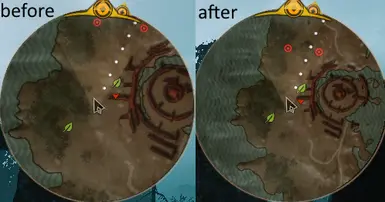
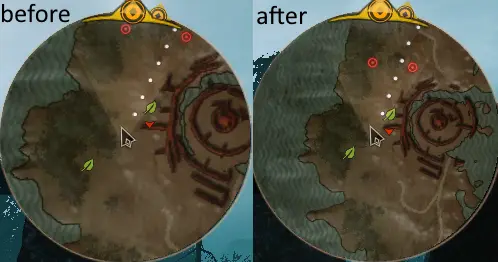
小地图比例略微缩小(可通过菜单固定或调整)。 新增独立的马匹小地图比例。 支持按键操作。
 查看大图
查看大图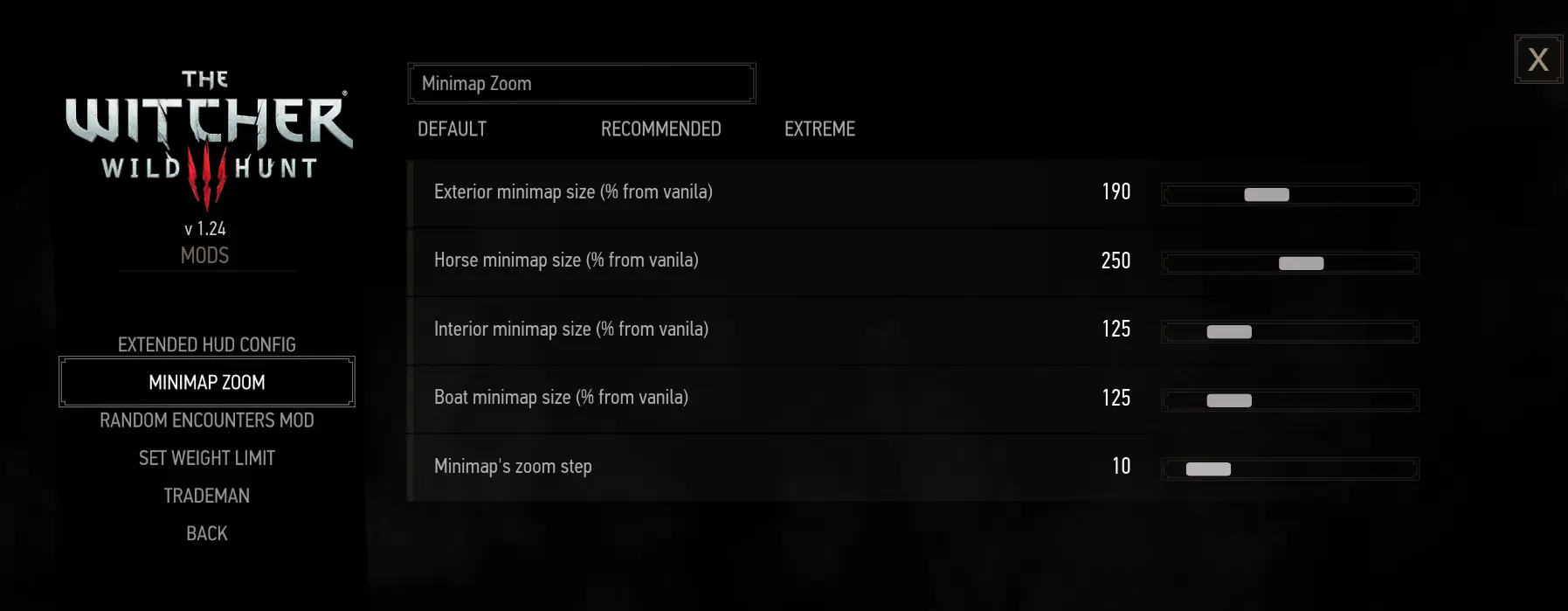
- 小地图比例略微减小(可通过菜单固定或调整)。
- 新增独立的马匹小地图比例。
- 支持按键操作。
- 适用于《巫师3》1.31版本(旧版本适用于1.22-1.30)
固定比例模组版本变更:
MINIMAP_EXTERIOR_ZOOM从1调整至0.66MINIMAP_INTERIOR_ZOOM从2调整至1.33MINIMAP_BOAT_ZOOM从0.5调整至0.33
可调版本能够将缩放范围调整为50%至400%。
添加了独立的马匹小地图缩放比例。
模组设置位于“主游戏菜单/选项/模组/小地图缩放”中。
要在选项菜单中启用 Mods 菜单,可以在 <用户配置文件>\Documents\The Witcher 3\user.settings 中添加以下行:
[ContentManager/Mods]
MaxNameLen=64
Enabled=true
安装:
- 将
modMinimapZoom<版本号>.7z解压至《巫师3》的mods文件夹,例如The Witcher 3 Wild Hunt\Mods。 - 使用巫师脚本合并工具来检测并解决潜在的冲突。
- 手动将
The Witcher 3 Wild Hunt\Mods\modMinimapZoom\bin中的内容复制到The Witcher 3 Wild Hunt\bin,或者运行Mods\modMinimapZoom\copy_bin.cmd。 - 在
The Witcher 3 Wild Hunt\bin\config\r4game\legacy\base\路径下的input_azerty.ini、input_qwerty.ini、input_qwertz.ini文件开头添加以下字符串:[Exploration] IK_NumPlus=(action=MMZ_Increment) IK_NumMinus=(action=MMZ_Decrement) [Horse] IK_NumPlus=(action=MMZ_Increment) IK_NumMinus=(action=MMZ_Decrement) [Boat] IK_NumPlus=(action=MMZ_Increment) IK_NumMinus=(action=MMZ_Decrement) [BoatPassenger] IK_NumPlus=(action=MMZ_Increment) IK_NumMinus=(action=MMZ_Decrement) [Swimming] IK_NumPlus=(action=MMZ_Increment) IK_NumMinus=(action=MMZ_Decrement) [Diving] IK_NumPlus=(action=MMZ_Increment) IK_NumMinus=(action=MMZ_Decrement) [ExplorationReplacer_Ciri] IK_NumPlus=(action=MMZ_Increment) IK_NumMinus=(action=MMZ_Decrement) [HorseReplacer_Ciri] IK_NumPlus=(action=MMZ_Increment) IK_NumMinus=(action=MMZ_Decrement) - 在
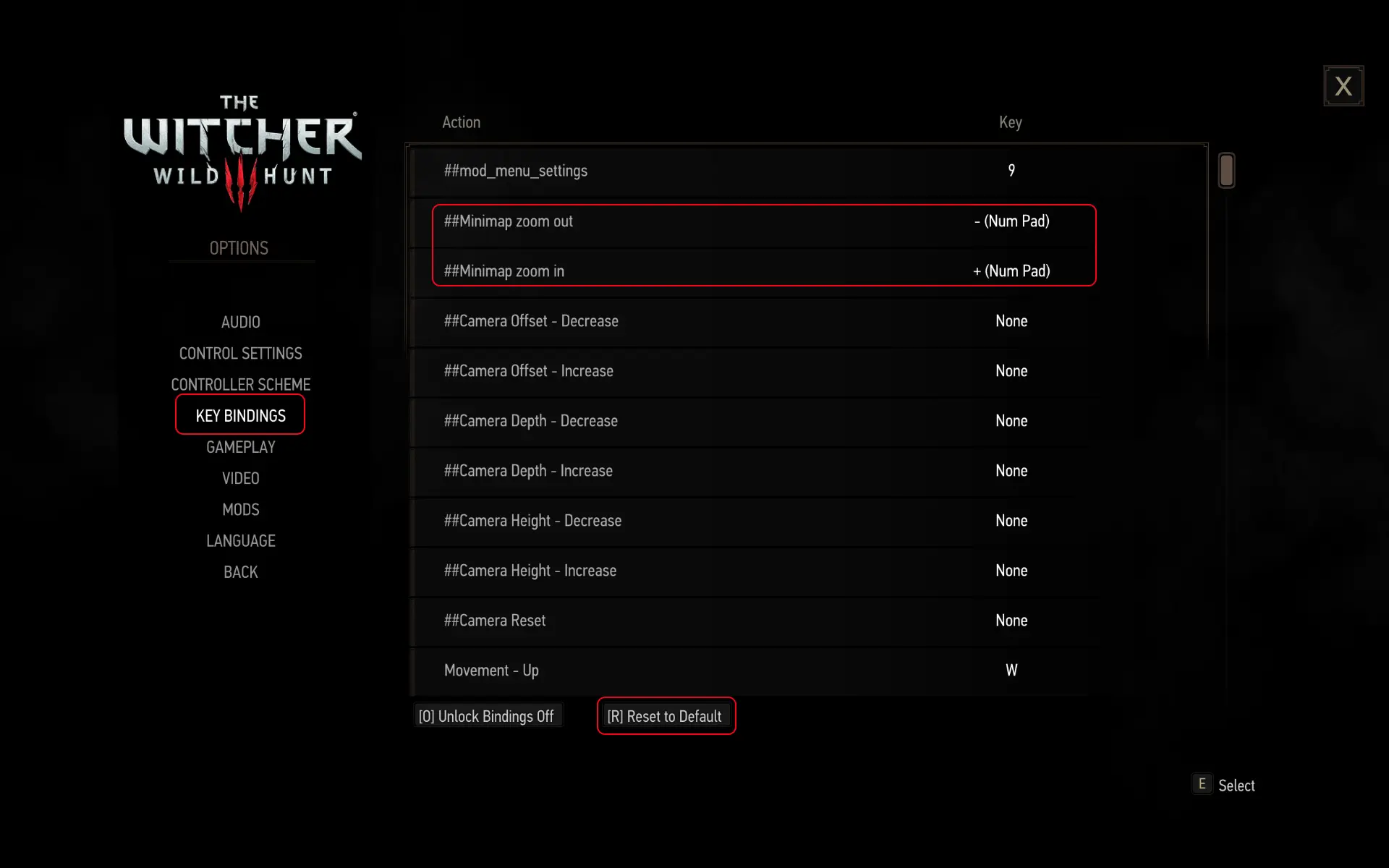
The Witcher 3 Wild Hunt\bin\config\r4game\user_config_matrix\pc\input.xml文件的<VisibleVars>标签下添加以下字符串:<Var builder="Input" id="MMZ_Decrement" displayName="小地图缩小" displayType="INPUTPC" actions="MMZ_Decrement" /> <Var builder="Input" id="MMZ_Increment" displayName="小地图放大" displayType="INPUTPC" actions="MMZ_Increment" /> - 在“选项/按键绑定”中将按键绑定重置为默认设置。
- 将“小地图放大”和“小地图缩小”绑定到你想要的任意按键上。
正在加载版本记录…
正在加载评论…
评论在新手盒子客户端中发表,这里同步展示。