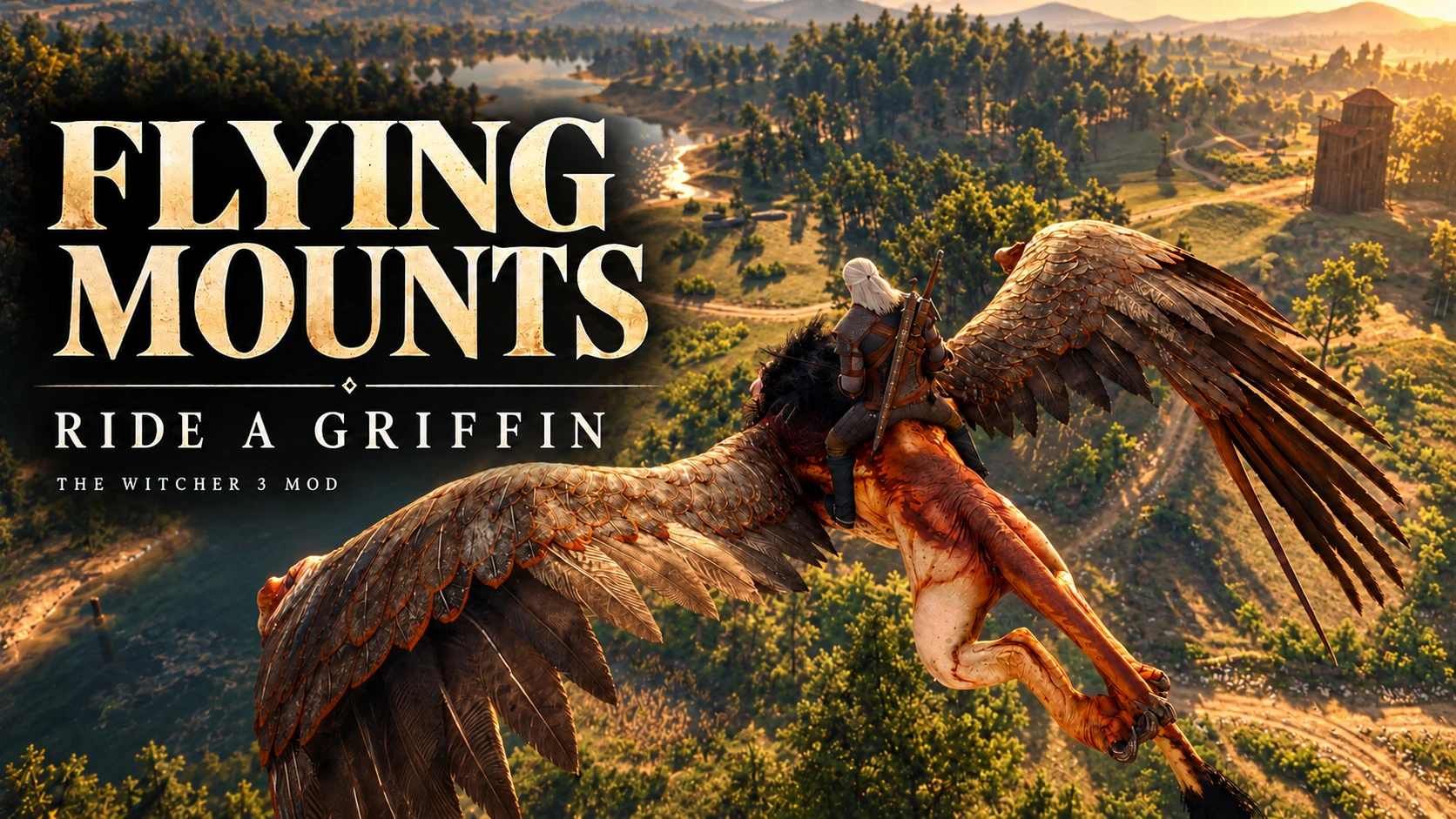
飞行坐骑 - 骑乘狮鹫
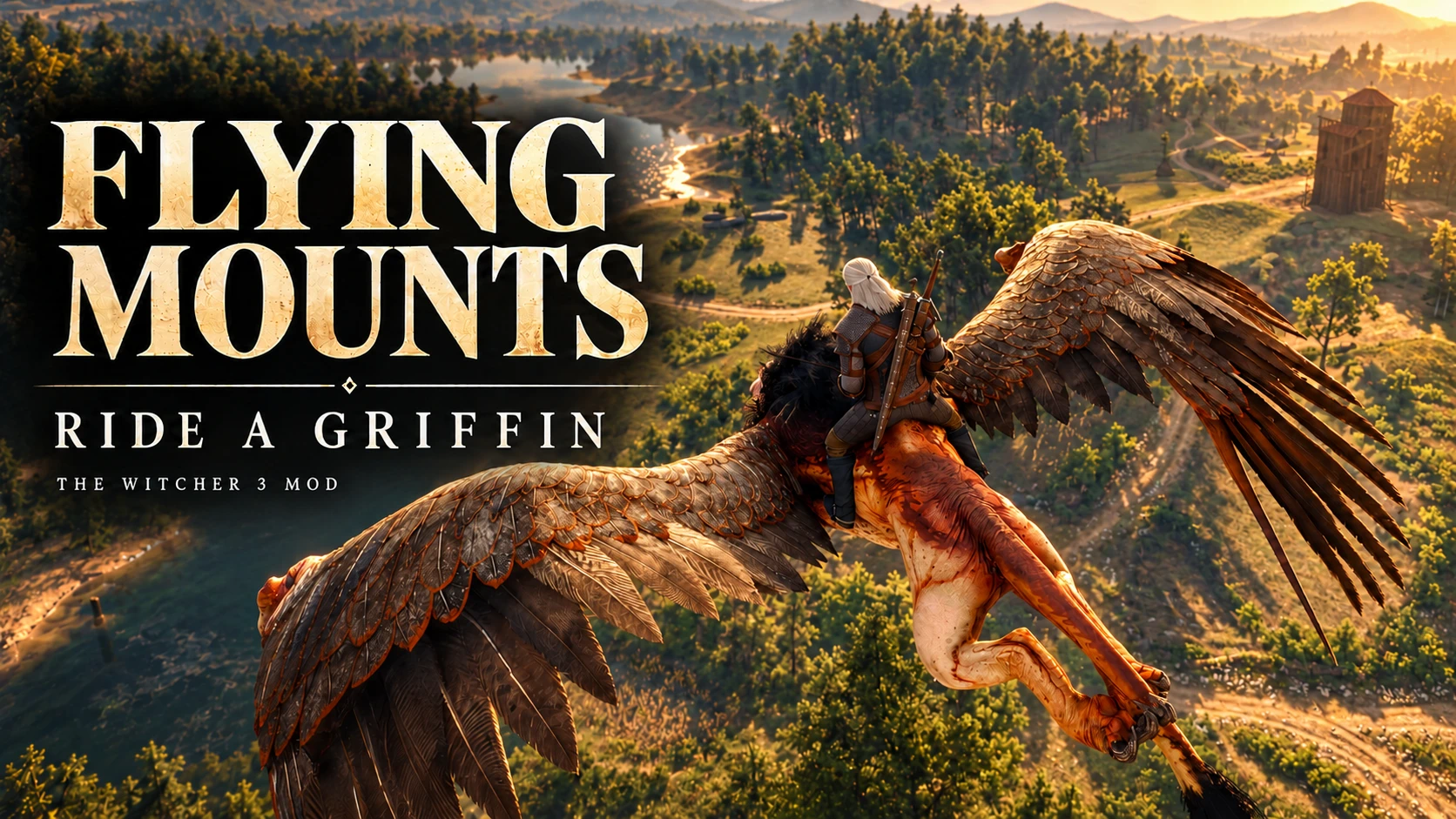
吹响口哨召唤你的狮鹫,看它飞落至你身旁。可在陆地上骑乘,也可切换冲刺飞上天空,支持键盘和手柄。包含共享飞行坐骑选择器。EN、ES、简体中文和RU。
 查看大图
[b]Flying Mounts - Ride a Griffin[/b]
[color=#C7AC76]English | Español | 简体中文 | Русский[/color]

English
The sky is yours.
Ride a griffin across the roads, rivers and skies of The Witcher 3. Walk, sprint, take off, climb, descend and land with Geralt seated on the creature's back. Use your camera to steer while moving forward, with both keyboard/mouse and controller support.
Features
- Toggle sprint: tap Left Shift or L3 once while moving forward; no need to hold the button.
- Geralt whistles without calling Roach. Your mount flies in and lands nearby before you can ride it.
- Compatible with Flying Mounts creatures that use the shared core, including future compatible releases. Choose installed mounts in Pause > Mounts.
- One friendly, summonable griffin mount.
- Ground travel, sprinting, controlled flight, takeoff and landing.
- Camera-directed steering when moving forward; manual turning when stopped or reversing.
- An animated seat that follows the mount's body, with a smoothed riding camera.
- A friendly, invulnerable mount that will not attack Geralt.
- English, Spanish, Simplified Chinese and Russian messages, selected from the game's text language. Other languages use English.
How to unlock it
Defeat the griffin in White Orchard to unlock summoning. A victory before installation is also recognised. Existing unlocks are preserved. Save while on foot to keep the unlock and your selected mount; the summoned creature is temporary and must be called again after loading.
Choose in Pause > Mounts. Only installed mounts appear, the selection updates immediately and one unlocked mount is selected automatically. Land and finish dismounting before changing mounts.
Controls — default bindings
Summon while on foot and out of combat: hold Witcher senses, then press highlight objective — right mouse + V, or LT/L2 + right-stick click. Hold the modifier first; ordinary sprinting does not summon the mount.
Wait for the arrival and landing animation before mounting. Summon in an open area: if no clear approach and landing space is found, the call is cancelled. Move to a clearer spot and try again.
Mount from beside the creature: E / A / Cross. Release the mount button before pressing it again to take off. Nearby selected loot, dialogue or other interactions take priority.
Forward/back: W/S / left stick. Move forward while looking in your desired direction to steer.
Turn: A/D / left stick horizontal. Camera: mouse / right stick.
Take off/climb: Space / A / Cross. Descend: Left Ctrl / B / Circle.
Sprint toggle: tap Left Shift / L3 (left-stick click) while moving forward. Tap again to cancel. Stopping, reversing, moving the stick clearly sideways, landing or dismounting also cancels sprint. Land near the ground: keyboard X / controller X / Square.
Dismount on dry ground: E / Y / Triangle. Release the button and allow the short exit transition to finish.
Installation
- Close the game and back up your old mount folders.
- Remove the old modGriffinMount folder. If you also use Forktail, update it to 0.4.3 or newer; old standalone mount versions cannot be used together.
- Copy modFlyingMountsCore and modGriffinMount from the archive's Mods folder into the game's Mods folder.
- Keep only one shared modFlyingMountsCore folder if you install both mounts, then start the game.
The shared core is included: no separate download, Bestiary HUD, REDkit, input.settings editing or console setup is needed. Your game's action rebindings also affect the mount controls. Specific mod managers are untested.
Compatibility and current limits
0.2.3: adds toggle sprint through the included shared controller. Tap Left Shift or L3 while moving forward; tap again to cancel. Animated arrival, Geralt's whistle and compatibility with other shared-core Flying Mounts creatures are retained. No shared R3/V listener, quest HUD hook or NPC OnDeath wrapper is added. This release is not a confirmed fix for every reported crash; the affected user's configuration has not been reproduced.
Developed on the GOG Remastered/next-gen PC installation with executable 5.0.0.1048522. Other builds, including classic 1.32, have not been verified. Offline compilation passed alongside BestiaryHUD, FavoriteGuard, InfinityGauntlet and VibrationControl; this is not a guarantee for every load order.
Saving is disabled while mounted or while an exit is unfinished. Land and finish dismounting to save. Dismounting requires nearby dry, navigable ground. The mount can wade through shallow water and takes off automatically when the water becomes too deep. Collision coverage is approximate, particularly for the tail, moving objects and other characters. Riding uses existing game animations; there is no bespoke climbing animation, mounted combat in this release.
Testing, language and removal
No console is needed for normal play. griffin('test') temporarily enables summoning without changing the contract or saving a permanent unlock. griffin() shows diagnostics; griffin('reset') attempts recovery and dismisses the mount once the exit finishes.
If a summon button does not respond, use griffin('input'), close the console and try the combination. It shows live input diagnostics for 20 seconds.
Language override for the current session: griffinlang('en'), griffinlang('es'), griffinlang('zh'), griffinlang('ru'). griffinlang('auto') follows the game's text language again. Chinese text uses Simplified Chinese; normal game fonts for the chosen language are needed.
To remove: dismount, save on foot and close the game. Remove modGriffinMount; keep modFlyingMountsCore while another updated mount uses it, otherwise remove the core too. Never keep an old standalone mount alongside this update. If old behaviour remains after uninstalling, check for leftover or merged mod scripts; with the game closed, back up and rename only content/content0/x64.final.redscripts so the game can rebuild its script cache. Do not remove cookedfinal.redscripts or base scripts. This update does not edit input.settings; old custom summon bindings from 0.3.0 may need separate removal.
Español
El cielo es tuyo.
Recorre los caminos, ríos y cielos de The Witcher 3 a lomos de un grifo. Camina, esprinta, despega, asciende, desciende y aterriza con Geralt sentado sobre la criatura. Dirige la montura con la cámara al avanzar, con soporte para teclado/ratón y mando.
Características
- Sprint con una pulsación: pulsa Shift izquierdo o L3 al avanzar, sin mantener el botón.
- Geralt silba sin llamar a Sardinilla. La montura llega volando y aterriza cerca antes de que puedas subir.
- Compatible con las criaturas de Flying Mounts que usen el núcleo compartido, incluidas futuras versiones compatibles. Elige las instaladas en Pausa > Monturas.
- Una montura de grifo que puedes invocar.
- Desplazamiento terrestre, sprint, vuelo controlado, despegue y aterrizaje.
- Dirección por cámara al avanzar y giro manual parado o marcha atrás.
- Asiento que sigue la animación del cuerpo y cámara de montura suavizada.
- Montura amistosa e invulnerable que no atacará a Geralt.
- Mensajes en inglés, español, chino simplificado y ruso, según el idioma de los textos del juego. Los demás idiomas usan inglés.
Cómo desbloquearlo
Derrota al grifo de Huerto Blanco para desbloquear la invocación. También reconoce victorias anteriores a la instalación y conserva los desbloqueos anteriores. Guarda a pie para conservar el desbloqueo y la montura elegida; la criatura invocada es temporal y debes llamarla después de cargar.
Elige en Pausa > Monturas. Solo aparecen las instaladas, el indicador cambia al momento y una única montura desbloqueada se selecciona automáticamente. Aterriza y termina de desmontar antes de cambiar.
Controles — asignaciones predeterminadas
Invocar a pie y fuera del combate: mantén sentidos de brujo y después pulsa marcar objetivo — botón derecho + V, o LT/L2 + pulsar stick derecho. Mantén primero el modificador; esprintar por sí solo no invoca la montura.
Espera a que termine la llegada y el aterrizaje antes de montar. Invoca en una zona abierta: si no hay espacio libre para acercarse y aterrizar, se cancela. Busca un lugar más despejado y vuelve a intentarlo.
Montar junto al costado: E / A / Cruz. Suelta el botón de montar antes de volver a pulsarlo para despegar. El botín, los diálogos u otras interacciones seleccionadas tienen prioridad.
Avanzar/retroceder: W/S / stick izquierdo. Avanza mirando en la dirección que quieras seguir.
Girar: A/D / eje horizontal izquierdo. Cámara: ratón / stick derecho.
Despegar/ascender: Espacio / A / Cruz. Descender: Ctrl izquierdo / B / Círculo.
Sprint: pulsa una vez Shift izquierdo / L3 (stick izquierdo) mientras avanzas. Otra pulsación lo desactiva; también se cancela al parar, retroceder, mover el stick claramente hacia un lado, aterrizar o desmontar. Aterrizar cerca del suelo: X del teclado / X del mando / Cuadrado.
Desmontar sobre suelo seco: E / Y / Triángulo. Suelta el botón y deja terminar la breve transición de salida.
Instalación
- Cierra el juego y conserva una copia de las carpetas antiguas.
- Retira modGriffinMount. Si también usas Forktail, actualízalo a 0.4.3 o posterior; las versiones antiguas independientes no son compatibles entre sí.
- Copia modFlyingMountsCore y modGriffinMount desde Mods del archivo a Mods del juego.
- Conserva una sola carpeta compartida modFlyingMountsCore si instalas ambas monturas e inicia el juego.
El núcleo viene incluido: no necesitas otra descarga, Bestiary HUD, REDkit, editar input.settings ni configurar la consola. Las reasignaciones del juego afectan a la montura. No se han probado gestores específicos.
Compatibilidad y límites actuales
0.2.3: añade sprint con una pulsación mediante el controlador compartido incluido. Pulsa Shift izquierdo o L3 al avanzar y otra vez para quitarlo. Conserva la llegada animada, el silbido de Geralt y la compatibilidad con las criaturas de Flying Mounts que usan el núcleo compartido. No añade listeners compartidos R3/V, hooks del HUD de objetivos ni wrappers OnDeath de NPC. No es una solución confirmada para todos los cierres reportados; no se ha reproducido la configuración del usuario afectado.
Desarrollado en la instalación GOG Remastered/next-gen para PC con ejecutable 5.0.0.1048522. No se han verificado otras versiones, incluida la clásica 1.32. La compilación conjunta pasó con BestiaryHUD, FavoriteGuard, InfinityGauntlet y VibrationControl; no garantiza todos los órdenes de carga.
No puedes guardar mientras estás montado o la salida sigue pendiente: aterriza y termina de desmontar. Hace falta suelo seco y navegable cerca. La montura puede vadear agua poco profunda y despega automáticamente si el agua es demasiado profunda. Las colisiones son aproximadas, sobre todo en la cola, objetos móviles y otros personajes. Se reutilizan animaciones del juego; esta versión no incluye una animación propia de trepar, combate montado.
Pruebas, idioma y desinstalación
La consola no es necesaria para jugar. griffin('test') permite invocar temporalmente sin alterar el contrato ni guardar el desbloqueo. griffin() muestra el diagnóstico; griffin('reset') intenta recuperar la salida y retira la montura al terminar.
Si el botón de invocación no responde, usa griffin('input'), cierra la consola y prueba la combinación. Muestra las entradas recibidas durante 20 segundos.
Idioma durante esta sesión: griffinlang('en'), griffinlang('es'), griffinlang('zh'), griffinlang('ru'). griffinlang('auto') vuelve a seguir el idioma de los textos del juego. El chino usa caracteres simplificados; hacen falta las fuentes normales del juego para el idioma elegido.
Para desinstalar: desmonta, guarda a pie y cierra el juego. Retira modGriffinMount; conserva modFlyingMountsCore si lo usa otra montura actualizada, o retíralo si no queda ninguna. No mezcles esta actualización con monturas antiguas independientes. Si persiste el comportamiento anterior tras retirar el mod, revisa copias o scripts fusionados; con el juego cerrado, guarda una copia y renombra únicamente content/content0/x64.final.redscripts para reconstruir la caché. No retires cookedfinal.redscripts ni scripts base. Esta versión no edita input.settings; las asignaciones antiguas de 0.3.0 pueden necesitar limpieza aparte.
简体中文
天空,由你驰骋。
骑乘狮鹫,探索《巫师3》的道路、河流与天空。让杰洛特稳坐在它的背上,步行、疾驰、起飞、爬升、下降并着陆。向前移动时,坐骑会朝镜头所指的方向转向,同时支持键鼠和手柄操作。
主要功能
- 切换加速:向前移动时按一下左 Shift 或 L3,无需一直按住。
- 杰洛特吹口哨,但不会召唤萝卜。坐骑飞来并在附近着陆,随后即可骑乘。
- 兼容所有使用共享核心的 Flying Mounts 坐骑,包括未来的兼容版本。在暂停菜单 > 坐骑中选择已安装坐骑。
- 一只可召唤的狮鹫坐骑。
- 地面移动、加速、可控飞行、起飞与着陆。
- 前进时跟随镜头转向;静止或后退时可手动转向。
- 骑乘位置随坐骑身体动画移动,并配有平滑的骑乘镜头。
- 友好且无敌的坐骑,不会攻击杰洛特。
- 支持英语、西班牙语、简体中文和俄语提示,自动跟随游戏的文本语言。其他语言默认使用英语。
如何解锁
击败白果园的狮鹫后解锁召唤。安装前的胜利和旧版解锁状态也会被识别。步行存档可保留解锁与坐骑选择;召唤的坐骑为临时实体,读档后需重新召唤。
在暂停菜单 > 坐骑中选择。只显示已安装的坐骑,选择标记即时更新;只有一只已解锁坐骑时会自动选择。切换前请先着陆并完成下坐骑。
操作方式——默认按键
步行且未处于战斗时召唤:先按住猎魔人感官,再按标记目标——鼠标右键 + V,或 LT/L2 + 按下右摇杆。单独冲刺不会召唤坐骑。
请等抵达和着陆动画结束后再骑乘。在开阔地召唤;若找不到畅通的接近路线和着陆空间,召唤将取消。请移至更空旷的位置重试。
靠近坐骑侧面骑乘:E / A / 叉键。骑乘后先松开按键,再次按下才能起飞。当前选中的拾取、对话及其他交互优先执行。
前进/后退:W/S / 左摇杆。前进时,将镜头转向想去的方向即可引导坐骑。
转向:A/D / 左摇杆左右。镜头:鼠标 / 右摇杆。
起飞/上升:空格 / A / 叉键。下降:左 Ctrl / B / 圈键。
切换加速:向前移动时按一下左 Shift / L3(按下左摇杆);再按一次关闭。停止前进、后退、明显横向移动摇杆、着陆或下坐骑也会取消加速。接近地面时着陆:X / X / 方块键。
在干燥地面下坐骑:E / Y / 三角键。松开按键,等待短暂的下坐骑过渡完成。
安装
- 关闭游戏并备份旧坐骑文件夹。
- 移除旧 modGriffinMount。若使用叉尾龙,同时更新至 0.4.3 或更新版;旧独立版本不能与新系统共用。
- 将压缩包 Mods 内的 modFlyingMountsCore 和 modGriffinMount 复制到游戏的 Mods。
- 安装两种坐骑时仅保留一个共享 modFlyingMountsCore 文件夹,再启动游戏。
核心已包含,无需额外下载、Bestiary HUD、REDkit、修改 input.settings 或设置控制台。游戏改键也影响坐骑操作。尚未测试特定模组管理器。
兼容性与当前限制
0.2.3:内置共享核心新增切换加速。向前移动时按一下左 Shift 或 L3,再按一次取消。保留飞来着陆、杰洛特的口哨,以及与其他共享核心 Flying Mounts 坐骑的兼容性。不新增共享 R3/V 监听器、任务 HUD 钩子或 NPC OnDeath 包装。此更新并不代表已修复所有崩溃报告,尚未复现报告者的配置。
开发使用 GOG PC 重制版/次世代版安装,游戏程序版本为 5.0.0.1048522。其他版本,包括经典版 1.32,尚未验证。与 BestiaryHUD、FavoriteGuard、InfinityGauntlet 和 VibrationControl 一起离线编译成功,但这不代表所有加载顺序都已验证。
骑乘期间或下坐骑尚未完成时无法保存;请先着陆并完成下坐骑。附近必须有干燥且可行走的地面。坐骑可以通过浅水区;水过深时会自动起飞。碰撞检测为近似处理,尾部、移动物体和其他角色的碰撞覆盖有限。模组使用现有游戏动画,本版没有专用攀爬上坐骑动画、骑乘战斗。
测试、语言与卸载
正常游玩无需控制台。griffin('test') 可在本次游戏中临时启用召唤,不改变委托进度,也不保存永久解锁。griffin() 显示诊断;griffin('reset') 尝试恢复下坐骑状态,并在完成后移除坐骑。
若召唤按键无响应,输入 griffin('input'),关闭控制台后尝试按键组合。该命令会显示 20 秒的实时输入诊断。
本次游戏可使用 griffinlang('en')、griffinlang('es')、griffinlang('zh')、griffinlang('ru') 切换提示语言。griffinlang('auto') 恢复跟随游戏文本语言。中文使用简体字;显示所选语言需要游戏相应的正常字体。
卸载:下坐骑、步行存档并关闭游戏。移除 modGriffinMount;若其他新版坐骑仍使用 modFlyingMountsCore,请保留核心,否则一并移除。不要混用旧独立版。若卸载后旧行为仍存在,检查残留或合并脚本;关闭游戏,备份并仅重命名 content/content0/x64.final.redscripts,让游戏重建缓存。不要移除 cookedfinal.redscripts 或基础脚本。本版不修改 input.settings,0.3.0 的旧自定义按键可能需要另行清理。
РУССКИЙ
Небо принадлежит вам.
Путешествуйте по дорогам, над реками и в небе «Ведьмака 3» верхом на грифоне. Двигайтесь шагом, ускоряйтесь, взлетайте, набирайте высоту, снижайтесь и приземляйтесь, пока Геральт сидит на спине существа. При движении вперёд управляйте направлением с помощью камеры. Поддерживаются клавиатура с мышью и контроллер.
Возможности
- Переключаемый спринт: при движении вперёд нажмите левый Shift или L3 один раз; удерживать кнопку не нужно.
- Геральт свистит, не вызывая Плотву. Ездовое существо прилетает и садится рядом; затем на него можно сесть.
- Совместимость со всеми существами Flying Mounts на общем ядре, включая будущие совместимые выпуски. Выбор установленных животных в меню паузы.
- Один призываемый ездовой грифон.
- Движение по земле, ускорение, управляемый полёт, взлёт и посадка.
- Поворот к направлению камеры при движении вперёд; ручной поворот на месте и при движении назад.
- Точка посадки следует за анимацией тела, а камера верховой езды движется плавно.
- Дружелюбный и неуязвимый грифон не атакует Геральта.
- Сообщения на английском, испанском, упрощённом китайском и русском автоматически следуют языку текста игры. Для остальных языков используется английский.
Как разблокировать
Победите грифона в Белом Саду. Учитываются предыдущие победы и разблокировки старых версий. Сохраняйтесь пешком, чтобы сохранить разблокировку и выбор; временную ездовую особь нужно снова призывать после загрузки.
Выбор: Пауза > Ездовые животные. Показаны только установленные животные, отметка меняется сразу. Единственное открытое животное выбирается автоматически. Перед сменой приземлитесь и полностью спешьтесь.
Управление — стандартные назначения
Призыв пешком и вне боя: удерживайте ведьмачье чутьё, затем нажмите подсветку цели — ПКМ + V или LT/L2 + правый стик. Сначала удерживайте модификатор; обычный спринт не призывает ездовую особь.
Дождитесь окончания прилёта и посадки. Вызывайте существо на открытой местности: если нет свободного пути и места для посадки, призыв отменяется. Перейдите в более просторное место и повторите.
Сесть, подойдя сбоку: E / A / крест. После посадки отпустите кнопку, затем нажмите снова для взлёта. Выбранное взаимодействие с добычей, диалогом или другим объектом имеет приоритет.
Вперёд/назад: W/S / левый стик. При движении вперёд направляйте камеру туда, куда хотите лететь или идти.
Поворот: A/D / левый стик по горизонтали. Камера: мышь / правый стик.
Взлёт/набор высоты: Пробел / A / крест. Снижение: левый Ctrl / B / круг.
Спринт: при движении вперёд один раз нажмите левый Shift / L3 (левый стик). Повторное нажатие отключает спринт; остановка, движение назад, явное отклонение стика вбок, посадка или спешивание также его отменяют. Посадка у земли: X / X / квадрат.
Спешиться на сухой земле: E / Y / треугольник. Отпустите кнопку и дождитесь окончания короткого перехода.
Установка
- Закройте игру и сохраните копию старых папок.
- Уберите старую modGriffinMount. Если используете вилохвоста, обновите его до 0.4.3 или новее; старые самостоятельные версии несовместимы с новым ядром.
- Скопируйте modFlyingMountsCore и modGriffinMount из Mods архива в Mods игры.
- При установке обоих животных оставьте одну общую папку modFlyingMountsCore и запустите игру.
Ядро уже включено. Bestiary HUD, REDkit, отдельная загрузка, правка input.settings и настройка консоли не нужны. Переназначение действий игры влияет и на управление. Конкретные менеджеры модов не проверены.
Совместимость и ограничения
0.2.3: добавлен переключаемый спринт через включённое общее ядро. Нажмите левый Shift или L3 при движении вперёд; повторное нажатие отменяет спринт. Сохранены прилёт, свист Геральта и совместимость с существами Flying Mounts на общем ядре. Не добавляются общие слушатели R3/V, хук HUD заданий или обёртка NPC OnDeath. Исправление всех сообщённых сбоев не подтверждено; конфигурация автора жалобы не воспроизведена.
Разработка велась на PC-установке GOG Remastered/next-gen с версией исполняемого файла 5.0.0.1048522. Другие версии, включая классическую 1.32, не проверены. Офлайн-компиляция вместе с BestiaryHUD, FavoriteGuard, InfinityGauntlet и VibrationControl прошла успешно, но это не гарантирует совместимость любого порядка загрузки.
Во время верховой езды и незавершённого спешивания сохранение отключено. Для сохранения приземлитесь и завершите спешивание. Рядом должна быть сухая проходимая земля. Грифон может проходить мелководье и автоматически взлетает при слишком большой глубине. Проверки столкновений приблизительные, особенно для хвоста, движущихся объектов и других персонажей. Используются существующие анимации игры; в этой версии нет отдельной анимации залезания, боя верхом.
Проверка, язык и удаление
Для обычной игры консоль не требуется. griffin('test') временно открывает призыв в текущем сеансе, не меняя заказ и постоянную разблокировку. griffin() показывает диагностику; griffin('reset') пытается восстановить спешивание и убирает ездовую особь после его завершения.
Если кнопка призыва не отвечает, введите griffin('input'), закройте консоль и попробуйте сочетание. В течение 20 секунд отображается диагностика ввода.
Язык текущего сеанса: griffinlang('en'), griffinlang('es'), griffinlang('zh'), griffinlang('ru'). griffinlang('auto') снова выбирает язык текста игры. Китайский текст использует упрощённые иероглифы; для отображения нужны обычные игровые шрифты выбранного языка.
Удаление: спешьтесь, сохранитесь пешком и закройте игру. Уберите modGriffinMount; оставьте modFlyingMountsCore для другого обновлённого животного, иначе уберите и ядро. Не смешивайте со старыми самостоятельными версиями. Если старое поведение остаётся, проверьте остаточные/объединённые скрипты; при закрытой игре сделайте копию и переименуйте только content/content0/x64.final.redscripts для пересборки кэша. Не убирайте cookedfinal.redscripts или базовые скрипты. Эта версия не меняет input.settings; старые назначения 0.3.0 могут потребовать отдельной очистки.
正在加载版本记录…
正在加载评论…
评论在新手盒子客户端中发表,这里同步展示。