BetterBaseBuilding
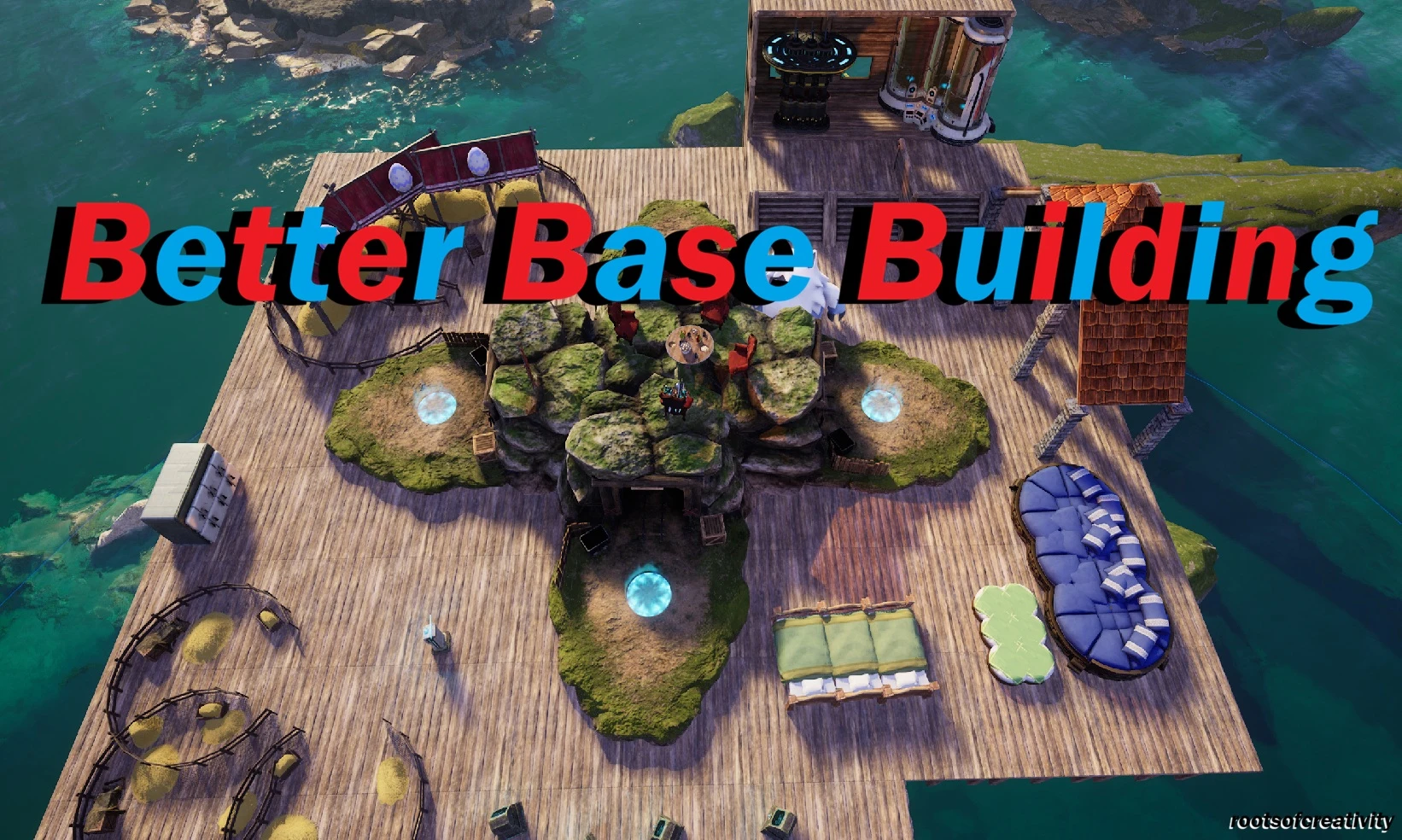
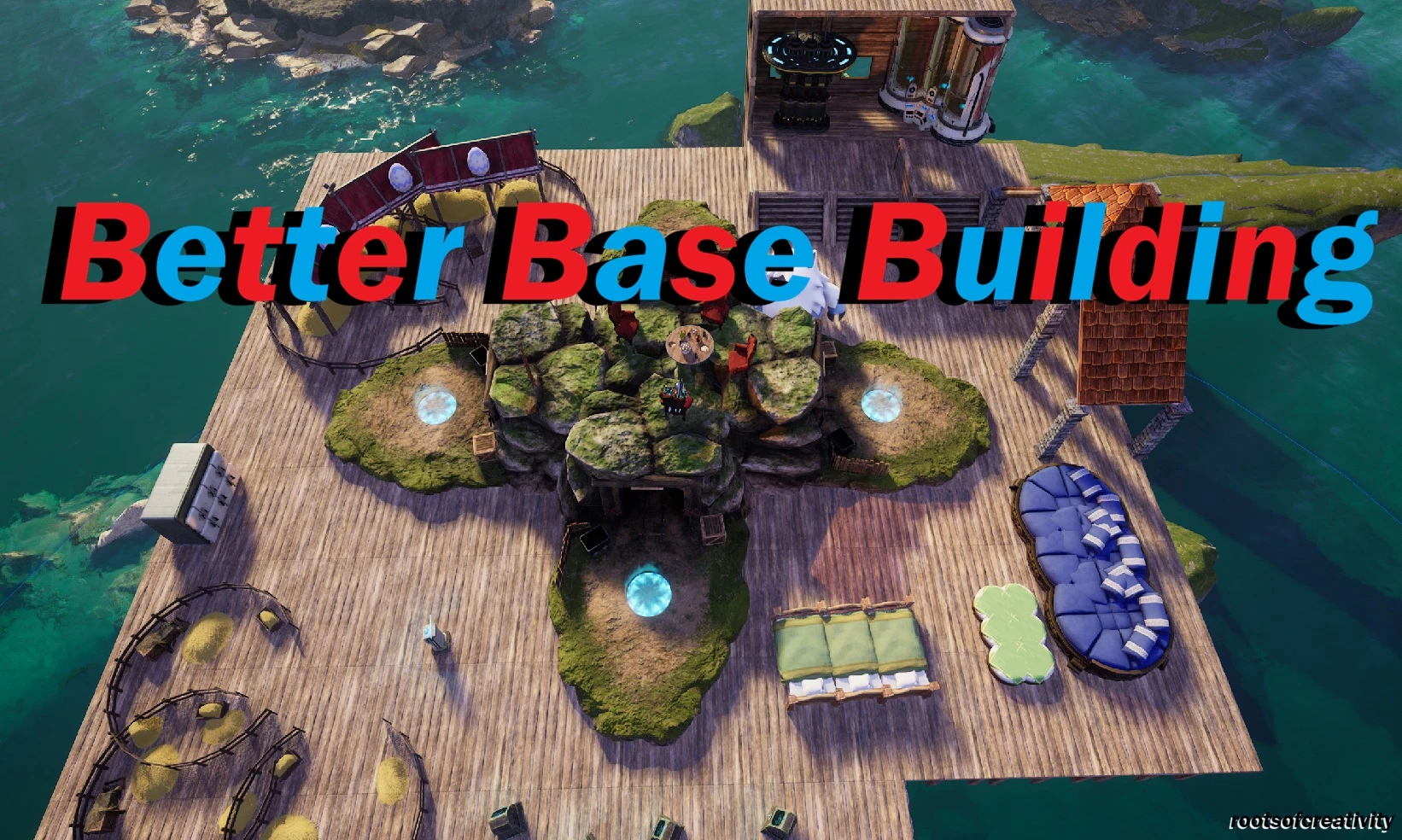
The Ultimate Building Mod! Lots of features including but not limited to: Build multiple resized Expedition Stations! No collision on almost every building (including Pal Beds)! Build Floating Roofs! Resize your base with multiple options that scale to the size (No wild Pals spawning nearby, build Bases closer together) and MUCH more!
 查看大图
查看大图[center][b][color=#00ff00][size=5][u]Bigger Bases[/u]:[/size][/color][/b][/center]
[center][b][color=#00ff00][size=2] [/size][/color][/b][/center]
[center][color=#00ff00][size=4][b]Multiple Choices! Included with the Complete file is a version that tunes everything to 2.5 X Vanilla. You can download an optional file (that also works by itself) that has all of the settings tuned to 1, 1.5, 2 or 3 X as well! [/b][/size][size=3](Check the installation instructions further down!)[/size][/color][/center]
[center][b][color=#00ff00][size=2] [/size][/color][/b][/center]
[center][left][center][b][color=#ffff00][size=5][u]Better Bases[/u]:[/size][/color][/b][/center]
[center][b][color=#ffff00][size=2] [/size][/color][/b][/center]
[center][color=#ffff00][size=4][b]Stops Pals from spawning on your base [/b][/size][size=3](Scaled to each Base size!)[/size][size=4] [/size][size=3](With a small buffer zone!) [/size][/color][/center]
[center][color=#ffff00][size=3](Also an option to extend/shorten the distance that enemy camps can spawn!).[/size][/color][/center]
[center][b][color=#ffff00][size=2] [/size][/color][/b][/center]
[center][b][color=#ffff00][size=4] Collects multiples of the same item into small piles![/size][/color][/b][/center]
[center][color=#ffff00][size=3](with a small collection range, so you won't be wondering where that tree you just chopped down has gone!)[/size][/color][/center]
[center][b][color=#ffff00][size=2] [/size][/color][/b][/center]
[center][color=#ffff00][size=4][b]Allows building bases closer together! [/b][/size][size=3](with a small gap so Pals don't get confused!)[/size][/color][/center]
[center][b][color=#ffff00][size=2] [/size][/color][/b][/center]
[center][color=#ffff00][size=4][b]Removes food decay in cooled storage! [/b][/size][size=3](So you can have food spoil in your inventory, but not in your fridge!)[/size][/color][/center]
[center][color=#ffff00][size=2] [/size][/color][color=#ffff00][size=2](You can easily edit it to add a power requirement to Fridges, or change the storage decay rate!) (Also stops Pals from working on them and removes the work suitability icon above them!)[/size][/color][/center]
[center][b][color=#ffff00][size=2] [/size][/color][/b][/center]
[center][color=#ffff00][size=4][b]Makes the calculations of your Base Pals[/b][/size][/color][color=#ffff00][size=2] (such as pathing) [/size][/color][color=#ffff00][size=4][b]operate at a higher tier from further away![/b][/size][/color][/center]
[center][b][color=#ffff00][size=2] [/size][/color][/b][/center]
[center][left][center][b][color=#00ffff][size=5][u]Better Building[/u]:[/size][/color][/b][/center]
[center][b][color=#00ffff][size=2] [/size][/color][/b][/center]
[center][color=#00ffff][size=4][b]Floating roofs![/b][/size][/color][color=#00ffff][size=1][b] [/b][/size][/color][/center]
[center][size=3][color=#00ffff]All Roofs can now be supported by just [b]PILLARS![/b] They can snap to anywhere nearby![/color][/size][/center]
[center][color=#00ffff][size=3](including a floating position!)[/size][/color] [color=#00ffff][size=3](positioning can be a bit awkward at times. Building a temporary scaffold can help. Look at/near to where you want it and press the appropriate button to swap snapping points!)[/size][/color][/center]
[center][color=#00ffff][size=2] [/size][/color][/center]
[center][color=#00ffff][size=4][b]Floating foundations![/b][/size][/color][/center]
[center][color=#00ffff][size=3]Build your dream fortress in the [b]sky!! [/b](For the main image, i built high up and above water then built loads of things in a way that shouldn't be done... I deleted it afterwards to be safe! Caution is advised if you're really pushing the boundaries of the game's limits!)[/size][/color][/center]
[center][color=#00ffff][size=3] [/size][/color][/center]
[center][color=#00ffff][size=4][b]Build on water with only WOOD in your inventory![/b][/size][/color][/center]
[center][color=#00ffff][size=3]This can be changed in the file to whatever you want! (except nothing, unfortunately!)[/size][/color][/center]
[center][color=#00ffff][size=2] [/size][/color][/center]
[center][color=#00ffff][b][size=4]Build on Steeper terrain![/size][/b][/color][/center]
[center][color=#00ffff][size=3]Things with a smaller footprint can be built at 90 degree angles! Makes placing bigger things a lot less[b] fiddly![/b][/size][/color][/center]
[center][color=#00ffff][size=2][b] [/b][/size][/color][/center]
[center][color=#00ffff][b][size=4]Removes Collision restrictions on pretty much everything![/size][/b][/color][/center]
[center][color=#00ffff][size=4](Including Pal Beds, walls and roofs!) [/size][/color][/center]
[center][color=#00ffff][size=2](If you find something that I've missed, let me know!)[/size][/color][/center]
[center][color=#00ffff][size=2] [/size][/color][/center]
[center][color=#00ffff][size=4][b]Removes build limits on everything![/b][/size][/color][/center]
[center][color=#00ffff][size=3] (Build as many Guild Chests, Expedition Stations or Summoning Altars as you want!)[/size][/color][/center]
[center][color=#00ffff][size=2][b] [/b][/size][/color][/center]
[center][color=#00ffff][b][size=4]Resizes several structures[/size][/b][/color]
[color=#00ffff][size=2][b] (They all have their own file and can be removed/edited (although i don't recommend trying to edit the Expedition Station yourself... It's an absolute PITA!)[/b][/size][/color]
[/center]
[center][color=#00ffff][size=4][b]Expedition Station [/b][/size][/color][/center]
[center][color=#00ffff][size=3](included in the Complete file is the 0.5 x vanilla) (There's an optional download of a 0.3 one as well!)[/size][/color][/center]
[center][color=#00ffff][b][size=4]Ranch[/size][/b][size=3] (Resized to approximately 0.6)[/size][/color][/center]
[center][color=#00ffff][b][size=4]Breeding Farm[/size][/b][size=3] (Resized to 0.6)[/size][/color][/center]
[center][color=#00ffff][b][size=4]Large generator[/size][/b][/color][/center]
[center][color=#00ffff][size=3](Resized to 0.9 so it fits cleanly into one square wide and the antenna doesn't clip through a two story floor/roof!)[/size][/color][/center]
[center][color=#00ffff][b][size=4]Pal Essence Condenser [/size][/b][/color][/center]
[center][color=#00ffff][size=3](Resized to 0.8 so it fits cleanly into one square wide and 2 tall!)[/size][/color][/center]
[center][color=#00ffff][size=4][b]All of the Plantations! [/b][/size][/color][/center]
[center][color=#00ffff][size=3](Including the [b]Skill Tree Orchard[/b]) [/size][/color][color=#00ffff](Resized to be the same size as the Berry one!)[/color][/center]
[center][/center]
[u][b][size=5]Installation instructions:[/size][/b][/u]
[size=4]If you had another mod that was resizing buildings, i recommend [b]destroying them first[/b]. If they scale it in a different way than this mod, it will resize the resize and may become effectively [b]invisible![/b] If you're going from one of my resizes to another, it will be [b]fine![/b] If you had a vanilla expedition station against a cliff, I recommend removing it as it may disappear inside of it![/size][/left]
[left][size=4] [/size][/left]
[left][size=4]The Base settings will affect bases that are [b]already[/b] built. If you were using a different base size mod, the blue ring might update but the buildable area might not (It depends on how they did it). If that's the case, it'll work on any [b]NEWLY BUILT[/b] Palboxes! If you're using one of my Base resizes or going from Vanilla, it will be [b]fine![/b][/size]
[size=4]There's a file called [b]"BetterBaseBuilding Notes" [/b]which has a breakdown of what the mod does and which file to edit for each setting! Each File has instructions and vanilla figures![/size][/left]
[left] [/left]
[left][size=4]The Optional Base resizes will work on their own, with several of the key settings included (Building angle, Wild Pal spawns, Nearby friendly base distance, Item merging and Active Pal calculation distance)![/size][/left]
[left] [/left]
[left][size=4][b]If you're installing one of the standalone's on top of the Complete File: [/b][/size][/left]
[left][size=4]Vortex - You should get a prompt that there is a file conflict... This is good! Set the Standalone one to overwrite the Complete one and it will replace it! If you then remove the Standalone, the default 2.5 X "BuildSettings" (Or whichever one you replaced) will return![/size][/left]
[left] [/left]
[left][size=4]Manual: Extract the mod folder in your staging folder of choice and copy the "BuildSettings" [b]file[/b] to PalSchema - mods - BetterBaseBuilding - blueprints![/size][/left]
[left] [/left]
[left][size=4]If you're downloading it as a standalone, without the rest of the mod, copy the "BetterBaseBuilding" [b]folder[/b] straight into your PalSchema [b]mods[/b] folder!
[/size]
[size=4][b]Make Sure UE4SS and Pal Schema are installed and working correctly.[/b][/size]
[size=4][b]Safe to install/uninstall at any time. If part of/the whole mod breaks, the game will default to vanilla behavior. Any buildings outside the base area that shouldn't be there will remain, but will be unworkable unless the base expands past them again! If you have multiples of a building that should only have 1, they should still work! If you have floating roofs/foundations, they will remain until destroyed![/b][/size]
[u][size=4][b]Vortex Steam installation: [/b][/size][/u]
[size=4][b]Make sure that Vortex is up to date![/b][/size]
[size=4]If you play through Steam, You can install this through Vortex. To check that it's worked, deploy your mods then double click on "BetterBaseBuilding" in your Vortex mods list and look down in the window that it opens... It should be marked as a " Palschema submodule".[/size]
[size=4]If it is, then when you look in your Palschema mods folder, you should see "BetterBaseBuilding" . [/size]
[size=4]If it isn't there, go back to Vortex and try changing the mod type to "Lua V2" (Where i said to look for "Palschema submodule". That should put it in your UE4SS folder, where it will merge with your "Mods" folder. If you click on the location that it gives under where it says the mod type, navigate to "Mods", "PalSchema" then " mods", you should see "BetterBaseBuilding". [/size]
[size=4]If Vortex doesn't work, please let me know![/size]
[size=4]For Gamepass players, i have no idea how Vortex handles this game for you... Sorry! You can give it a go and if it doesn't work, uninstall it and try doing it manually. If someone is playing through Gamepass, could you let me know please? :)[/size]
[u][size=4][b]Manual Installation: [/b][/size][/u]
[size=4]Unzip the file in your staging folder of choice (i recommend having your own mod staging folder somewhere in "my documents" to keep track of your mods!). Open the extracted file and navigate to "BetterBaseBuilding". The folder is structured so that it can be installed with Vortex and labelled as a "Lua V2" mod, but you don't need the outer folders if you're installing manually! Copy the "BetterBaseBuilding" [/size][u][size=4]FOLDER[/size][/u][size=4] into your Palschema mods Folder.[/size]
[size=4]Either way that you install it, you should end up with a folder structure that looks something like this:[/size]
[size=3]C:\Program Files(x86)\Steam\steamapps\common\Palworld\Pal\Binaries\Win64\ue4ss\Mods\PalSchema\mods\BetterBaseBuilding [/size]
[size=4]If you are using the Steam workshop version of UE4SS or playing through Gamepass, the directory will be slightly different but the -ue4ss\Mods\PalSchema\mods\BetterBaseBuilding- should be the same.[/size]
[u][size=4][b]Compatability:[/b][/size][/u]
[size=4]Tested in single player![/size]
[size=4]Not tested in Multiplayer co-op (yet). Will most likely need to be installed on both to work properly.[/size]
[size=4]Not tested on a server. (If you have a server, please let me know!) Should work fine when installed by both host and client.[/size]
[size=4]Should be compatible with anything that doesn't do the same kind of things. I personally use around 40 mods and haven't had any issues! [/size]
[center][/center]
[center][b][color=#ffffff][size=5][/size][/color][color=#9900ff][size=5]Take advantage of that extra space with[/size][/color][size=4] [/size][url=https://www.nexusmods.com/palworld/mods/5427][size=5]RanchingReborn[/size][/url][size=4] [/size][color=#9900ff][size=5](A full ranch overhaul)!!![/size][/color][color=#ffffff][size=5][/size][/color][/b][/center]
[center][/center]
[center][b][size=5][color=#9900ff]Buff up your storage for all that tastytasty loot with[/color][/size][size=4] [/size][url=https://www.nexusmods.com/palworld/mods/5456][size=5]SuperStorage[/size][/url][color=#9900ff][size=5]!!![/size][/color][color=#ffffff][size=5] [/size][/color]
[size=4] [/size]
[size=5][color=#9900ff]Fill those chests up faster with[/color][/size][size=4] [/size][size=5] [url=https://www.nexusmods.com/palworld/mods/5477]TopTransporters[/url][color=#9900ff]!!![/color][/size][/b][/center]
[center][b][size=5] [/size][/b][/center]
[center][b][color=#ffffff][size=5][/size][/color][color=#9900ff][size=5]This is PART 1 of my BETTERBASEBUILDING series... Watch this space for PART 2!!![/size][/color][color=#ffffff][size=5][/size][/color][/b][/center]
[u][size=4][b]Requirements:[/b][/size][/u]
[size=4][b]UE4SS - [/b][/size][url=https://www.nexusmods.com/palworld/mods/2237][size=4][b]Nexus Upload[/b][/size][/url][size=4][b] OR [/b][/size][url=https://github.com/Okaetsu/RE-UE4SS/releases/tag/experimental-palworld][size=4][b]GitHub Upload[/b][/size][/url][size=4][b]. They should both be the same version so it doesn't matter which one you choose. Make sure it's installed in the right place.[/b][/size]
[size=4][b]PAL SCHEMA - [/b][/size][url=https://www.nexusmods.com/palworld/mods/2361][size=4][b]Nexus Upload[/b][/size][/url][size=4][b] OR [/b][/size][url=https://github.com/Okaetsu/PalSchema][size=4][b]GitHub Upload[/b][/size][/url][size=4][b]. They should both be the same version so it doesn't matter which one you choose. Make sure it's installed in the right place.[/b][/size]
[u][size=4][b]Shout outs:[/b][/size][/u]
[size=4][b]Shout out to [/b][/size][url=https://www.nexusmods.com/profile/Okaetsu?gameId=6063][size=4][b]Okaetsu[/b][/size][/url][size=4][b] for the Palworld fork of UE4SS and Pal Schema. Without these, modding the game would be a lot harder![/b][/size]
[size=4][b]Shout out to [/b][/size][url=https://www.nexusmods.com/profile/whatupmuh][size=4][b]Whatupmuh[/b][/size][/url][size=4][b] for [/b][/size][url=https://www.nexusmods.com/palworld/mods/5095?tab=description][size=4][b]Schema Studio[/b][/size][/url][size=4][b] which helped me learn and inspired me to make this (it wasn't used in the final form)![/b][/size]
[size=4][b]Shout out to all those that had already made building mods, looking at some of your codes and comparing them helped me to learn![/b][/size]
[size=4][b]Shout out to [/b][/size][url=https://www.instagram.com/rootsofcreativity2025/?hl=en][size=4][b]RootsOfCreativity[/b][/size][/url][size=4][b] on Instagram for the media![/b][/size]
[size=3]I'd like to say that no AI was used in the making of this mod, but it was used in some places to help me learn and to scale (things like the expedition station were an absolute PITA, even with AI!). It saved me time from having to work out all of the different figures for the "x1, x1.5" etc scales. It also helped me identify certain parameters by feeding it the raw data dumps (for example, to find the parameter that effects the blue ring on the expedition station). I used Google Gemini (literally just Google AI mode) and Github Copilot. Everything they did was verified and checked by me. (from this experience of using AI to help with coding, you should always tell it not to guess or it will just make up parameters and tell you that you've "unlocked the secret of the universe" or some such. Gemini was particularly bad for this!).[/size]
[u][size=4][b]If you have any problems, requests or ideas, please let me know in the "Posts" section![/b][/size][/u][/left]
[left] [/left]
[left][u][size=4][b]Notes:[/b][/size][/u][/left]
[left] [/left]
[left]The Palls Spawned by the Expedition station can't be resized through JSON so I've moved and shortened the path that they walk on. They should spawn, walk forward and disappear before the fully hit the entrance![/left]
[left] [/left]
[left]As far as i can tell, the Summoning Altar can't be resized through JSON![/left]
[left] [/left]
[left][b][u][size=4]If you enjoyed this mod, I'd appreciate it if you could take a moment to hit that "Endorse" button at the top of the page![/size][/u][size=4] [/size][size=3](There's also a little thumb on your Vortex mod list!) [/size]
[size=4] [/size][/b]
[center][size=4][b][color=#ff0000]---------------[/color] [color=#00ffff]P.E.A.C.E[/color].-.[color=#ff0000]L.O.V.E[/color] [color=#00ffff]---------------[/color][/b][/size][/center]
[center][size=4][b][color=#ffff00]--------------- [/color][color=#00ff00]H.A.P.P.Y[/color]..[color=#ffff00]G.A.M.I.N.G[/color] [color=#00ff00]---------------[/color][/b][/size][/center]
[center][size=4][b][color=#ff00ff]--------------- [/color][color=#9900ff]D.O.C.T.O.R[/color]..[color=#9900ff]N.O.R.M.A.L[/color] [color=#ff00ff]---------------[/color][/b][/size][/center]
[center][size=4][b]---------------------------------------------------------------------------------------------------------------------------------------------------------------------[/b][/size][/center]
[/left]
[/center]
[/left]
[/center]
显示 1-12 条,共 12 条
以上为资源接口提供的文件记录。安装时请在客户端确认文件、游戏版本及依赖。
还没有人评论,去客户端里说两句吧。
评论在新手盒子客户端中发表,这里同步展示。