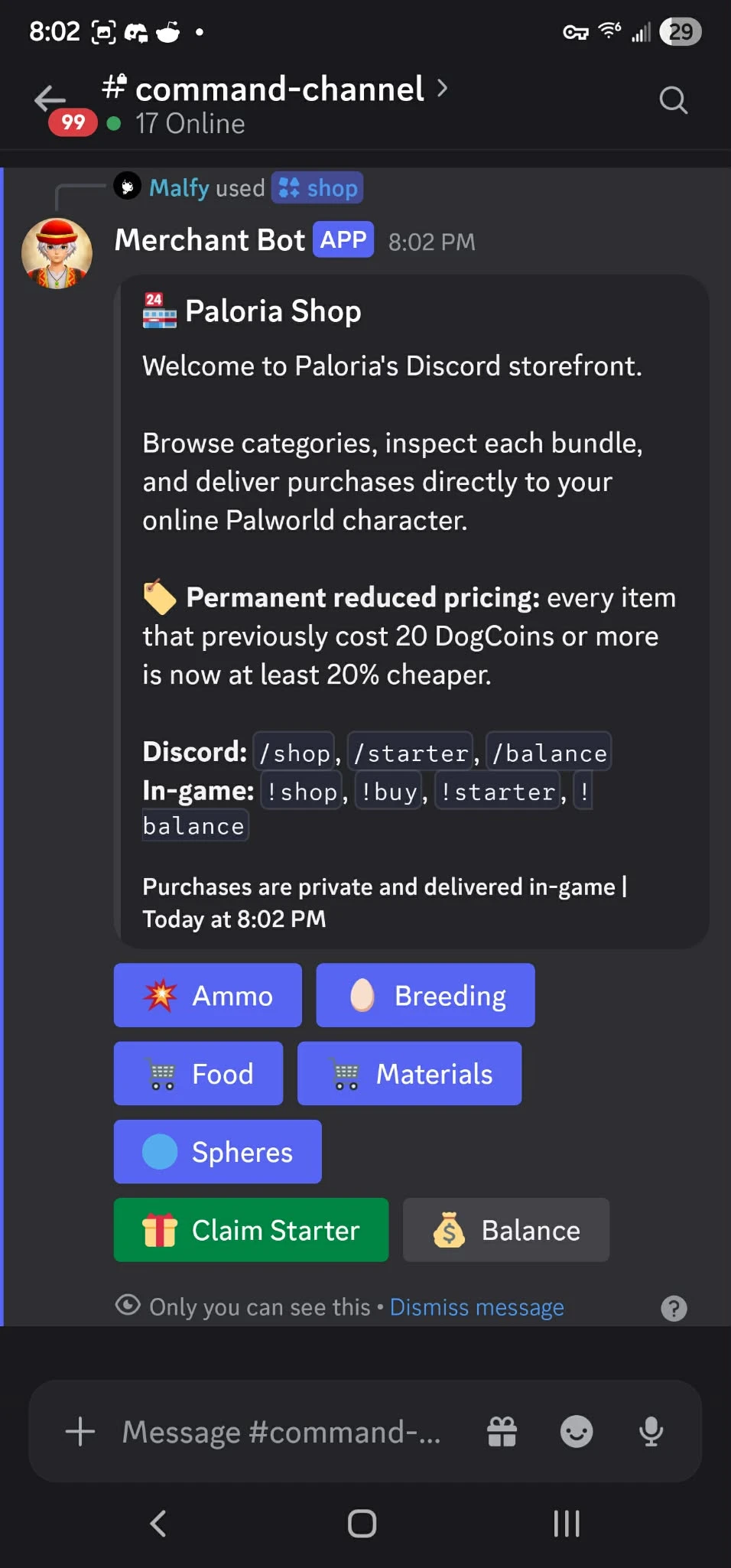
Palworld Merchant Bot
Server-side Palworld shop and Discord integration system for dedicated servers. Adds customizable shops, player linking, balances, purchases, starter rewards, bounty features, and server management support for DatHost, Game Host Bros, local Windows servers, and other hosts.
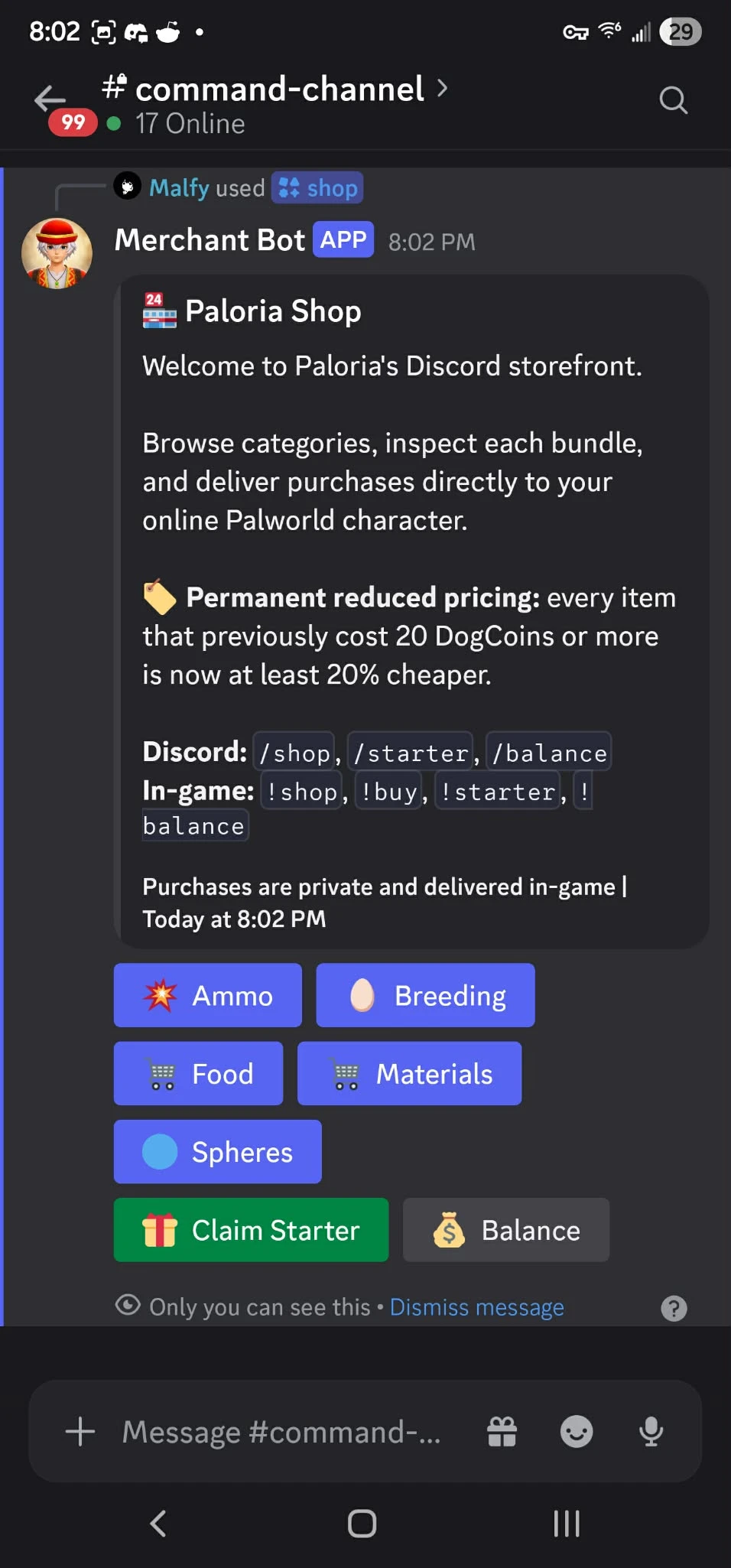 查看大图
查看大图[b]IMPORTANT: After downloading, visit the Merchant Bot website, invite the bot to your Discord server, and run
[/b]
[code]/setup[/code][b]to begin configuration. Installing the server files alone is not enough [/b]
[u][b]PALWORLD MERCHANT BOT[/b][/u]
Palworld Merchant Bot is a server-side shop and Discord integration system designed for Palworld dedicated servers.
It allows server owners to create their own custom item shop, link Discord users to Palworld characters, manage player balances, distribute purchased items, configure starter rewards, and manage additional server features from an easy-to-use dashboard.
Players do not need to install any client-side mods.
[u][b]GETTING STARTED[/b][/u]
Before installing the server-side files, you must first set up Merchant Bot through the website.
1. Visit the official Palworld Merchant Bot website.
2. Sign in or create your account.
3. Invite Merchant Bot to your Discord server using the invite option provided on the website.
4. Once the bot has joined your Discord server, run:
/setup
5. Follow the setup instructions provided by the bot.
6. Complete your server connection and onboarding through the Merchant Bot dashboard.
7. After setup is complete, install the required Palworld server-side mod files.
The /setup command is required because it links your Discord server to your Merchant Bot configuration and starts the onboarding process.
[u][b]INSTALLATION INSTRUCTIONS[/b][/u]
Palworld Merchant Bot requires a Palworld dedicated server with UE4SS installed.
1. Visit the Merchant Bot website.
2. Invite Merchant Bot to your Discord server.
3. Run:
/setup
4. Complete the dashboard onboarding and server connection steps.
5. Install UE4SS on your Palworld dedicated server if it is not already installed.
6. Extract the included mod files.
7. Place the included Merchant Bot mod folders into your server's UE4SS Mods directory.
Typical location:
Pal/Binaries/Win64/ue4ss/Mods/
8. Verify that the required Merchant Bot components are present in the Mods folder.
9. Restart your Palworld dedicated server.
10. Return to the Merchant Bot dashboard and verify that your server is connected.
11. Configure your shop items, player linking, currency, starter rewards, bounty settings, and other available features.
The system is designed to support:
• DatHost
• Game Host Bros
• Local Windows dedicated servers
• Other hosting providers with access to the required Palworld server files
Exact file paths and connection steps may differ depending on your hosting provider.
[u][b]MAIN FEATURES[/b][/u]
• Customizable Palworld server shop
Create your own shop with the items, prices, quantities, and rewards you want for your community.
• Web-based dashboard
Manage your Merchant Bot configuration, server connection, shop items, players, and supported features from the Merchant Bot website.
• Discord integration
Players can interact with supported Merchant Bot features directly through Discord.
• Guided Discord setup
Invite Merchant Bot to your Discord server and run /setup to begin the server onboarding process.
• Player linking
Connect a player's Discord account to their Palworld character.
• Player balances
Track player currency and allow players to check their available balance.
• Shop purchases
Players can purchase configured items using the server's custom currency system.
• Automatic item delivery
Purchased shop items can be delivered to the linked Palworld player through the server-side system.
• Starter rewards
Configure starter rewards or kits for new players.
• Bounty support
Additional bounty-related functionality is available for servers that want PvP-oriented features.
• Server-side operation
Players do not need to install Merchant Bot files on their own computers.
• Custom shop configuration
Server administrators control what appears in their shop.
New server installations can begin with an empty shop so administrators can create their own catalog.
• Dedicated-server focused
Designed specifically for Palworld communities running their own dedicated server.
• Multiple hosting options
Designed to work with DatHost, Game Host Bros, locally hosted Windows servers, and other compatible Palworld hosting providers.
[u][b]REQUIREMENTS[/b][/u]
• Palworld Dedicated Server
• Windows-compatible Palworld server environment
• UE4SS
• Discord server
• Merchant Bot invited to your Discord server
• Completion of the /setup process
• Merchant Bot website/dashboard account
• Access to the server's Palworld files
• Ability to restart the Palworld server after installation
Some setup steps may differ depending on your hosting provider.
[u][b]IMPORTANT[/b][/u]
Do not simply install the mod files and expect Merchant Bot to work automatically.
You must first:
1. Visit the Merchant Bot website PalworldMerchantBot.com
2. Invite Merchant Bot to your Discord server
3. Run /setup
4. Complete the dashboard onboarding
5. Install and connect the Palworld server-side components
Merchant Bot relies on both the Discord bot and the Palworld server-side components working together.
Always back up your Palworld server before installing or updating server-side mods.
Palworld game updates can occasionally change compatibility with UE4SS or server-side mods. If Palworld receives a major update, verify compatibility before updating a production server.
SUPPORT
If you are having trouble getting started, begin by confirming:
• Merchant Bot has been invited to your Discord server
• You have run /setup
• Dashboard onboarding has been completed
• UE4SS is installed correctly
• The required Merchant Bot mod folders are installed
• Your server connection is showing as online in the dashboard
[u][b]SHOUT OUTS[/b][/u]
Thanks to the developers and community behind UE4SS and the Palworld modding community for making server-side projects like this possible.
Palworld and all related trademarks and game assets belong to Pocketpair, Inc.
Palworld Merchant Bot is an independent community project and is not affiliated with or endorsed by Pocketpair.
还没有人评论,去客户端里说两句吧。
评论在新手盒子客户端中发表,这里同步展示。