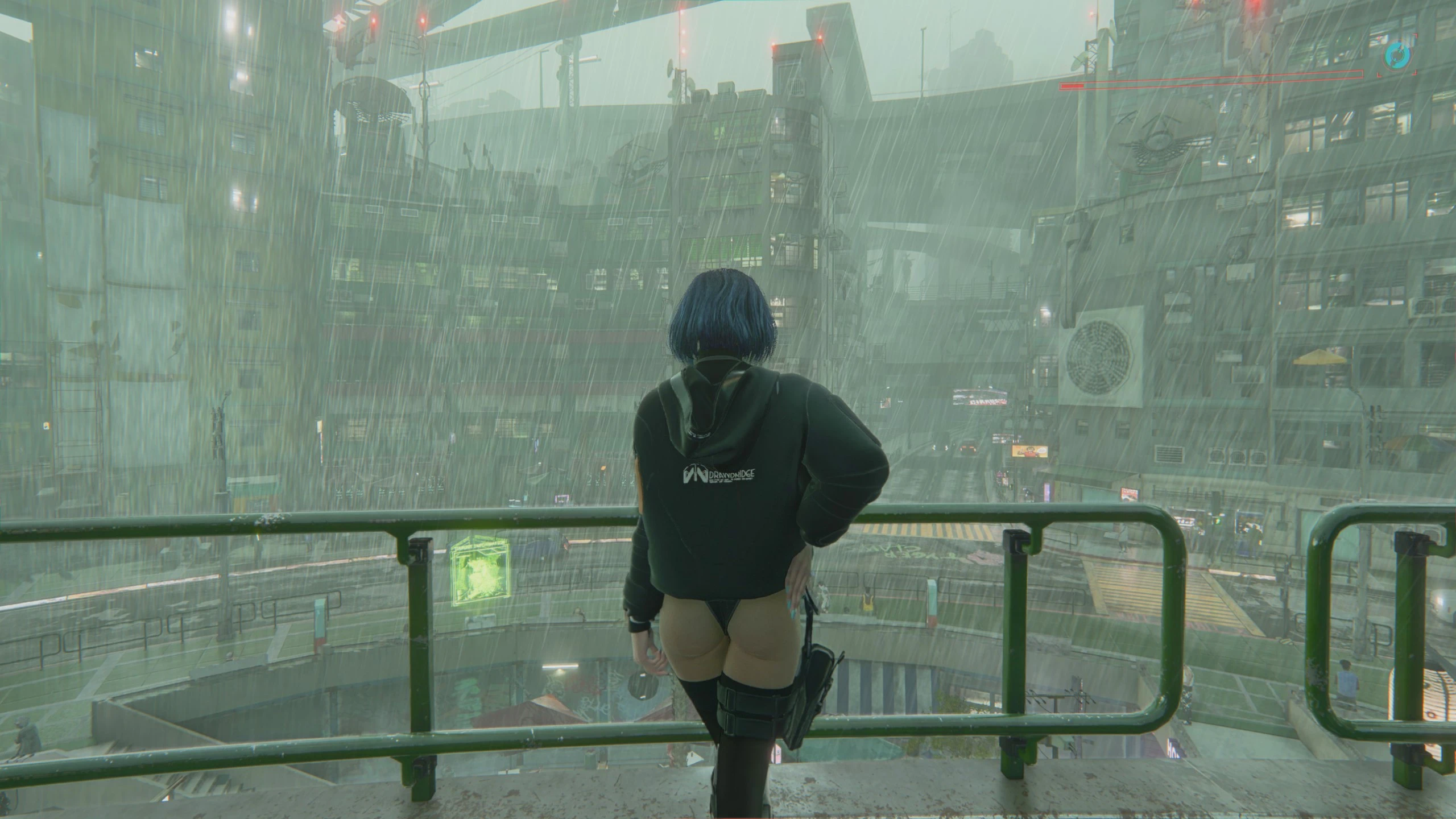
User Gallery Loading Screens
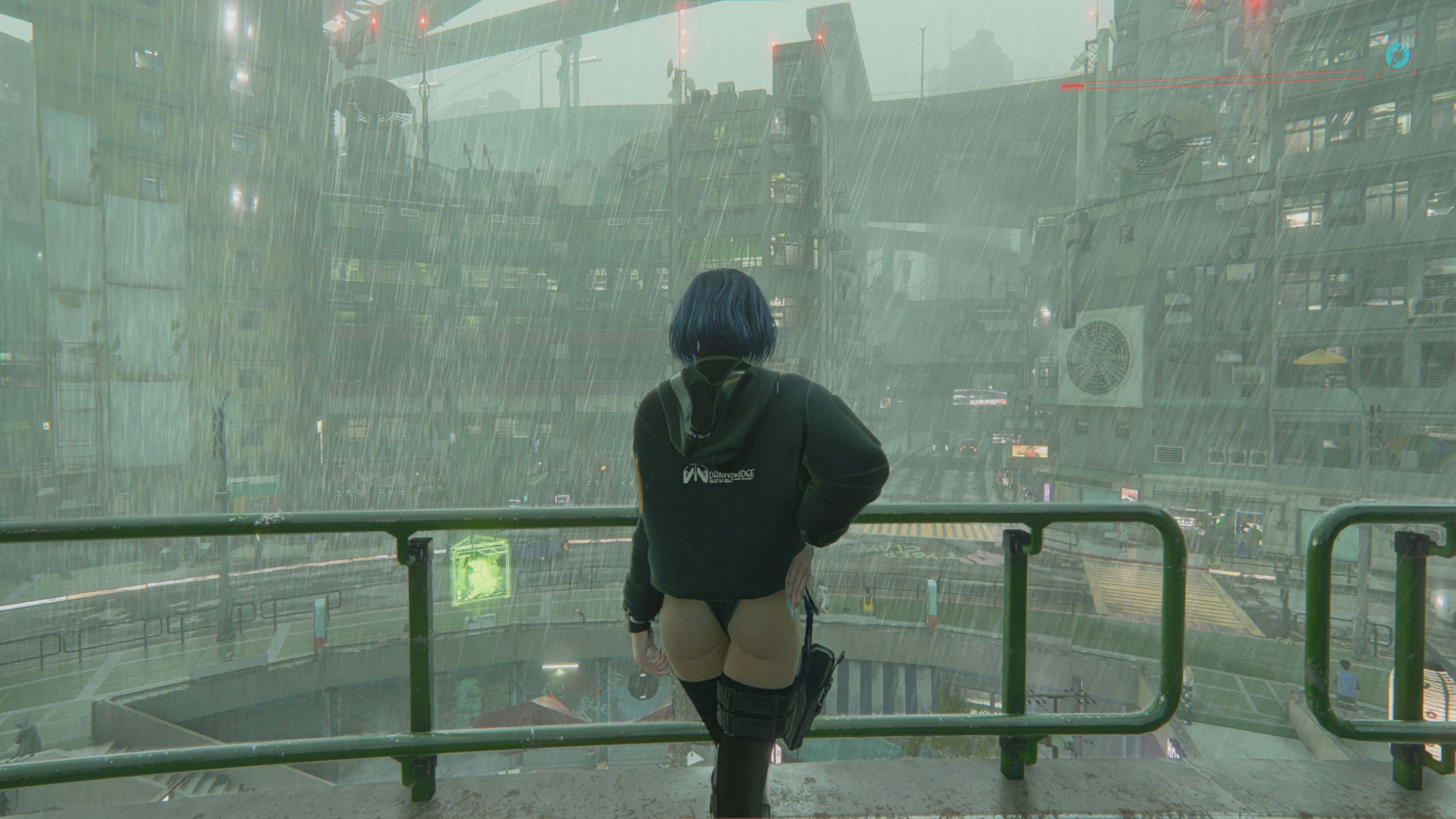
Shows a random photo from your in-game Gallery on every loading screen. New photos you take join the rotation automatically. Optional: replace the main menu lore videos and hide the frame for a full-screen photo, all configurable via Mod Settings. Requires Redscript and Codeware.
 查看大图
[color=#d4d4d8]Patch 2.2 gave us the Gallery and SmartFrames, a great way to look at the photos you take in Photo Mode. User Gallery Loading Screens gives them one more place to live: your loading screens.[/color]
[color=#D4D4D8]Every time a loading screen appears, the mod shows a photo from your in-game Gallery, fullscreen, instead of the default city artwork. Photos you take later join the rotation automatically, so your loading screens keep growing with your playthrough.
It uses the game’s own Gallery system to read your screenshots. No files are replaced, nothing to convert, no archives to rebuild.[/color]
[line]
[color=#D4D4D8][b]Installation instructions[/b]
Vortex / Mod Organizer:[/color]
[list=1]
[][color=#D4D4D8]Install the requirements listed below.[/color][/]
[][color=#D4D4D8]Download with the “Mod Manager Download” button and enable the mod.[/color][/]
[/list][color=#D4D4D8]Manual:[/color]
[list=1]
[][color=#D4D4D8]Install the requirements listed below.[/color][/]
[][color=#D4D4D8]Extract the archive into your Cyberpunk 2077 game folder, so that you get:[/color]
[code]Cyberpunk 2077\r6\scripts\UserGalleryLoadingScreens\UserGalleryLoadingScreens.reds[/code][/]
[/list][color=#D4D4D8]Uninstall: remove the mod (or delete the[/color]
[code]r6\scripts\UserGalleryLoadingScreens[/code][color=#D4D4D8]folder). The mod does not touch your saves.[/color]
[line]
[color=#D4D4D8][b]Main features[/b][/color]
[list]
[][color=#D4D4D8]Your Gallery photos on loading screens: save loads, fast travel, quickload, and main menu loads.[/color][/]
[][color=#D4D4D8]Full screen by default: the frame, black bars, and gameplay tips are hidden; only the loading indicator in the top-right corner remains.[/color][/]
[][color=#D4D4D8]Every photo gets its turn: photos are shuffled like a deck, and all are shown once before any repeats, never the same one twice in a row.[/color][/]
[][color=#D4D4D8]Slideshow on long loading screens: the photo changes every few seconds with a smooth crossfade (adjustable).[/color][/]
[][color=#D4D4D8]New photos are picked up automatically: take a picture in Photo Mode and it joins the rotation.[/color][/]
[][color=#D4D4D8]Replace menu lore videos: when loading from the main menu (Continue or Load Game), show your photos instead of the story recap video.[/color][/]
[][color=#D4D4D8]Boot screen photos (optional): for mods that skip the intro or the main menu and load your last save, your photos replace the black screen from game start.[/color][/]
[][color=#D4D4D8]Any photo shape.[/color][/]
[/list][color=#D4D4D8]Options (in-game, via Mod Settings):[/color]
[list]
[][color=#D4D4D8]Enabled (on)[/color][/]
[][color=#D4D4D8]Replace menu lore videos (on)[/color][/]
[][color=#D4D4D8]Photos on boot screen (off): for mods that skip the intro or main menu and load the last save. Shows your photos instead of the black screen from game start until the save or menu is loaded. Leave it off otherwise: without such a mod a photo may flash between the intro videos.[/color][/]
[][color=#D4D4D8]Hide frame and tips (on)[/color][/]
[][color=#D4D4D8]Photo scaling: Auto (default), Fill (crop) or Fit (black bars). Auto fills the screen when little would be cropped and shows the whole photo with black bars otherwise (4:3 or vertical photos).[/color][/]
[][color=#D4D4D8]Change photo every (seconds): 1 to 20, default 8.[/color][/]
[][color=#D4D4D8]Debug log (off): prints to the Cyber Engine Tweaks console.[/color][/]
[/list][color=#D4D4D8]Compatibility:[/color]
[list]
[][color=#D4D4D8]Made and tested on game version 2.31.[/color][/]
[][color=#D4D4D8]Works with whatever photos the in-game Gallery shows, including images you add to your screenshots folder.[/color][/]
[][color=#D4D4D8]Your photos will cover mods that replace the vanilla loading screen artwork while this mod is enabled.[/color][/]
[][color=#D4D4D8]Skip Main Menu: compatible, including “Auto Load Last Save”.[/color][/]
[][color=#D4D4D8]Mods that rewrite the main menu “Load Game” logic (LoadGameMenuGameController.LoadGame) may conflict with the “Replace menu lore videos” option.[/color][/]
[/list][line]
[color=#D4D4D8][b]Requirements[/b]
Required:[/color]
[list]
[][color=#D4D4D8]Redscript[/color][/]
[][color=#D4D4D8]Codeware[/color][/]
[/list][color=#D4D4D8]Optional:[/color]
[list]
[][color=#D4D4D8]Mod Settings, to change the mod options. Without it, the mod runs with its default settings.[/color][/]
[/list][color=#D4D4D8]You need some photos in your Gallery: take a few in Photo Mode, then check them in the Gallery menu (next to Journal, Shards and Tarot).[/color]
[line]
[color=#D4D4D8][b]Shout outs[/b][/color]
[list]
[][color=#D4D4D8]CD PROJEKT RED for the Gallery and SmartFrames in patch 2.2, which made this mod possible.[/color][/]
[][color=#D4D4D8]jac3km4 and the Redscript team.[/color][/]
[][color=#D4D4D8]psiberx for Codeware.[/color][/]
[][color=#D4D4D8]Jack Humbert for Mod Settings.[/color][/]
[][color=#D4D4D8]The WolvenKit team and the Cyberpunk 2077 modding community for the tools and documentation.[/color][/]
[/list]
正在加载版本记录…
正在加载评论…
评论在新手盒子客户端中发表,这里同步展示。