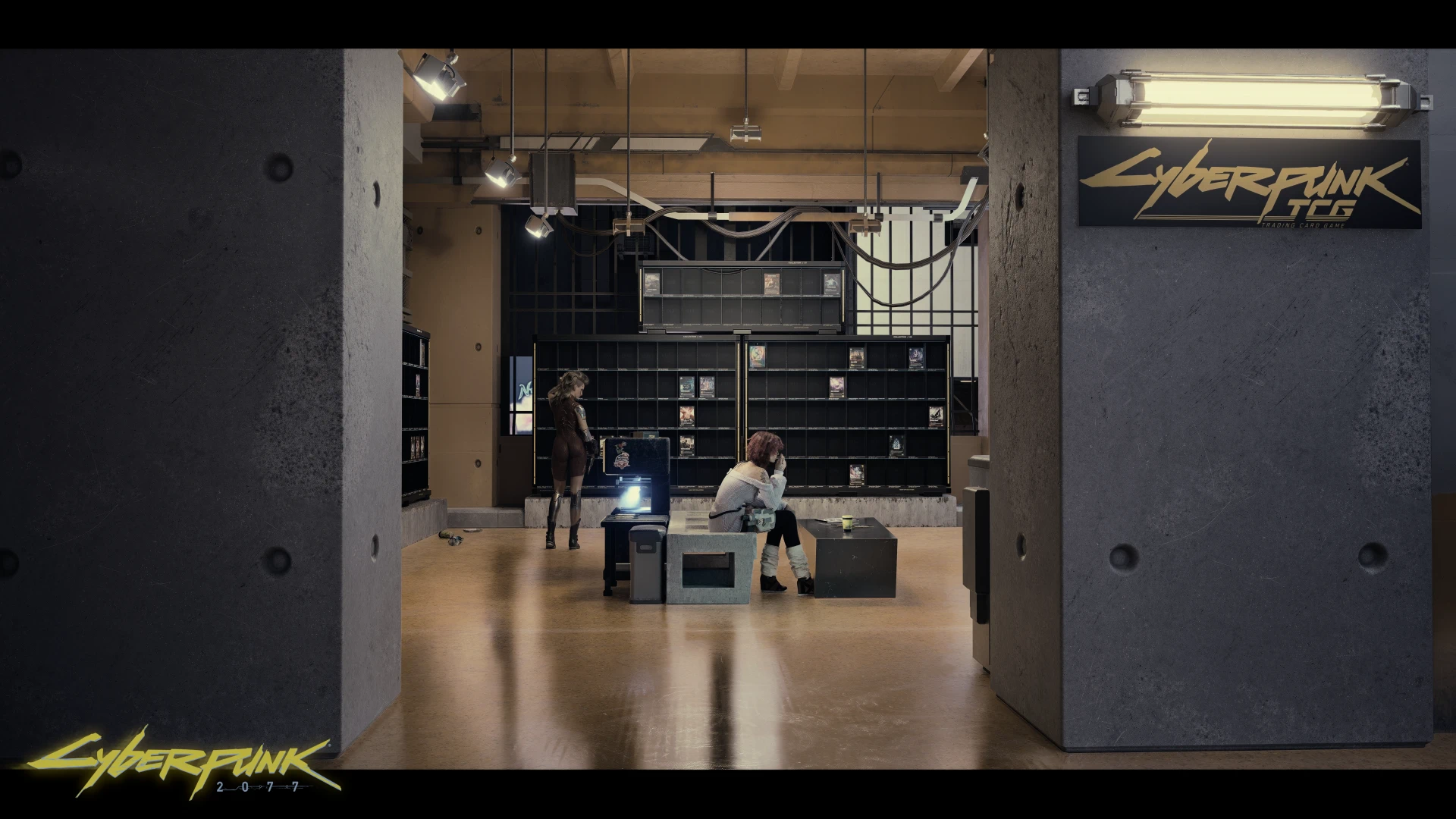
Cyberpunk TCG Collectibles
Your city, your cards, your collection.
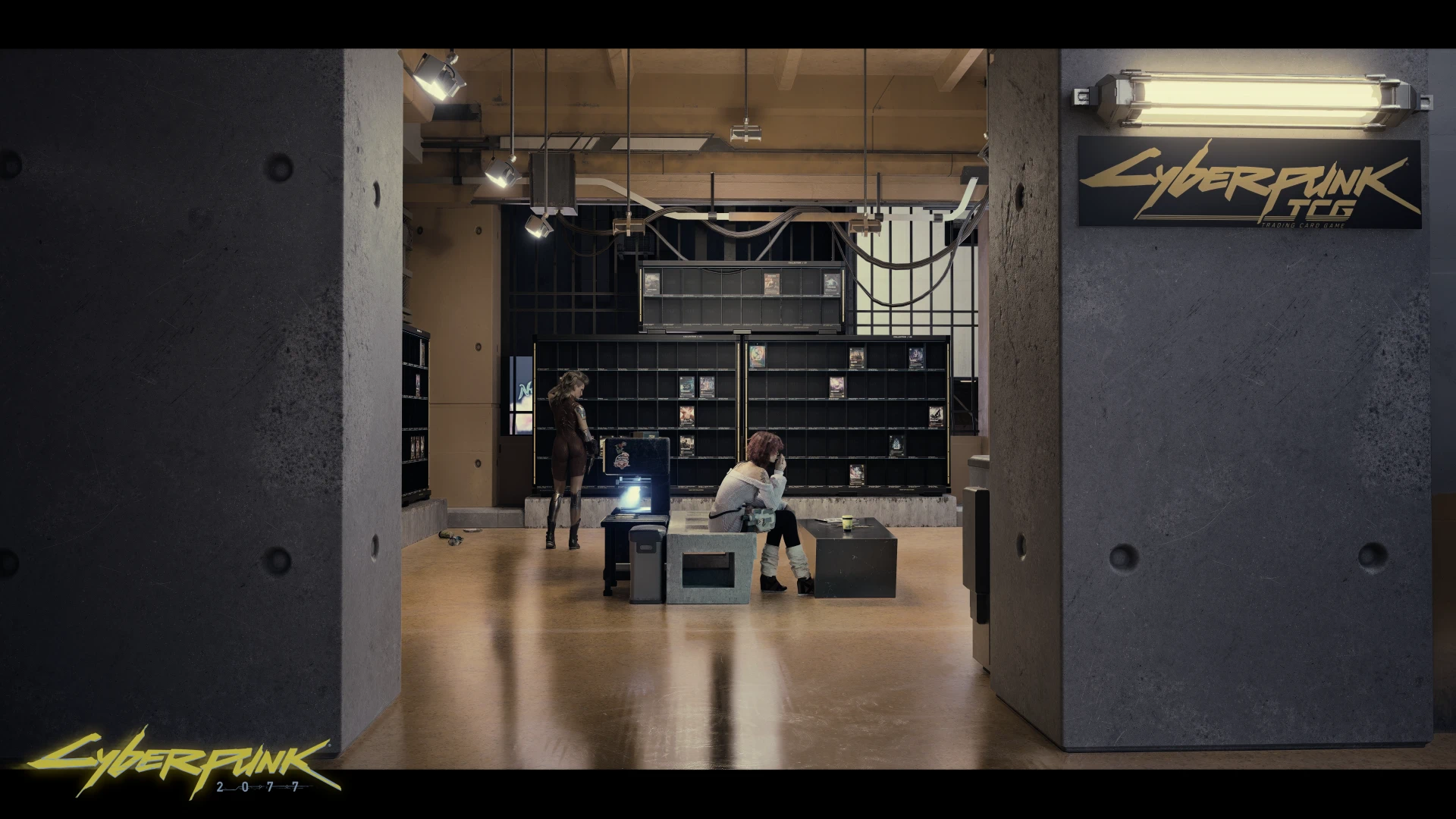 查看大图
[img]https://i.ibb.co/jPg4PbxQ/Logo-Cyberpunk-TCG-Logo-Full-Yellow-1.png[/img]
[youtube]5On-uxROFok[/youtube]
[size=3][color=#D4D4D8]
[b]Cyberpunk TCG Collectibles[/b] brings Cyberpunk trading cards into Cyberpunk 2077 as collectible inventory items and detailed 3D displays.
Find booster packs on defeated enemies, open them from your backpack, inspect your favourite cards, and gradually complete your collection. Recycle duplicate cards into crafting materials, then use the Laser Fabricator to create more boosters and discover secret editions.
Your collection area is already set up and ready to use at the [b]H10 Megabuilding Garage[/b], complete with collection shelves, a Card Loader, a Card Recycler, and a Laser Fabricator. Install the mod and head over!
The collection includes [b]151 cards, 313 artworks, and 320 collectible editions[/b], with sleeved, foil, premium foil, and metal finishes.
This mod focuses on collecting, displaying, and crafting collectibles. Playable card matches and deck-building are not included.[/color][/size]
[size=4][b]Installation instructions[/b][/size]
[list=1]
[][size=3][color=#D4D4D8]Close Cyberpunk 2077.[/color][/size][/]
[][size=3][color=#D4D4D8]Install the required frameworks listed below, following their individual installation instructions.[/color][/size][/]
[][size=3][color=#D4D4D8]Download and extract Cyberpunk TCG Collectibles.[/color][/size][/]
[][size=3][color=#D4D4D8]Copy the included folders into your Cyberpunk 2077 installation directory, preserving their structure and merging them with the existing folders. [/color][/size][/]
[][size=3][color=#D4D4D8]Launch the game, load your save, and visit the [b]H10 Megabuilding Garage or just collect some booster packs first.[/b][/color][/size][/]
[/list][size=3][color=#D4D4D8]
[b]Getting started[/b]
Collect boosters from eligible defeated enemies, then click a pack in your backpack to open it. Each opening consumes one booster and adds twelve cards to your inventory. Use the separate inventory preview action to inspect your cards.
At the H10 garage, use the Card Loader to place collected editions into their display slots. Extra copies remain in your inventory for recycling.
[b]Everything at the garage is ready to use.[/b][/color][/size]
[size=4][b]Main features[/b][/size]
[list]
[][size=3][color=#D4D4D8][b]A ready-to-use collection area[/b]
Visit the H10 Megabuilding Garage to access your collection shelves and machines.[/color][/size]
[/]
[][size=3][color=#D4D4D8][b]320 collectible editions[/b]
Collect 151 cards across 313 artworks, including alternate finishes and eight secret editions.[/color][/size]
[/]
[][size=3][color=#D4D4D8][b]Detailed 3D cards[/b]
Inspect cards through the native inventory preview, with rotation controls and sleeved, foil, premium foil, or metal presentation.[/color][/size]
[/]
[][size=3][color=#D4D4D8][b]Booster packs from enemy loot[/b]
Eligible enemies can drop Welcome to Night City or Beta boosters alongside their normal loot. Higher enemy ranks have better drop chances. Civilians and mechanicals are excluded.[/color][/size]
[/]
[][size=3][color=#D4D4D8][b]Twelve cards per booster[/b]
Each pack contains nine Commons, two Uncommons, and one Rare-or-better card. Both booster types use the same reward pool.[/color][/size][/]
[][size=3][color=#D4D4D8][b]Seven collection shelves[/b]
Display all 320 editions in dedicated slots. The loader deposits one copy of each missing edition into the loaded shelves, leaving duplicates in your inventory.[/color][/size]
[/]
[][size=3][color=#D4D4D8][b]Card Recycler[/b]
Turn spare copies of editions already stored on your shelves into TCG Dust. Deposit eddies, queue duplicates, and collect the finished material. Each recycled card produces one Dust, with a 2% chance of Dust+ instead.[/color][/size]
[/]
[][size=3][color=#D4D4D8][b]Laser Fabricator[/b]
Convert 18 TCG Dust into a Beta booster or five TCG Dust+ into a secret edition. Each print takes 60 seconds. Collect finished items from the collection table; production pauses when ten finished items are waiting.[/color][/size]
[/]
[][size=3][color=#D4D4D8][b]Eight secret editions[/b]
Fabricate Secret and Iconic Secret editions featuring Johnny Silverhand, Judy Álvarez, Panam Palmer, and Sasha Yakovleva. Secret printing selects missing editions until all eight are owned or reserved. These secret editions do not drop from boosters.[/color][/size]
[/]
[][size=3][color=#D4D4D8][b]Saved collection and machine progress[/b]
Shelf completion, machine materials, queued work, and uncollected output are saved with your game. Recycling and fabrication can continue while you explore elsewhere, provided the machines have the necessary materials, credit, and output space. Menus and time outside the game do not advance production.[/color][/size]
[/]
[][size=3][color=#D4D4D8][b]Optional sound effects[/b]
With AudioXL installed, booster openings and working machines have custom audio.[/color][/size][/]
[/list]
[size=4][b]Requirements[/b][/size]
[list]
[][size=3][color=#D4D4D8]REDscript[/color][/size][/]
[][size=3][color=#D4D4D8]RED4ext[/color][/size][/]
[][size=3][color=#D4D4D8]ArchiveXL[/color][/size][/]
[][size=3][color=#D4D4D8]TweakXL[/color][/size][/]
[][size=3][color=#D4D4D8]Codeware[/color][/size][/]
[/list][size=3][color=#D4D4D8]Install versions compatible with your installed Cyberpunk 2077 version. These frameworks are separate downloads and are not bundled with this mod.
[b]Optional[/b][/color][/size]
[list]
[][size=3][color=#D4D4D8]AudioXL — enables custom booster-opening and machine sounds. Collecting, recycling, and fabrication also work without it.[/color][/size][/]
[/list][size=3][color=#D4D4D8]
[b]World Builder and Cyber Engine Tweaks are not required to use the included H10 garage setup.[/b][/color][/size]
[size=4][b]Information for World Builders[/b][/size]
[spoiler]
[size=3][color=#D4D4D8]Want to build your own collection space? The mod also includes [b]optional World Builder props[/b], including cards, booster packs, boxes, collection shelves, and machines.
These are additional building resources. The complete setup at the H10 Megabuilding Garage is already placed and ready to use.
[b]Requirements for custom placement[/b]
Install World Builder and its own requirements, including Cyber Engine Tweaks.
[b]Placing functional shelves and machines[/b][/color][/size]
[list]
[][size=3][color=#D4D4D8]Choose the [b]Entity / Entity Template[/b] entries with the [b]default[/b] appearance and scale [b]1, 1, 1[/b].[/color][/size][/]
[][size=3][color=#D4D4D8]Use the functional shelf entities for collection storage. Matching standalone meshes are decorative.[/color][/size][/]
[][size=3][color=#D4D4D8]Place a Card Loader to deposit cards into currently loaded collection shelves.[/color][/size][/]
[][size=3][color=#D4D4D8]Place both the Laser Fabricator and its separate collection table. Initially position the table within [b]two metres[/b] of the printer so they can connect.[/color][/size][/]
[][size=3][color=#D4D4D8]Save your placements through World Builder.[/color][/size][/]
[/list][size=3][color=#D4D4D8]
Additional collection shelves mirror your existing saved collection progress. Placing another copy of a shelf does not create a separate collection.
Cyberpunk TCG Collectibles uses REDscript for its runtime logic. The included World Builder resource lists are placement data, not Lua scripts.[/color][/size][/spoiler]
[size=4][b]Shout outs[/b][/size]
[size=3][color=#D4D4D8]Thanks to:[/color][/size]
[list]
[][size=3][color=#D4D4D8]CD PROJEKT RED and WeirdCo for the worlds and creative work that inspired this fan project.[/color][/size][/]
[][size=3][color=#D4D4D8]The artists and creators behind the original card artwork.[/color][/size][/]
[][size=3][color=#D4D4D8]The developers of REDscript, RED4ext, ArchiveXL, TweakXL, Codeware, AudioXL, WolvenKit, and World Builder for their modding tools and frameworks.[/color][/size][/]
[][size=3][color=#D4D4D8]The Cyberpunk 2077 modding community for sharing knowledge, documentation, and working examples.[/color][/size][/]
[/list]
[size=3][color=#D4D4D8]This unofficial fan creation is not affiliated with, approved by, or endorsed by CD PROJEKT RED, WeirdCo, R. Talsorian Games, or the official Cyberpunk TCG. All third-party trademarks and materials belong to their respective owners.[/color][/size]
[url=https://www.patreon.com/elminister][img]https://i.ibb.co/4w7fjNTg/icreatecyberpunk2077mods-preview.png[/img][/url]
[url=https://www.patreon.com/elminister]Patreon[/url]

![https://www.patreon.com/elminister][img]https://i.ibb.co/4w7fjNTg/icreatecyberpunk2077mods-preview.png[/img][/url]](https://www.patreon.com/elminister%5D%5Bimg%5Dhttps://i.ibb.co/4w7fjNTg/icreatecyberpunk2077mods-preview.png%5B/img%5D%5B/url%5D)
正在加载版本记录…
正在加载评论…
评论在新手盒子客户端中发表,这里同步展示。