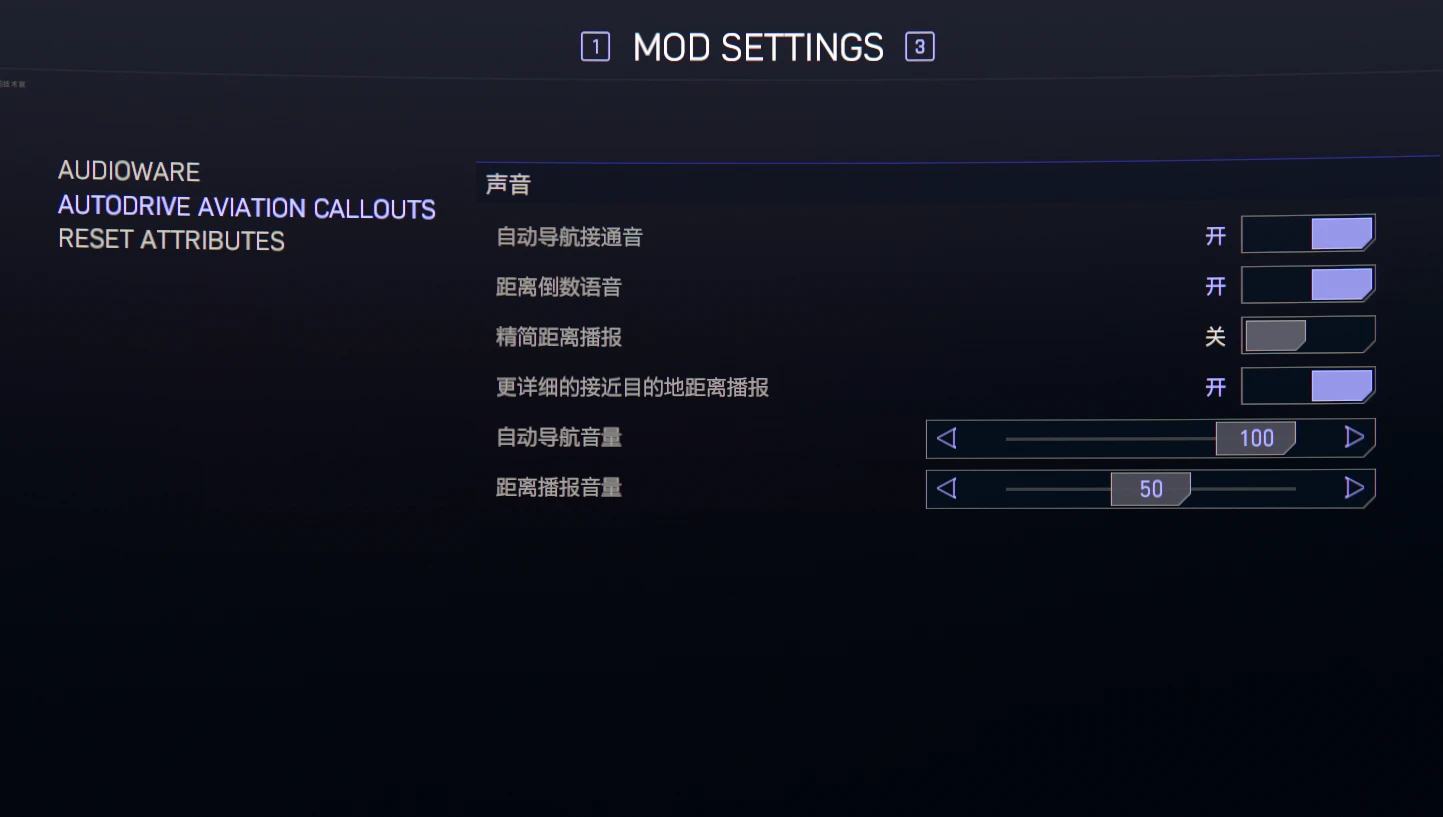
自动驾驶飞行呼叫
为 AutoDrive 功能添加民航客机警报音,包括自动驾驶仪接通、断开、剩余距离播报。Adding civil aviation plane alert sounds for AutoDrive feature including AutoPilot engaged, disabled and remaining distance callouts.
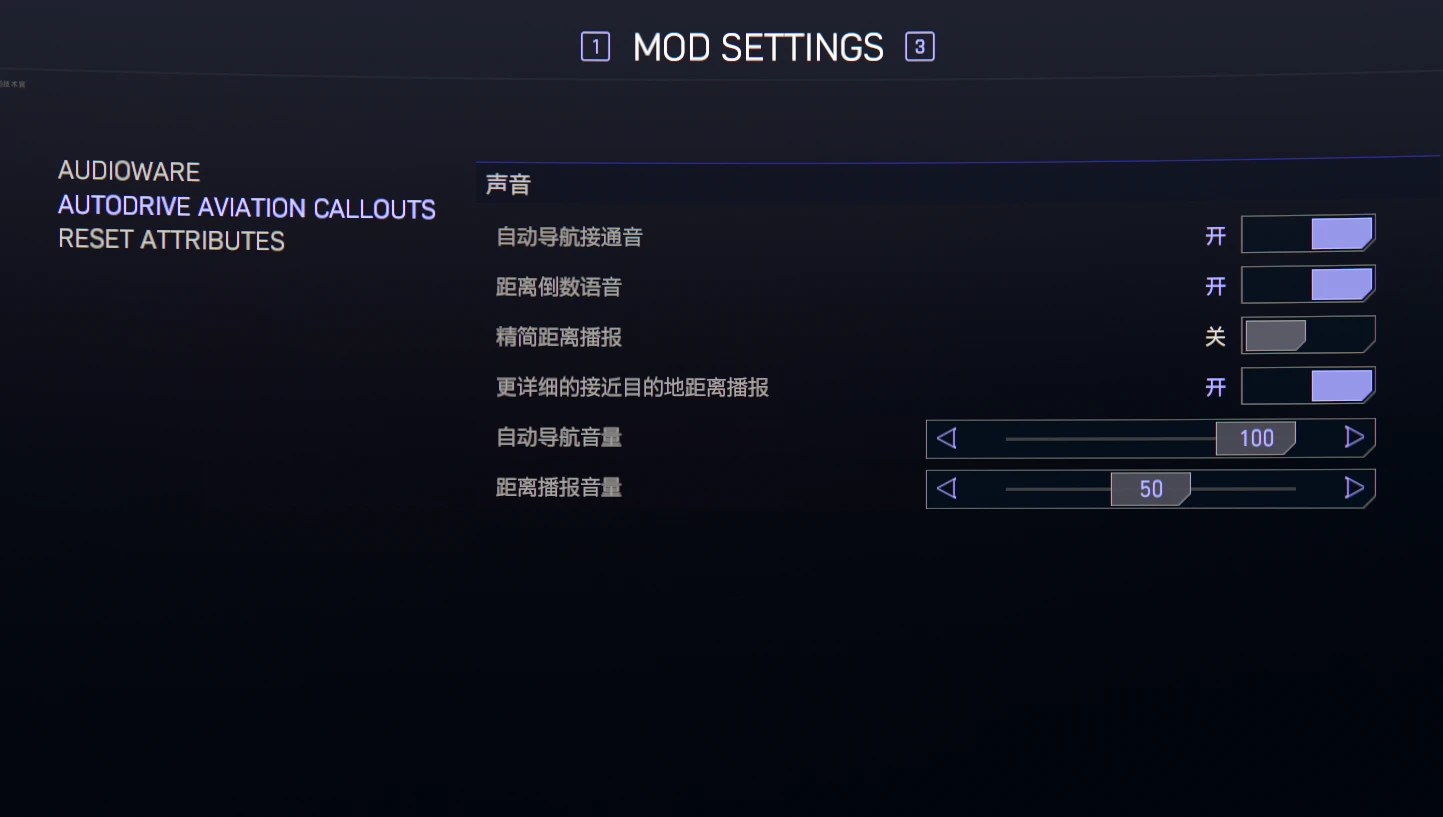 查看大图
查看大图[size=4][b]Description[/b][/size]
为 2.3 版本追加的 AutoDrive 功能添加民航客机警报音,包括自动驾驶仪接通、断开、剩余距离播报(从 2000 米开始),以防你不知道你撞车了。未在其他单位制下测试过。
6 个依赖致歉,我真的很不想要求用户使用 REDmod
Adding alert sounds for AutoDrive feature added in game version 2.3, including AutoPilot engaged, disabled and remaining distance callouts (starting from 2000)
Sorry for 6 requirements I really don't want to deal with REDmod
[b]Installation instructions / 安装说明[/b]
[b]Vortex[/b]
1. Install all mods listed under Requirements below.
安装下方 Requirements / 前置要求 中列出的全部模组。
2. Download Autodrive-Aviation-Callouts-v1.0.zip, then install it with Install From File in Vortex, or drag the ZIP into the Vortex Mods page.
下载 Autodrive-Aviation-Callouts-v1.0.zip,通过 Vortex 的 Install From File 安装,或直接把 ZIP 拖入 Vortex 的模组页面。
3. Enable the mod and click Deploy Mods.
启用模组并点击 Deploy Mods。
4. Start the game. redscript will compile the script during startup. The first startup after installation may take slightly longer.
启动游戏。redscript 会在启动期间编译脚本,安装后的首次启动可能会稍慢。
5. Open Mod Settings > Autodrive Aviation Callouts > 声音 to configure the engage sound, distance callouts, detailed 40–10 m callouts, and the two volume controls.
打开 Mod Settings > Autodrive Aviation Callouts > 声音,可以设置接通音、距离播报、40–10 米详细接近播报,以及两类独立音量。
[b]Manual installation / 手动安装[/b]
1. Extract the ZIP into the Cyberpunk 2077 installation directory. Allow the included r6 folder to merge with the game's existing r6 folder.
将 ZIP 解压到《赛博朋克 2077》安装目录,并允许压缩包中的 r6 文件夹与游戏现有的 r6 文件夹合并。
2. Start the game and configure the mod through Mod Settings.
启动游戏,然后通过 Mod Settings 配置本模组。
[b]Requirements / 前置要求[/b]
The following versions are the tested configuration. Newer versions may work if they explicitly support the installed game version.
以下版本是已测试配置;如果新版明确支持当前游戏版本,通常也可以使用。
RED4ext 1.30.0
redscript 0.5.31
Codeware 1.20.3
TweakXL 1.11.4
Audioware 1.9.9
Mod Settings 0.2.21
还没有人评论,去客户端里说两句吧。
评论在新手盒子客户端中发表,这里同步展示。