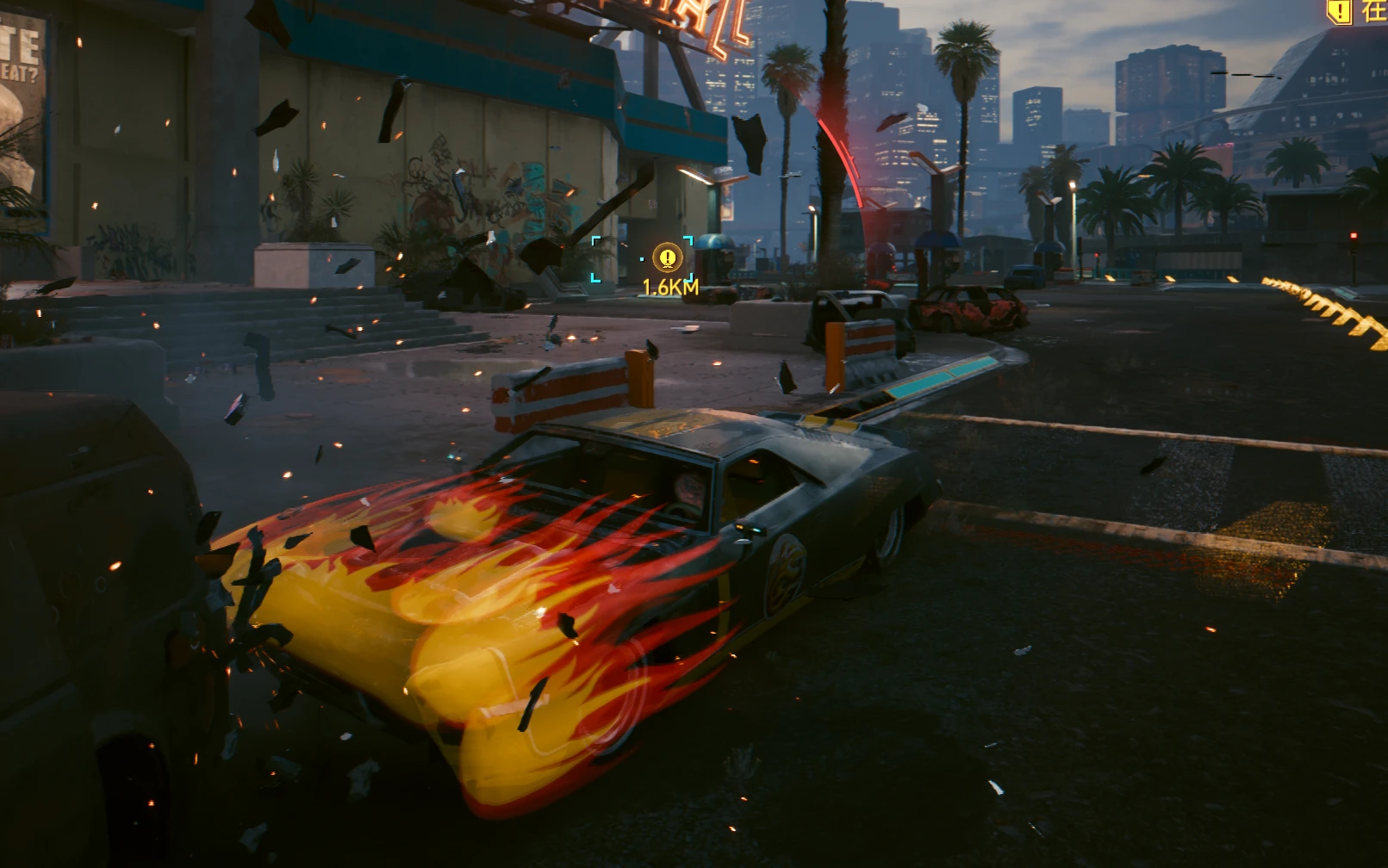
Charon Flame Guard - Collision Flame Fix
Charon's hood flames can stop appearing after the car takes damage. This small CET mod restores the original flame effect when you reach the chosen dashboard speed, even while driving an already damaged Charon. It also refreshes the door flame projections to help preserve their appearance.
 查看大图
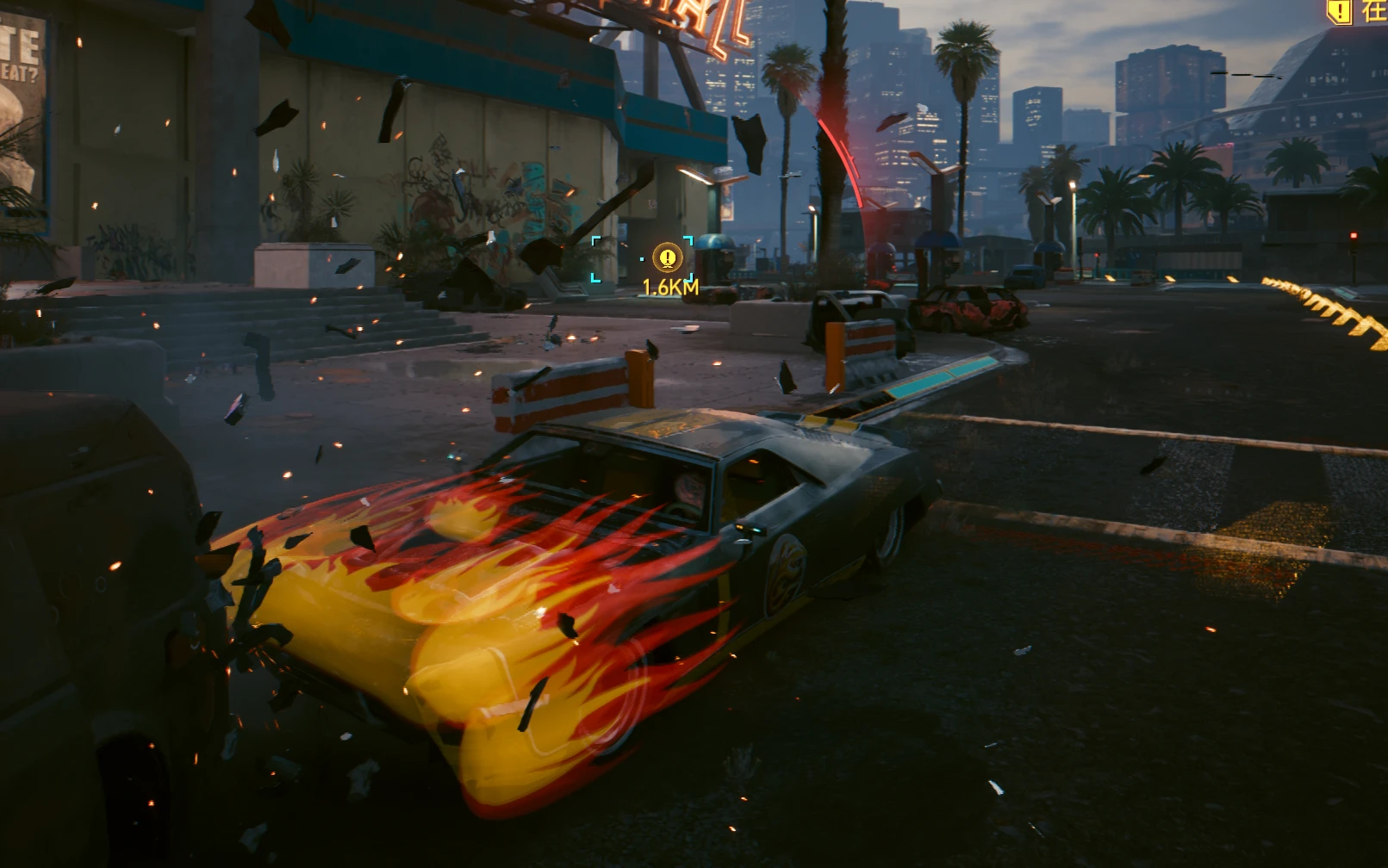
查看大图Charon Flame Guard - Collision Flame Fix
Keep the Quadra Sport R-7 "Charon" flames working after a crash.
Charon's hood flames can stop appearing after the car takes damage. This
small CET mod restores the original flame effect when you reach the chosen
dashboard speed, even while driving an already damaged Charon. It also
refreshes the door flame projections to help preserve their appearance.
FEATURES
- Restarts the native hood flame effect after collision-related interruption.
- Refreshes the original door flame projection components.
- Lets the flame effect finish through its native release behavior after
roughly 0.5 seconds continuously below the threshold.
- Ignores short speed dips near the threshold.
- Includes a CET overlay toggle, speed slider and manual emblem refresh.
- Leaves vehicle health and physical collision damage unchanged.
REQUIREMENTS
Cyberpunk 2077 with Phantom Liberty and the player-owned Charon.
Cyber Engine Tweaks: https://www.nexusmods.com/cyberpunk2077/mods/107
Codeware: https://www.nexusmods.com/cyberpunk2077/mods/7780
Install each framework's requirements, including RED4ext for Codeware:
https://www.nexusmods.com/cyberpunk2077/mods/2380
Use versions compatible with your installed game patch.
INSTALLATION
Fully exit the game. Install the requirements, then extract the ZIP into
your Cyberpunk 2077 installation folder and merge the bin folder.
The final script location should be:
bin/x64/plugins/cyber_engine_tweaks/mods/CharonFlameGuard/init.lua
Start the game and drive your Charon. Restart the game after updating.
Manual installation has been tested; Vortex installation has not.
HOW IT WORKS
The default trigger is 60 in your selected dashboard unit: 60 km/h in
metric mode or 60 mph in imperial mode. Open the CET overlay to change
the trigger from 20 to 150 or to disable the mod. These settings reset
when the game restarts.
If the door emblems need refreshing, use Restore door flame emblems in
the overlay or assign the optional Charon hotkey in CET bindings.
The low-speed delay is a brief hold before releasing the original effect,
not a custom animation or a fixed 0.5-second fade.
COMPATIBILITY AND LIMITATIONS
Tested on Cyberpunk 2077 2.31 on Windows in one player setup, including
damaged-car driving and the revised low-speed ending. Other game versions
and every possible mod combination have not been verified.
Targets only Vehicle.v_sport1_quadra_sport_r7_netrunner. Other Quadras and
quest vehicles using different records are outside its scope.
It requires the original Charon effect and projection components.
Replacement appearances or other effect-control mods may conflict.
It cannot recreate missing doors or missing projection components.
The mod does not keep flames active on destroyed/submerged vehicles or
with the engine off. Leaving the car or disabling the mod may end the
effect immediately.
No game archives, textures, framework binaries or vehicle health edits
are included.
UNINSTALLATION
Exit the game and delete only:
bin/x64/plugins/cyber_engine_tweaks/mods/CharonFlameGuard
BUG REPORTS
Please include your game/CET/Codeware versions, speedometer units, steps
to reproduce, other Charon or vehicle appearance mods, and the relevant
excerpt from diagnostics.log in this mod's folder.
CREDITS AND AI DISCLOSURE
CD PROJEKT RED for the original game, Charon and visual effects.
The Cyber Engine Tweaks contributors and psiberx for Codeware.
The Lua script was generated and iterated with OpenAI Codex based on
the uploader's requested behavior and hands-on in-game testing.
This mod-page text and the documentation were also AI-generated.
No AI-generated images, textures, audio or other game assets are included.
中文简介
修复玩家版冥卫碰撞后无法再次启动车头火焰的问题,并刷新车门图章投影。
默认达到当前表显单位的 60 时启动;持续低于阈值约 0.5 秒后自然收尾。
不修复车辆血量或凹痕。需要 CET、Codeware 及各自前置。
完全退出游戏后,把压缩包的 bin 文件夹合并到游戏根目录,重启生效。
可在 CET 面板中修改阈值或手动刷新图章;设置重启后恢复默认。
已在 Windows / 游戏 2.31 实测。完整中文说明随压缩包附带。
正在加载版本记录…
正在加载评论…
评论在新手盒子客户端中发表,这里同步展示。