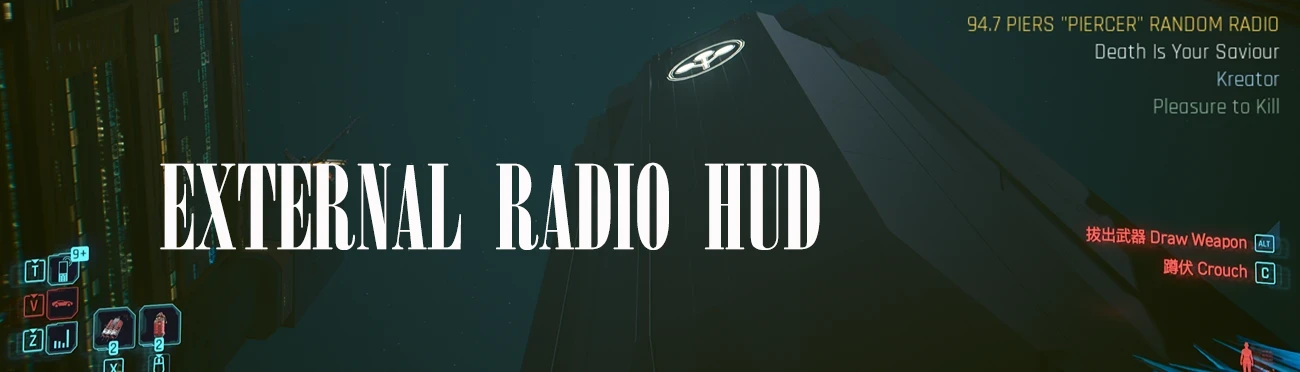
External Player in Radio HUD
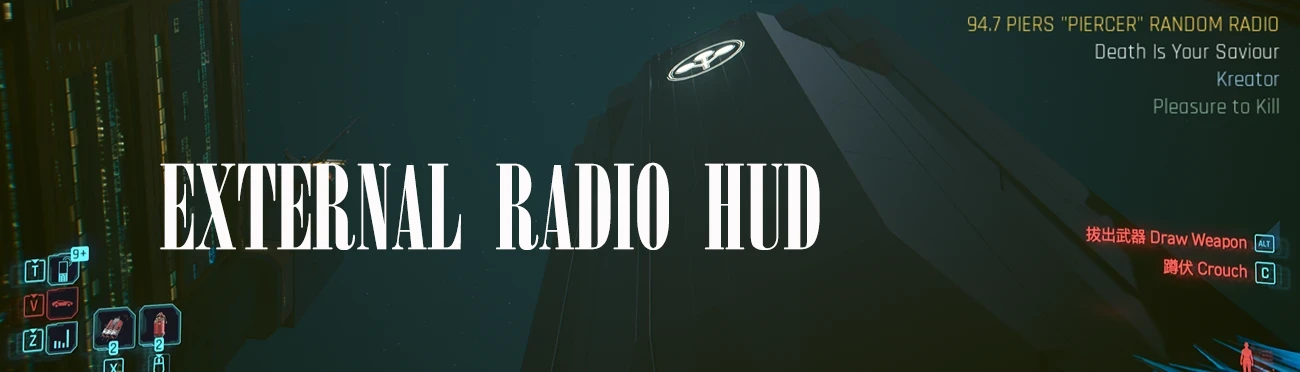
Make Apple Music or NetEase Cloud Music play inside Cyberpunk 2077 as a personal radio station (94.7 Piers "Piercer" Random Radio). Pick it in the native radio list, drive off - a clean HUD shows song, artist and album via Windows SMTC. Auto play/pause, cars and on foot, full CJK, one-click installer.
 查看大图
查看大图[code]# NC PERSONAL Radio HUD — stream your own music into Night City
Turns Apple Music / NetEase Cloud Music into a real in-game radio station.
Pick 94.7 Piers "Piercer" Random Radio in the vanilla car / pocket radio list and the game shows what's actually playing — song, artist and album — in a clean right-aligned HUD, plus in the native RADIOPORT Now Playing panel.
## Features
- New personal station in the vanilla radio list: 94.7 Piers "Piercer" Random Radio
- Live metadata HUD (right side, transparent, wraps, subtitle-class sizing): station · song · artist · album
- Native RADIOPORT popup also shows the real track title
- Works on foot (Z pocket radio) and in vehicles; auto play/pause with radio state
- Apple Music and NetEase Cloud Music supported (Windows SMTC)
- Full CJK glyph coverage + game-flavored Latin font — all fonts free to redistribute (licenses included)
- Includes a one-click installer (setup.bat) — no Python required (helper ships as a standalone exe)
## Requirements (install first)
- Cyber Engine Tweaks
- RED4ext
- TweakXL
- redscript
- External Radio 2.1.14 (this package overrides its station-name tweak)
## Install
Unzip anywhere → double-click setup.bat. It detects the game folder, checks dependencies, installs the mod, configures fonts (ChineseFull), installs the helper exe and adds optional autostart.
Manual install steps are documented in the README inside the archive.
## Custom radio station name (rename anytime)
The station name is yours to change — no need to touch files:
- During install: the installer asks for a custom name (or press Enter to keep the default).
- Anytime after install: run rename_station.bat (or rename_station.ps1 -StationName "88.8 My Radio"). Pressing Enter restores the default 94.7 Piers "Piercer" Random Radio.
- It auto-syncs both places (radio list yaml + HUD), supports Chinese/UTF-8, and validates the name starts with a number + space (e.g. 88.8 My Radio) so the vanilla radio list keeps sorting correctly. Restart the game to apply.
## Music apps & priority (important)
- Keep only ONE media app open/playing at a time, and make sure it exposes SMTC (System Media Transport Controls):
- Apple Music: works out of the box.
- NetEase Cloud Music: enable "System Media Control" in its settings — without it no media session is registered and nothing will show/control.
- Browsers (YouTube, etc.) also register a media session.
- The HUD data is picked by the helper's prefer list (default apple,cloudmusic, edit the helper config.json to reorder), but in-game play/pause follows the OS current media session — so running a single music app gives predictable behavior.
- If the wrong app gets controlled, pause/close other players or change prefer.
## Usage
1. Start the helper (ncp_media_helper.exe, runs in background, single-instance)
2. Play music in Apple Music, or NetEase Cloud Music — enable "System Media Control" in NetEase settings
3. In game, select 94.7 Piers "Piercer" Random Radio
4. Drive. The HUD tracks every song change.
Pro tip: open your music app and press pause first, then launch the game — picking the station in-game will then start playback reliably. Shuffle mode is recommended (there's no in-game track skipping).
## Supported languages
- HUD: Simplified Chinese & English fully supported. The full CJK glyph set also covers Japanese kana and most common Japanese kanji (a few rare/variant glyphs may be missing).
- Track metadata is read as UTF-8 regardless of source language — the song title/artist always arrive; how they render depends on font coverage above.
- The in-game native radio popup uses the game's own localized fonts (limited to the game's language); this HUD is independent and unaffected.
- Not supported: Cyrillic/Russian, Greek, etc. (CET merges one language glyph set per session; this mod targets the full-Chinese set.)
## Notes / FAQ
- The install configures CET's ImGui font: Latin = Rajdhani, CJK = HarmonyOS Sans (full glyphs, no tofu). Originals are backed up (.nc-bak) — see README to revert.
- This package contains no third-party mod binaries; please install the Requirements above.
- Fonts: Rajdhani (SIL OFL 1.1), HarmonyOS Sans (free for commercial use). Licenses included.
## Credits
- Based on External Radio by DrJackieBright; optional coexistence with RadioExt
- Icons/typography: Rajdhani, HarmonyOS Sans, Noto Sans
## A word from the author
> Due to the author's technical limitations, this mod cannot skip tracks directly in-game — after all, it's a radio (lol). Thank you for your understanding. 🎵
>
> The station's default frequency comes from the author's favourite childhood radio station: Shanghai Classical Music Radio FM 94.7.
# NC PERSONAL Radio HUD — 把你的音乐带进夜之城
把 Apple Music / 网易云音乐 变成游戏里真正可听的电台。在原生车载/随身电台列表选择 94.7 Piers "Piercer" Random Radio,屏幕会实时显示正在播放的歌曲、歌手与专辑——独立右对齐 HUD,同时也写入原生 RADIOPORT 弹窗的 Now Playing。
## 特性
- 原生电台列表新增个人电台 94.7 Piers "Piercer" Random Radio
- 实时曲目 HUD(右侧、透明背景、自动换行、字幕级字号):电台名 · 歌曲 · 歌手 · 专辑
- 原生电台弹窗同步显示真实歌名
- 步行(Z 随身收音机)与车内均可;随电台状态自动播放/暂停
- 支持 Apple Music 与 网易云音乐(Windows 系统媒体会话 SMTC)
- 中文全量字形 + 游戏风格拉丁字体(全部免费可分发,含许可)
- 一键安装器(setup.bat),媒体助手为独立 exe,无需 Python
## 前置依赖(先安装)
- Cyber Engine Tweaks / RED4ext / TweakXL / redscript
- External Radio 2.1.14(本包会覆盖其电台改名 tweak)
## 安装
解压后双击 setup.bat:自动定位游戏目录、检查依赖、安装 mod、配置字体(ChineseFull)、安装助手 exe、可选开机自启。手动步骤见压缩包内 README。
## 自定义电台名称(随时改名)
电台名完全由你决定,无需手动改文件:
- 安装时:安装器会询问是否自定义台名(直接回车则保留默认名)
- 装好之后随时改:运行包内的 rename_station.bat(或 rename_station.ps1 -StationName "88.8 My Radio");输入为空则恢复默认名 94.7 Piers "Piercer" Random Radio
- 工具会自动同步两处(电台列表 yaml + HUD),支持中文/UTF-8,并校验名字以「数字+空格」开头(如 88.8 My Radio),保证原生电台列表排序正常;改完重启游戏生效。
## 音乐软件与优先级(重要提醒)
- 同一时间最好只运行一个音乐软件并保持播放,且该软件必须支持 SMTC(Windows 系统媒体会话):
- Apple Music:默认支持
- 网易云音乐:必须在其设置里开启「系统媒体控制」——不开启不会注册媒体会话,将无法显示/控制
- 浏览器(YouTube 等)也会注册媒体会话
- HUD 显示的曲目由助手的 prefer 顺序决定(默认 apple,cloudmusic,改 helper 旁 config.json 可调整);但游戏内播放/暂停跟随系统「当前」媒体会话——同时只开一个音乐软件行为才可控
- 若控制到错误的应用:暂停/关闭其它播放器,或调整 prefer
## 使用
1. 启动助手 ncp_media_helper.exe(后台运行,单实例)
2. 播放 Apple Music,或网易云音乐(需在网易云设置里开启「系统媒体控制」)
3. 游戏中选择 94.7 Piers "Piercer" Random Radio
4. 开车即可,切歌自动更新
使用小贴士: 先打开音乐软件并点一次暂停,再启动游戏——这样游戏内选中电台后才能可靠接管播放。推荐开启随机播放(毕竟游戏内无法切歌)。
## 支持语言说明
- HUD(本 mod 的界面):简体中文与英文完整支持;中文全量字库同时覆盖日文假名与大部分常用日文汉字(个别日文异体/生僻字可能缺失)
- 曲目元数据按 UTF-8 读取——歌名/歌手无论来自哪种语言都能被读到;能否显示取决于上面的字体覆盖
- 游戏原生电台弹窗使用游戏自带字库(受游戏本地化语言限制);我们的 HUD 独立渲染、不受影响
- 不支持:俄文/西里尔、希腊字母等(CET 一次只合并一种语言字库,本 mod 以中文全量集为基准)
## 常见问题 / 说明
- 安装器会配置 CET 字体:拉丁=Rajdhani、中文=HarmonyOS Sans 全量(无豆腐块);原字体自动备份 .nc-bak,还原见 README
- 本包不包含任何第三方 mod 二进制,请按 Requirements 自行安装
- 字体许可:Rajdhani(SIL OFL 1.1)、HarmonyOS Sans(免费商用)均随包附许可
## 致谢
- 基于 DrJackieBright 的 External Radio;可选与 RadioExt 共存
- 字体:Rajdhani / HarmonyOS Sans / Noto Sans
## 作者的话
> 由于作者技术限制,本 mod 无法直接在游戏内切歌,毕竟是电台(笑),请大家予以谅解 🎵
>
> 电台的默认频率,来自作者小时候最喜欢听的广播电台——上海经典947(FM94.7)。
[/code]
正在加载版本记录…
正在加载评论…
评论在新手盒子客户端中发表,这里同步展示。