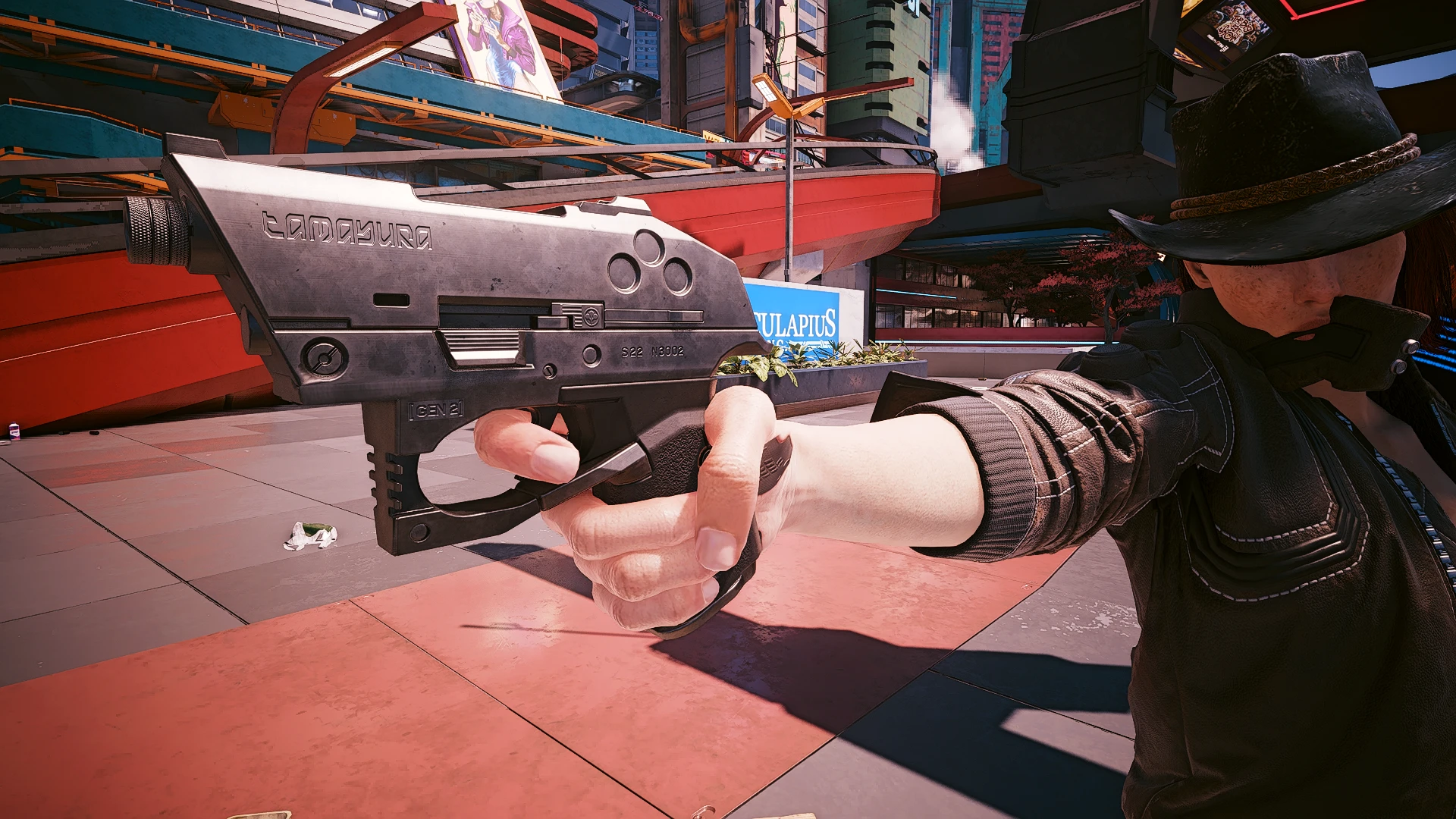
Arasaka Tamayura Compact
six shots, make 'em count
 查看大图
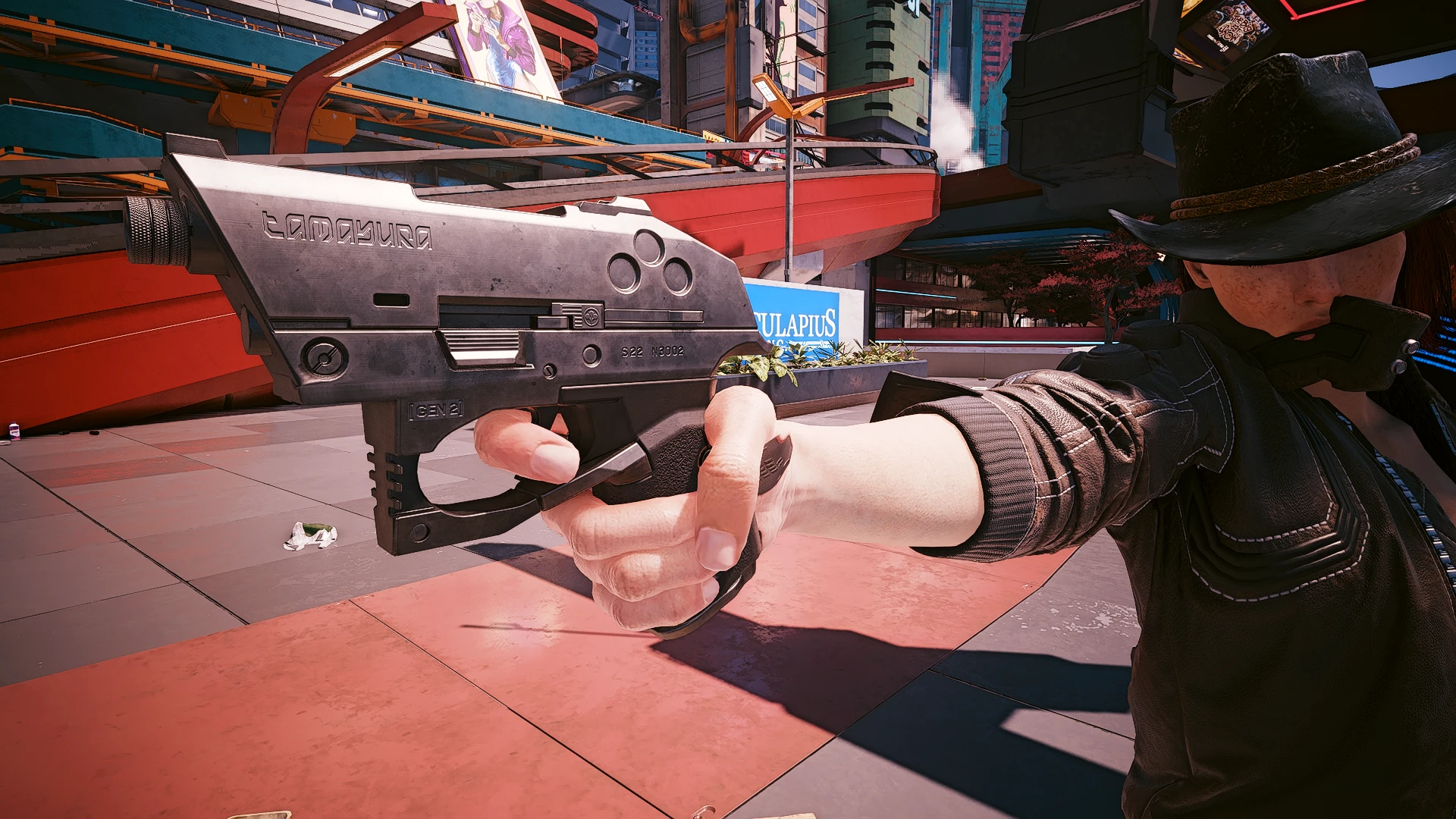
查看大图[b][color=#9fc5e8][size=4]Arasaka Tamayura Compact[/size]
A custom compact version of the Tamayura. Features a custom trigger for faster firing, increased headshot damage and a custom suppressor. A perfect weapon for any assassin.[/color]
[color=#ffd966]
[/color][color=#ffd966]Notes:
-Arasaka guards will carry this gun over the Nue
-Only the custom suppressor works with this gun. All vanilla sights work as they should[/color]
[color=#b6d7a8][u]Comes with a crafting recipes[/u]
Common: Santo Domingo - Arroyo gun vendor
Uncommon: City Center - Corpo Plaza gun vendor (Level 9 requirement)
Rare: Westbrook - Japantown gun vendor (Level 17 Requirement)
Epic: Watson - Northside gun vendor (Level 25 Requirement)
Legendary: Watson - Kabuki gun vendor (Level 33 Requirement)
[/color][color=#a4c2f4]The gun itself can be bought in my [size=4][size=2][url=https://www.nexusmods.com/cyberpunk2077/mods/18757]virtual atelier[/url][/size][/size] or at most gun vendors in Night City or added using CET
Game.AddToInventory("Items.Arasaka_Tamayura_Compact", 1)
Game.AddToInventory("Items.Arasaka_Tamayura_Compact_Suppressor", 1)
[/color][color=#a4c2f4][b]
Game.AddToInventory("Items.Arasaka_Tamayura_Compact_Rare", 1)[/b]
[b]
Game.AddToInventory("Items.Arasaka_Tamayura_Compact_Uncommon", 1)[/b]
[b]
Game.AddToInventory("Items.Arasaka_Tamayura_Compact_Common", 1)[/b]
[b]
Game.AddToInventory("Items.Arasaka_Tamayura_Compact_Epic", 1)[/b][/color]
[/b][b]
[color=#ea9999][u][size=3]How to edit weapon stats[/size][/u][size=4][size=2]
Open the yaml file with a text editor. I suggest Notepad++[/size][/size][size=3][u]
[/u][/size][size=4][size=2]
[u]Damage: Line 98[/u] -Higher number = more damage, lower number = less damage. 0= Default damage values
[u]Magazine Capacity: Line 110[/u]. 0 = default (8 rounds) Example: If you want 12 rounds you'll put "4" as the value[/size][/size]
[size=4][size=2][u]Rate Of Fire: Line 109[/u]. Higher value = LOWER ROF, Lower Value = HIGHER ROF.
Try to keep this value between "-0.20" (High ROF) and "0.20" (Low ROF)
[/size][/size][size=4][size=2][u]Note: INCREASING the rate of fire will also make the damage DECREASE,
DECREASING the rate of fire will make damage INCREASE. So you'll have to
adjust the damage values after changing the ROF[/u][/size][/size][size=4][size=2]
[/size][/size][/color][/b][b]
[size=2]
[/size][/b][b]
[size=2]Tools Used:
[b][b][size=2][b][size=2][b]3DS MAX 2021 - Importing, Rigging and Exporting 3D meshes
Blender 3.6 - Additional mesh editing and texture mapping
Upscayl - For upscaling low res images
[b]MlsetupBuilder - Editing vanilla weapon textures[/b][/b][/size][b]
Wolvenkit - Extracting and editing various game files (basically the backbone to Cyberpunk 2077 modding)
Adobe Photoshop CS6 - Editing textures
Notepad++ - Editing .yaml files
Thank You to all the people who helped create these tools[/b][/b][/size][/b][/b][/size][/b][b]
[/b]
正在加载版本记录…
正在加载评论…
评论在新手盒子客户端中发表,这里同步展示。