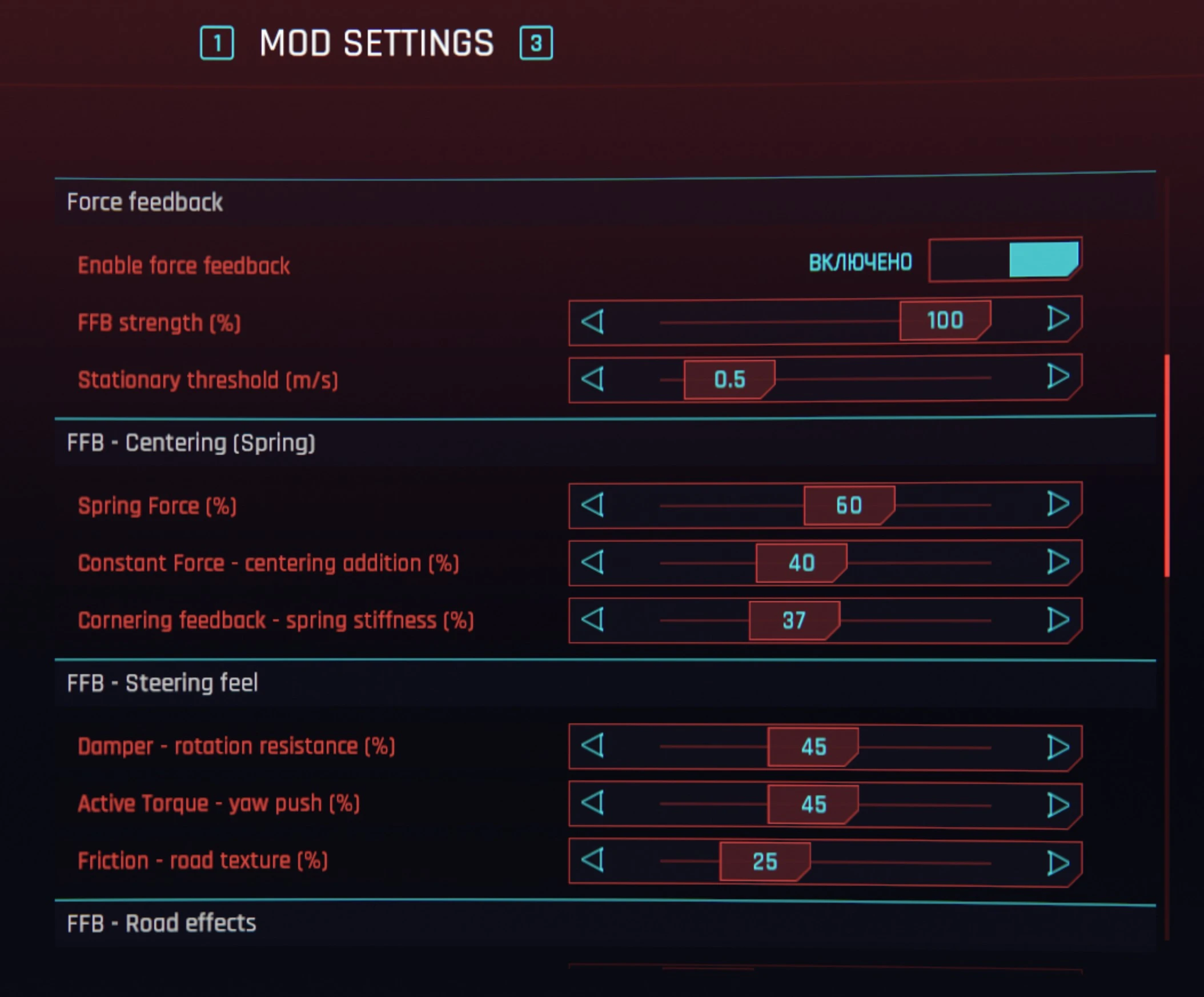
Cyberpunk 2077 - Moza and Direct Drive Wheel Support
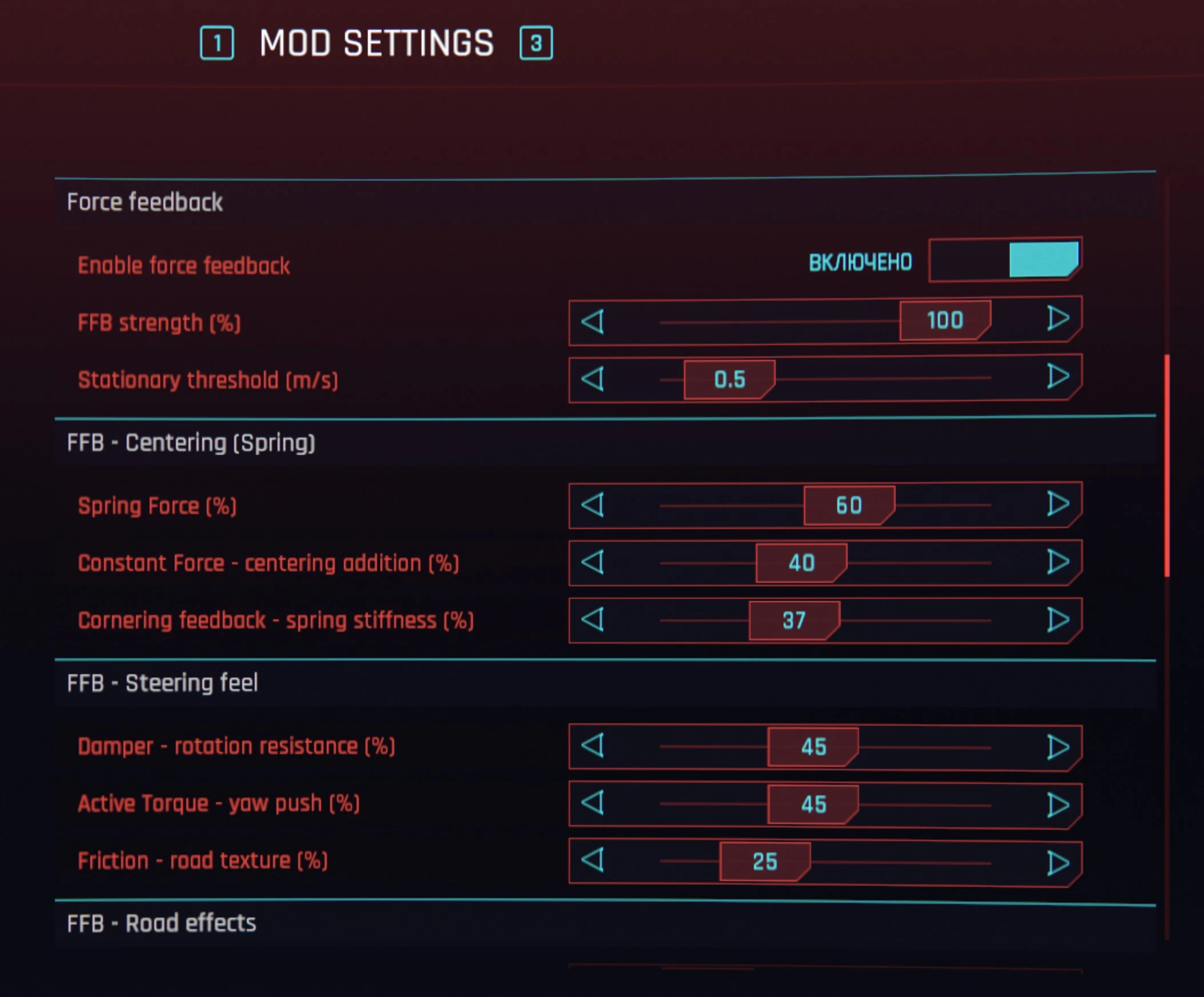
Full racing wheel support for Cyberpunk 2077. Features real physics-based Force Feedback (FFB), speed-sensitive steering compensation, custom steering equalizer, and native support for Moza, Logitech, and other DirectInput wheels.
 查看大图
查看大图[size=5][b]Cyberpunk 2077 — Moza & Direct Drive Wheel Support[/b][/size]
[b]v3.3.0[/b] for Cyberpunk 2077 game patch 2.31.
Full racing wheel support for Cyberpunk 2077. Drive with a [b]Moza[/b] or any other [b]Direct Drive[/b] steering wheel! Your wheel handles steering, throttle, brake, and clutch. Force feedback fires from in-game physics (centering as you turn, cornering load, surface texture, collision jolts, slip when you lose grip).
There is no virtual gamepad to install, no XInput shim, no third-party driver. The mod hooks the game directly via DirectInput/Logitech SDK.
[size=4][b]Supported wheels[/b][/size]
The mod was designed to work with DirectInput-compatible wheels. Tested and confirmed on:
[b]Moza Racing & Others:[/b]
[list]
[]Moza R5[/]
[]Moza R3[/]
[]Fanatec / Thrustmaster / Logitech (requires manual mapping)[/]
[/list][b]How to map axes for non-Logitech wheels:[/b]
Go to [b]Mod Settings → G-series Wheel → Axis mapping[/b] and select the correct throttle/brake axes from the dropdown. To identify your axes, download [url=https://github.com/natpoh/cp2077-wheel-mod-moza/raw/main/tools/input_probe.exe][b]input_probe.exe[/b][/url] from GitHub — it shows all connected devices with their axis values in real time.
[b]Logitech:[/b]
[list]
[]G923 (Xbox, PS, PC variants)[/]
[]G920, G29, G27, G25[/]
[]Momo Force, Driving Force GT[/]
[/list]The mod auto-detects what hardware your Logitech wheel actually has (force feedback motor, rev-strip LEDs, lower-cluster buttons) and only shows the relevant settings.
[size=4][b]New Features[/b][/size]
[list]
[][b]Automatic Steering Linearization:[/b] The game applies a quadratic curve to steering (actual_steer ≈ input²), which kills small-angle precision — at 10° wheel turn you only get 3.6% of the expected response. The mod applies the mathematical inverse (√x) before the game processes it, so √x → game squares it → x. Your steering is perfectly linear across the full wheel range, no manual tuning needed.[/]
[][b]Steering Deadzone:[/b] Added a slider to configure a deadzone (0 to 5 degrees) in the center of the wheel.[/]
[][b]Spring Non-Linearity:[/b] Added a slider to make the centering spring force ramp up geometrically at small steering angles. Perfect for weaker wheels to feel the center better.[/]
[][b]Speed Steering Boost:[/b] Compensates steering at speed by amplifying the linearized signal up to a 2x multiplier at 100 mph, so you can still turn perfectly at high speeds.[/]
[][b]Invert Pedals:[/b] Separate settings to invert throttle and brake pedals directly in the mod menu. (Note: For Logitech pedals, you should check both boxes as they are physically inverted!)[/]
[][b]Clutch Pedal as Flight Brake:[/b] In flight mode, the clutch pedal acts as an analog Flight Linear Brake (progressive braking, 0–100%). You can also bind Flight Linear Brake to any button in Mod Settings for on/off braking. Both work together — whichever input is stronger wins.[/]
[][b]Device & Axis Mapping:[/b] Select wheel and pedal devices independently (for split-device USB setups) and pick throttle/brake axes from an in-game dropdown — no more editing config.json![/]
[/list]
[size=4][b]Recommended mods[/b][/size]
[list]
[][url=https://www.nexusmods.com/cyberpunk2077/mods/5208]Let There Be Flight[/url] — fly any car in Cyberpunk 2077 (see flight support below)[/]
[][url=https://www.nexusmods.com/cyberpunk2077/mods/29868]Steering Speed Configurator[/url][/]
[][url=https://www.nexusmods.com/cyberpunk2077/mods/29767]Cyberpunk 2077 Telemetry Mod SimHub[/url][/]
[/list]
[size=4][b]✈️ Let There Be Flight — Wheel Support[/b][/size]
This mod supports the [url=https://www.nexusmods.com/cyberpunk2077/mods/5208]Let There Be Flight[/url] mod — fly any car using your racing wheel!
[b]To enable flight support:[/b] download the [url=https://www.nexusmods.com/cyberpunk2077/mods/29993][b]Flight Bridge[/b][/url] addon and install it on top of the main mod. It requires [url=https://www.nexusmods.com/cyberpunk2077/mods/5208]Let There Be Flight[/url] to be installed.
[b]Flight controls:[/b]
[list]
[][b]Steering wheel[/b] → Yaw (turn left/right in flight)[/]
[][b]Throttle pedal[/b] → Forward thrust[/]
[][b]Brake pedal[/b] → Reverse thrust[/]
[][b]Clutch pedal[/b] → Analog Flight Brake (progressive linear braking)[/]
[][b]Left paddle[/b] → Descend (lift down)[/]
[][b]Right paddle[/b] → Ascend (lift up)[/]
[][b]D-pad Up/Down[/b] → Pitch forward/backward (tilt the nose)[/]
[][b]D-pad Left/Right[/b] → Roll left/right (bank the vehicle)[/]
[][b]Clutch pedal / button[/b] → Flight Linear Brake (clutch = analog 0–100%, button = on/off; bindable in Mod Settings)[/]
[][b]Extra buttons[/b] → Flight toggle, mode switch, angular brake[/]
[/list]All flight bindings are fully customizable in [b]Mod Settings → Wheel Mod → Button bindings[/b].
When you release a button, the input resets to zero immediately — no stuck controls.
[size=4][b]Required mods[/b][/size]
[list=1]
[][url=https://www.nexusmods.com/cyberpunk2077/mods/2380]RED4ext[/url][/]
[][url=https://www.nexusmods.com/cyberpunk2077/mods/1511]redscript[/url][/]
[][url=https://www.nexusmods.com/cyberpunk2077/mods/4198]ArchiveXL[/url][/]
[][url=https://www.nexusmods.com/cyberpunk2077/mods/4885]Mod Settings[/url] v0.2.21 or later[/]
[/list]
[size=4][b]Required drivers[/b][/size]
[list]
[][url=https://www.logitech.com/innovation/g-hub.html]Logitech G HUB[/url] (or Moza Pit House for Moza wheels)[/]
[/list]
[size=4][b]Install[/b][/size]
[list=1]
[]Click the [b]Vortex[/b] download button on this page.[/]
[/list][i](Manual Download is also available if you don't use Vortex. Just extract the zip directly into your Cyberpunk 2077 game folder).[/i]
[size=4][b]Configuration / Setup[/b][/size]
It is highly recommended to set your wheel's rotation angle / operating range to [b]720 degrees[/b] in your wheel software (Moza Pit House, Logitech G HUB, Fanatec Control Panel, etc.) for the best steering response.
[size=4][b]Troubleshooting[/b][/size]
[list]
[][b]Wheel detected but the car doesn't move.[/b] Make sure RED4ext is installed and current.[/]
[][b]Settings page is missing.[/b] Mod Settings or ArchiveXL aren't installed correctly.[/]
[/list]
[size=4][b]Credits[/b][/size]
[list]
[]Forked from [url=https://github.com/clevergrant/cp2077-wheel-mod]cp2077-wheel-mod[/url] by clevergrant[/]
[][url=https://github.com/WopsS/RED4ext]RED4ext[/url] by WopsS[/]
[][url=https://github.com/jac3km4/redscript]redscript[/url] by jac3km4[/]
[][url=https://github.com/jackhumbert/mod_settings]Mod Settings[/url] by jackhumbert[/]
[][url=https://github.com/psiberx/cp2077-archive-xl]ArchiveXL[/url] by psiberx[/]
[/list]
[size=4][b]Source Code[/b][/size]
[url=https://github.com/natpoh/cp2077-wheel-mod-moza]Source code is available on GitHub[/url]. Pull requests and feedback are welcome!
正在加载版本记录…
正在加载评论…
评论在新手盒子客户端中发表,这里同步展示。