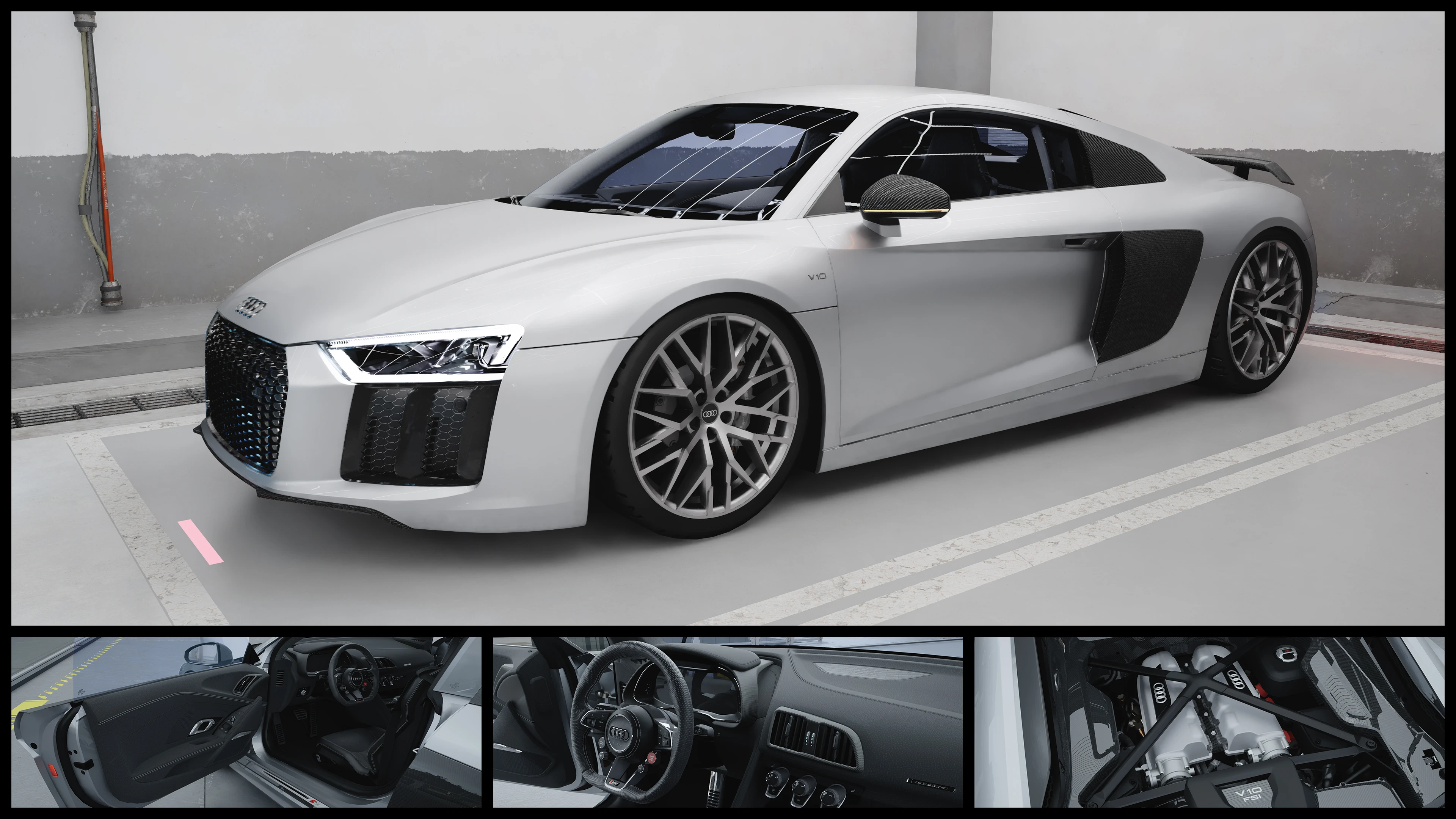
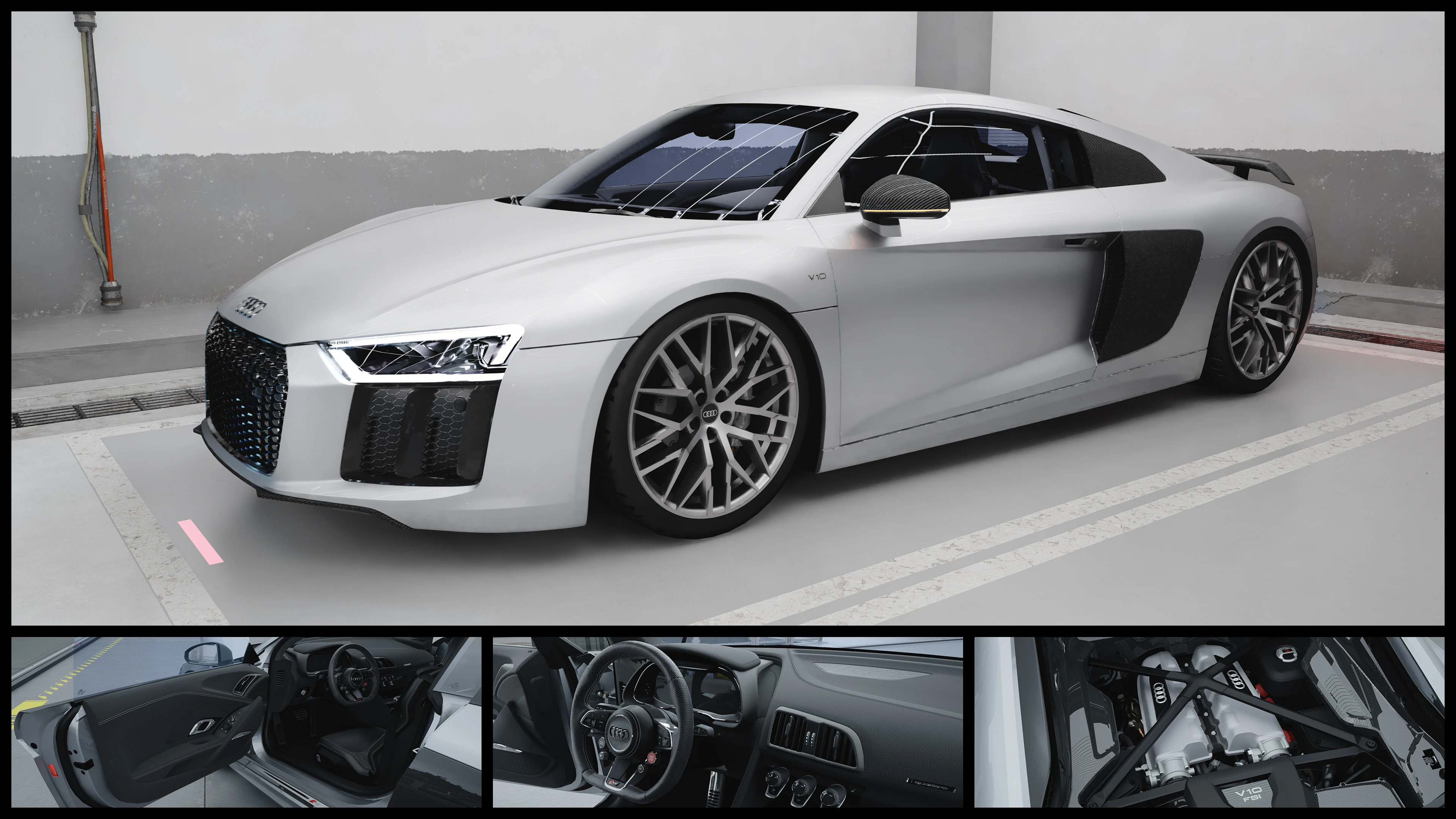
Audi R8 V10 Plus - ArchiveXL
功能包含丰富的颜色自定义、CrystalCoat™、大量调校部件(包括2016款和2019/2020款的车身套件),所有这些都可以通过Vortex的fomod安装程序进行选择!
 查看大图
查看大图颜色自定义:
您可以轻松更改车身、车身面板、卡钳、后视镜、后备箱、扰流板、车身徽章、轮毂、内饰、缝线和车窗贴膜的颜色。此外,车身部件可以分配到主或副 CrystalCoat™ 颜色,以实现更深度的定制。这可以通过编辑一个 [font=Courier New].xl[/font] 文件来实现,该文件可在任何文本编辑器(如记事本)中打开。模组的 [font=Courier New].zip[/font] 文件中包含一份 PDF 教程,介绍如何更改颜色、每个车身部件在各种颜色下的预览图片以及预设配色方案。
改装部件:
[list]
[]摇头玩偶[/]
[]4 个前保险杠和 3 个后保险杠[/]
[]5 个扩散器,8 个前唇(与 [font=Courier New]bb03[/font] 和 [font=Courier New]bf03[/font] 不兼容)[/]
[]5 种座椅和缝线内饰颜色:黑色、蓝色、红色、白色、黄色[/]
[]9 个后视镜配件:奥迪徽章、子弹链、7 种颜色的 Labubu[/]
[]防滚架[/]
[]车顶行李箱(用 [font=Courier New]sp10[/font] 替换默认尾翼,引擎盖打开时会卡入箱体)[/]
[]3 个侧裙[/]
[]10 种尾翼及可移除选项([font=Courier New]sp11[/font])[/]
[]低趴悬挂[/]
[]3 种后备箱[/]
[]10 种轮毂[/]
[]9 种车窗贴膜:黑色、蓝色、透明、绿色、粉色、紫色、红色、天蓝、黄色[/]
[/list]特性:
[list]
[][color=#ffff00]默认车身套件为 2016 年版本,改装部件包含 2019/2020 版本的车身套件和轮毂([font=Courier New]bf04[/font], [font=Courier New]bb03[/font], [font=Courier New]sk01[/font], [font=Courier New]wh01[/font])[/color][/]
[]CrystalCoat™:默认情况下,主色影响车身和制动卡钳,副色影响轮毂。这可以通过上述颜色自定义进行更改。[/]
[]精细的内饰和引擎,包含基于实车照片高分辨率复刻的徽章和贴花[/]
[]自定义仪表盘元素:功能性时钟、灯光和档位指示器、当前电台显示、动画均衡器[/]
[]功能性雾灯(按键盘上的 V 键激活)[/]
[]自定义底盘,带有精细的制动盘和卡钳,颜色与车身外观相匹配[/]
[]自定义操控和极速,与真实车辆一致(205 英里/小时)[/]
[]烧毁外观,移除玻璃和座椅等可破坏元素[/]
[]非 RTX 阴影网格[/]
[]正确定位的特效,如引擎烟雾和回火[/]
[]自定义扫描器数据[/]
[][url=https://www.nexusmods.com/cyberpunk2077/mods/14025]Nova Traffic[/url] 插件 - NPC 会在夜之城的常规交通中驾驶该车辆[/]
[][url=https://www.nexusmods.com/cyberpunk2077/mods/4454]Virtual Car Dealer[/url] 插件 - 可在 V 的公寓电脑上购买该车辆[/]
[][url=https://www.nexusmods.com/cyberpunk2077/mods/22810]Whip Wizard[/url] 插件 - 灯光组件在该模组的菜单中正确标记[/]
[/list]已知问题:
[list]
[]安装车顶行李箱后,引擎盖打开时会卡入箱体[/]
[]引擎声音不理想。请查看 [font=Courier New].yaml[/font] 文件以了解替代方案,或在游戏内使用 Whip Wizard 进行设置。[/]
[/list]特别感谢 [url=https://next.nexusmods.com/profile/Barfunkle999]Barfunkle999[/url] 撰写了关于如何实现 CrystalCoat™ 的[url=https://wiki.redmodding.org/cyberpunk-2077-modding/modding-guides/vehicles/new-crystalcoat-tm-guide]简易教程[/url],以及 [url=https://next.nexusmods.com/profile/Boe6/mods?gameId=3333]boe6[/url] 撰写的[url=https://wiki.redmodding.org/cyberpunk-2077-modding/modding-guides/vehicles/boe6s-guide-new-car-from-a-to-z]维基文章[/url]和关于车辆模组制作的 [url=https://docs.google.com/document/d/1a5Xvviw_GQxcvbxEwc3GoboaNk0igxlhiyS7ux34sIs/edit?tab=t.0]pdf[/url]。
推荐模组:
[url=https://www.nexusmods.com/cyberpunk2077/mods/11134]No More Milky Glass[/url] 作者:[url=https://www.nexusmods.com/cyberpunk2077/users/32290030]Mark666DooM[/url] - 修复间接/漫射 RTX 光线下产生的奇怪朦胧外观。
[url=https://www.nexusmods.com/cyberpunk2077/mods/20476]TPP Cam Toolkit[/url] 作者:[url=https://www.nexusmods.com/cyberpunk2077/users/20417594]Si13n7[/url] - 更改第三人称视角下的摄像机位置
[url=https://www.nexusmods.com/cyberpunk2077/mods/25873]Factions Evolved[/url] 作者:[url=https://www.nexusmods.com/cyberpunk2077/users/3251739]ApoKrytia[/url] - 允许特定夜之城帮派驾驶此车辆
[url=https://www.nexusmods.com/cyberpunk2077/mods/31105]Loreful Modded Traffic[/url] 作者:[url=https://www.nexusmods.com/cyberpunk2077/users/138255678]soulmindberlin[/url] - 在特定区域将此车辆添加到夜之城交通中
[url=https://www.nexusmods.com/cyberpunk2077/mods/8827]Audi R8 Liberty Walk[/url] 作者:[url=https://www.nexusmods.com/cyberpunk2077/users/177255294]Cornmilf
[/url]
[color=#666666][s]
[/s][/color]
[img]https://staticdelivery.nexusmods.com/mods/3333/images/18919/18919-1768237604-730192138.gif[/img]
[center][font=Courier New][color=#efefef]颜色预设 ⤴[/color][/font][/center]
[color=#666666][s] [/s][/color]
安装:
如果您通过 Vortex 安装此模组,一个 [url=https://nexus-mods.github.io/NexusMods.App/developers/misc/AboutFomod/]fomod[/url] 安装程序将引导您完成安装。它允许您选择改装部件(带有预览图片)以及上述附加组件。安装程序还提供跳过改装部件安装、以出厂车身套件(2016 年)安装车辆的选项。fomod 安装程序还提供一个选项,可将颜色自定义教程 PDF 添加到您的《赛博朋克 2077》游戏文件夹中。这样您就可以在 fomod 安装程序之外访问它。
如果您想手动安装车辆,请使用专为 fomod 安装程序设计的 [font=Courier New].zip[/font] 文件。下载并解压 [font=Courier New].zip[/font] 文件后,您将看到一个名为 [font=Courier New]fomod[/font] 的文件夹。双击打开它。里面的文件夹包含车辆和所有改装部件。它们的组织方式与手动安装的 [font=Courier New].zip[/font] 文件相同,并且还包含预览图片和 [font=Courier New].txt[/font] 文件,其中包含仅在 fomod 安装程序中可用的附加信息。预览文件以每个改装部件的名称命名。名为 [font=Courier New]readme_manual_installation.txt[/font] 的文件包含有关如何安装车辆和改装部件的更多信息。可以忽略 [font=Courier New].xml[/font] 和 [font=Courier New].jpg[/font] 文件,它们仅供 fomod 安装程序使用。
我强烈建议使用模组管理器,因为这样可以轻松安装改装部件和附加组件。
[img]https://staticdelivery.nexusmods.com/mods/3333/images/18919/18919-1769274562-827574888.jpg[/img]
[color=#666666][s] [/s][/color]
[font=Courier New]CET 代码:[/font]
[font=Courier New][color=#b6b6b6]Game.GetVehicleSystem():EnablePlayerVehicle('Vehicle.yv_r8_black_glossy', true, false)[/color][/font]
![https://staticdelivery.nexusmods.com/mods/3333/images/18919/18919-1768237604-730192138.gif[/img]](https://staticdelivery.nexusmods.com/mods/3333/images/18919/18919-1768237604-730192138.gif%5B/img%5D)
![https://staticdelivery.nexusmods.com/mods/3333/images/18919/18919-1769274562-827574888.jpg[/img]](https://staticdelivery.nexusmods.com/mods/3333/images/18919/18919-1769274562-827574888.jpg%5B/img%5D)
正在加载版本记录…
正在加载评论…
评论在新手盒子客户端中发表,这里同步展示。