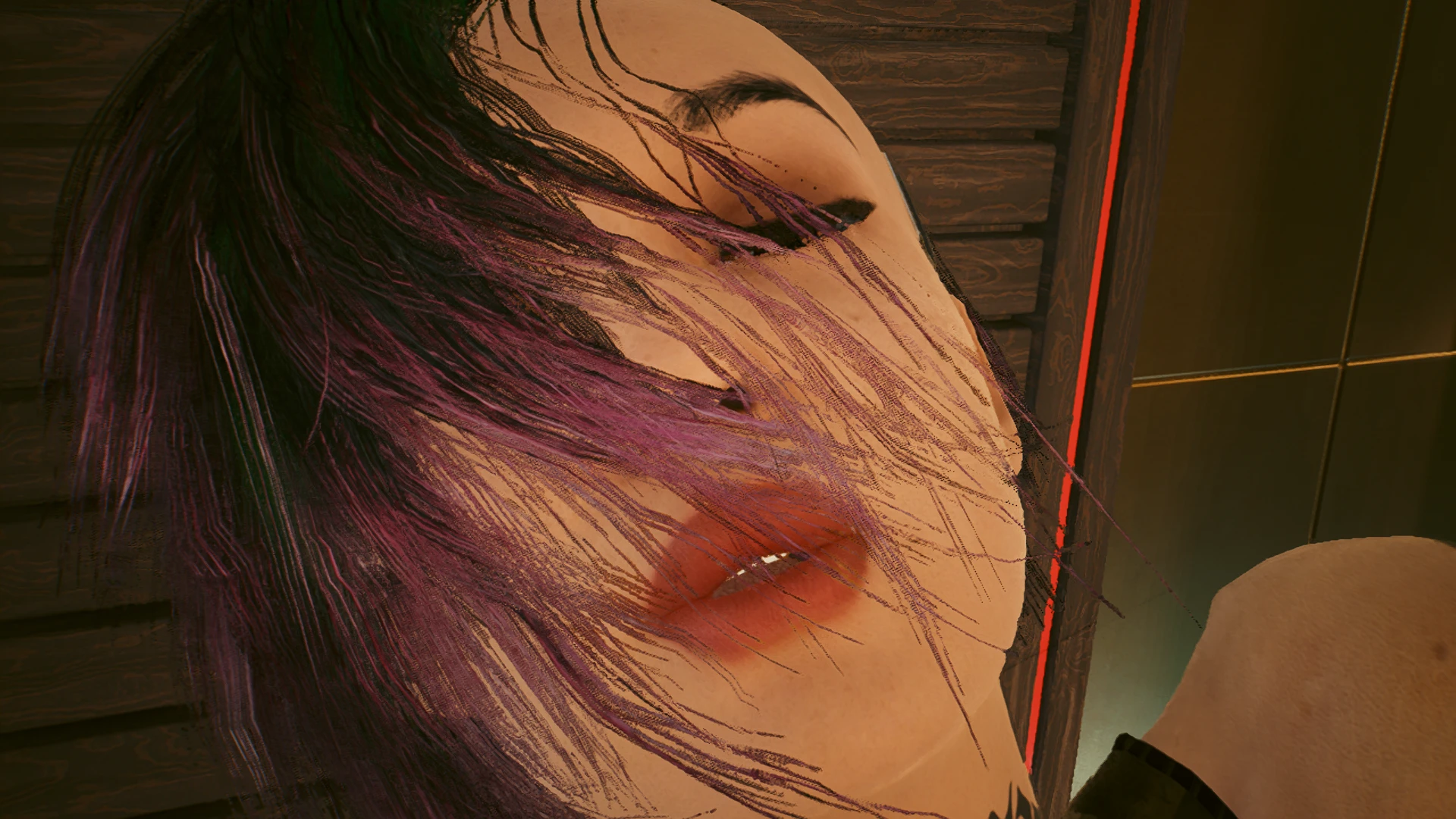
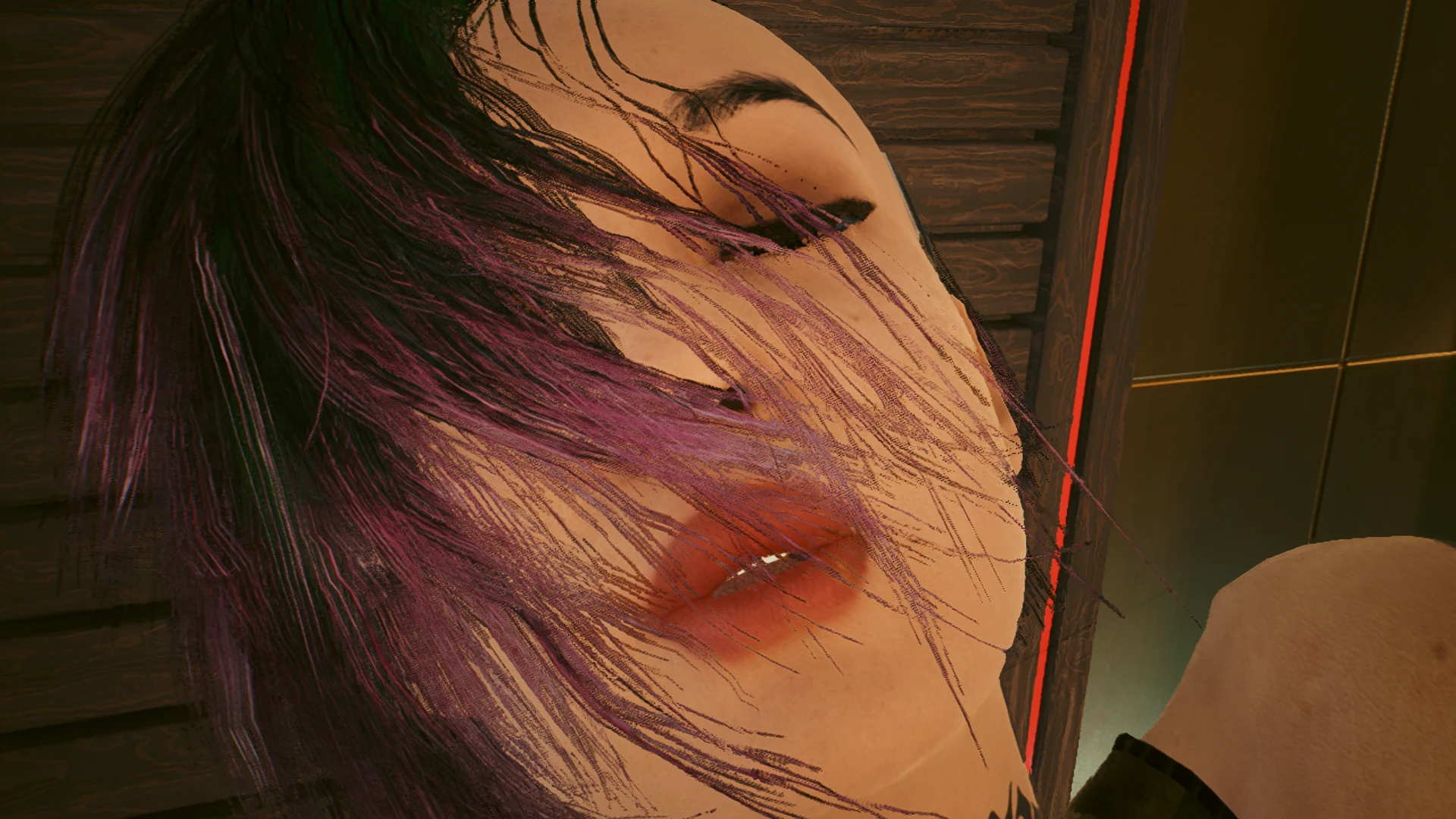
Hotscenes - play Joytoy scenes with your favorite characters
Exclusive high quality detail performers. Longer hotscenes playback. TPP view with flying Spycam. Free-fly/Orbit and Follow Action/Freeze Frame/Slow Mo features to adjust for the best shots. Many more features with the add-on extension.
 查看大图
查看大图[b][color=#ff0000]Warning – Mature Content
This mod may expose nudity, which may not be appropriate for some audiences, especially minors.
Please do not use it if you find such content unacceptable or if it is prohibited in your region or community.
This mod respects the censorship settings in the game, which are enabled by default.
If censorship is enabled, the mod will remain inactive to prevent unwanted exposure to nudity.
By disabling censorship, you consent to viewing mature content in the game and activating this mod's functionality.
This mod is intended for users aged 18 and over. By disabling censorship and using this mod, you confirm that you are of legal age in your jurisdiction and legally permitted to access such content.[/color][/b]
[b][img]https://staticdelivery.nexusmods.com/mods/3333/images/4590/4590-1654387157-1662739510.gif[/img][/b]
[b][color=#00ff00][size=3]Key features:[/size][/color][/b]
[list]
[][color=#ffff00][b]High quality performers selected for the best hotscenes experience.[/b][/color][/]
[][color=#ffff00][b]Initiate scenes playback from any location in the world and any time as long as the game allows that.[/b][/color][/]
[][color=#ffff00][b]Longer and more spicy hotscenes.[/b][/color][/]
[][color=#ffff00][b]Flying Spycam powered by the [url=https://www.nexusmods.com/cyberpunk2077/mods/3419]Nano Drone by (c)keanuWheeze.[/url][/b][/color][/]
[][color=#ffff00][b]Free fly/orbit and follow the action modes.[/b][/color][/]
[][color=#ffff00][b]Slow Motion playback and Freeze Frame.[/b][/color][/]
[][color=#ffff00][b]Hotscenes exclusive high quality character appearances (body details, garment selection, etc).[/b][/color][/]
[][color=#ffff00][b]Male NPCs look like males when naked (Hotscenes exclusive).[/b][/color][/]
[/list]
[size=3][b][color=#ffff00][i]Add-on:[/i][/color][/b] [b]Additional functionality is available with the optional[/b] [url=https://www.nexusmods.com/cyberpunk2077/mods/11772]Hotscenes Add-on:
[/url][/size]
[list]
[][b][color=#ffff00]Fast Playback - allows to play the scenes in a fully automatic mode.[/color][/b][/]
[][b][color=#ffff00]Scene availability override - allows to play the scenes before the game makes them available.[/color][/b][/]
[][b][color=#ffff00]New scenes location: [/color][color=#fff2cc]V's apartment in Megablock H10.[/color][/b][/]
[][b][color=#ffff00]New scenes location: [/color][color=#fff2cc]V's apartment in Glen if you purchased it.[/color][/b][/]
[][b][color=#ffff00]New scenes location: [/color][color=#fff2cc]Konpeki Plaza.[/color][/b][/]
[][b][color=#ffff00]New scenes location: [/color][color=#fff2cc]V's Path of Glory Penthouse.[/color][/b][/]
[][b][color=#ffff00]Faster scenes launches with a custom scene launcher.[/color][/b][/]
[][b][color=#fff2cc]I Really Want to Stay at Your House[/color][color=#ffff00] Hangouts quest series integration with the main mod support.[/color][/b][/]
[][b][color=#fff2cc]Pyramid Song[/color][color=#ffff00] Judy romance scene replay with the Hangouts quest integration.[/color][/b][/]
[][b][color=#fff2cc]Following The River[/color][color=#ffff00] romance scene replay with the Hangouts quest integration.[/color][/b][/]
[][b][color=#ffff00]Adds more variety to the hotscenes by including assorted clips from romance scenes.[/color][/b][/]
[][b][color=#ffff00]New scenes location: [/color][color=#fff2cc]Kerry's Mansion.[/color][/b][/]
[][b][color=#ffff00]New scenes location: [/color][color=#fff2cc]Clouds.[/color][/b][/]
[][b][color=#ffff00]New scenes location: [/color][color=#fff2cc]Japantown apartment if you purchased it.[/color][/b][/]
[][b][color=#ffff00]New scenes location: [/color][color=#fff2cc]Corpo Plaza apartment if you purchased it.[/color][/b][/]
[][b][color=#ffff00]New scenes location: [/color][color=#fff2cc]Gold Beach Marina.[/color][/b][/]
[][b][color=#ffff00]New scenes type: [/color][color=#fff2cc]Night City Delights - hookup with sexworkers on the streets:[/color][/b]
[list]
[][b][color=#ffff00]160+ common Sexworker characters,[/color][/b][/]
[][b][color=#ffff00]New activity area and new location: [/color][color=#fff2cc]Urmland St, Little China.[/color][/b][/]
[][b][color=#ffff00]New activity area and new location: [/color][color=#fff2cc]Kabuki Market.[/color][/b][/]
[][b][color=#ffff00]New activity area and new location: [/color][color=#fff2cc]Northside Docks Market.[/color][/b][/]
[][b][color=#ffff00]New activity area and new location: [/color][color=#fff2cc]Kabuki Streets: Kabuki Hotel Raito.[/color][/b][/]
[][b][color=#ffff00]Scene activity expansion: [/color][color=#fff2cc]Jig-Jig St area.[/color][/b][/]
[][b][color=#ffff00]New activity area and new location: [/color][color=#fff2cc]Jig-Jig St Surroundings: Jig-Jig St front bar.[/color][/b][/]
[][b][color=#ffff00]New activity area and new location: [/color][color=#fff2cc]No-Tell Motel and surroundings: No-Tell Motel.[/color][/b][/]
[][b][color=#ffff00]New activity area and new location: [/color][color=#fff2cc]Japantown Streets: Japantown apartment.[/color][/b][/]
[][b][color=#ffff00]New activity area: [/color][color=#fff2cc]Little China Streets: V's apartment in megablock H10.[/color][/b][/]
[][b][color=#ffff00]New activity area: [/color][color=#fff2cc] Heywood and City Center Streets: Glen apartment.[/color][/b][/]
[][b][color=#ffff00]New location in the area: [/color][color=#fff2cc]Heywood and City Center Streets: Corpo Plaza apartment.[/color][/b][/]
[][b][color=#ffff00]New location in the area: [/color][color=#fff2cc]Heywood and City Center Streets: Gold Beach Marina.[/color][/b][/]
[][b][color=#ffff00]New activity area and new location: [/color][color=#fff2cc]Interstate 9: Sunset Motel.[/color][/b][/]
[][b][color=#ffff00]New activity area for a scene location: [/color][color=#fff2cc]Japantown south-east and Charter Hill to Dark Matter Joy-Toy room.[/color][/b][/]
[][b][color=#ffff00]New activity area for a scene location: [/color][color=#fff2cc]Heavy Hearts club.[/color][/b][/]
[][b][color=#ffff00]Scene extensions: [/color][color=#fff2cc]Random lead-ins/warmups adding more variety to hookup scenes[/color][/b]
[/]
[/list] [img]https://staticdelivery.nexusmods.com/mods/3333/images/4590/4590-1708275924-1137877817.gif[/img][/]
[/list] The Hangouts integration feature is currently described in [url=https://www.nexusmods.com/cyberpunk2077/mods/4590?tab=posts&comment_id=143936313]a Sticky Post here.[/url]
Please note that the Description below does not cover the add-on features - please refer to the [url=https://www.nexusmods.com/cyberpunk2077/mods/11772]add-on Description[/url] for details.
[line]
[color=#00ff00][size=3][b]Starring:[/b][/size][/color]
[list]
[][b][color=#ffd966]8ug8ear[/color][/b][/]
[][b][color=#ffd966]Alice Oliveira[/color][/b][/]
[][b][color=#ffd966]Airi Okawa[/color][/b] (Little China tourist content plugin)[/]
[][b][color=#ffd966]Alt Cunningham[/color][/b][/]
[][b][color=#ffd966]Alisha Uys[/color][/b][/]
[][b][color=#ffd966]Angie (Pakeha) Mielech[/color][/b][/]
[][b][color=#ffd966]Blue Moon[/color][/b] (Us Cracks)[/]
[][b][color=#ffd966]Brittany Hayes[/color][/b] (Joytoy)[/]
[][b][color=#ffd966]Brooke Lawson[/color][/b][/]
[][b][color=#ffd966]Bruna Paiva[/color][/b] (Little China tourist content plugin)[/]
[][b][color=#ffd966]Candice Nabita[/color][/b] (Atlantis)[/]
[][b][color=#ffd966]Carol Emeka[/color][/b][/]
[][b][color=#ffd966]Caryne Ukah[/color][/b] (Crowd)[/]
[][b][color=#ffd966]Cerys Hopkins[/color][/b][/]
[][b][color=#ffd966]Cheri Nowlin[/color][/b] (Clouds receptionist)[/]
[][b][color=#ffd966]Charlene Fox[/color][/b] (Joytoy)[/]
[][b][color=#ffd966]Connor Farmer[/color][/b][/]
[][b][color=#ffd966]Denny[/color][/b][/]
[][b][color=#ffd966]Edith Davey[/color][/b] (Samurai Groupie)[/]
[][b][color=#ffd966]Eduarda Mendonça[/color][/b][/]
[][b][color=#ffd966]Emilie Massenat[/color][/b] (Placide girlfriend)[/]
[][b][color=#ffd966]Erin Davis[/color][/b] (Samurai Groupie)[/]
[][b][color=#ffd966]Eve[/color][/b] (Woman of La Mancha quest character)[/]
[][b][color=#ffd966]Evelyn Parker[/color][/b][/]
[][b][color=#ffd966]Faye Spiegel[/color][/b] (Crowd)[/]
[][b][color=#ffd966]Galina Frolova[/color][/b] (Crowd)[/]
[][b][color=#ffd966]Gina[/color][/b] (Mox)[/]
[][b][color=#ffd966]Grace[/color][/b] (Bushido X)[/]
[][b][color=#ffd966]Hanako Arasaka[/color][/b][/]
[][b][color=#ffd966]Hanako Proxy[/color][/b][/]
[][b][color=#ffd966]Hayden Gilbert[/color][/b][/]
[][b][color=#ffd966]Hayden Pierce[/color][/b] (Corpo Intro)[/]
[][b][color=#ffd966]Inessa Stepanova[/color][/b] (Crowd)[/]
[][b][color=#ffd966]Joaquina Gonzales[/color][/b][/]
[][b][color=#ffd966]Jade Douglas[/color][/b][/]
[][b][color=#ffd966]Judy Alvarez[/color][/b][/]
[][b][color=#ffd966]Layla Green[/color][/b][/]
[][b][color=#ffd966]Lizzy Wizzy[/color][/b] (optional character plugin)[/]
[][b][color=#ffd966]Nadezhda Tiurina[/color][/b] (Akulov assistant/KGB agent)[/]
[][b][color=#ffd966]Natalie Ateak[/color][/b][/]
[][b][color=#ffd966]Neelofar Ramesh[/color][/b][/]
[][b][color=#ffd966]Maiko Maeda[/color][/b][/]
[][b][color=#ffd966]Marya Kapadia[/color][/b] (Samurai Groupie)[/]
[][b][color=#ffd966]Meghan Hattori[/color][/b] (Little China tourist content plugin)[/]
[][b][color=#ffd966]Meiko Omori[/color][/b][/]
[][b][color=#ffd966]Meredith Stout[/color][/b][/]
[][b][color=#ffd966]Mox Moxie[/color][/b][/]
[][b][color=#ffd966]Mox Beyond Bouncer 03[/color][/b] (Rita's companion at Lizzie's doors)[/]
[][b][color=#ffd966]Mya Hicks[/color][/b] (Crowd)[/]
[][b][color=#ffd966]Northside Clothing Vendor[/color][/b][/]
[][b][color=#ffd966]Panam Palmer[/color][/b][/]
[][b][color=#ffd966]Purple Force[/color][/b] (Us Cracks)[/]
[][b][color=#ffd966]Quinn Norris[/color][/b][/]
[][b][color=#ffd966]Rachel Casich[/color][/b][/]
[][b][color=#ffd966]Red Menace[/color][/b] (Us Cracks)[/]
[][b][color=#ffd966]Rita Wheeler[/color][/b][/]
[][b][color=#ffd966]Rogue[/color][/b] (optional character plugin)[/]
[][b][color=#ffd966]Ruby Collins[/color][/b][/]
[][b][color=#ffd966]Ruth Dzeng[/color][/b][/]
[][b][color=#ffd966]Sadie Thorpe[/color][/b] (Little China tourist content plugin)[/]
[][b][color=#ffd966]Skye[/color][/b] (Clouds doll)[/]
[][b][color=#ffd966]Sofia[/color][/b] (Street Kid Intro hooker)[/]
[][b][color=#ffd966]Suhani Kala[/color][/b][/]
[][b][color=#ffd966]Susana Cervantes[/color][/b][/]
[][b][color=#ffd966]Susie Q[/color][/b] (Mox boss)[/]
[][b][color=#ffd966]Sydney Berry[/color][/b][/]
[][b][color=#ffd966]Tisha Bajaj[/color][/b][/]
[][b][color=#ffd966]Tracey Jean-Baptiste[/color][/b] (Crowd)[/]
[][b][color=#ffd966]Xiaoli Li[/color][/b][/]
[][b][color=#ffd966]Xiurong Man[/color][/b][/]
[][b][color=#ffd966]Yishen Rhee[/color][/b] (Atlantis punk at vending machine)[/]
[][b][color=#ffd966]Vritika Badal[/color][/b] (Crowd)[/]
[][b][color=#ffd966]Aaron McCarlson[/color][/b][/]
[][b][color=#ffd966]Angel[/color][/b] (Clouds doll)[/]
[][b][color=#ffd966]Arthur Jenkins[/color][/b][/]
[][b][color=#ffd966]Certo Esquerdo[/color][/b] (Kabuki Twins)[/]
[][b][color=#ffd966]Dino Dinovic[/color][/b] (Fixer)[/]
[][b][color=#ffd966]Dusty Lowe[/color][/b] (Joytoy)[/]
[][b][color=#ffd966]Esquerdo Certo[/color][/b] (Kabuki Twins)[/]
[][b][color=#ffd966]Fingers[/color][/b][/]
[][b][color=#ffd966]Frank Nostra[/color][/b][/]
[][b][color=#ffd966]Jake[/color][/b] (Bushido X)[/]
[][b][color=#ffd966]Jesse Johnson[/color][/b] (Mr Stud)[/]
[][b][color=#ffd966]Kerry Eurodyne[/color][/b][/]
[][b][color=#ffd966]Kirk Sawyer[/color][/b][/]
[][b][color=#ffd966]Lenny Nero[/color][/b] (Jig-Jig St BD dealer)[/]
[][b][color=#ffd966]Logan Scott[/color][/b] (Joytoy)[/]
[][b][color=#ffd966]Lyle Thompson[/color][/b][/]
[][b][color=#ffd966]Mateo Thiago[/color][/b][/]
[][b][color=#ffd966]River Ward[/color][/b][/]
[][b][color=#ffd966]Stripper[/color][/b] (Side quest character)[/]
[][b][color=#ffd966]Tom Caldera[/color][/b] (Clouds doll)[/]
[][b][color=#ffd966]Training Bot[/color][/b][/]
[][b][color=#ffd966]Weldon Holt[/color][/b][/]
[][b][color=#ffd966]and more dolls...[/color][/b][/]
[/list]
[color=#00ff00][b]Phantom Liberty characters:[/b][/color]
[list]
[][b][color=#ffd966]Alena Xenakis[/color][/b] (Alex)[/]
[][b][color=#ffd966]Alexandra Dunn[/color][/b] (Dogtown citizen)[/]
[][b][color=#ffd966]Alexia Chapman[/color][/b] (Black Sapphire party guest)[/]
[][b][color=#ffd966]Alla Belakova[/color][/b] (Dogtown citizen)[/]
[][b][color=#ffd966]Alyona Evdokimova[/color][/b][/]
[][b][color=#ffd966]Amber Nkosi[/color][/b] (Black Sapphire party guest)[/]
[][b][color=#ffd966]Angelica Whelan[/color][/b] (Angie)[/]
[][b][color=#ffd966]Aurora Cassel[/color][/b][/]
[][b][color=#ffd966]Bree Whitney[/color][/b][/]
[][b][color=#ffd966]Daphne [/color][/b](Alex undercover)[/]
[][b][color=#ffd966]Daphne's Bartender[/color][/b][/]
[][b][color=#ffd966]Elsa de la Rosa[/color][/b] (Stadium crowd)[/]
[][b][color=#ffd966]Fiona Vargas[/color][/b][/]
[][b][color=#ffd966]Galina Nazarova[/color][/b] (Black Sapphire party guest)[/]
[][b][color=#ffd966]Heavy Hearts Waitress[/color][/b][/]
[][b][color=#ffd966]Helen Wandoo[/color][/b] (Heavy Hearts bartender)[/]
[][b][color=#ffd966]Imogen[/color][/b] (Stadium vendor)[/]
[][b][color=#ffd966]Janelle Williams[/color][/b] (Stadium crowd)[/]
[][b][color=#ffd966]Karina Tarasova[/color][/b] (Crowd)[/]
[][b][color=#ffd966]Kristina Chistyakova[/color][/b] (Crowd)[/]
[][b][color=#ffd966]Lina Malina[/color][/b] (Brainporium)[/]
[][b][color=#ffd966]Lizzy Wizzy Black Sapphire[/color][/b] (optional character plugin)[/]
[][b][color=#ffd966]Molly Daniels[/color][/b] (Black Sapphire party guest)[/]
[][b][color=#ffd966]Nele Springer[/color][/b][/]
[][b][color=#ffd966]Olivia Howell[/color][/b] (Black Sapphire party guest)[/]
[][b][color=#ffd966]Patrícia Nunes[/color][/b] (Stadium crowd)[/]
[][b][color=#ffd966]Qiang Ji[/color][/b] (Dogtown citizen)[/]
[][b][color=#ffd966]Rebbeca Vaughn[/color][/b] (Club crowd)[/]
[][b][color=#ffd966]Rosalind Myers[/color][/b][/]
[][b][color=#ffd966]Sadie Moody[/color][/b] (Black Sapphire party guest)[/]
[][b][color=#ffd966]Saki Seo[/color][/b] (Stadium drugstore vendor)[/]
[][b][color=#ffd966]Song So Mi[/color][/b] (Songbird)[/]
[][b][color=#ffd966]Toolina[/color][/b] (Brainporium)[/]
[][b][color=#ffd966]Aymeric Cassel[/color][/b][/]
[][b][color=#ffd966]Hasan Demir[/color][/b][/]
[][b][color=#ffd966]Jack[/color][/b] (Heavy Hearts drug dealer)[/]
[][b][color=#ffd966]Jackob Long[/color][/b][/]
[][b][color=#ffd966]Ronald P. T. Malone[/color][/b] (Dogtown friendly vendor)[/]
[][b][color=#ffd966]Shank[/color][/b] (Brainporium)[/]
[][b][color=#ffd966]Taylor Gibbs[/color][/b][/]
[][b][color=#ffd966]Tool[/color][/b] (Brainporium)[/]
[/list]
Please note that Phantom Liberty characters are only available if you have the DLC installed and once you have established a sufficient level of familiarity with them in the game.
[line]
[img]https://staticdelivery.nexusmods.com/mods/3333/images/4590/4590-1654387180-254583019.gif[/img]
[b][color=#00ff00][size=3]What it does:[/size][/color][/b]
This mod allows to switch Joytoy characters to play the Act II hotscenes without manipulating any files or the application restart.
Just install the mod and pick your scene from the collection menu, select a performer, cue the scene and play.
Scenes playback can be initialized from any location in the world (as long as the game allows it), while the actual playback will take place at the scene-specific location (as designed in the game). [b][color=#ffff00][i]Add-on:[/i] [/color][/b] [url=https://www.nexusmods.com/cyberpunk2077/mods/11772]the Hotscenes Add-on[/url] adds more locations to choose from.
The mod also allows to play the hotscenes longer and create more spicy experience with the scenes randomizer.
A flying Spycam allows to watch it from the third person view with a free-fly or orbit-and-follow-the-action style control.
This is a single mod covering multiple characters switchable at any time. No permanent replacers/overrides. No side effects outside the hotscenes etc.
The mod only needs to save the game and reload it to make the changes into effect and to start the scene playback.
[color=#ffff00][i][b]Add-on: [/b][/i][/color] [url=https://www.nexusmods.com/cyberpunk2077/mods/11772]with the Hotscenes Add-on 5.22 or higher[/url] the main mod does not need to reload the saved game.
As the game is saved right before starting any action you can reverse any unwanted/unexpected game progress results by just reloading the save.
A scene playback means you will be moved to the scene to interact with the scene performer any way you like it (and as the game allows it) to trigger the hotscene animations.
Once the scene is over it's up to you if you want to stay in the place or get back by reloading the game.
[b][color=#ffff00][i]Add-on: [/i][/color][/b] [url=https://www.nexusmods.com/cyberpunk2077/mods/11772]the Hotscenes Add-on[/url] adds a fully automatic scene playback feature.
And last but definitely not least: it allows the mod's CET window to upscale for large high resolution monitors.
Thanks to [url=https://www.nexusmods.com/users/54627787]CoreyPmc1[/url] for his inquiry and great help to introduce this feature.
[b][color=#00ffff][size=3]What it does not do:[/size][/color][/b]
- the performer character switch does not affect anything else in the game and it's reversible at any time,
- it does not change the performers permanently - even if you forget to revert it the game application restart always restores originals.
- it does not change, replace, overwrite nor overlap any of the game original files and properties,
- it does not change any character built-in appearance so it does not make any NPC other than the selected Joytoy look other than designed. Specifically it does not make any other NPC nude or more nude than the original.
- the Hotscenes mod special appearance variants are used in the scenes and only if set by the mod. Meaning they won't change the selected performers look outside the scenes. They won't collide or overwrite the game vanilla appearances neither other mods.
- it does not unlock the hotscenes if you're not allowed to access them by the game. [b][color=#ffff00][i]Add-on: [/i][/color][/b] [url=https://www.nexusmods.com/cyberpunk2077/mods/11772]the Hotscenes Add-on[/url] adds a feature to override this condition, making the scenes available earlier in effect.
- it does not allow to replay quest related one-off hotscenes (e.g. Panam and V in panzer),
- if you use it with mods that change the game built-in characters fundamentals the results may vary and depend only on the other mods quality,
- it does not activate if the nudity censorship settings is on in a bid to prevent exposing inappropriate content.
- it does not introduce explicit animations to the game - it only reuses what the game developer already provided.
[line]
[b][color=#00ff00][size=3]How to use it:[/size][/color][/b]
First things first: the mod requires [url=https://www.nexusmods.com/cyberpunk2077/mods/107]Cyber Engine Tweaks[/url]
That's the only mandatory dependency outside the game itself.
[b][color=#ffff00]1) The scene, the performer selection and the playback controls:[/color][/b]
[b]New Hostcenes Native UI:[/b]
You can access it from the HUB menu or by adding a custom key shortcut in the CET key bindings window to open it on the key press:
[img]https://staticdelivery.nexusmods.com/mods/3333/images/4590/4590-1715445980-1682217335.gif[/img]
Note: this clip also demonstrates extra features provided by the [url=https://www.nexusmods.com/cyberpunk2077/mods/11772]Hotscenes add-on.[/url]
[b]Classic CET UI:[/b]
You need to open the CET overlay to show the mod window with the scene control panels to start the magic:
[img]https://staticdelivery.nexusmods.com/mods/3333/images/4590/4590-1654387987-367644579.gif[/img]
1) - open the CET to show the mod window,
2) - choose your scene and select a performer,
3) - click Cue to set up the scene on your selection,
4) - click Play to apply the selected performer and proceed to the scene,
5) - wait for the mod to save&load and move you to the scene,
6) - at the scene interact with the performer to start the hotscene playback,
7) - when the hotscene is over it's up to you what's next.
You can get back by reloading the last save or stay in the place.
The scene panels will only show or activate when the game conditions and scene rules allow to play a scene.
The scenes panels allow you to start selected scene playback from any location in the world (you don't need to go to any specific location to enable it).
You can use both the Native UI and CET Classic UI in any combination.
There are two [b]Joytoy hotscenes[/b] locations available in the game covering both [b]Female [/b]and [b]Male [/b]performers:
- [b]Japantown Jig-Jig Street [/b]starting with the[b] Act II[/b],
- [b]Glen Dark Matter Club[/b] after completing the [b]Off The Leash[/b] quest (Kerry Eurodyne side quest series) that unlocks this scene.
This results in four scenes panels in total when all available.
[b][color=#ffff00][i]Add-on:[/i][/color][/b] [url=https://www.nexusmods.com/cyberpunk2077/mods/11772]the Hotscenes Add-on[/url] allows to play the scenes before the game makes them available in the Act II.
[b][color=#ffff00][i]Add-on:[/i][/color][/b] [url=https://www.nexusmods.com/cyberpunk2077/mods/11772]the Hotscenes Add-on[/url] adds more scene locations to choose from.
You can switch the scenes performers to the starring characters by picking preferred ones from a scene performer list in the mod window scene panel.
All performers but the ones marked by "(default)" on the list sport special appearance alternatives improving the scenes experience.
To start the action please keep in mind you need to [u]hit the playback button twice[/u]: the first to [b]Cue [/b]a scene and the second to actually [b]Play [/b]the scene.
This is on a purpose to save you from accidentally breaking your game progress. Also to safely preselect characters before applying changes with the [b]Cue[/b].
If in doubt you can use the [b]Reset[/b] button to set the scenes to the defaults.
Although you may still need to reload the game to force revert the performers appearances if they were previously changed (the actual performer appearance change is applied on a game load).
The [b]Cancel [/b]button allows to cancel what is actually set on the playback button.
The actual play will only start if you're in a normal play mode (not in scenes, menus, inventory, etc), in a safe place (not in combat or hostile area) and the game allows to save the game.
If the current game state does not allow to start the playback when you hit the [b]Play [/b]button it will wait 30 sec for the conditions to change and if still no luck it will just cancel the playback quietly.
You will have to pay the performer for your pleasures so be sure you're not running low on cash ;)
But don't worry as you can reload the game save to reverse it all.
Once you're finished with the scene you can either stay there either get back by reloading the game save the mod created on the playback start.
To reload the game you can either hit the game default quick load key or use the mod playback button showing Reload last save game reload hint.
If you don't want to reload or you just want to turn the playback button back to [b]Cue [/b]ready state just click the [b]Cancel [/b]button to unarm it.
Alternatively any performer selection change will set it back to [b]Cue[/b].
[b][color=#ffff00][i]Add-on:[/i][/color][/b] [url=https://www.nexusmods.com/cyberpunk2077/mods/11772]the Hotscenes Add-on[/url] allows to play the scenes in a fully automatic mode (as opposed to the interactive mode described above).
The longer and more spicy scenes are enabled by default on a new clean install. You can change it in the mod settings window.
The settings window opens when you click a small button in the upper right window corner.
[line]
[b][color=#ffff00]
2) The Spycam, the Slow Motion and the Freeze Frame features:[/color][/b]
The features are [u]only available in the hotscenes[/u] - they won't activate outside the scenes.
You need to [url=https://staticdelivery.nexusmods.com/mods/3333/images/4590/4590-1670721620-892900060.png]setup activation/control keys[/url] in the CET Bindings window to use the features.
[b][color=#00ff00]The Spycam feature:[/color][/b]
The Spycam needs at least [url=https://staticdelivery.nexusmods.com/mods/3333/images/4590/4590-1670721620-892900060.png]the activation, forward and backward keys assigned.[/url]
The other keys are to help to maneuver quicker than making rounds to turn around or orbit with the camera. Also helpful in the orbit flight mode.
For your convenience you can use the same [b]WASD [/b]keys as the game uses to control movement (unless they're already bound to some other mods).
Once activated, the Spycam behaves like the Braindance Edit mode free-fly camera - you can control it the same way.
Unlike the Braindace camera, the Spycam is not limited by walls/floors etc in a free fly mode.
However there is a range limiter in place and the vertical range is limited to just bellow a floor and close to a ceiling.
Upon the activation, the Spycam tries to position itself facing the player.
If you press and hold [b]the right mouse button,[/b] the Spycam switches to the orbit and follow the action mode.
This button also repositions the camera on a click similar to the Sypycam activation, so if you feel lost in the Spycam you can just right-click to get the camera in place automatically.
The right mouse clicks also allow for quickly repositioning the camera to the scene action when the scene switches places automatically, causing the Spycam to lose tracked objects.
[b][color=#00ff00]How to control the Spycam:[/color][/b]
[b]- the free-fly mode (default):[/b]
keyboard: forward/backward/left/right movement.
mouse: change flight direction with up/down/left/right moves.
In the free-fly mode the camera movement is not limited by obstacles (walls, ceilings, etc.)
[b]- the orbit and follow mode:[/b]
click and hold the mouse right button to enter the mode. Release the button to exit the mode.
[b]- movement/orbit controls:[/b]
there are two control methods that you can change with the "Spycam orbit mode uses mouse for vertical control" option in the settings window:
- if the "Spycam orbit mode uses mouse for vertical control" option is [u]enabled[/u] in the Settings window (default method):
keyboard: move forward/backward with the forward/backward keys.
keyboard: orbit left/right with the left/right keys.
mouse: orbit left/right with the left/right moves (same as keyboard left/right).
mouse: orbit up/down with the up/down moves.
- if the "Spycam orbit mode uses mouse for vertical control" settings is [u]disabled[/u] in the Settings window (alternate method):
keyboard: orbit up/down with the forward/backward keys.
keyboard: orbit left/right with the left/right keys.
mouse: orbit left/right with the left/right moves (same as keyboard left/right).
mouse: move forward/backward with the up/down moves.
mouse: camera zoom with the mouse wheel up/down.
Reset the camera orbit position: just release and then click&hold the mouse right button again.
Spycam exit: any of the keys: your Spycam activation key, the game Device control exit key (usually C or Backspace), the Esc key.
In the orbit mode the camera movement is limited by obstacles as opposed to the free-fly mode.
There may be a small bounce when you hit something indicating that it's not possible to move in this direction anymore.
If you find you cannot move the camera left/right/up/down it's most probably you got in a tight spot preventing the moves - try to move a bit forward and reset the camera orbit as described above.
[b]A note about the Spycam compatibility with the original Nano Drone:[/b]
while the two mods can coexist they cannot share the keyboard keys if the Nano Drone uses CET keys for flight control.
The CET will not allow that so you'd need to bind some other keys.
Newer Nano Drone versions using Input Loader allow to share the flight control keys, however you should not use the same activation key to avoid activating both.
On top of that the game allows only a single device control at a time so I designed the Spycam to give way to the Nano Drone if it can sense it around.
If the Spycam finds the Nano Drone launched it won't activate. If you launch the Nano Drone while using the Spycam, the latter will immediately deactivate to avoid control conflicts.
[b][color=#00ff00]The Freeze Frame feature:[/color][/b]
This feature works in the Spycam only.
Press and hold the left mouse button to freeze the action. Release it to unfreeze.
You can move around when it's on in any flight mode.
[b][color=#00ff00]The Slow Motion feature:[/color][/b]
This feature works in both normal playback and Spycam mode.
While in the Spycam, the mouse middle button works as the Slow Motion toggle.
Outside the Spycam this feature needs[url=https://staticdelivery.nexusmods.com/mods/3333/images/4590/4590-1670721620-892900060.png] a key to activate it.[/url]
The mouse button and the keyboard key act as a slow/normal speed toggle. You can use any combination of the two when the Spycam is on.
No matter how activated, if you just leave it on, the slow speed it will automatically switch back to the normal speed after 30 seconds.
Of course you can switch back earlier at any time as the keys/buttons are toggles.
[line]
[b][color=#00ff00][size=3]Recommended companion mods:[/size][/color][/b][url=https://www.nexusmods.com/cyberpunk2077/mods/9506]
[/url][url=https://www.nexusmods.com/cyberpunk2077/mods/3518]
Native Settings [/url]for easier settings management within a common settings menu (integrated with the mod Native UI menu).
[url=https://www.nexusmods.com/cyberpunk2077/mods/16218]Native Settings UI Side Menu Add-on [/url]for easier navigation within Native Settings UI.
[line]
[b][color=#00ffff]
[size=3]Limitations:[/size][/color][/b]
General:
- Native UI is not available in game versions 1.6x. Currently I have no plans to make it compatible with the legacy versions.
- on the first use it may take a while to move you to the scene on the Play button hit. The game will be in a paused state during the time.
It's not a bug - the mod needs to wait for the game to provide it with the data needed for the initial run.
Just give it the time. The next playbacks should start faster unless you delete the manual save the mod created.
- you may find a scene not fully rendered or the performer "not responding" with the expected dialog choices upon arrival, especially on a new application start. Just give the game some time to complete it.
- the mod needs to save and load the game to apply the performer switch changes. These are manual saves that are not automatically managed by the game.
The mod has a feature to reuse the last mod save it created but due to some limitations it's still possible it may not find it and create a new file instead so be sure you take care about leftovers if any.
[color=#ffff00][i][b]Add-on:[/b] [/i][/color] [url=https://www.nexusmods.com/cyberpunk2077/mods/11772]with the Hotscenes Add-on 5.22 or higher[/url] the main mod does not need to reload the saved game while still maintaining recovery manual saves.
- the game design puts many constraints resulting in limited scenes, characters selection and character appearances.
Spycam/TPP related:
- since the scenes aren’t really designed for third-person view, you may occasionally notice artifacts when watching them through the Spycam. These include animation mismatches, unnatural limb positions or movements, T-pose flashes, and similar issues — original animation flaws that are usually hidden off-screen in first-person view but become fully visible in Spycam mode.
The original Japantown female scene is the most affected.
Also the scenes consist of series of very short subclips moving the performers to different scene locations in a cuts-only fashion so you may find the third person view a bit challenging to keep up with the sequence pace sometimes.
I'd suggest to use the orbit and follow mode (mouse right button click and hold) to follow the hotscenes sequences.
If you lose the player from your view just click the mouse right button again.
Again especially in Japantown where the player tracking is the most affected by the game reporting false locations.
Also, you may find the Freeze Frame helpful to pause the action and reposition for a better view too.
- if you get very close to the Player, its head may autohide. This is the game default behavior. The orbit mode has a special limiter to handle that but the free-fly mode is not limited.
- the game quick load (usually by hitting F9 key) is ignored when the Spycam is on. This is the game imposed restriction.
If you want to quick load the game during a scene while in the Spycam you'll need to exit the Spycam first.
To exit the Spycam use any of the keys: your Spycam activation key, the game Device control exit key (usually C or Backspace) or the Esc key.
- if you press the Spycam activation key too frequently, it may ignore your command sometimes as it needs some time to safely process your previous command. Just press the key again.
[line]
[b][color=#dd7e6b]
[size=3]Known issues:[/size][/color][/b]
- there is a bug in the game v2.x that makes the HUB menu buttons ignore F key press when using keyboard to control it sometimes. It works better when using mouse. Usually it's enough to close it and try again or switch to some other menu and back.
As this may affect the Native UI accessibility in this menu, a CET key shortcut to open the Native UI is recommended.
- in the game v2.x, if you load an older game version save, the game may not visually undress the player during a hotscene.
This is the new game issue.
You can fix it my reactivating garment pieces in each garment slot: just equip some other piece (eg. another shirt) and switch it back to your preferred.
This will update the game data in this slot and it will work normally form now on.
If you used wardrobe sets in the old game save, they may require a reset: delete the set and create new.
- rarely the Player remains fully dressed for the whole scene. This is a game caused issue.
In that case just reload the game and engage the performer again to start it over.
If you want to break a scene and start it again just exit the Spycam and press the game quick load button (usually F9).
[line]
[b][color=#ffd966]
[size=3]Compatibility info:[/size][/color][/b]
[color=#00ff00][b]Game 1.6+ through 2.3+ compatible.[/b][/color]
[b][color=#ffff00]CET 1.21.0 is not supported due to key input control issues.[/color][/b] Next supported version is 1.21.1
[b][color=#ffff00]CET 1.26.0 is not supported due to bugs in this version affecting functionality.[/color][/b] Next supported version is 1.26.1
[b][color=#ffff00]CET 1.29.0 is not supported due to numerous issues in this version.[/color][/b] Next supported version is 1.29.1
[b][color=#ffff00]CET 1.30.0 is not supported due to issues in this version.[/color][/b] Next supported version is 1.30.1
[b][color=#ffff00]CET 1.31.0 - 1.31.2 are not supported due to severe issues in these versions.[/color][/b] Next supported version is 1.31.3
[b][color=#ffff00]CET 1.32.0 is not supported due to severe issues in this version.[/color][/b] Next supported version is 1.32.1
[b][color=#00ffff]CET 1.37.1: due to some fundamental changes, it requires Hotscenes v5.34.6 or higher.[/color][/b]
[b][color=#ffd966]Upcoming CET 1.38.0 (expected with the next, future game patch release) is set as unsupported until it proves as stable or a stable 1.38.x version is released.[/color][/b]
[b]Recommended configuration details:[/b] install the game on an SSD storage to greatly reduce scene load times and latency. This is a general recommendation for this game whether you play with or without mods.
This mod is compatible with the game v1.6 - 2.3+ range with corresponding CET versions. Additionally, it will not run on versions prior to 1.5.
The mod follows the game design and it relies heavily on the game content, mechanics and the built-in model definition fundamentals.
If you use it with mods that change the game built-in characters fundamentals, the results may vary and depend only on the other mods quality.
If you use mods changing the game design or circumventing the game methods to make it behave differently or disrespecting shared resources use rules, and you'll find the final results unacceptable or falling short the expectations, there is nothing I can do about it as the game compatibility is affected by the other mods.
If you experience any unexpected issues while using this mod, please test it out without any other mods installed first to confirm the issue before reporting it. This mod has been heavily tested against a clean install of the game and has been battle-hardened through months of everyday, hours-long game play. Therefore, in case of issues, it's most likely that another mod may be affecting the functionality of this mod.
Spycam compatibility with the Nano Drone:
while the two mods can coexist they cannot share the CET keyboard key bindings.
More details in [b]A note about the Spycam compatibility with the original Nano Drone [/b]in the Spycam feature description section bellow.
More info in the Known Issues section above.
[color=#ffff00][b]Known incompatibilities:[/b][/color]
[url=https://www.nexusmods.com/cyberpunk2077/mods/26751]The Merc Protocol mod[/url] negatively affects this one by falsifying keyboard/gamepad detection.
As a result, the Native UI mod menu is affected when using a keyboard, mouse or gamepad - you may experience weird behavior in this menu.
This warning also applies to other mods, not just mine.
[b][color=#00ffff][size=3]Issue Reporting:[/size][/color][/b]
In case of issues, please make sure to update the mod and its requirements to the latest supported versions first.
DO NOT assume you already have the latest versions installed - verify by checking the mod pages.
If you still experience some unexpected mod functionality on the supported game and CET versions please first verify it without any other mod (all other mods disabled but the required modding platform mods) before reporting.
The mods types that may affect this one functionality typically are:
[list]
[]CET scripting platform disabled due to versions mismatch or misconfiguration,[/]
[]the archive mod files in the \Cyberpunk 2077\archive\pc\mod folder[/]
[]the redscript mod files in the \Cyberpunk 2077\r6\scripts folder[/]
[]the CET mod files in the \Cyberpunk 2077\bin\x64\plugins\cyber_engine_tweaks\mods folder[/]
[]REDmod mods.[/]
[/list]
If the issues persist, please provide details that allow us to identify and reproduce them.
Additionally, please check the mod’s log to see whether it contains entries corresponding to the time when the issues occurred:
"...\Cyberpunk 2077\bin\x64\plugins\cyber_engine_tweaks\mods\hotscenes\hotscenes.log"
Please note 99% of issues come from incompatible mods, corrupted data in game saves, unhealthy game install base or corrupted mod install.
I reserve the remaining 1% for unknown yet mod bugs.
[line]
[b][color=#00ff00][size=3]Install or update:[/size][/color][/b]
manual (recommended):
- download the zip/7zip archive and extract it,
- drop the extracted 'archive' and 'bin' folders into "[your game provider install folder]\Cyberpunk 2077" folder. Allow to overwrite files if asked.
automatic:
- use Vortex Manager with hardlink deployment option.
Please note it may sometimes not work properly due to the Vortex issues. In case of issues please install it manually.
[b]
[color=#00ffff][size=3]Uninstall:[/size][/color][/b]
manual:
- remove folders/files:
"[your game provider install folder]\Cyberpunk 2077\bin\x64\plugins\cyber_engine_tweaks\mods\hotscenes"
"[your game provider install folder]\Cyberpunk 2077\archive\pc\mod\hotscenes_archive.stage.archive"
also remove any additional file with the "hotscenes" keyword in its name in this folder.
automatic:
- use Vortex Manager
[b][color=#ffff00][size=3]Credits:[/size][/color][/b]
keanuWheeze/[url=https://www.nexusmods.com/cyberpunk2077/users/77476393]NexusGuy999[/url] for the [url=https://www.nexusmods.com/cyberpunk2077/mods/3419]Nano Drone[/url] engine he generously agreed to adapt for the Hotscenes mod.
keanuWheeze/[url=https://www.nexusmods.com/cyberpunk2077/users/77476393]NexusGuy999[/url] for a gravity freeze trick to help fix early arrival fall to death bug.
[url=https://www.nexusmods.com/cyberpunk2077/users/49231818]Janecio14[/url] for sharing his research on female breast stim component I used to add some more life to my custom appearances.
keanuWheeze/[url=https://www.nexusmods.com/cyberpunk2077/users/77476393]NexusGuy999[/url] again for his [url=https://www.nexusmods.com/cyberpunk2077/mods/2833]Object Spawner[/url] mod I used to research the game entities for my mod and verify appearance changes.
[url=https://www.nexusmods.com/cyberpunk2077/users/1677940]MaximiliumM[/url] for his [url=https://www.nexusmods.com/cyberpunk2077/mods/790]Appearance Menu Mod[/url] I used for preliminary character selection and appearance verification.
[url=https://www.nexusmods.com/users/54627787]CoreyPmc1[/url] for his help in implementing the mod UI upscale for high resolution display monitors.
Big thanks to [url=https://www.nexusmods.com/cyberpunk2077/users/108159138]psiberx[/url] for his limitless support, invaluable and unique research, knowledge, developer tools, code snippets and help in solving all the game internal puzzles and overcoming challenges.
Special thanks to [url=https://www.nexusmods.com/users/27399345]NaytNavare[/url] for his suggestions about Lina Malina & Co Brainporium twist.
Big thanks to [url=https://www.nexusmods.com/cyberpunk2077/users/9756753]NuclearPulse [/url]for his invaluable feedback, exceptional efforts, and the patience of a saint in investigating issues affecting this mod's performance, which greatly contributed to the mod's quality.
Credits also go to yamashi, [url=https://www.nexusmods.com/cyberpunk2077/users/108159138]psiberx[/url] & the whole [url=https://www.nexusmods.com/cyberpunk2077/mods/107]Cyber Engine Tweaks[/url] development team and [url=https://www.nexusmods.com/cyberpunk2077/users/16300749]rfuzzo[/url] & the whole [url=https://www.nexusmods.com/cyberpunk2077/mods/2201]WolvenKit[/url] development team - the mod would simply not exist without their hard work on researching & developing the game modding fundamentals & tools and their excellent support.
[img]https://staticdelivery.nexusmods.com/images/3333/105393778-1774700005.png[/img]
[line]
The [b]Human Made Badge[/b] is a free resource for non-profit use, courtesy of: [b]© Aimee Cozza[/b] [url=https://www.aimeecozza.com/human-made/]https://www.aimeecozza.com/human-made/
[/url]Please support [url=https://www.aimeecozza.com/licensing/]the badge author![/url]
![https://staticdelivery.nexusmods.com/mods/3333/images/4590/4590-1654387157-1662739510.gif[/img][/b]](https://staticdelivery.nexusmods.com/mods/3333/images/4590/4590-1654387157-1662739510.gif%5B/img%5D%5B/b%5D)
![https://staticdelivery.nexusmods.com/mods/3333/images/4590/4590-1708275924-1137877817.gif[/img]](https://staticdelivery.nexusmods.com/mods/3333/images/4590/4590-1708275924-1137877817.gif%5B/img%5D)
![https://staticdelivery.nexusmods.com/mods/3333/images/4590/4590-1654387180-254583019.gif[/img]](https://staticdelivery.nexusmods.com/mods/3333/images/4590/4590-1654387180-254583019.gif%5B/img%5D)
![https://staticdelivery.nexusmods.com/mods/3333/images/4590/4590-1715445980-1682217335.gif[/img]](https://staticdelivery.nexusmods.com/mods/3333/images/4590/4590-1715445980-1682217335.gif%5B/img%5D)
![https://staticdelivery.nexusmods.com/mods/3333/images/4590/4590-1654387987-367644579.gif[/img]](https://staticdelivery.nexusmods.com/mods/3333/images/4590/4590-1654387987-367644579.gif%5B/img%5D)
![https://staticdelivery.nexusmods.com/mods/3333/images/4590/4590-1670721620-892900060.png]setup](https://staticdelivery.nexusmods.com/mods/3333/images/4590/4590-1670721620-892900060.png%5Dsetup)
![https://staticdelivery.nexusmods.com/mods/3333/images/4590/4590-1670721620-892900060.png]the](https://staticdelivery.nexusmods.com/mods/3333/images/4590/4590-1670721620-892900060.png%5Dthe)
![https://staticdelivery.nexusmods.com/mods/3333/images/4590/4590-1670721620-892900060.png]](https://staticdelivery.nexusmods.com/mods/3333/images/4590/4590-1670721620-892900060.png%5D)
![https://staticdelivery.nexusmods.com/images/3333/105393778-1774700005.png[/img]](https://staticdelivery.nexusmods.com/images/3333/105393778-1774700005.png%5B/img%5D)
正在加载版本记录…
正在加载评论…
评论在新手盒子客户端中发表,这里同步展示。