悬停信息
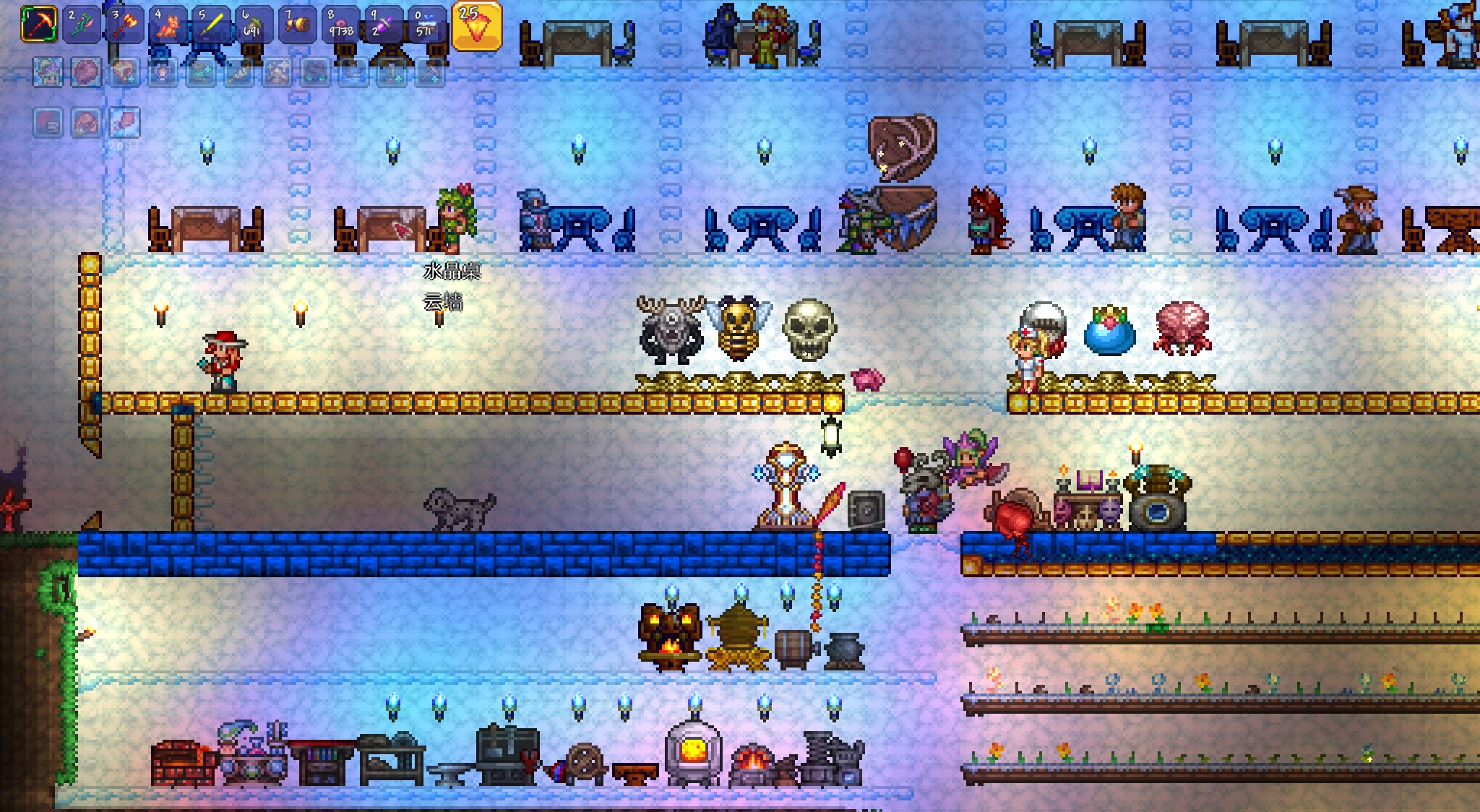
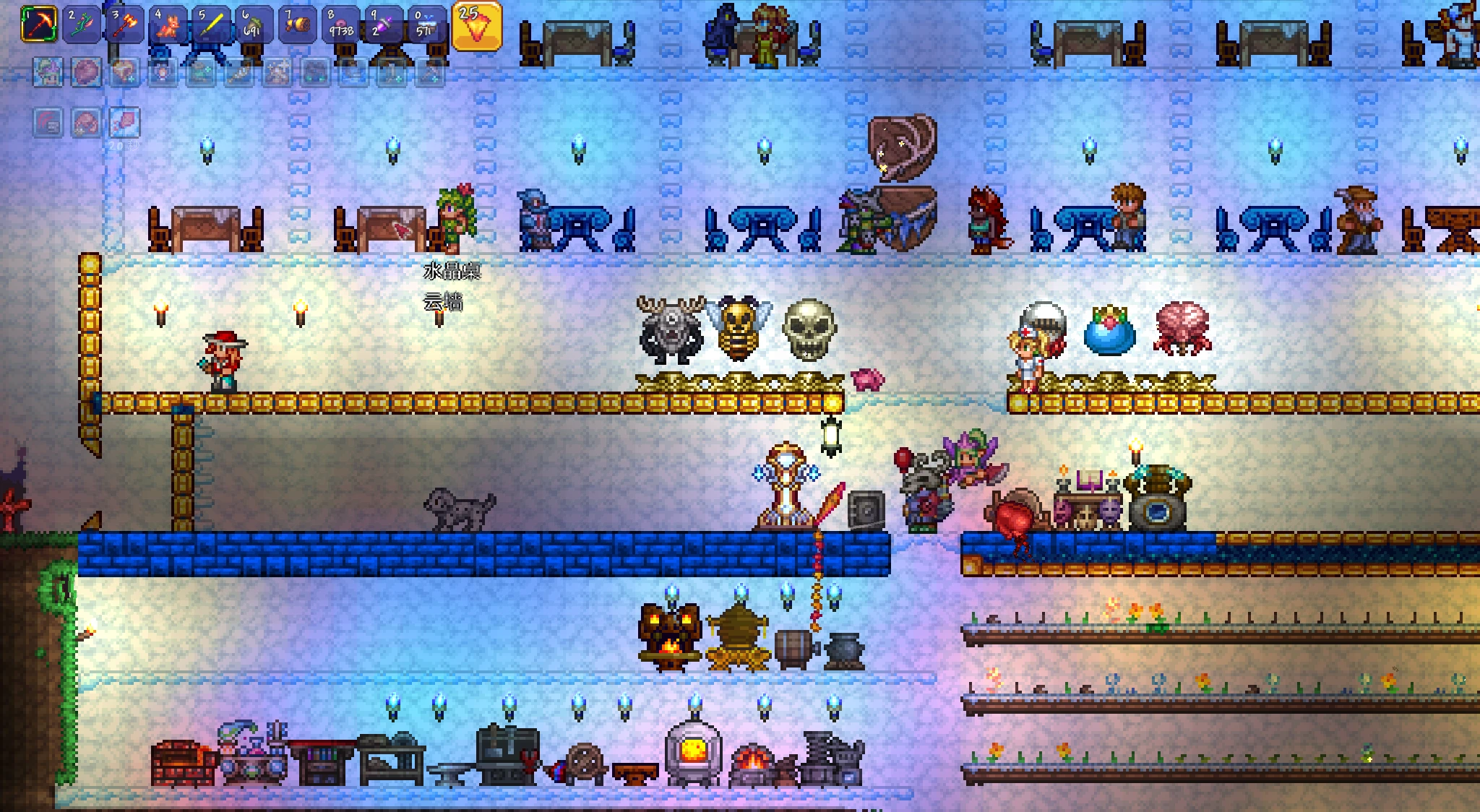
鼠标悬停即显示目标名称:掉落物(带品质颜色/前缀/数量)、方块家具建筑、花草树木、墙壁,同格多个逐行列出。字体描边同原版,不重复原版提示,支持世界缩放与全屏。Hover tooltips for dropped items (rarity color, prefix, stack), blocks, furniture, trees, plants and walls. Vanilla font, no duplicate vanilla text, works with world zoom and fullscreen.
 查看大图
悬停提示 / HoverInfo
鼠标指到哪里,就能看到那是什么。
功能
- 掉落物:名称 + 品质颜色(与原版一致),可选显示前缀与堆叠数量,例如「泥土块 ×15」
- 方块 / 家具 / 建筑:例如「木平台」「工作台」「冰箱」
- 花草树木:普通树、松树、樱花树、柳树、棕榈树、灰烬树、宝石树、树叶、树根等都能识别
- 墙壁:例如「云墙」
- 同一格有多个东西:一行一条往下排列(最多行数可设置)
- 原版优先:原版已经在显示的内容(生物名、物品提示等)不会重复显示
外观 文字使用原版鼠标提示字体与描边,白字黑边,字号默认与原版一致,看起来就像原版的一部分。
适用环境
- Terraria 1.4.5.8 + TerrariaModder v0.4.1
- 纯客户端 mod,单人 / 多人(客户端)均可
- 支持世界缩放(Zoom)与全屏
安装
- 先装好 TerrariaModder
- 把压缩包里的 HoverInfo 文件夹解压到 TerrariaModder/mods/
- 用 TerrariaInjector.exe 启动游戏
操作
- F7:开关提示
- F6:mod 管理器(字号、偏移、显示类别、血量 / 数量 / 前缀、背景板等)
- Alt + 方向键:微调提示位置;Alt + 0:归零
已知限制
- 图块与墙壁的名字来自对应物品名(游戏没有现成的图块名接口),没有对应物品的图块使用内置名称
- 首次悬停图块时会扫描一遍物品表建立索引,可能出现一瞬间的卡顿
English HoverInfo shows the name of whatever your cursor is pointing at.
- Dropped items with vanilla rarity color, optional prefix and stack count
- Blocks, furniture, trees, plants and walls
- Multiple objects in the same tile are listed one per line
- No duplicates: when vanilla already shows a tooltip (creature names, item tips), this mod stays quiet
Requirements: Terraria 1.4.5.8 + TerrariaModder v0.4.1, client-side only, works with world zoom and fullscreen.
Install: extract the HoverInfo folder into TerrariaModder/mods/ and launch the game with TerrariaInjector.exe.
Controls: F7 toggle, F6 settings, Alt + Arrows nudge the tooltip, Alt + 0 resets.
AI notice: code and description written with AI assistance.
正在加载版本记录…
正在加载评论…
评论在新手盒子客户端中发表,这里同步展示。