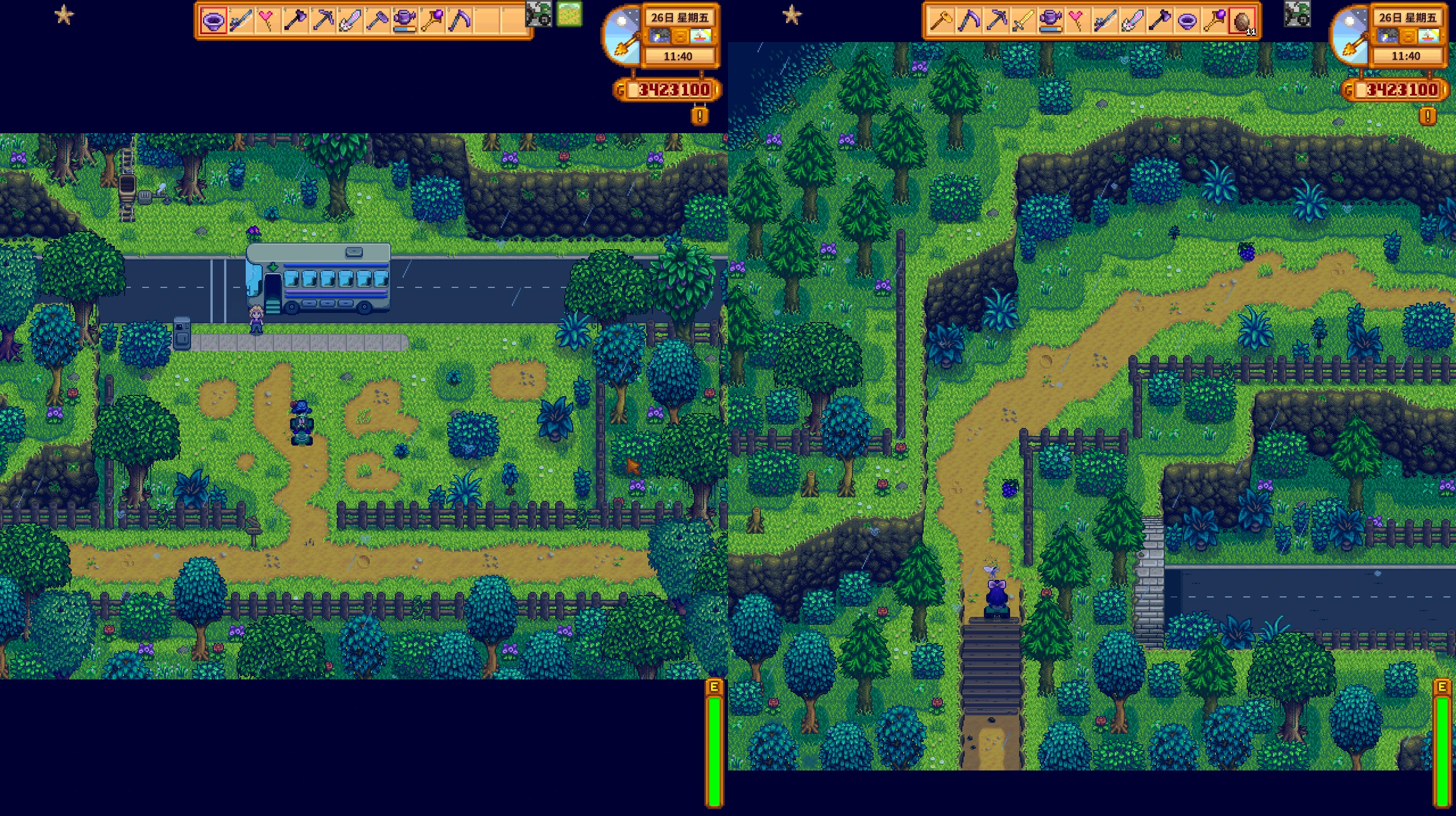
拖拉机模组分屏补丁
功能说明 按一次召唤键即可让每位本地分屏玩家获得自己的拖拉机 已经骑乘的玩家绝不会被强制下车或夺走拖拉机 即使另一名玩家打开了菜单,召唤依然有效
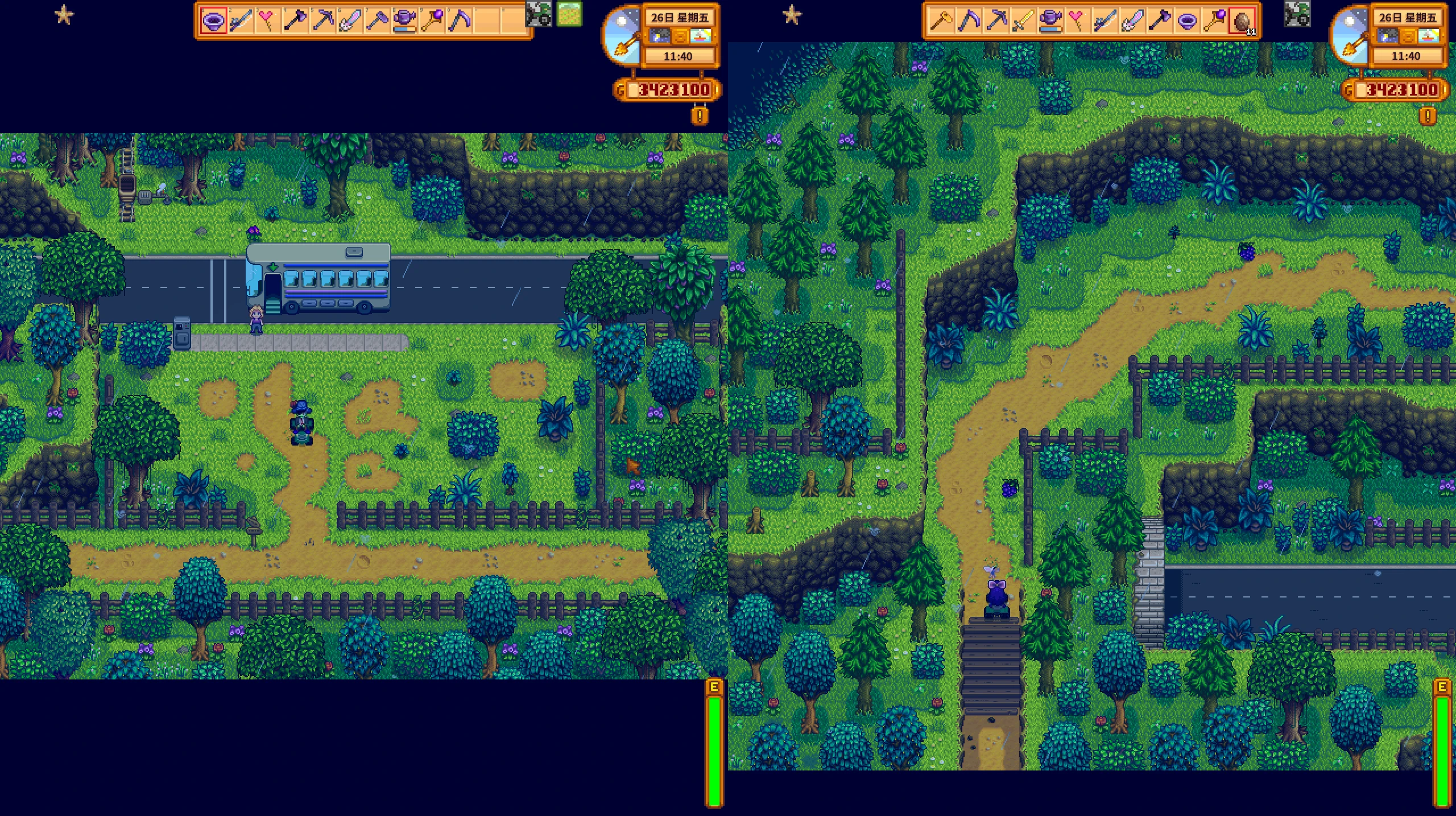 查看大图
查看大图拖拉机模组分屏同步——使用指南
它的作用
- 按下召唤键,每个本地分屏玩家都能拥有自己的拖拉机。
- 已经骑上拖拉机的玩家永远不会被赶下车或被抢走拖拉机。
- 即使其他玩家打开了菜单,召唤功能仍然有效。
要求
- 同一台电脑上的本地分屏合作游戏
- 这些模组已安装并启用
J:\Stardew Valley\Mods\:TractorMod(原版拖拉机模组)TractorModMultiplayerSync(此补丁已部署)
- 每位玩家拥有一个拖拉机车库:每位玩家向罗宾订购自己的车库(约15万金币+材料)。拖拉机数量等于车库数量,因此每位骑手都需要建造一个车库。
如何使用
- 启动游戏并加载您的分屏存档
- 按下键盘上的召唤键(默认是 退格键,或者 Tractor Mod 配置的任何按键)
- 所有未驾驶拖拉机的玩家都会被传送到自己身边——只需骑上去即可。
- 骑行时按下召唤键没有 任何作用 ——你仍然会待在你的拖拉机上。
行为详情
- 首次召唤时,每位玩家都会被匹配到最近的未分配拖拉机;匹配结果会保存在存档文件中,因此之后你将一直使用同一辆拖拉机。
- 使用原版下车方式(右键/动作键)下车;拖拉机会停留在你离开的地方。此补丁阻止了原版“召唤键会让你下车并将拖拉机送回家”的功能,因此误触不会导致你从拖拉机上掉下来。
- 夜间拖拉机清理遵循原模组的规则(仅保留与车库关联的拖拉机);过期的绑定将被清除并自动重新分配。
故障排除
| 症状 | 原因/解决方法 |
|---|---|
日志显示 no free tractor,有人什么也得不到。 |
车库数量不足——每个玩家建造一个车库,然后再次按下召唤键。 |
| 按键后没有任何反应 | 检查 SMAPI 控制台 Summon key pressed,如果按键不存在,则无法识别——请在 Tractor Mod 的设置中检查按键绑定。 |
| 有人下马了 | 请确保您运行的是最新补丁(自动卸载功能已被禁用);请仅通过默认方式卸载。 |
| 拖拉机消失了,无法召唤。 | 再次按下召唤键——该模组会清除无效绑定并重新分配;如果问题仍然存在,请检查车库是否被拆除。 |
检查日志
在 SMAPI 控制台中搜索 TractorModMultiplayerSync。一个正常的召唤看起来像这样:
Summon key pressed ...
Players: 2, tractors in world: 2
xxx: assigned tractor ..., teleporting.
卸载
删除 J:\Stardew Valley\Mods\TractorModMultiplayerSync\ 文件夹以恢复原始行为。
拖拉机模组分屏连接件使用说明
Tractor Mod Split-Screen Sync — Usage Guide
What it does
- One press of the summon key gives every local split-screen player their own tractor
- Players already riding are never dismounted or robbed of their tractor
- Summoning works even while another player has a menu open
Requirements
- Local split-screen co-op on the same PC
- These mods installed and enabled under
J:\Stardew Valley\Mods\:TractorMod(the original tractor mod)TractorModMultiplayerSync(this patch, already deployed)
- One tractor garage per player:each player orders their own garage from Robin (~150k gold + materials). Number of tractors = number of garages, so build one per rider.
How to use
- Launch the game and load your split-screen save
- Press the summon key on the keyboard (default Backspace, or whatever Tractor Mod is configured to)
- Every player who isn't riding gets their own tractor teleported next to them — just mount it
- Pressing summon while riding does nothing — you stay on your tractor
Behavior details
- On first summon, each player is matched to the nearest unassigned tractor; the binding is saved in the save file, so you keep the same tractor afterwards
- Dismount with the vanilla dismount (right-click / action button); the tractor stays where you left it. The patch blocks the original "summon key dismounts you and sends the tractor home" behavior, so accidental presses can't knock you off
- Overnight tractor cleanup follows the original mod's rules (only garage-linked tractors persist); stale bindings are cleared and reassigned automatically
Troubleshooting
| Symptom | Cause / fix |
|---|---|
Log says no free tractor, someone gets nothing |
Not enough garages — build one garage per player, then press summon again |
| Nothing happens on keypress | Check the SMAPI console for Summon key pressed; if absent, the key isn't recognized — verify the keybind in Tractor Mod's settings |
| Someone gets dismounted | Make sure you're running the latest patch (auto-dismount is blocked); dismount only via the vanilla method |
| Tractor vanished and can't be summoned | Press summon again — the mod clears dead bindings and reassigns; if it persists, check whether a garage was demolished |
Checking the logs
Search the SMAPI console for TractorModMultiplayerSync. A healthy summon looks like:
Summon key pressed ...
Players: 2, tractors in world: 2
xxx: assigned tractor ..., teleporting.
Uninstall
Delete the J:\Stardew Valley\Mods\TractorModMultiplayerSync\ folder to restore vanilla behavior.
如果各位有模组的创意或者想要的功能可以告诉我,如果我觉得有意思可以帮忙制作
If you have any creative ideas or desired functions for modules, feel free to share them with me. If I find them interesting, I can help develop them
正在加载版本记录…
正在加载评论…
评论在新手盒子客户端中发表,这里同步展示。