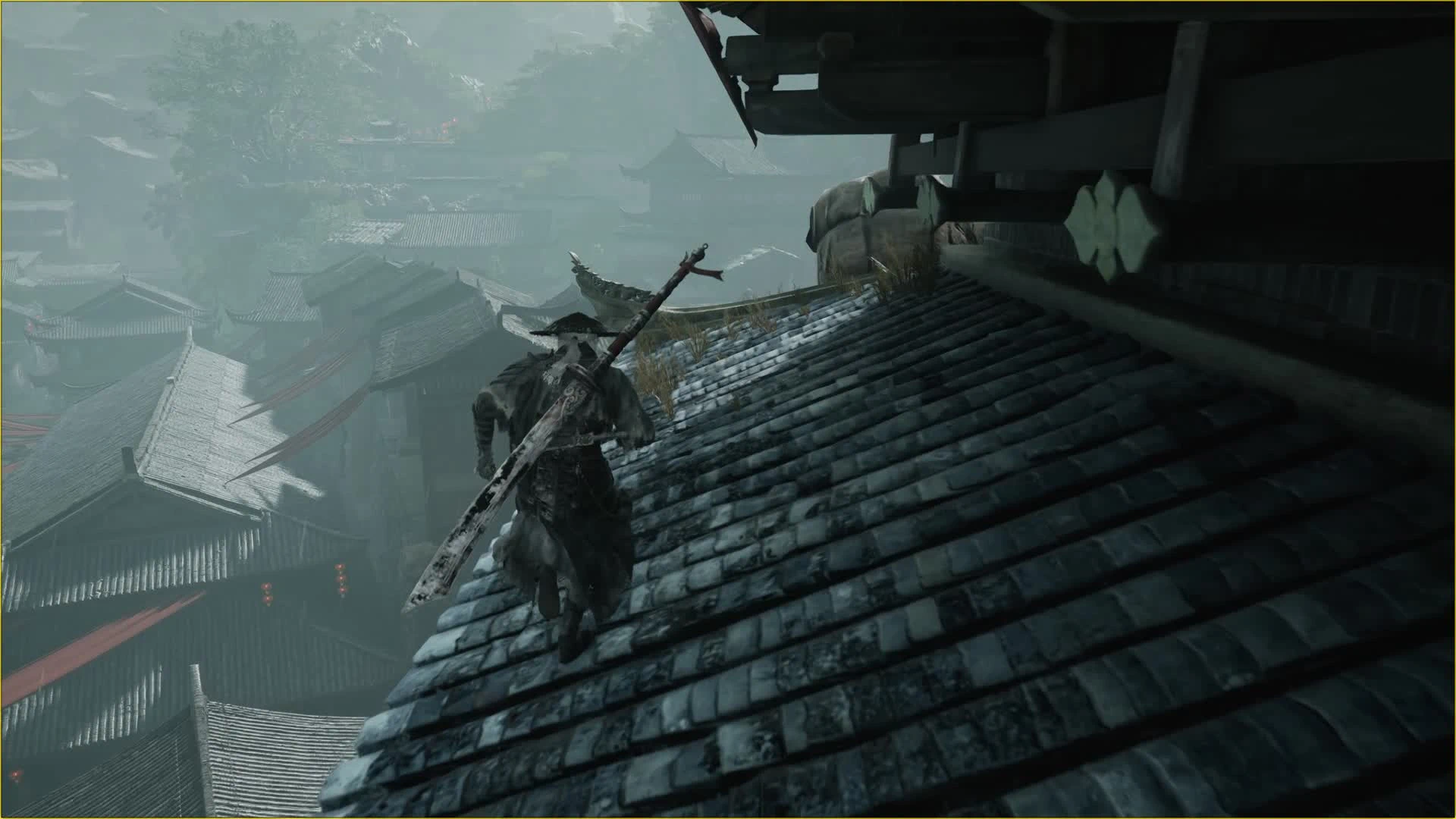
自由跑酷 - 蹬墙跳与攀墙
自由跑酷测试版:短按翻身、长按连蹬,F6-F9 控制。需 UE4SS,越界易掉图。 / Experimental wall kick/climb and barrier tools. Requires UE4SS.
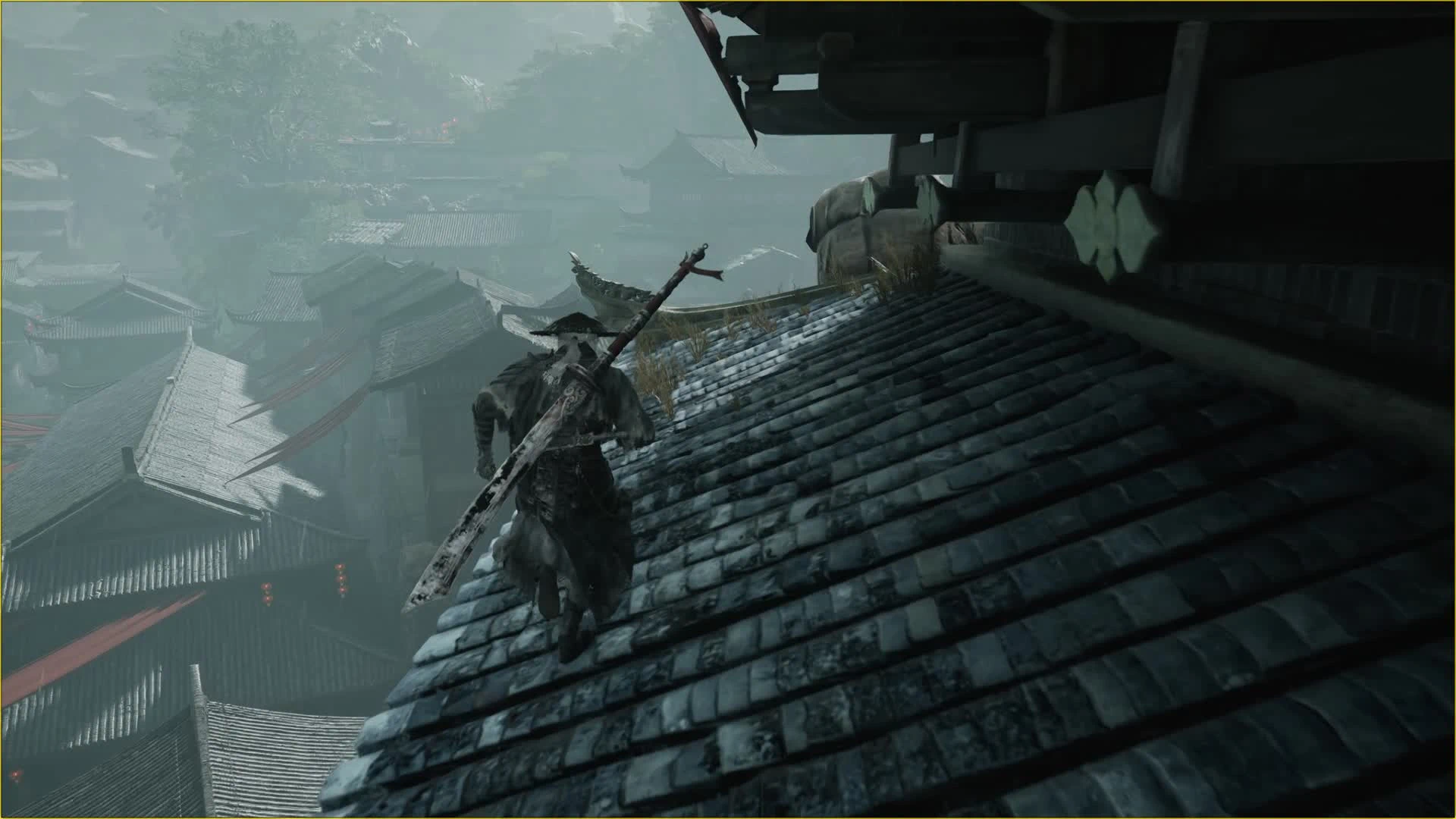 查看大图
默认快捷键(四个开关均可改键)
F6:显示/隐藏附近已识别的即死区域线框。
F7:禁用/恢复附近已识别的即死区域。分批处理,有延迟,请等处理完成。
F8:开启/关闭自由跑酷。
F9:开启/关闭去空气墙效果,再按恢复本模组修改的阻挡。
F7、F8、F9 开启时播放铃铛声,关闭/恢复完成时播放卖出物品声;F6 没有开关音效。
四个功能相互独立,每次启动游戏均默认关闭。动作输入目前固定使用空格。
娱乐与探索向测试版
版本:0.1.0-beta-perf1(性能优化候选版)。
本模组不能提供完善的全地图自由探索体验。游戏边界外有不少看得见场景模型、实际却缺少有效碰撞的位置,越界后极易穿进地形、卡住、掉出地图或影响任务流程。它不会补齐场景碰撞,关闭附近即死区域也不等于无敌。请先备份存档,在有可靠实体地面的位置尝试;恢复空气墙或即死区域前,先回到安全地面。
如果要进一步实现完整的自由活动,还需要社区共同定位和修补场景碰撞。Lua 源码完整随安装包公开,欢迎研究、改进和反馈具体地点与录像。
两种跑酷动作
先按 F8 开启跑酷,朝有实际碰撞的墙壁跳跃,再按第二次空格:
• 短按:尝试蹬墙翻身/单蹬上翻。
• 持续按住:尝试连续向上蹬墙,松开后请求收尾。
短按与长按的分界约为 0.18 秒。第二下支持一定程度的预输入:可以在碰墙之前提前按,接触后再触发;侧向接触也有一定容错。不是任意朝向或任意表面都能启动,画面上的贴图不代表存在可供检测的碰撞。
两种动作复用游戏原版动画。连蹬使用原版特殊蹬柱动作流程,在墙顶或凸起处结合墙顶高度、支撑、落点与路径检测,尝试衔接原版收尾或手撑翻越。小腿前方有只用于查询、不阻挡角色的虚拟探测范围,帮助判断前方支撑与障碍。
这部分仍在调试:有些房檐可以翻过,有些会失败或落回,少数位置仍可能异常上升/飞天。不是碰到凸起就一定翻越。单次连蹬有约 10 秒保护时限,动作结束并落稳后建议等约 4 秒再试。原版交互或其他特殊动作执行时可能拒绝启动。
F6/F7:附近即死区域
只针对目前能明确识别的 GE_Kill 类型区域,范围约为角色附近 30 米,按区域边界距离选择。
• F6 显示碰撞线框,约每 5 秒刷新。红色表示对角色的碰撞响应仍存在;绿色表示响应忽略或碰撞关闭。不是所有模型的碰撞显示。
• F7 启用后分批处理并定期重扫,可能需要数秒或更久。请在正常地面站稳,离区域边界约 3 米以上再切换;移动、浮空或过于靠近时可能延后或拒绝操作。
• 离开范围不会自动恢复已禁用区域。再次按 F7 请求恢复,并在安全地面等待。
• 不会取消所有死亡机制、KillZ、坠落伤害或其他伤害来源。
F9:实际支持的空气墙
仅修改以下已加载目标对 Pawn 通道的响应,不删除物体,也不关闭所有模型碰撞:
1. BP_SplineWall_C 的 DynamicMeshComponent。
2. 持久关卡中的 StaticMeshActor:使用 /Engine/BasicShapes/Cube.Cube,Actor 或组件在游戏中隐藏,且碰撞配置为 Profile_LA_InvisibleWall。
引擎可能将修改后的配置显示为 Custom;只有本次会话已验证且对象身份仍匹配的上述立方体,才会继续处理,不会扩展到任意 Custom 模型。
F9 约每 3 秒启动检查,并分批处理流式加载的目标,不限于附近 30 米。再次按键会分批恢复本模组记录的 Pawn 响应。其他隐藏形状、未识别阻挡和模型自带碰撞可能仍然存在。
安装
1. 完全退出游戏并备份存档,先单独安装适配游戏的 UE4SS for Phantom Blade Zero。
2. 将 ZIP 内的 Mods 文件夹合并到游戏的 platform\steam\ue4ss 文件夹,最终应为:
platform\steam\ue4ss\Mods\PBZFreeParkour\Scripts\main.lua
platform\steam\ue4ss\Mods\PBZNearbyKillToggle\Scripts\main.lua
platform\steam\ue4ss\Mods\PBZNoSplineWall\Scripts\main.lua
三个模块均自带 enabled.txt,可按需分别安装。不要多套一层 Mods,也不要覆盖自己的 mods.txt。
3. 停用旧开发模块和同功能副本。已有独立 PBZNoSplineWall 的,先备份,再替换同名模块;不要同时运行两份。已有 mods.txt 如禁用了同名模块,也需相应调整。
改键与卸载
编辑对应模块 Scripts\keybindings.lua,例如:
return { toggle = 'F10' }
F6/F7 共用 PBZNearbyKillToggle 的配置,例如:
return { toggle = 'F7', display = 'F6' }
支持 F1-F12 单键,四个功能请选择不同键,保存后完整重启游戏。动作输入仍使用空格,自定义跳跃键、手柄和组合键尚未适配。
卸载前请回安全地面,关闭跑酷并等动作结束,恢复 F7/F9 修改后退出游戏,再移走不需要的模块。恢复状态不明确时,正常退出并重启游戏,从安全存档进入。
验证范围与已知限制
本包与当前性能候选脚本一致,压缩包、文件清单及哈希检查通过。此前独立安装中的短按/长按动作和开关音效已获玩家确认,F6 显示切换及 F7 颜色变化也有玩家反馈。
这次性能优化主要验证了同一存档点的静止开关和组合帧时间;不能据此保证运动中、复杂场景或全游戏无卡顿。性能版的 F7 真实区域写入、F6 大量线框,以及长时间跑图、死亡/读档/换图、自定义键位等仍未完成全部复测。详细数据和限制随包见 PERFORMANCE.txt。少数地点异常上升仍未彻底解决。
横向跑墙暂时撤出初版:适用场地较少,且曾出现退出后浮空/飞天问题。空中抓锁链互动也未开放。
后续计划(尚未实装)
继续优化连续蹬墙、复杂凸起、落点和动作衔接;探索蹬墙升空后接锁敌跳斩/对普通敌人的空中处决;与社区一起尝试修补场景碰撞。这些是探索方向,不是完成时间承诺。
致谢与 AI 辅助说明
UE4SS 由 UE4SS-RE 团队及贡献者开发,游戏适配包由 KintaroModding 发布。本模组在玩家指导与实机反馈下使用生成式 AI 辅助编写代码和说明。包内不含 UE4SS、DLL 或游戏动画资产。
----------------------------------------
English
Default hotkeys (all four toggles can be rebound)
F6: Show/hide wireframes for identified nearby instant-death zones.
F7: Disable/restore identified nearby instant-death zones. Processing is batched and delayed; wait for completion.
F8: Toggle free parkour.
F9: Toggle removal of supported invisible barriers; press again to restore changes made by this mod.
Enabling F7/F8/F9 plays a bell; disabling/restoration completion plays the item-selling sound. F6 has no toggle sound.
All four features are independent and off whenever the game starts. Movement input currently requires Space.
Experimental exploration mod
Version: 0.1.0-beta-perf1 (performance candidate).
This mod does not provide complete or reliable free exploration of the entire game. Many visible surfaces outside the intended playable boundaries lack usable collision. Going out of bounds can cause clipping, getting stuck, falling out of the map, or quest problems. This mod does not add missing scene collision, and disabling nearby kill zones does not grant invincibility. Back up your saves and experiment where reliable solid ground exists. Return to safe ground before restoring barriers or death zones.
More complete free exploration would require community work to locate and repair scene collision. All Lua source files are included in the download for study and further development. Reports with exact locations and recordings are welcome.
Two parkour moves
Enable F8, jump toward a wall with actual collision, and press Space a second time:
• Tap the second press: attempt a single wall kick/upward flip.
• Hold the second press: attempt continuous upward wall running; releasing requests an exit.
The tap/hold threshold is approximately 0.18 seconds. Some input buffering allows the second press before wall contact, and there is limited tolerance for side contact. This does not work at every angle or on every visible surface.
Both moves reuse original game animations. Continuous climbing uses the native special pillar-running sequence. Wall-top, support, landing and path checks attempt to connect it to the native ending or hand-supported vault over an edge or protrusion. A non-blocking query region in front of the lower legs assists support and obstacle detection.
This remains experimental. Some eaves work, others fail or drop the character back down, and occasional excessive upward movement/launching remains. A protrusion does not guarantee a vault. Continuous climbing has an approximately 10-second guard limit; allow roughly four seconds after finishing and landing before retrying. Native interactions and other special moves may prevent activation.
F6/F7: nearby kill zones
These features only target currently identifiable zones explicitly using GE_Kill, selected within approximately 30 metres by distance to zone boundaries.
• F6 refreshes wireframes approximately every five seconds. Red indicates a Pawn collision response remains; green indicates it is ignored or collision is disabled. This is not a display of all environment collision.
• F7 processes targets in batches and periodically rescans. Changes can take seconds or longer. Stand still on normal ground, roughly three metres or more away from zone boundaries. Movement, being airborne or being too close can defer or reject changes.
• Leaving the radius does not automatically restore disabled zones. Press F7 again and wait on safe ground.
• Other death mechanisms, KillZ, fall damage and other damage sources are not universally disabled.
F9: supported invisible barriers
Only the Pawn-channel response of these loaded targets is changed:
1. DynamicMeshComponent belonging to BP_SplineWall_C.
2. StaticMeshActor in the persistent level, using /Engine/BasicShapes/Cube.Cube, hidden in game at actor or component level, with Profile_LA_InvisibleWall collision.
The engine may rename a modified profile to Custom. Only cubes already verified in this session, with matching object identity, remain eligible; arbitrary Custom meshes are not included.
The mod starts checks approximately every three seconds and processes streamed targets in batches. This feature is not limited to the nearby 30-metre radius. Pressing F9 again restores the Pawn responses recorded by this mod. It does not delete objects, disable every collision channel or remove every kind of invisible barrier.
Installation
1. Exit the game completely, back up saves, and separately install UE4SS for Phantom Blade Zero.
2. Merge the archive's Mods folder into platform\steam\ue4ss. The resulting paths must include:
platform\steam\ue4ss\Mods\PBZFreeParkour\Scripts\main.lua
platform\steam\ue4ss\Mods\PBZNearbyKillToggle\Scripts\main.lua
platform\steam\ue4ss\Mods\PBZNoSplineWall\Scripts\main.lua
Each module includes enabled.txt and can be installed separately. Do not add an extra Mods directory level or overwrite your own mods.txt.
3. Disable old development modules and duplicate functionality. If the standalone PBZNoSplineWall is installed, back it up and replace the same module rather than running two copies. Check whether your existing mods.txt disables any of these modules.
Rebinding and uninstalling
Edit Scripts\keybindings.lua in the relevant module, for example:
return { toggle = 'F10' }
F6/F7 share PBZNearbyKillToggle's configuration:
return { toggle = 'F7', display = 'F6' }
Supported toggle bindings are individual F1-F12 keys. Use different keys, avoid conflicts and restart the game completely. Movement currently requires Space; custom jump bindings, controllers and modifier combinations are not adapted.
Before uninstalling, return to safe ground, disable parkour and let actions finish, restore F7/F9 changes, then exit and remove the unwanted modules. If restoration is uncertain, exit normally and restart from a safe save.
Validation and known limitations
The archive matches the current performance candidate; archive integrity, manifest and hashes have been checked. Earlier independent-install tap/hold movement and sound behaviour were confirmed by the player, with feedback also covering F6 display switching and F7 colour changes.
This performance revision was primarily checked with stationary toggles and combinations at one save location. That does not establish smooth performance during movement, in complex scenes or throughout the game. Actual F7 zone writes and dense F6 wireframes in this revision, long sessions, death/reload/map changes and custom bindings have not all been retested. See the included PERFORMANCE.txt for evidence and limits. Occasional upward launches remain unresolved.
Horizontal wall running is excluded from this initial release because suitable locations were limited and exit-related floating/launching bugs occurred. Airborne chain interaction is also excluded.
Future exploration (not implemented)
Improve continuous wall running, protrusions, landings and transitions; investigate lock-on plunging attacks/aerial executions against normal enemies after climbing; and work with the community on scene collision. These are directions, not delivery promises.
Credits and AI disclosure
UE4SS is developed by the UE4SS-RE team and contributors; the game-specific package is published by KintaroModding. Mod code and documentation were created with generative AI assistance under player direction and gameplay feedback. No UE4SS binaries, DLLs or game animation assets are included.
正在加载版本记录…
正在加载评论…
评论在新手盒子客户端中发表,这里同步展示。