沉浸模式
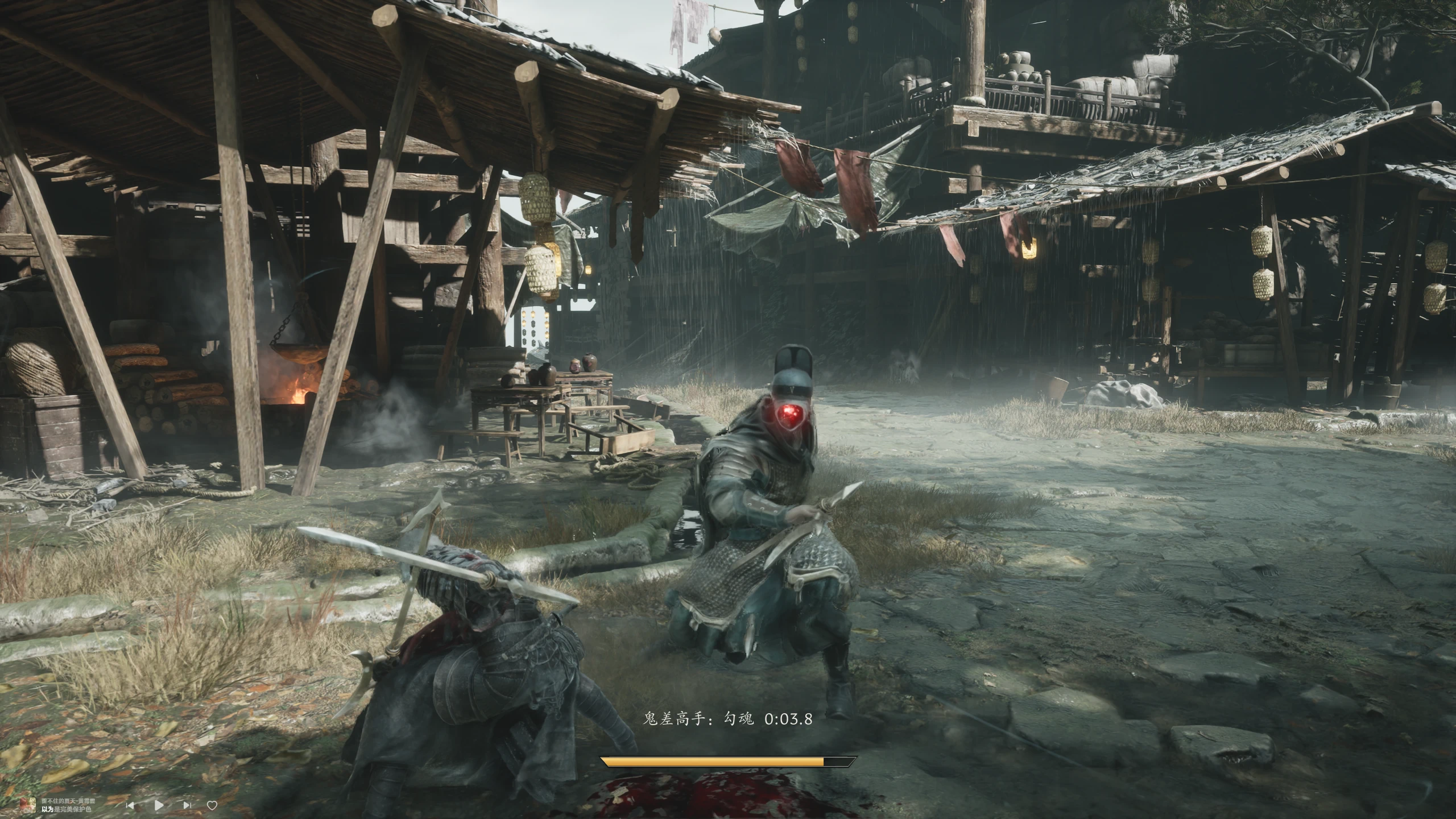
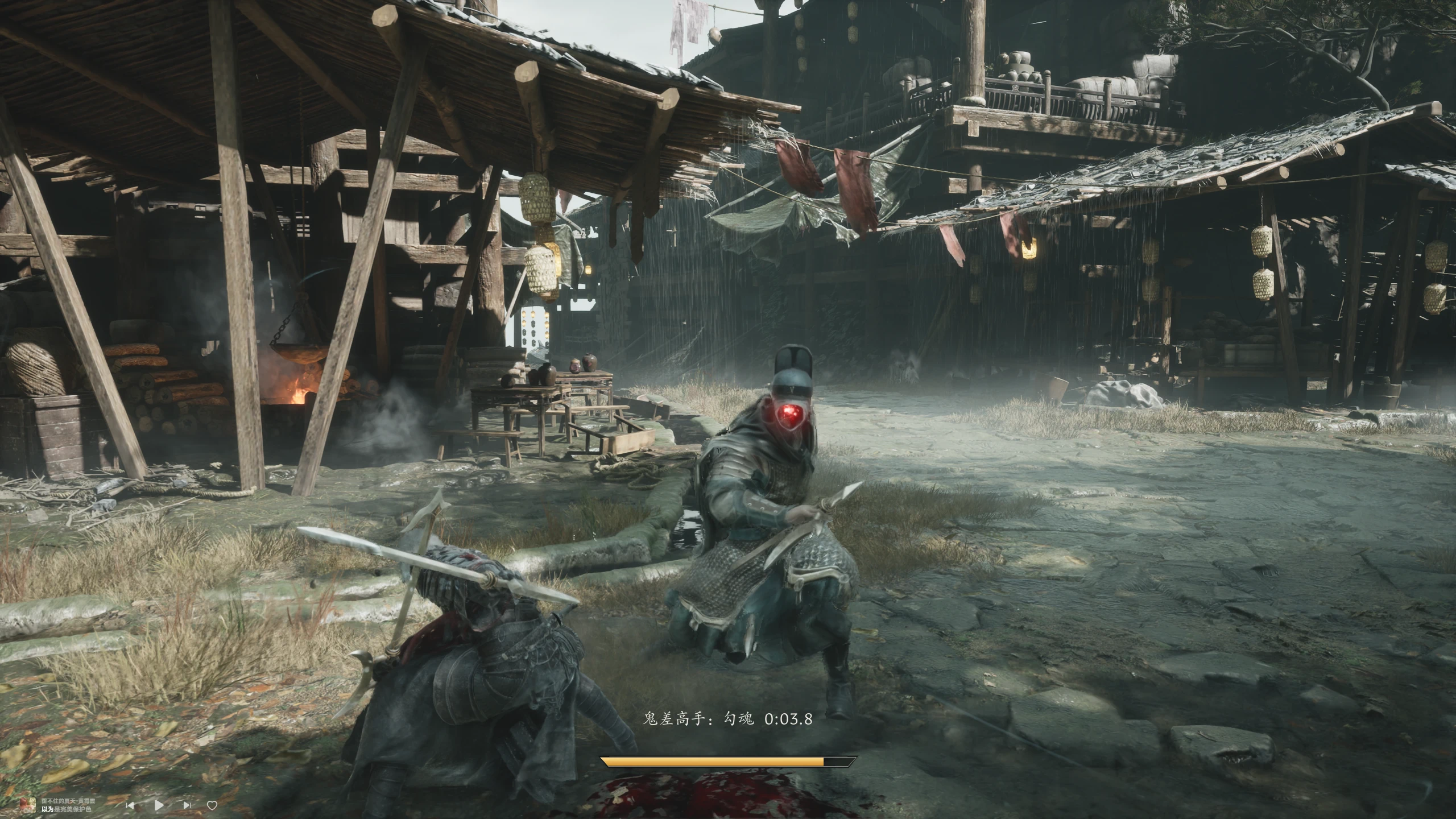
Hides the whole HUD with one key and keeps only a centred shaqi gauge during combat. Visual only - no stat or gameplay changes. 一键隐藏全部 HUD,战斗中仅在屏幕底部居中显示杀气条。
 查看大图
沉浸模式 · Immersive Mode
中文说明
按一下 F6,整个 HUD 消失——BOSS 血条、敌人血条、伤害数字、快捷栏、任务图标、提示、武器栏全部隐去,只在屏幕底部中间保留一条自绘的杀气条,让画面回到纯粹的武侠演出。再按一下 F6,HUD 原样恢复。
- 杀气条只在战斗时出现(附近有活着的敌人),脱战自动消失
- 只在游戏窗口处于前台时显示,切到桌面立即隐藏
- 杀气数值实时跟随角色属性,20Hz 采样 + 60fps 缓动,跟手不跳格
- 梯形金属底板 + 琥珀渐变填充,形状与游戏原版一致,满值不溢出边框
- 纯显示层改动:不改数值、不影响战斗逻辑、不写存档
安装
- 先安装 UE4SS for Phantom Blade Zero(本 MOD 不包含)
- 把压缩包里的 PBZHideHud 文件夹整个放进 PBZ\platform\steam\ue4ss\Mods\
- 启动游戏、进入存档,按 F6 即可
配置(Scripts/config.lua,改完约 1~2 秒生效)
immersive_hotkey = "F6"            -- 快捷键
immersive_combat_only = true       -- 只在战斗中显示
immersive_combat_radius = 1800     -- 战斗判定半径
immersive_bar_width = 460          -- 杀气条宽度
immersive_bar_height = 26          -- 杀气条高度
immersive_bar_slant = 16           -- 两端内收(梯形斜度)
English
Tap F6 and the whole HUD disappears - boss bar, enemy bars, damage numbers, quick slots, quest icons and the weapon widget - leaving only a hand-drawn shaqi gauge centred at the bottom of the screen. Tap F6 again and everything comes back.
- The gauge only appears in combat (a living enemy nearby) and disappears when the fight ends
- It only shows while the game window is focused; switching to the desktop hides it instantly
- The value follows the character's shaqi attribute live: 20 Hz sampling with 60 fps easing
- Trapezoid metal plate with an amber gradient, matching the game's own gauge; a full bar never spills over the border
- Visual only: no stat changes, no gameplay effects, no save edits
Installation
- Install UE4SS for Phantom Blade Zero first (not included)
- Drop the PBZHideHud folder into PBZ\platform\steam\ue4ss\Mods\
- Start the game, load a save, press F6
Requirements UE4SS for Phantom Blade Zero (community build with the PBZ signatures).
Notes
- Everything is visual: hidden widgets are simply collapsed, gameplay is untouched
- "In combat" is a heuristic (distance + health), so the gauge may show while standing next to an enemy
- The gauge is a separate always-on-top window - use borderless windowed mode rather than exclusive fullscreen
正在加载版本记录…
正在加载评论…
评论在新手盒子客户端中发表,这里同步展示。