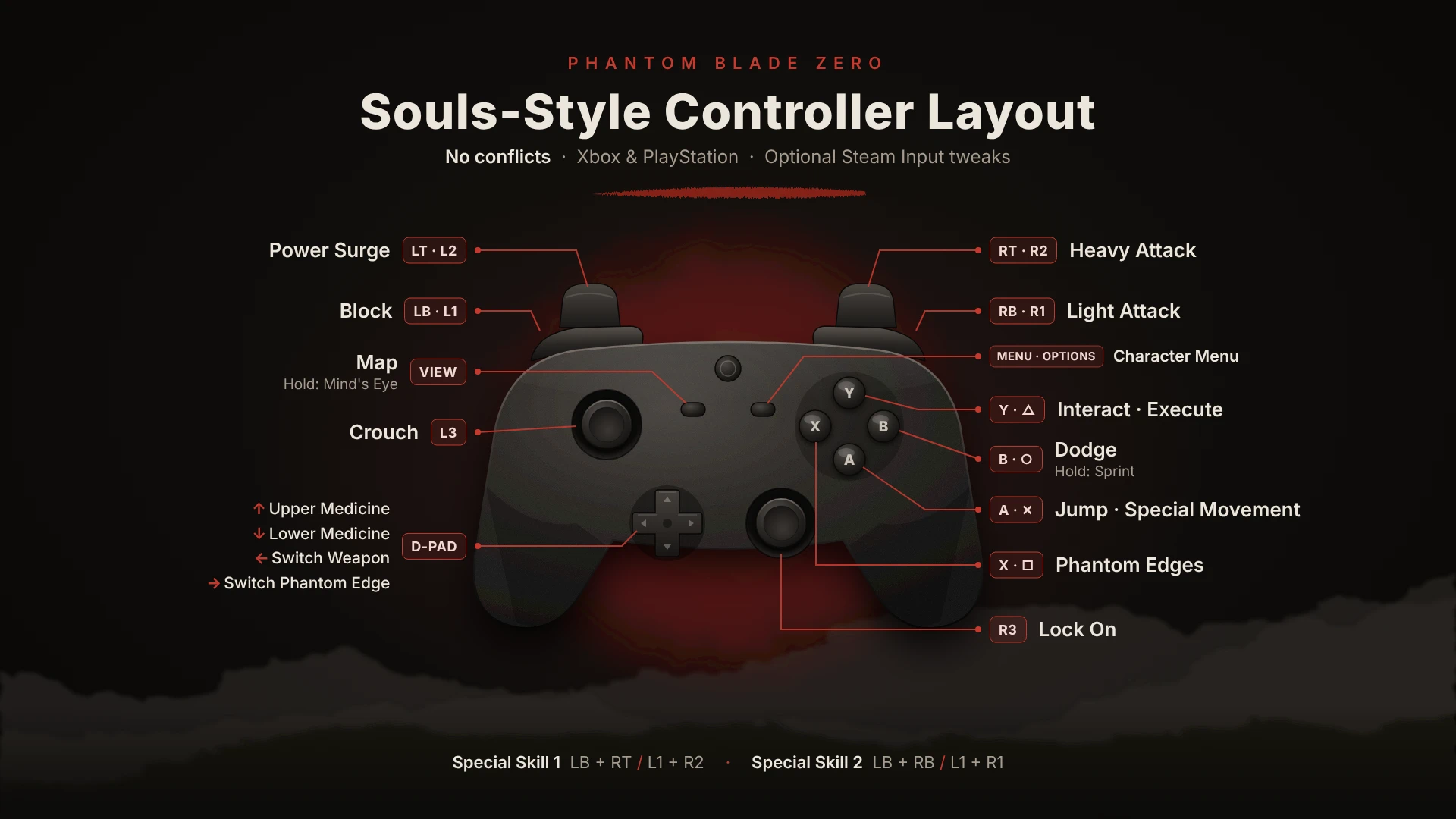
Souls-style controller layout_ Phantom Blade Zero
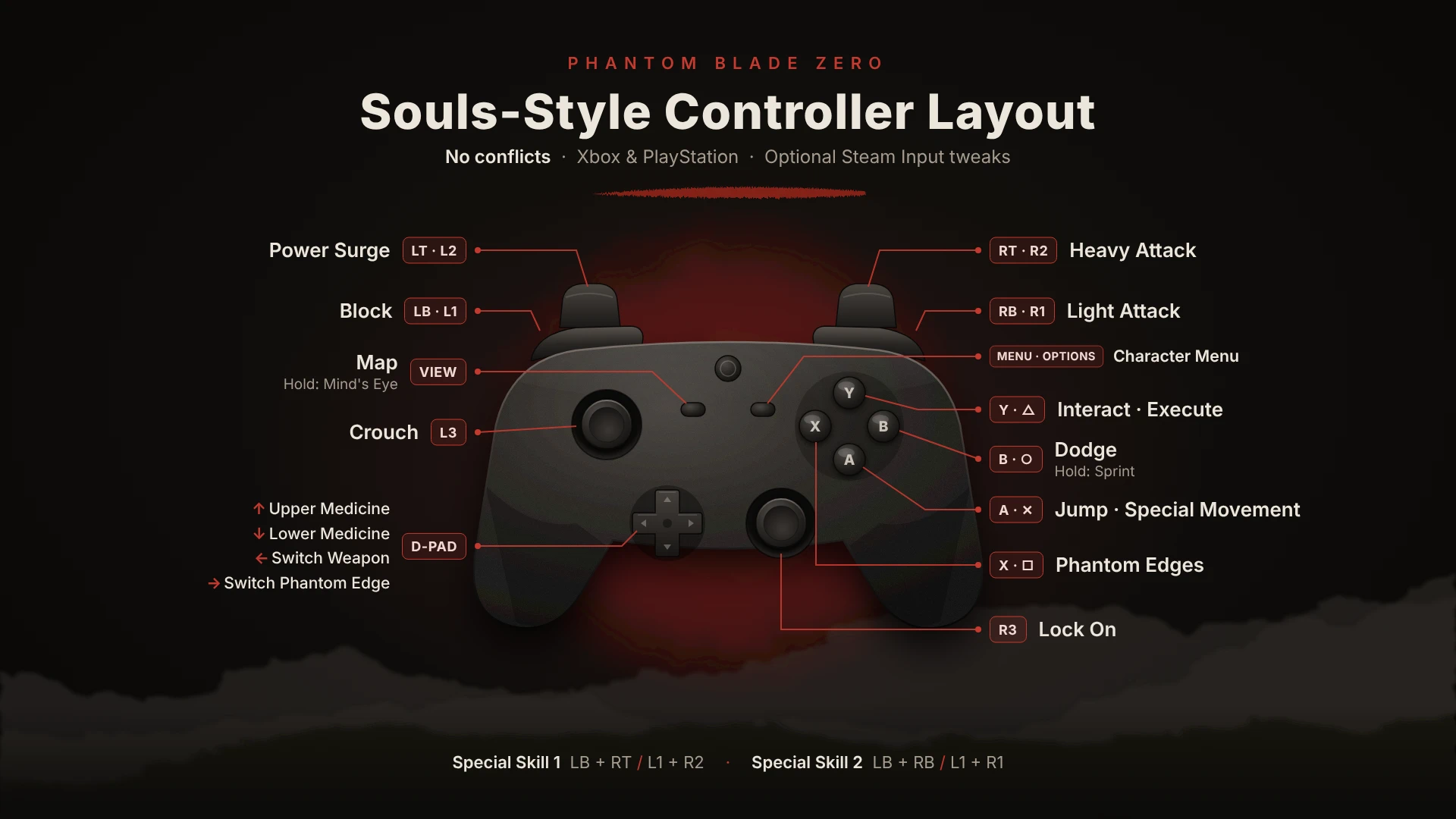
Souls-style controller layout: Light Attack on RB/R1, Heavy Attack on RT/R2, Dodge + Sprint on B/Circle, Interact + Execute on Y/Triangle, Phantom Edges on X/Square. No conflicts in the controls menu. Includes an optional Steam Input guide for sprint and crouch on L3.
 查看大图
[b]Souls-style controller layout. No conflicts.[/b]
[b]Changes:[/b]
[list]
[]Light Attack: [b]RB / R1[/b][/]
[]Heavy Attack: [b]RT / R2[/b][/]
[]Dodge (tap) + Sprint (hold): [b]B / Circle[/b][/]
[]Interact + Execute: [b]Y / Triangle[/b][/]
[]Phantom Edges: [b]X / Square[/b][/]
[/list]Everything else is default.
[b]Install:[/b] replace [i]EnhancedInputUserSettings.sav[/i] in
[i]steamapps\common\PBZ\ProjectPBZ\Saved\[/i]
[size=4][b]Optional Add-on: Sprint & Crouch on L3 (Steam Input)[/b][/size]
[i]Install the mod first. These steps are an extra on top of it, so skip them if you are happy with the layout above.[/i]
First: Steam Library > right-click the game > [b]Properties > Controller > Enable Steam Input[/b], then open [b]Controller Layout > Joysticks[/b].
[b]1. Sprint on L3 (hold)[/b]
Under [b]Left Joystick[/b], click the [b]Click[/b] button > choose [b]Face Button East (B / Circle)[/b]
Hold L3 to sprint. Dodge stays instant on B / Circle.
[b]2. Sprint as a toggle (optional, needs step 1)[/b]
Gear icon next to it > [b]Settings[/b] > enable [b]Toggle[/b]
Press L3 once to sprint, again to stop.
[b]3. Crouch on double-tap L3 (optional, needs step 1)[/b]
Gear icon > [b]Add extra command[/b] > [b]Left Stick Click (LS / L3)[/b]
Gear icon next to [b]Command 2[/b] > [b]Regular Press > Double Press[/b]
Double-tap L3 to crouch.
正在加载版本记录…
正在加载评论…
评论在新手盒子客户端中发表,这里同步展示。