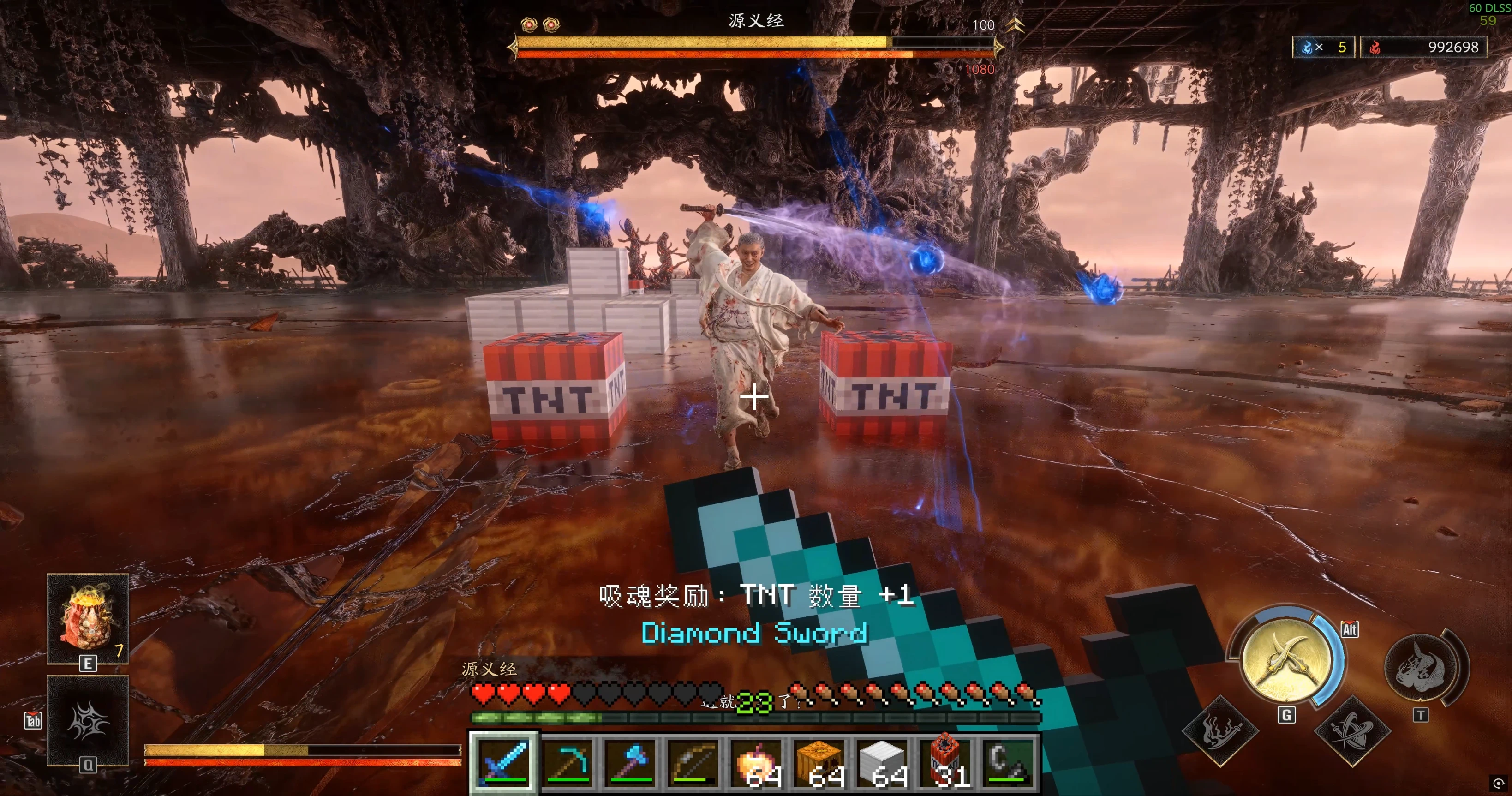
OnimushaMC - 鬼武者中的我的世界
在鬼武者中游玩《我的世界》,享受《我的世界》的操作、战斗、建造、原生光照与碰撞、生物、TNT以及灵魂奖励。
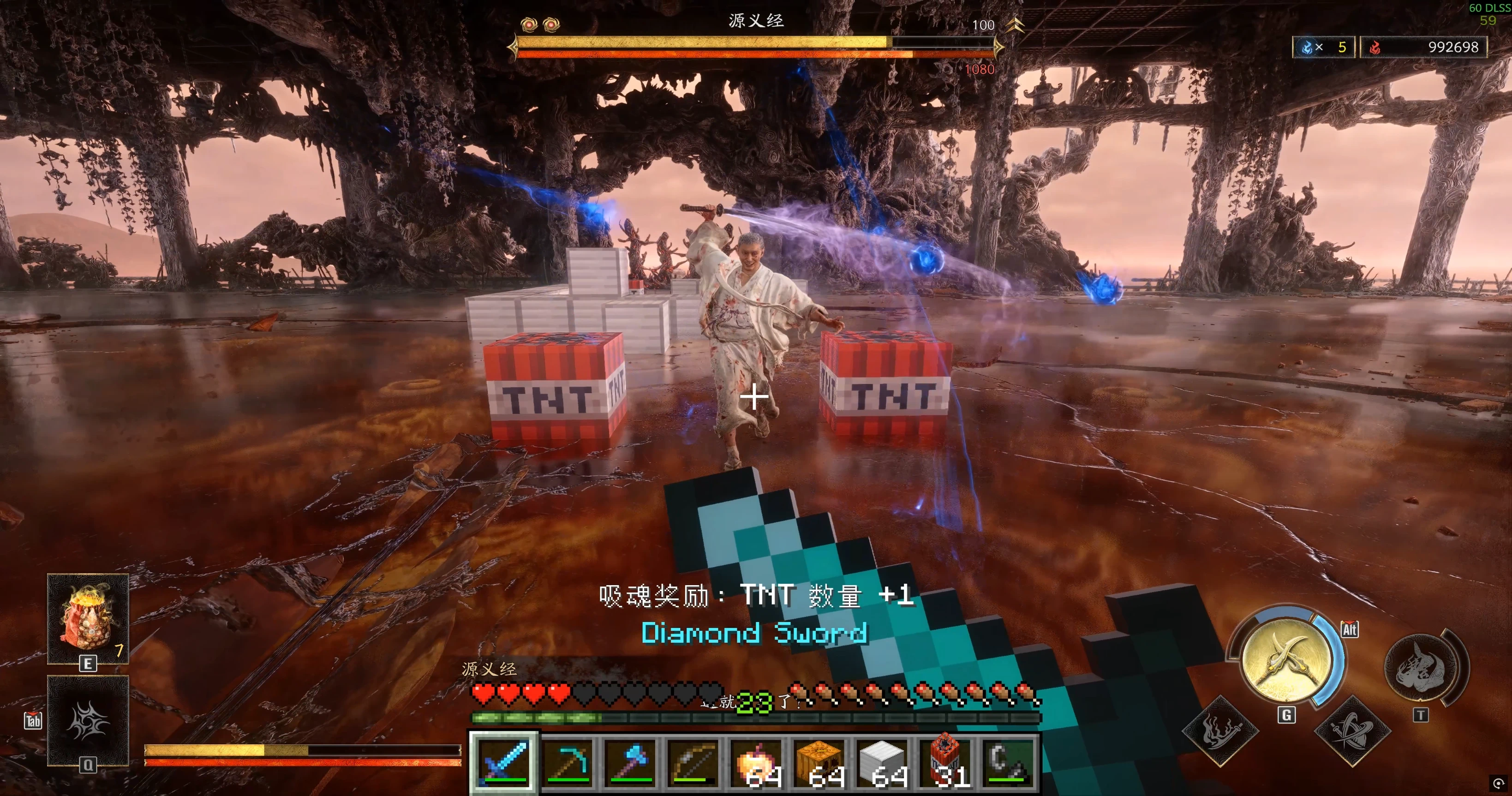 查看大图
查看大图https://github.com/LCPD15/SkyCraft-OnimushaMC
https://www.bilibili.com/video/BV1mrpg6eEK2 MOD demonstration / MOD演示视频(Bilibili)
Nexus downloads / N网下载
Download BOTH Main package (1 of 2 required) and MC instance (2 of 2 required) from Files. They are separate downloads to avoid a nested ZIP. Extract the main package; import the MC instance ZIP directly into Prism Launcher.
请在Files页下载两个必需文件:Main package(主包)和MC instance(MC实例)。主包解压使用,实例ZIP直接导入Prism。旧Complete Windows Package已由这两个文件替代。
OnimushaMC 0.2.0 — Minecraft in Onimusha
MOD制作:LCPD15/LCPD拉灯
Based on SkyCraft by chasmlol.
English
Play Minecraft inside Onimusha: Way of the Sword. This bridge runs a Minecraft client alongside the game and brings Minecraft controls, inventory, combat and building into the native scene. Supported geometry is converted into cached native resources for Onimusha lighting and occlusion; unsupported materials retain Minecraft rendering.
Features
• First/third-person Minecraft controls, inventory and chat/commands; F10 restores native control.
• Minecraft weapon damage, armour, blocking and healing linked to native combat. Hearts mirror native health by percentage.
• Place/break Minecraft blocks with native collision for supported full blocks. TNT affects native enemies and destroys MC blocks.
• Native lighting for supported blocks, player/equipment and mobs, including iron golems; local conversion cache.
• MC mobs can damage native enemies and receive supported native attack hits. Native AI targeting/navigation is not fully integrated.
• Hold C or right mouse to absorb souls. Native colour rewards remain, plus a random eligible MC reward: heal 5%, repair 1 durability, add 1 stack item, or gain 23% of a level's XP progress.
• REFramework damage presets: 100 / 500 / 1000 / 2000 / 5000 native damage per MC damage point; default 100.
Requirements and installation
Windows x64; OnimushaWotS (tested 01.000.001 / TDB82); compatible REFramework; Blender 5.2; Minecraft Java 26.3 + Fabric 0.19.5 + Java 25. Blender is used by the background runtime converter; 5.2 is the tested version. A Minecraft account is required. Minecraft, Java, Blender and REFramework are not included.
1. Extract the main ZIP to a permanent writable folder. Keep the whole package: its converter/cache are used at runtime. This is a manual installer, not a Fluffy/Vortex drag-and-drop package.
2. Close Onimusha and run Install-OnimushaMC.cmd. Enter the game folder and blender.exe path.
3. Import the separately downloaded OnimushaMC-v0.2.0-Minecraft-instance.zip into Prism Launcher, sign in, and select Java 25. PCL/manual setup is documented on GitHub.
4. Enter a playable Onimusha scene with F10 off. Run Connect-OnimushaMC.cmd, wait for the converter-ready message, then launch the imported MC instance. The mirror world opens automatically.
5. Return to Onimusha and press F10. First-time appearances need conversion/loading; repeats use local cache. Closing the host normally makes MC save/quit.
Back up your world before updating. See the GitHub installation guide for setup, troubleshooting, upgrade and uninstall details.
Controls
F10: takeover on/off; WASD/Space/Shift: move/jump/sneak; left mouse: attack/break; right mouse: place/use/block and absorb; C: absorb; E: inventory; F5: camera; T or /: chat.
Use /gamemode creative or /gamemode survival for building. Adventure mode intentionally restricts placement/breaking.
Limits
Only this Onimusha adapter is supported. You cannot mine native terrain. Some transparent/animated materials and special renderers retain the overlay path. Partial-block native collision, dynamic native AI navigation and full finisher integration are incomplete. Additional MC mods, shaders, moving contraptions and multiplayer are not guaranteed compatible. Dense builds/many mobs can cost performance. Rendering currently selects up to 1280 nearby blocks within 128 m; native block collision uses a shorter range.
中文说明
在鬼武者中使用MC角色、操作、战斗、背包和建造。两个游戏同时运行,支持的模型会自动转换为鬼武者原生资源,获得场景光照和遮挡,并在本地缓存;尚不支持的材质保留MC绘制。
主要功能:第一/第三人称切换、聊天命令、MC武器与护甲结算、格挡回血、百分比爱心、放拆方块、原生碰撞、TNT爆炸、铁傀儡等生物双向战斗。按住C或右键吸魂,保留原颜色奖励,额外随机获得5%回血、修复1耐久、物品数量+1或一级经验进度23%。无效奖励重新随机。
伤害可在 REFramework → Script Generated UI → Onimusha MC → Damage 中调整,提供100/500/1000/2000/5000档位,默认100;数值不是百分比。
Blender用于后台实时模型转换,5.2是已测试版本;并非只在制作MOD时使用。
安装:
1. 准备Windows x64、鬼武者、适配游戏的REFramework、Blender 5.2;MC使用26.3 + Fabric 0.19.5 + Java 25。
2. 主包解压到长期保留的可写目录,退出鬼武者后运行Install-OnimushaMC.cmd,填写游戏与Blender路径。不要只复制部分文件后删除原包目录。
3. Prism导入单独下载的OnimushaMC-v0.2.0-Minecraft-instance.zip,登录自己的MC账号,使用Java 25。PCL手动配置见GitHub安装说明。
4. 鬼武者进入场景 → 运行Connect-OnimushaMC.cmd并等待转换器ready → 启动MC实例 → 回到鬼武者按F10。
5. 再按F10恢复原游戏;升级前退出两个游戏并备份MC存档。中文设置已包含在实例中。
按键:F10接管;WASD移动、空格跳跃;左键攻击/拆除;右键放置/使用/格挡并吸魂;C吸魂;E背包;F5视角;T或/聊天。建造使用/gamemode creative或/gamemode survival,adventure冒险模式会限制建造。
注意:仅适配鬼武者,不能挖原游戏地形。透明/动画材质、非完整方块原生碰撞、原生AI动态寻路和完整处决仍有局限;不保证兼容其他MC模组、机械动力活动结构、光影或多人模式。新外观首次加载有延迟,缓存后复用。大量方块和生物会增加开销。
Source, build instructions and credits / 源码、构建与致谢
Source, installation, build instructions and releases / 源码、安装、构建说明与发布包
SkyCraft by chasmlol — upstream MIT license retained. REFramework by praydog; RE Mesh Editor by NSACloud (bundled GPL notices/source retained). See the package third-party notices for all dependencies.
正在加载版本记录…
正在加载评论…
评论在新手盒子客户端中发表,这里同步展示。