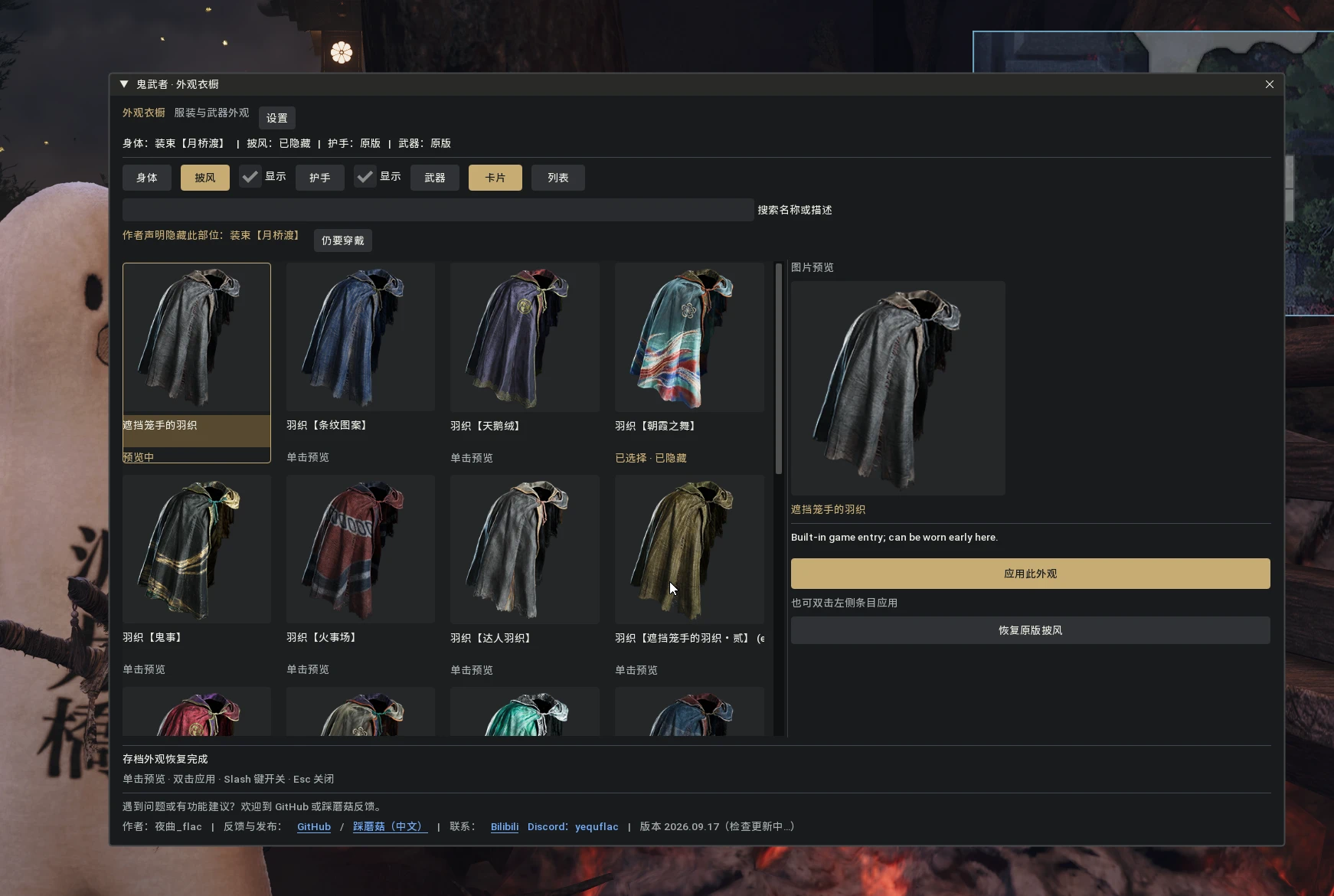
OWOTS衣柜-增加更多服装槽位
To add more available slots for clothing mods, prevent conflicts between multiple mods, and allow for real-time switching. 为mod添加更多可用的服装槽位,避免多个mod冲突,可以实时切换
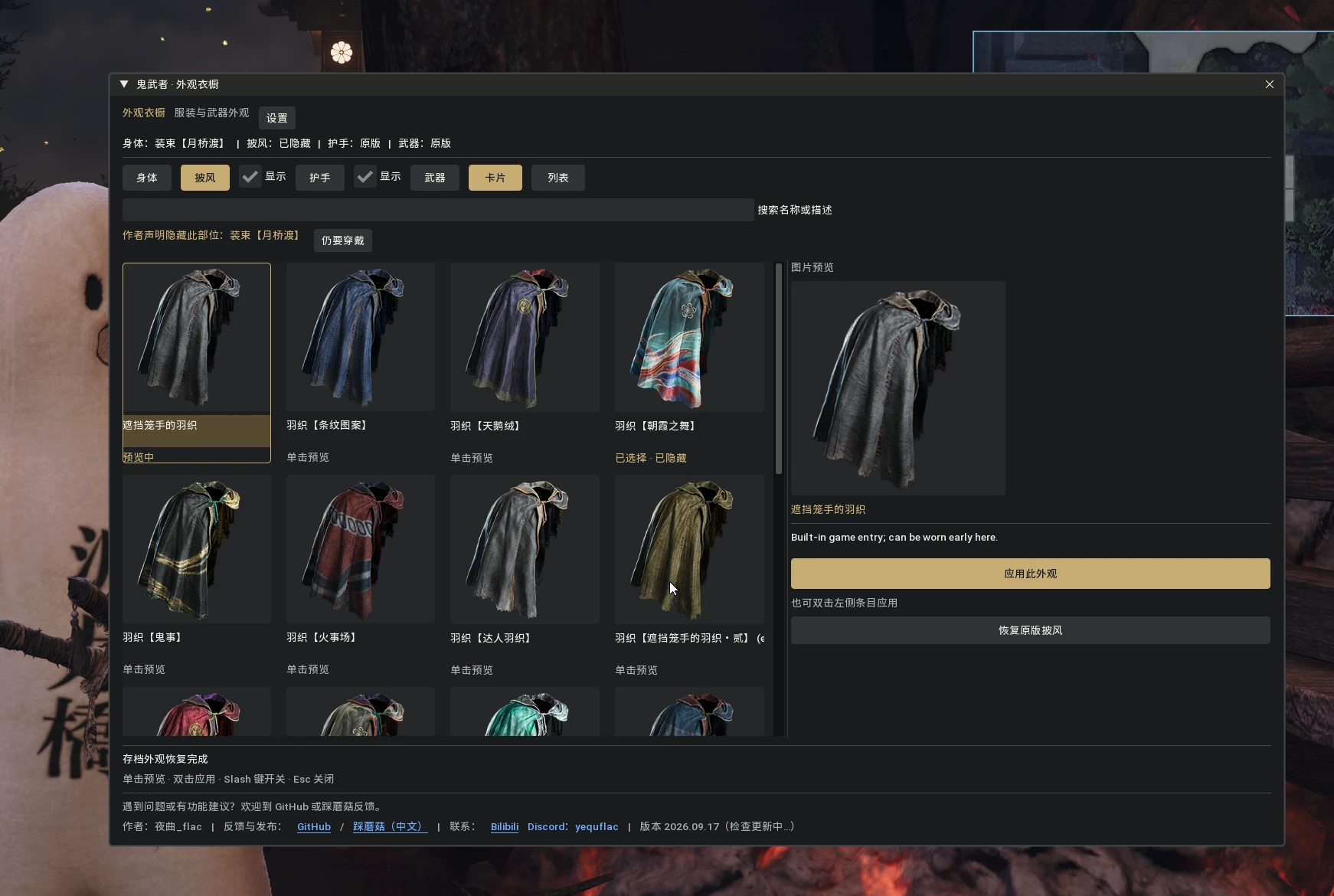 查看大图
查看大图鬼武者:剑之道 · 外观衣橱 / Onimusha: Way of the Sword — Wardrobe
开发说明 / Development note 本 MOD 是 AI(gpt6-Astra)作为主力开发、由人工负责架构设计 的产物。 有任何问题,优先提交 GitHub 反馈与 PR;国内用户欢迎到 踩蘑菇 反馈。 This MOD is primarily developed by an AI (gpt6-Astra) with human-led architecture design. Please report issues via GitHub (issues/PRs) first; Chinese users may use Caimogu.
作者 / Author:夜曲_flac | Bilibili:https://space.bilibili.com/93825767 | Discord:
yequflac下载 / Download:GitHub Releases | 踩蘑菇:https://www.caimogu.cc/post/2485977.html
English
What it is
A wardrobe for Onimusha: Way of the Sword: install several outfit / weapon appearances as independent entries and switch them any time in game, without changing your real equipment or save.
Highlights
- Switch any time:no need to return to a save point or swap files; open the wardrobe and switch or remove an appearance.
- Built-in native costumes:the game's own outfits, weapons, gauntlets and cloaks are built in and unlocked early, ready to wear (including ones that normally require progression).
- Multiple MODs coexist:several appearances installed at once, never overwriting each other, each with its own meshes, materials, textures and physics.
- Every character instance:the world actor, the Costume screen character and the system-menu character all show your appearance and body shape.
- Declared hiding:MOD authors can hide native parts (cloak, gauntlet, …) so nothing clips.
- Bilingual UI:follows the system language automatically, and can be forced in Settings.
- Saved per save:appearance choices are recorded with your save and restored on load (experimental).
Install (simple)
- Close the game.
- Extract
OWOTS-Wardrobe-2026.09.17.zipinto the game root, overwriting when prompted (back up your existingdinput8.dllfirst). - Launch the game and press
/in a playable scene to open the wardrobe.
About the custom REF: the download ships a custom
dinput8.dll and we recommend it (standalone window owns the mouse, game icons, safe plugin unload). The core features also work with upstream REF — icons fall back to placeholders, and you need to open the REF menu (Insert) first so the wardrobe window can take input.
Prerequisites: .NET 10 x64 Runtime and the Visual C++ 2015–2022 x64 Redistributable.
Convert your own MOD
If you already have a MOD that shows up correctly in game, you do not need to rebuild anything — just convert it once:
- Open the bundled
OWOTS-ModConverter(single EXE, no Python needed). - Pick your MOD (loose folder or a plain
.pak) and an output folder; optionally point at the original game install so dependencies can be read. - Click Start conversion, merge the output folder into the game root with the same structure, then click "Refresh installed appearances" in the wardrobe.
A fuller authoring guide lives at
docs/OWOTS_MOD_AUTHORING.md in the repository.
Feedback & credits
- Bugs / suggestions: GitHub Issues (PRs welcome)
- Chinese users: Caimogu
- Author: 夜曲_flac | Bilibili | Discord:
yequflac
简体中文
这是什么
给《鬼武者:剑之道》加的外观衣橱:把多套服装 / 武器外观作为独立条目安装,随时在游戏里换装,不改动你的实际装备与存档。
特色功能
- 随时换装:不需要回到存档点,也不用反复替换文件;打开衣橱即可切换或取消。
- 内置游戏原生服装:游戏自带的服装 / 武器 / 护手 / 披风已内置,并提前解锁,可直接穿戴(原版需要达成条件才能解锁的也包含在内)。
- 多 MOD 共存:多套外观同时安装、互不覆盖,各自使用自己的模型、材质、纹理与物理。
- 角色全覆盖:世界角色、更换装扮菜单角色、系统主菜单角色统一显示你的外观与体型。
- 声明隐藏:MOD 作者可以声明隐藏原生部位(如披风、护手),避免穿模。
- 中英双语界面:跟随系统语言自动切换,也可在设置里手动指定。
- 随存档记录:外观选择跟随存档保存与恢复(实验特性)。
安装(很简单)
- 退出游戏。
- 把下载的
OWOTS-Wardrobe-2026.09.17.zip解压到游戏根目录,遇到同名文件选择覆盖(建议先备份原有的dinput8.dll)。 - 启动游戏,进入可操作场景后按
/(问号键所在按键)打开衣橱。
关于自定义 REF: 推荐使用下载包内附带的自定义
dinput8.dll(完整功能:独立窗口独占鼠标、游戏图标、插件卸载保护)。不安装自定义 REF、使用官方原版 REF 也能用核心功能——此时图标显示占位图,且需要先按 Insert 打开 REF 菜单才能操作衣橱窗口。
前置:.NET 10 x64 Runtime 与 Visual C++ 2015–2022 x64 Redistributable。
转换你自己的 MOD
已有能正常显示的普通 MOD?不用重做,转一次就行:
- 打开配套的
OWOTS-ModConverter(随机型版一起下载,单个 EXE,无需 Python)。 - 选择你的 MOD(松散目录或普通
.pak)与输出目录;可选填游戏原始目录以便读取依赖。 - 点「开始转换」,把输出目录内容按相同结构合并进游戏根目录,然后在衣橱里点「刷新已安装外观」。
更完整的作者指引见仓库
docs/OWOTS_MOD_AUTHORING.md。
反馈与致谢
- 问题 / 建议:GitHub Issues(也欢迎 PR)
- 国内用户:踩蘑菇
- 作者:夜曲_flac | Bilibili | Discord:
yequflac
正在加载版本记录…
正在加载评论…
评论在新手盒子客户端中发表,这里同步展示。