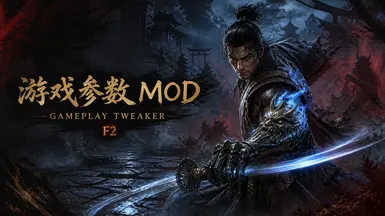
鬼武者剑之道 游戏玩法调整器 MOD(需要 REFramework)
OnimushaWotS 游戏参数 MOD / OnimushaWotS Gameplay Tweaker MOD F2:打开或关闭游戏参数菜单。F2: Open or close the gameplay settings menu.
 查看大图
查看大图[size=5][b]如果你有任何想实现的功能,或者希望为其他喜欢的游戏添加 Mod 支持,欢迎告诉我,我会尽力帮忙制作这些 Mod。[/b]
[b]If you have any features you'd like to see, or if there are other games you'd like to add mod support for, feel free to tell me. I'll do my best to help create those mods.[/b][/size]
# OnimushaWotS 游戏参数 MOD
## 适用版本
- Steam 正式版 Build 24769601 是当前实机验证基线。
## 功能
- F2:打开或关闭游戏参数菜单。
- 提供生存、移动、战斗、防御、自动战斗、镜头及界面参数。
## 安装
1. 完全关闭游戏。
2. 双击“安装MOD.exe”。
3. 安装程序会自动查找 Steam 游戏目录;若未找到,请选择包含 OnimushaWotS.exe 的游戏根目录。
4. 安装完成后启动游戏,按 F2 打开菜单。
## 卸载
1. 完全关闭游戏。
2. 双击“卸载MOD.exe”。
3. 卸载完成后,用户配置文件会保留。
## 手动安装
1. 完全关闭游戏。
2. 将本目录中的 reframework 文件夹合并到游戏根目录。
3. 单独安装 REFramework 后启动游戏。
## 手动卸载
删除以下内容,不要删除整个 reframework 目录:
- reframework\plugins\OnimushaWotSGameplayTweaker.dll
- reframework\plugins\OnimushaWotSGameplayTweakerInput.dll
- reframework\fonts\OnimushaWotSGameplayTweaker
- reframework\data\OnimushaWotSGameplayTweaker\installer-state.tsv(若存在)
第三方字体及开源组件依据 LICENSES 目录中的原始许可证授权。
# 权限说明
本 Mod 仅供个人使用。
未经作者书面许可,禁止:
- 重新上传本 Mod
- 上传修改版或衍生版本
- 将本 Mod 打包到其他发布项目中
- 上传修改版本至 Steam 创意工坊或其他平台
- 用于商业用途
请勿将本 Mod 或其修改版本声明为自己的作品。
---
# OnimushaWotS Gameplay Tweaker MOD
## Supported Version
- Steam retail Build 24769601 is the current verified baseline.
## Features
- F2: Open or close the gameplay settings menu.
- Provides survival, movement, combat, defense, automation, camera, and HUD options.
## Installation
1. Close the game completely.
2. Run InstallMOD.exe.
3. The installer searches Steam libraries automatically. Otherwise, select the game root containing OnimushaWotS.exe.
4. Start the game and press F2 to open the menu.
## Uninstallation
1. Close the game completely.
2. Run UninstallMOD.exe.
3. User configuration is preserved.
## Manual Installation
1. Close the game completely.
2. Merge the reframework folder from this package into the game root.
3. Install REFramework separately, then start the game.
## Manual Uninstallation
Remove only the F2 paths listed in the Chinese section. Never delete the entire reframework directory.
Third-party fonts and open-source components remain governed by the original licenses in LICENSES.
# Permissions
This mod is intended for personal use only.
Without written permission from the author, the following actions are not allowed:
- Re-uploading this mod or modified versions
- Redistributing modified or derived versions
- Packaging this mod into other releases
- Uploading modified versions to Steam Workshop or other platforms
- Commercial use of this mod
Do not claim this mod or its modifications as your own work.
正在加载版本记录…
正在加载评论…
评论在新手盒子客户端中发表,这里同步展示。