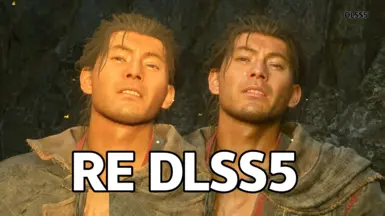
RE_DLSS5_Load_Mod
DLSS5 加载器:支持帧生成与原生运动矢量
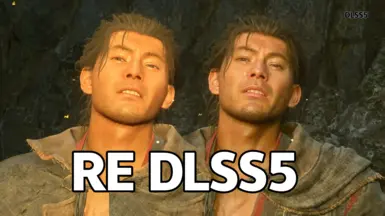 查看大图
查看大图DLSS5 神经渲染加载工具
DLSS5 Neural Rendering Load Tool
DLSS5 / DLSSNR 加载器 —— 解决其它加载器拿不到原生运动矢量导致的 DLSSNR 闪烁或不生效、无法兼容 DLSS 帧生成的问题。 DLSS5 / DLSSNR Loader — Resolves issues present in other loaders: flickering or non‑functional DLSSNR caused by failure to obtain native motion‑vector data, and incompatibility with DLSS Frame Generation.
已测试游戏列表及最细文件:https://github.com/LCPD15/RE_DLSS5_Load_Mod
基于此mod制作的更方便,无需安装,功能更强的DLSS5加载器:
https://www.nexusmods.com/site/mods/2295
A more convenient, portable and feature-rich DLSS5 loader built upon this mod.:
https://www.nexusmods.com/site/mods/2295
🌍 English
A drop-in DLSS5 / DLSSNR loader. Other loaders can't read the engine's native motion-vector data, which is exactly what makes DLSSNR flicker or do nothing — this one can.
Features
- Real motion vectors — taps into the game's own DLSS motion data, so the temporal pass follows the scene instead of flickering.
- Higher frame rate — lower the neural-render internal resolution to save GPU time while the image stays sharp.
- Zero config — drop the files next to the game's .exe and launch; DLSS5 is on by default with recommended settings.
- In-game menu — tweak every parameter and view debug info without leaving the game.


Requirements
- An NVIDIA RTX GPU with up-to-date drivers.
- REFramework — required for RE Engine games.
- ReShade. — required for RE Engine games.
- For other games, simply place all files next to the game’s .exe executable.
Install
- Unzip the release archive and put all files next to the game's .exe (Steam → game → right-click → Properties → Local Files → Browse).
- If the game folder already has nvngx_dlss.dll / nvngx_dlssnr.dll, you can skip overwriting them.
- Launch the game. A green DLSS5 Load Mod ready toast bottom-left means it loaded.
Usage
- F8 — toggle DLSS5 on/off.
- F9 — open the in-game menu (both hotkeys are rebindable).
- If the menu shows motion: zero, native motion vectors weren't captured (zero-vector fallback — normal when the game has no DLSS).
- Hover any option for a description.
Parameters
- Inputs — Native / Zero. Input source: native depth + motion captured from the game's DLSS, or empty buffers as a safe fallback.
- Preset — 0–4. Neural model weight set; tunes detail recovery vs. temporal stability (0 = quality-leaning default).
- Style — Default / Natural / Cinematic. Overall look of the neural pass.
- Intensity — 0.0–1.0. Overall strength of the enhancements; 0 = original frame, 1 = full effect.
- Local Tone — 0.0–2.0. Low-frequency detail: broad lighting and colour response.
- Local Structure — 0.0–2.0. High-frequency detail: ambient occlusion, contact shadows, reflections, subsurface scattering.
- Skin Strength — 0.0–1.0. Skin-specific enhancement (natural subsurface scattering).
- Auto Mask — on/off. Semantic AI mask — limits enhancement to the intended targets.
- UI Correction — on/off. Keeps UI / HUD / text crisp by excluding interface regions from the pass.
- NR Render Scale — 0.5–1.0. Internal compute resolution of the neural pass; lower = cheaper but softer.
- Debug view — Off / Depth / Motion / Encoded / Diff. Overlay a live view of the filter inputs / output.
Known limitations
- Can't run together with frame generation (FSRFG / DLSSFG): Fixed in latest version
- Turning on path tracing in RESIDENT EVIL requiem (and some of my other games) prevents native motion vectors from being captured. Fixed in latest version
What if the game has no DLSS? The tool falls back to zero-vector mode automatically — everything still works, but moving content may flicker a little. Enable DLSS in-game for the best result.
Related
- ColorCorrection_Onimusha: https://www.nexusmods.com/onimushawayofthesword/mods/23
- ColorCorrection_MonsterHunterWilds :https://www.nexusmods.com/monsterhunterwilds/mods/341
© LCPD15 · Bilibili: https://space.bilibili.com/885387
🌏简体中文
视频:https://www.bilibili.com/video/BV1FDtz6SEXF https://www.bilibili.com/video/BV1AubL6WEKe
DLSS5 / DLSSNR 加载器。其它加载器读不到引擎的原生运动矢量,导致 DLSSNR 闪烁或不生效——这个工具能解决。
特性
- 真运动矢量 — 直接读取游戏 DLSS 自带的运动数据,时间降噪跟着画面走,不再闪烁。
- 帧数更高 — 可调低神经渲染的内部分辨率省性能,画面依然清晰。
- 零配置 — 把文件解压到游戏 .exe 旁即可,进游戏默认开启 DLSS5,参数已调成推荐值。
- 游戏内菜单 — 不用退出游戏就能调所有参数、查看 debug 信息。
前置要求
- NVIDIA RTX 显卡 + 最新驱动。
- REFramework — RE 引擎游戏必装。
- ReShade。 — RE 引擎游戏必装。
- 其他游戏只需要把文件都丢到游戏.exe旁就行。
安装
- 解压 release 压缩包,把所有文件放到游戏 .exe 旁(Steam → 游戏 → 右键 → 属性 → 本地文件 → 浏览)。
- 若游戏目录已有 nvngx_dlss.dll / nvngx_dlssnr.dll,可不覆盖。
- 启动游戏。左下角弹绿色 DLSS5 Load Mod ready 即加载成功。
使用
- F8 — 开关 DLSS5 效果。
- F9 — 呼出游戏内菜单(两个快捷键都可重绑)。
- 菜单里 motion: zero 表示没拿到原生矢量,走了零矢量兜底路径(游戏没有 DLSS 时属正常)。
- 鼠标悬停任一选项有具体说明。
参数说明
- Inputs(输入源) — Native / Zero。Native 用游戏 DLSS 的真深度+运动矢量;Zero 用空缓冲做安全兜底。
- Preset(档位) — 0–4。神经网络模型档位,调整细节重建与时间稳定的平衡(0 = 偏质量默认档)。
- Style(风格) — Default / Natural / Cinematic。神经渲染的整体观感。
- Intensity(强度) — 0.0–1.0。神经增强整体强度;0 = 原画面,1 = 完整效果。
- Local Tone(色调) — 0.0–2.0。低频细节:大范围光照与色彩响应。
- Local Structure(结构) — 0.0–2.0。高频细节:环境光遮蔽、接触阴影、反射、次表面散射。
- Skin Strength(皮肤强度) — 0.0–1.0。皮肤专属增强(自然次表面散射)。
- Auto Mask(自动遮罩) — 开/关。语义 AI 遮罩,让增强只作用于预设目标区域。
- UI Correction(UI 修正) — 开/关。排除界面区域,保持 UI/HUD/文字清晰。
- NR Render Scale(内部分辨率) — 0.5–1.0。神经渲染内部计算分辨率;降低省性能但更柔和。
- Debug view(调试视图) — Off / Depth / Motion / Encoded / Diff。叠加显示滤镜输入/输出的可视化。
已知问题 1.无法和帧生成同时使用 - 已修复 2.生化危机9和我其他游戏开启路径追踪后会无法获取原生矢量 - 已修复
游戏没有 DLSS 怎么办? 工具会自动走零矢量兜底:功能照常,但动态画面可能轻微闪烁。想要最好效果就在游戏里打开 DLSS。
相关
- 鬼武者色彩修复 mod:https://www.nexusmods.com/onimushawayofthesword/mods/23
- 怪猎荒野色彩修复 mod :https://www.nexusmods.com/monsterhunterwilds/mods/341
© LCPD15 · Bilibili:https://space.bilibili.com/885387
正在加载版本记录…
正在加载评论…
评论在新手盒子客户端中发表,这里同步展示。