Simple Transmog
Press Insert to freeze how your character looks, then equip whatever you want -- stats change, your look does not. Wardrobe built only from gear you own. Never touches your saves. Full source, MIT licensed.
 查看大图
查看大图[center][size=6][b]SIMPLE TRANSMOG[/b][/size]
[size=4][i]Wear the stats. Keep the look.[/i][/size]
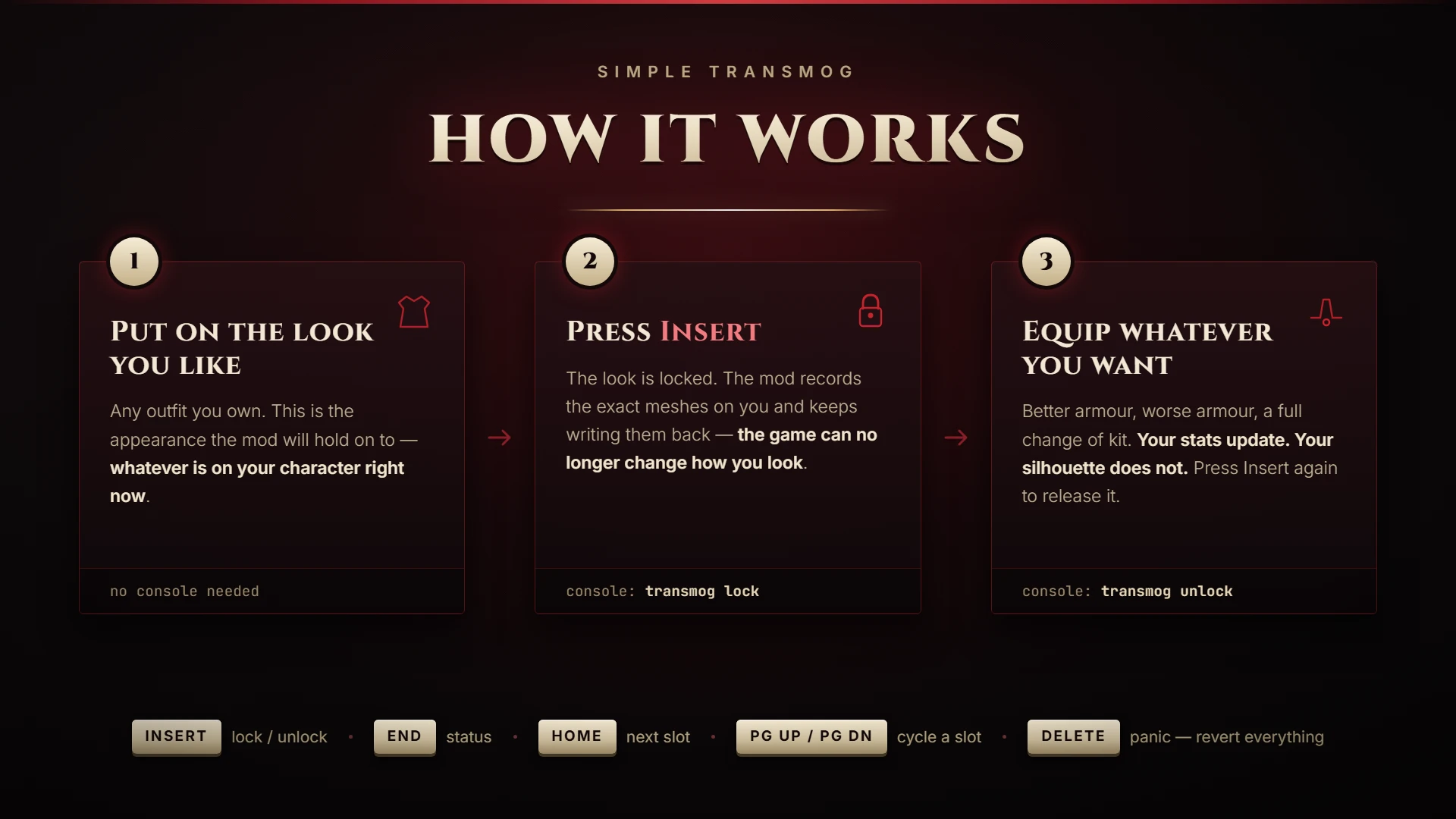
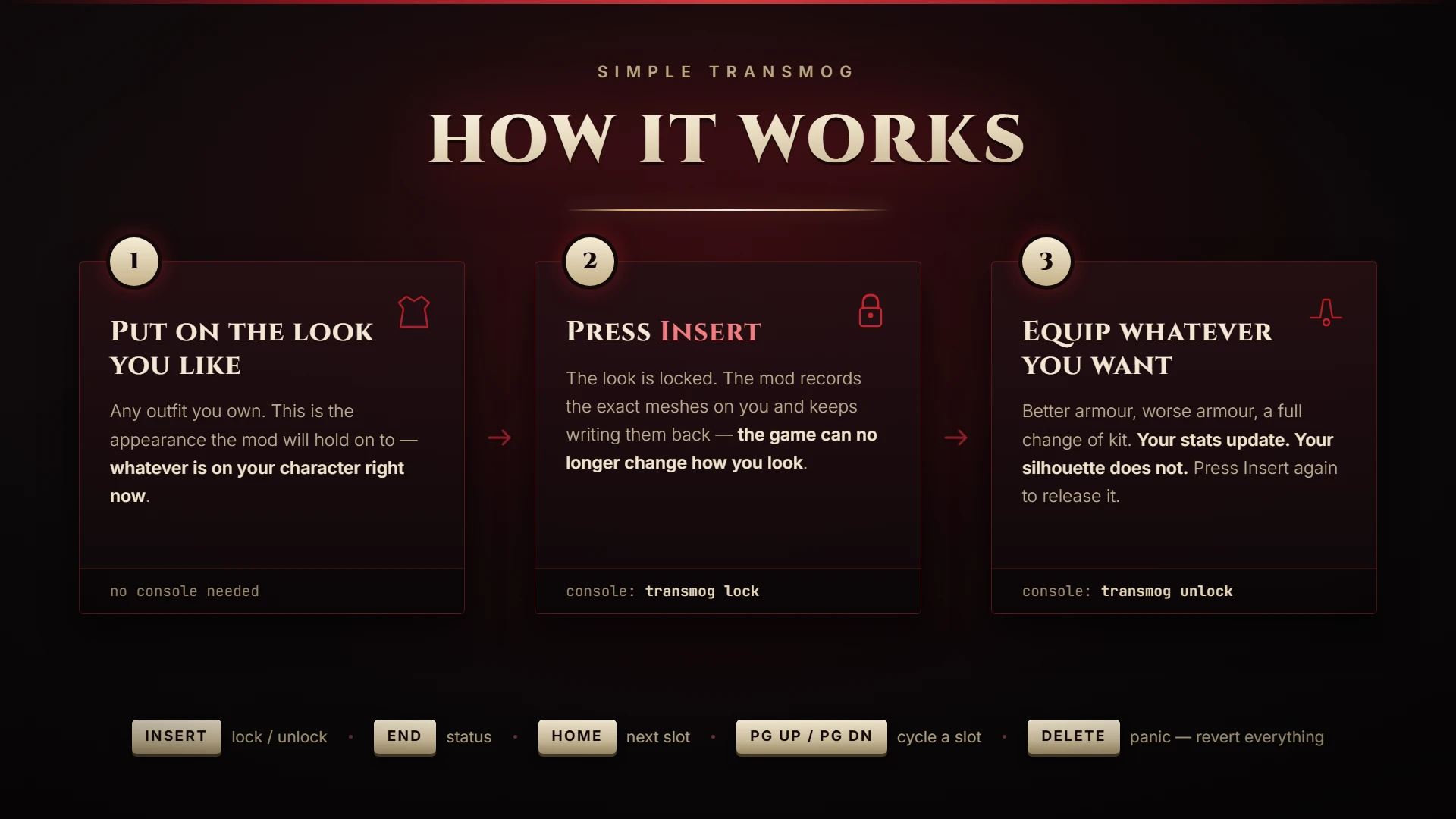
[size=3]Press [b]Insert[/b]. Your appearance freezes. Now equip whatever you want — better armour, worse armour, a complete change of kit — and your character keeps looking exactly as they did.[/size]
[line]
[/center]
[size=4][b]What it does[/b][/size]
The Blood of Dawnwalker has no transmog. The moment you find a stronger chestpiece you also lose the look you spent hours putting together. This mod separates the two.
[list]
[][b]Appearance lock[/b] — one key. Freeze the look you have on, then equip anything. Stats update, silhouette does not. Press again to release.[/]
[][b]Per-slot transmog[/b] — pick a specific look for a specific slot from your own wardrobe (see [i]Honest limitations[/i] below; this part is partial on the current build).[/]
[][b]Profiles[/b] — save a look, load it later.[/]
[][b]Your own gear only[/b] — the wardrobe is built from what is in your inventory and what you have worn. No NPC equipment, no unlocking things you do not own.[/]
[/list]
[b]Tested in a real session[/b] on Steam build 25129649 ([i]patch2[/i], CL-257186), plus 206 automated checks over the mod's logic.
[b]It never touches your save files.[/b] Everything the mod remembers lives in JSON files inside its own folder. Uninstalling leaves your playthrough exactly as it was.
[size=4][b]Requirements[/b][/size]
[list=1]
[]The game. Tested against Steam build [b]25129649[/b] ([i]patch2[/i], CL-257186).[/]
[][b][url=https://www.nexusmods.com/thebloodofdawnwalker/mods/18]UE4SS for Dawnwalker[/url][/b] — the game-specific build, by Vercadi.[/]
[/list]
[color=#e05c5c][b]Stock UE4SS from GitHub will not work.[/b][/color] It cannot detect this engine build, and once that check is overridden two of its default hooks crash the game seconds after the main menu. The package linked above carries the correct signatures and the [font=Courier New]VTableLayout.ini[/font] fix for this build.
Install UE4SS first, then this mod.
[size=4][b]Installation[/b][/size]
Install [b]UE4SS for Dawnwalker[/b] first (linked above), then:
[list=1]
[]Unpack the archive.[/]
[]Copy the folder [font=Courier New]Mods\DawnwalkerTransmog[/font] into your UE4SS Mods directory, so that you end up with
[font=Courier New]...\Dawnwalker\Binaries\Win64\ue4ss\Mods\DawnwalkerTransmog\[/font][/]
[]Open [font=Courier New]...\Binaries\Win64\ue4ss\Mods\mods.txt[/font] and add this line:
[code]DawnwalkerTransmog : 1[/code][/]
[/list]
That is all — [font=Courier New]enabled.txt[/font] is already inside the folder. The same steps, with the Steam default paths spelled out, are in [font=Courier New]INSTALL-MANUAL.txt[/font] inside the archive.
[b]Uninstalling:[/b] delete the [font=Courier New]DawnwalkerTransmog[/font] folder and remove that line from [font=Courier New]mods.txt[/font]. Nothing else on your system was touched — the mod never writes outside its own folder.
[b]About this download.[/b] It deliberately contains no scripts of any kind, so it clears Nexus's automated file checks and you can install it right now. The full package — a Steam-aware installer and uninstaller, a UE4SS performance optimiser, the 206-check test suite and the lock/unlock sound cues — is held by those same checks, because it ships [font=Courier New].bat[/font] and [font=Courier New].ps1[/font] files and the filter rejects archives containing executables. VirusTotal reports [b]0/64[/b] on it. It will be added here once Nexus support has reviewed it.
[size=4][b]Hotkeys[/b][/size]
[list]
[][b]Insert[/b] — appearance lock on / off[/]
[][b]Home[/b] — jump to the next slot that has something to cycle[/]
[][b]Page Up[/b] / [b]Page Down[/b] — cycle appearances for that slot[/]
[][b]End[/b] — print status[/]
[][b]Delete[/b] — panic: revert everything and go dormant[/]
[/list]
All rebindable in [font=Courier New]config.json[/font] — but the defaults are not arbitrary. A UE4SS keybind does not swallow the key, so any collision fires [i]both[/i] actions. F11 (fullscreen), F10 (the UE4SS console) and Ctrl+G (the glossary) all collided, and even Ctrl+Alt+R still changed combat stance: the game reads the bare key and ignores modifiers, so no letter or F-key can be made safe by decorating it. The navigation cluster is the one region the game leaves alone.
[size=4][b]Console commands[/b][/size]
Open the UE4SS console and type [b]transmog help[/b].
[code]transmog lock freeze the look you have on right now
transmog unlock let your equipment decide again
transmog status what is currently overridden
transmog list torso what is available for a slot
transmog set torso 12 wear appearance #12 on the torso
transmog set torso Coat same, by name (partial matches work)
transmog clear torso show the real equipped item again
transmog profile save night
transmog profile load night
transmog scan re-read your inventory and gear now
transmog crosstest torso legs prove the swap with gear you are wearing
transmog recon write a diagnostic report[/code]
Slots: [font=Courier New]headgear[/font], [font=Courier New]torso[/font], [font=Courier New]gauntlets[/font], [font=Courier New]legs[/font], [font=Courier New]feet[/font], [font=Courier New]weapon[/font], [font=Courier New]offhand[/font].
[size=4][b]Honest limitations[/b][/size]
This section exists because you deserve to know what you are downloading.
[list]
[][b]The lock is the feature that works.[/b] Confirmed in a live session on Steam build 25129649: the mod loads, binds to the appearance system, and holds the captured look while equipment changes underneath it. It only ever uses assets the game already has loaded — the ones on your character at the moment you press the key — which is exactly why it is reliable.[/]
[][b]Per-slot transmog is partial on this build.[/b] Choosing an arbitrary look means putting an asset on the character that is not currently worn, and this build unloads those: [font=Courier New]StaticFindObject[/font] returns a dead husk, [font=Courier New]LoadAsset[/font] does not revive it, and the APIs that would have kept it open are not exposed. Per-slot choices land when the asset happens to be loaded — typically something you are wearing or just took off. [font=Courier New]transmog crosstest torso legs[/font] demonstrates it working with gear you have on.[/]
[][b]Body hide masks still come from the real item.[/b] Each garment carries a mask hiding the body parts underneath. The mod swaps the mesh, not the mask, so unusual combinations can clip.[/]
[][b]An empty slot cannot be given a look[/b] — there is nothing to swap.[/]
[][b]Weapons are best-effort.[/b] Candidate weapon actor classes are probed; [font=Courier New]transmog recon[/font] reports which exist on your build.[/]
[][b]A restored lock starts pending.[/b] It survives a restart, but last session's assets are gone, so it holds without effect until those garments load again — then it snaps on.[/]
[/list]
[size=4][b]Safety[/b][/size]
What the mod does [b]not[/b] do:
[list]
[][b]It does not touch saves.[/b] Dawnwalker uses a custom format ([font=Courier New]DSAV[/font], compressed chunks). Writing into it would risk a playthrough and make uninstalling destructive. All state lives in the mod's own folder.[/]
[][b]It does not modify game files.[/b] Nothing is patched, no paks are repacked.[/]
[][b]It does not touch items or stats.[/b] Only the mesh assigned to a render component is swapped. The item, its stats and your inventory are untouched.[/]
[][b]It is offline.[/b] Single-player only, nothing is sent anywhere.[/]
[/list]
And two automatic safety nets:
[b]The breaker.[/b] Every call into the engine is wrapped. If calls keep failing, the mod restores your real equipment, goes dormant for the session, and logs why.
[b]Crash memory.[/b] [font=Courier New]pcall[/font] only catches Lua errors — calling a reflected function that does not really exist takes the process down from inside UE4SS as an access violation, and Lua never sees it. So before anything that reaches into the engine in an unproven way, the mod leaves a marker on disk. If the marker is still there at the next launch, the previous session died doing exactly that, and the operation is disabled permanently. A given crash can happen at most once.
A game update cannot break [i]against[/i] this mod: at worst it stops recognising the structures, the breaker trips, and you play as if it were not installed.
[size=4][b]Turning it off[/b][/size]
Three levels, softest first:
[list=1]
[][b]Insert[/b] — release the lock. Your choices are kept.[/]
[][font=Courier New]"enabled": false[/font] in [font=Courier New]config.json[/font] — the mod loads but does nothing.[/]
[]Set the [font=Courier New]mods.txt[/font] line to [font=Courier New]DawnwalkerTransmog : 0[/font] [b]and[/b] delete [font=Courier New]enabled.txt[/font] — UE4SS then does not load the mod at all, while your settings and collected wardrobe stay put.[/]
[/list]
Step 3 is worth spelling out, because it is a trap: UE4SS looks at [i]two[/i] switches, the [font=Courier New]mods.txt[/font] entry and the presence of [font=Courier New]enabled.txt[/font]. Either one alone is enough to load a mod, so deleting only [font=Courier New]enabled.txt[/font] does [b]not[/b] disable it. Both have to go. (The full package automates this with [font=Courier New]disable-mod.bat[/font] / [font=Courier New]enable-mod.bat[/font].)
To remove it entirely, delete the mod folder and the [font=Courier New]mods.txt[/font] line.
[size=4][b]If UE4SS costs you frames[/b][/size]
It will, with its default settings, and that is not this mod's doing. UE4SS ships configured for mod development rather than for playing: it hooks [i]every actor's tick[/i], hooks every script function call and every [font=Courier New]ProcessEvent[/font], and draws its debug GUI through OpenGL on a separate thread over the game's D3D12 output.
This mod needs almost none of that. In [font=Courier New]ue4ss\UE4SS-settings.ini[/font], set these to [font=Courier New]0[/font]:
[code]HookAActorTick
HookProcessLocalScriptFunction
HookProcessInternal
HookUObjectProcessEvent
GuiConsoleEnabled
EnableHotReloadSystem[/code]
Leave [font=Courier New]HookEngineTick[/font], [font=Courier New]HookLoadMap[/font], [font=Courier New]HookProcessConsoleExec[/font], [font=Courier New]HookLocalPlayerExec[/font] and [font=Courier New]HookUStructLink[/font] at [font=Courier New]1[/font] — those are the only ones this mod uses. Back the file up first. (The full package does all of this for you with [font=Courier New]optimize-ue4ss.bat[/font], including a one-command restore.)
With the debug GUI off, the [font=Courier New]transmog[/font] commands go in the [b]game's[/b] console (the [font=Courier New]~[/font] key) instead. Hotkeys are unaffected.
[b]Trade-off:[/b] switching those hooks off disables UE4SS's [font=Courier New]RegisterHook[/font]. This mod never uses it, but other mods might. If something else stops working, put [font=Courier New]UE4SS-settings.ini[/font] back the way it was.
[size=4][b]Troubleshooting[/b][/size]
[list=1]
[][b]transmog status[/b] — is the mod alive, has the breaker tripped?[/]
[][b]transmog recon[/b] — writes a diagnostic report to [font=Courier New]recon\[/font].[/]
[]Logs: [font=Courier New]state\transmog.log[/font] (mod) and [font=Courier New]ue4ss\UE4SS.log[/font] (loader).[/]
[/list]
[b]"transmog list is empty"[/b] — you do not own anything for that slot yet. Equip or pick up something that fits it and run [b]transmog scan[/b].
[b]"The mod did not load"[/b] — check that [font=Courier New]enabled.txt[/font] exists, that UE4SS itself started ([font=Courier New]UE4SS.log[/font]), and that you have the Dawnwalker-specific UE4SS build and not the stock one.
[b]"Nothing happens when I press Insert"[/b] — you are probably not in the world yet, or every garment slot is empty. [b]transmog status[/b] says which slots it can see.
When reporting a problem, please attach the [font=Courier New]recon-.txt[/font] report and [font=Courier New]transmog.log[/font]. Without them there is very little to go on.
[size=4][b]Compatibility[/b][/size]
Compatible with anything that does not also write to the character's garment mesh components. It reads your own character only, adds nothing to the world, and spawns no actors. Single-player only.
[size=4][b]Credits and licence[/b][/size]
[list]
[][b][url=https://www.nexusmods.com/thebloodofdawnwalker/mods/18]Vercadi[/url][/b] — the Dawnwalker-specific UE4SS package with working signatures. This mod would not exist without it.[/]
[][b][url=https://github.com/UE4SS-RE/RE-UE4SS]UE4SS-RE[/url][/b] — the runtime everything is built on.[/]
[][b]Rebel Wolves[/b] — the game. This mod is unofficial and unaffiliated.[/*]
[/list]
[b]MIT licensed.[/b] Take it, change it, republish it. The complete Lua source and the technical write-up ([font=Courier New]docs/TECHNICAL.md[/font]) are in the download; the test suite ships with the full package.
[center][line]
[size=4][b]Enjoying it?[/b][/size]
This was built and documented for free, and it stays free.
If it saved your favourite outfit, you can say thanks here:
[size=4][b][url=https://buymeacoffee.com/vadson]Buy me a coffee[/url][/b][/size]
[size=2][i]No paywalls, no early access, no ads. Endorsing the mod helps just as much.[/i][/size]
[line]
[/center]
还没有人评论,去客户端里说两句吧。
评论在新手盒子客户端中发表,这里同步展示。