自定义交互按钮
自定义调查功能手柄按键 Customize Interact Controller Button
 查看大图
查看大图前言
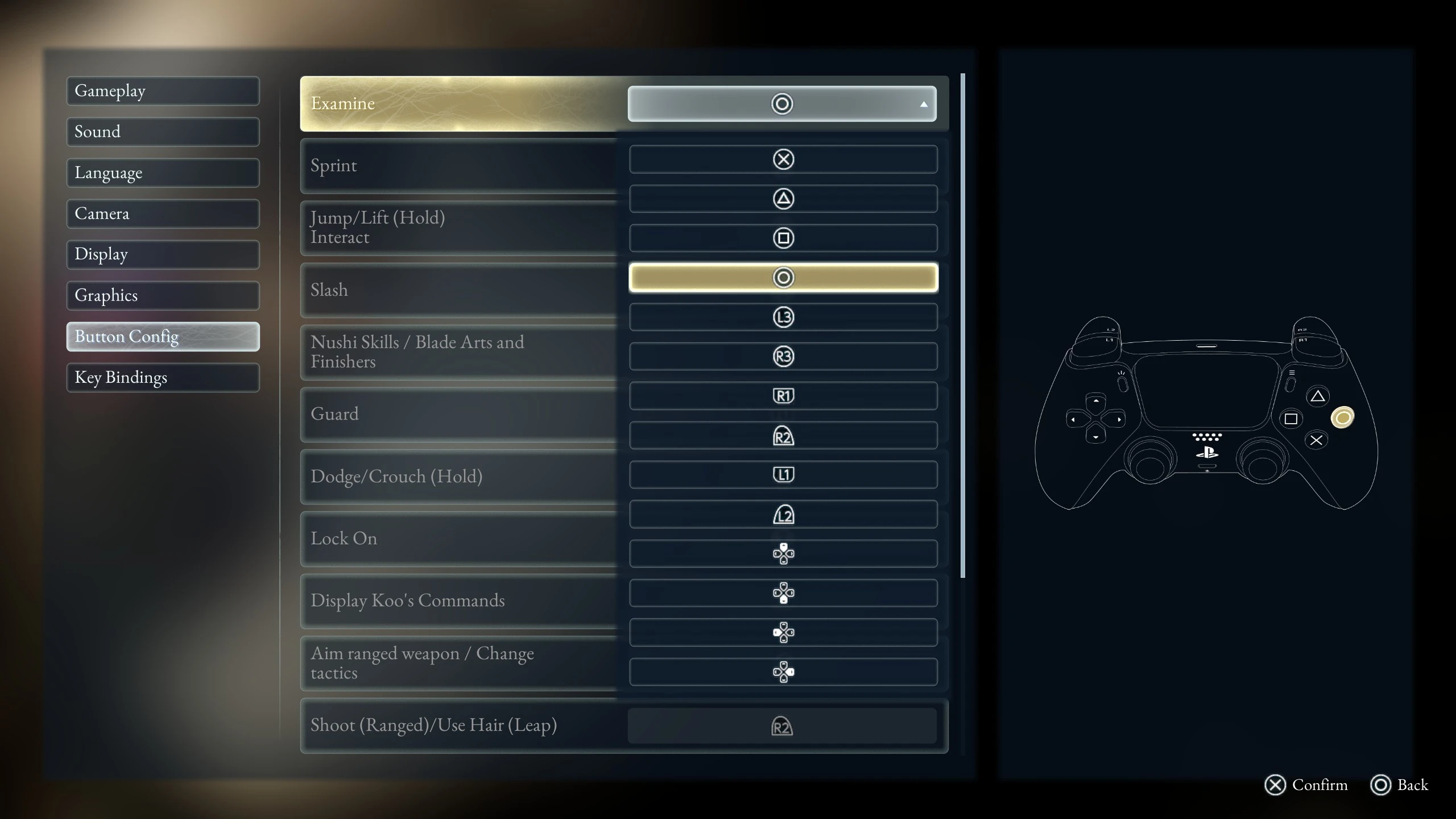
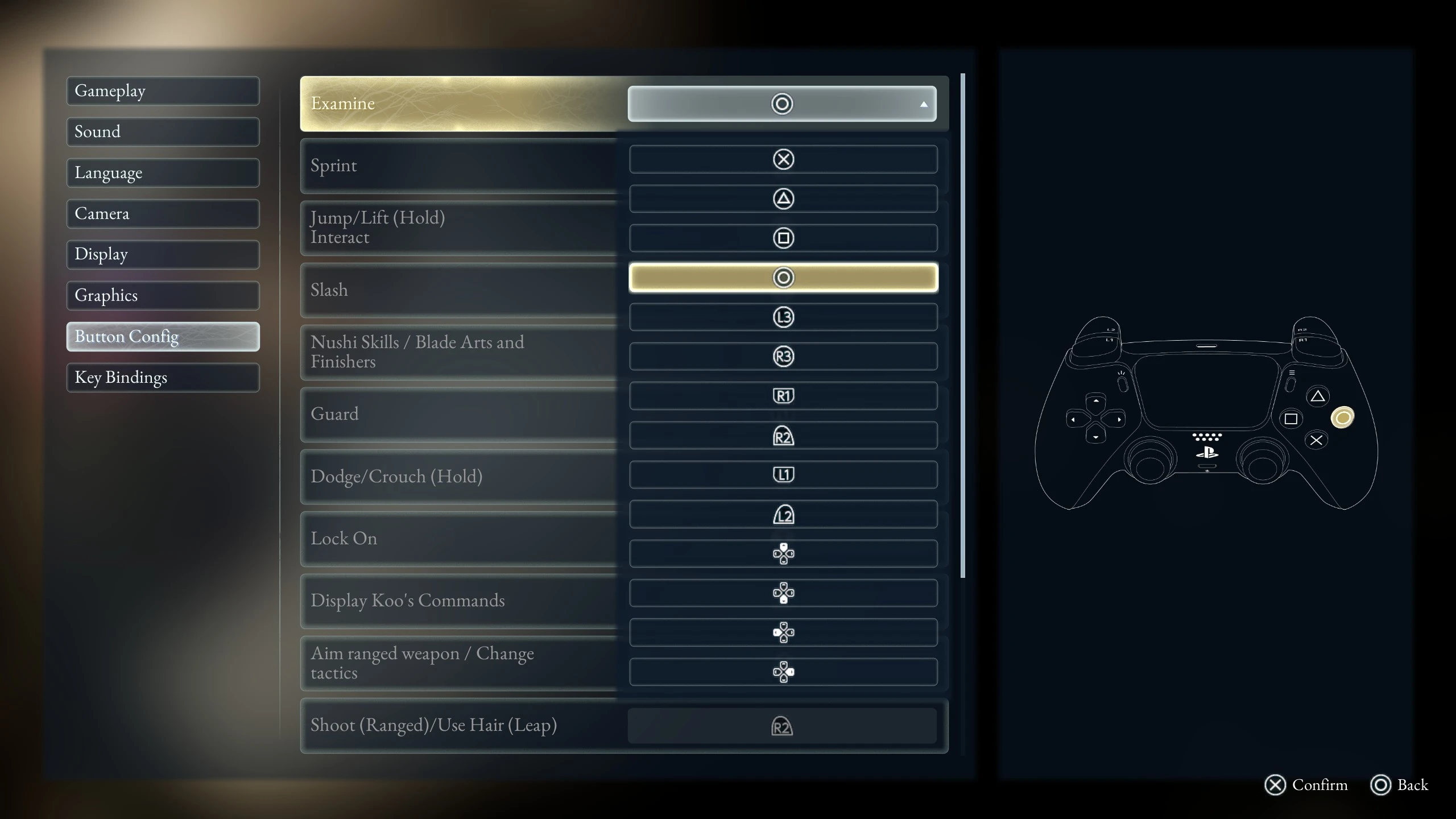
在轮回之兽v1.0.7.0更新后,调查按键已从跳跃按键中分离,成为独立按键,但仅限于3种固定按键 本Mod将调查按键的选择范围从原来的3种扩展到14种,玩家可自由选择适合自己的按键 (本Mod不改变按键的原有逻辑,并非所有按键都能百分百兼容,具体见已知问题)
本Mod适用于v1.0.7.0版本,专为手柄玩家打造 目前仅在Steam版本测试通过,XGP版本尚未测试
安装方式
安装前置Mod UE4SS_v3.0.1-1021-g1c1a1497.zip (或其他版本 UE4SS v3.0.1)
解压到游戏目录BeastOfReincarnation/BeastOfReincarnation/Binaries/Win64下安装本Mod
解压到ue4ss/Mods/ (确保BeastOfReincarnation/BeastOfReincarnation/Binaries/Win64/ue4ss/Mods/CustomExamineButton/Scripts/main.lua文件存在)开始游戏,进入设置-按钮设置,现在调查按键可以选择任意手柄按键
已知问题
自定义调查按键测试中,14种按键有13种通过测试,仅与【战斗补给】相同的按钮未通过测试,打开战斗补给界面的优先级高于调查 (所有按键仅测试了休息、对话、拾取物品,未测试复杂逻辑)
推荐在主菜单界面中的设置界面修改调查按键,如果在游戏内设置界面修改调查按键可能会造成选项显示不完整的情况 (仍可通过上下按键选择,只是UI显示不完整)
卸载方式
删除文件 ue4ss/Mods/CustomExamineButton
Introduction
Following the Beast of Reincarnation v1.0.7.0 update, the "Examine" action was separated from the "Jump" button into its own dedicated input, though it was previously limited to just three specific button options. This mod expands the selection of "Examine" button assignments from the original three options to fourteen, allowing players to choose the configuration that best suits their preferences. (Note: This mod does not alter the game's underlying input logic, so not all button assignments may be 100% compatible; please refer to the "Known Issues" section for details.)
Designed specifically for controller users, this mod is compatible with version v1.0.7.0 It has currently been tested and verified only on the Steam version; the XGP version has not yet been tested.
Installation
Install the prerequisite Mod UE4SS_v3.0.1-1021-g1c1a1497.zip (or another UE4SS v3.0.1 version) Extract it to BeastOfReincarnation/BeastOfReincarnation/Binaries/Win64
Install this Mod Extract it to ue4ss/Mods/ (Make sure the BeastOfReincarnation/BeastOfReincarnation/Binaries/Win64/ue4ss/Mods/CustomExamineButton/Scripts/main.lua file exists)
Start the game and go to Settings - Button Settings. The Examine button can now be assigned to any available gamepad button.
Known Issues
During testing of the custom Examine button, 13 out of the 14 available buttons worked correctly. The only button that failed was the one also assigned to "Battle Pack", because opening the Battle Pack interface takes priority over Examine. (All buttons were only tested with resting, dialogue, and item pickup. More complex gameplay interactions have not been tested.)
It is recommended to change the Examine button from the Settings menu on the main menu screen. Changing the Examine button from the in-game Settings menu may cause some options to be displayed incorrectly or incompletely. (The options can still be selected using the Up/Down buttons; only the UI display may be incomplete.)
Uninstallation
Delete the folder ue4ss/Mods/CustomExamineButton
正在加载版本记录…
正在加载评论…
评论在新手盒子客户端中发表,这里同步展示。