Dye Hard
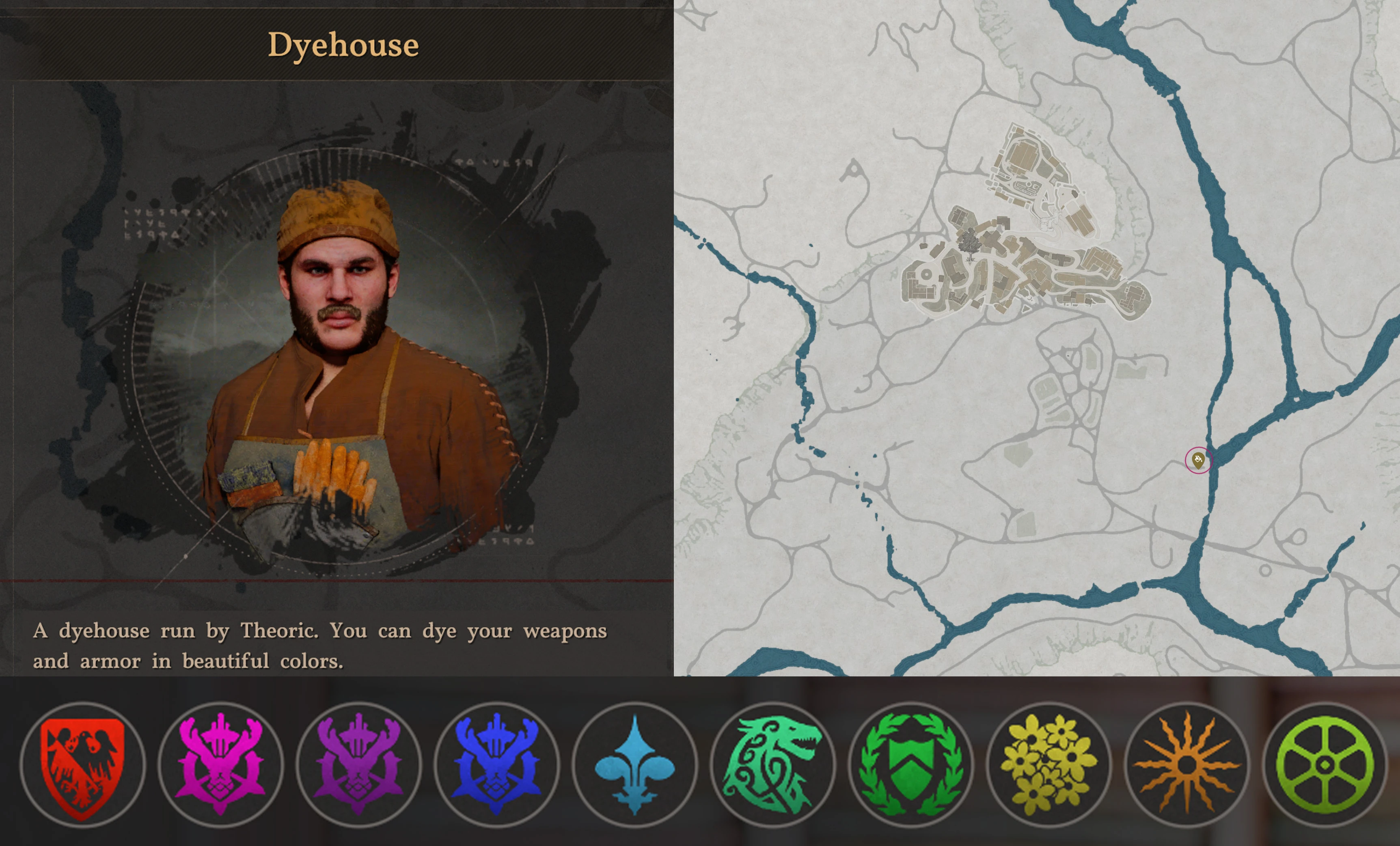
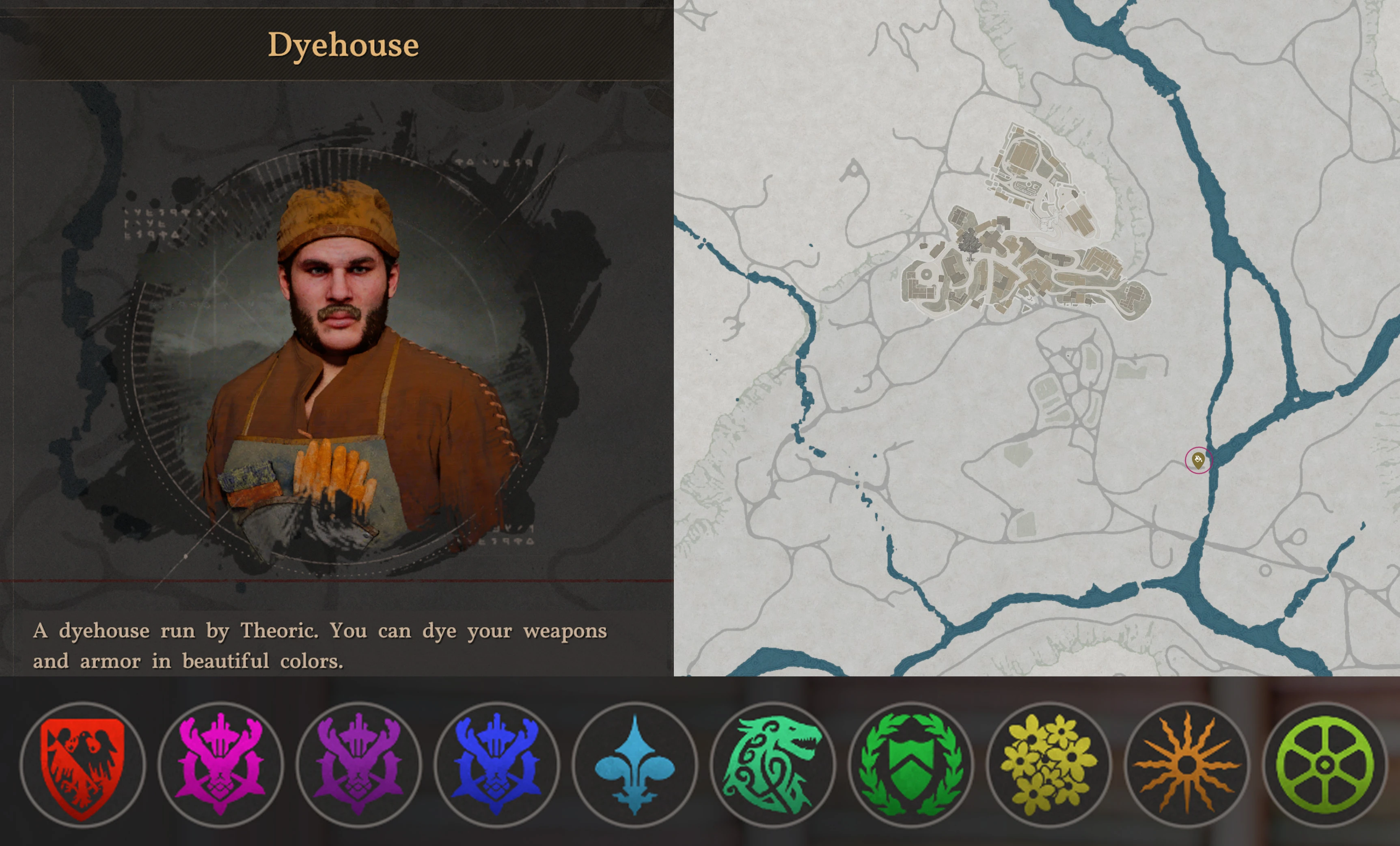
This mod unlocks all 10 color groups for the Hernand Dyer, Theoric. Use the "Shop Smart. Shop H-Mart." mod to buy all 60 dyes from the Hernand Dyer. Once purchased, use each dye to unlock the rows inside each color group. Welcome to the party, pal!
 查看大图
查看大图[b][color=#0b5394][u]Description[/u][/color][/b]
This mod unlocks all 10 color groups for the Hernand Dyer, Theoric.
Use the Shop Smart Shop H-Mart mod to buy all 60 dyes from Theoric at the Hernand Dyer.
[url=https://www.nexusmods.com/crimsondesert/mods/2626]Shop Smart. Shop H-Mart.[/url]
Once purchased, use each dye to unlock the rows inside each color group.
Welcome to the party, pal!
[b][color=#0b5394][u]Compatibility[/u][/color][/b]
This mod might conflict with other mods that modify the color groups of the Hernand Dyer. This mod adds the 9 missing color groups but does not overwrite or remove anything.
This mod only works with mod managers that support v3 field json mods, like [url=https://www.nexusmods.com/crimsondesert/mods/633]Definitive Mod Manager[/url] (DMM). JMM cannot be used.
I test with the latest version of DMM. If it doesn't work in other mod managers, you will have to report a bug to them.
[b][color=#0b5394][u]Requirements[/u][/color][/b]
This mod only unlocks the color groups, but it won't make the rows inside each color group available.
You must find or buy the 60 dye items to unlock the rows inside each color group.
[url=https://www.nexusmods.com/crimsondesert/mods/2626]Shop Smart. Shop H-Mart.[/url] sells all 60 dyes at the Hernand Dyer shop.
Any mod manager that supports v3 field json mods, such as DMM. JMM will not work.
[color=#0b5394][u][b]Mod Manager Download Installation[/b]
[/u][/color]
Using a mod manager that has Nexus integration, you can enable one-click "mod manager downloads" and auto updates.
In DMM 1.4.0+ go to Settings -> Nexus Mods Account and click Connect. Follow the prompts to authorize DMM.
Then check the box that says, "Handle Nexus 'Download with Manager' links".
On the downloads tab, click the button for "Mod Manager Download" instead of "Manual Download".
This should open DMM, install the mod, and link it so that it will be updated automatically when new versions are available.
Go to the Mods section and find the mod. Check the box on the left to enable the mod, click the Mount button up top, then run the game.
[b][color=#0b5394][u]Manual Download Installation[/u][/color][/b]
On the downloads tab, click "Manual Download", drag the zip file to your mod manager, enable it, mount, run the game.
[b][color=#0b5394][u]Updates[/u][/color][/b]
If there is a new game patch, DMM will sometimes need an update before any v3 field json mods will work. I will always test with the latest DMM and patch, then make a new download with a version that matches the patch I tested in. I keep details in a sticky post. There are also detailed DMM troubleshooting instructions in another sticky post.
If you linked to Nexus for auto updates, your mod manager should let you know when new versions are available automatically.
If you are using manual downloads, save the zip. Then in your mod manager, delete the old mod, right-click the background and click refresh, drag the new zip onto it, enable it, mount, run the game.
[b][color=#0b5394][u]Troubleshooting[/u][/color][/b]
Make sure the download version matches the latest game patch version. If not, it might work but I just haven't tested it yet.
Make sure you are using the latest DMM. Try disabling all other mods, mount, then check in game.
If it still doesn't work, try starting fresh. Unmount, remove every mod, then exit DMM. Delete any files/folders DMM made in its folder and in the steam folder. Do a steam verify on all the game files. Run DMM, install only this mod, enable, mount, then check in game.
If it still doesn't work, report a bug here with the DMM mount log. Please include the game patch and the DMM version number.
Note that you cannot use more than one mod manager at a time.
[b][color=#0b5394][u]Removal[/u][/color][/b]
This mod does not touch your inventory or save game. It only adds color groups to the Hernand Dyer. Removing this mod will just restore the Hernand Dyer to its vanilla single color group. Your equipment will keep its colors, even if you no longer have access to the color groups used.
[color=#0b5394][u][b]Shout Outs[/b]
[/u][/color]
Thanks to [url=https://www.nexusmods.com/crimsondesert/users/4698292]namintelvn[/url] for inspiring this mod.
Thanks to[url=https://next.nexusmods.com/profile/Cataclysimz] [/url][url=https://next.nexusmods.com/profile/AerowynX]AerowynX[/url] for all his work on DMM and v3 field json!
Thanks to [url=https://www.nexusmods.com/crimsondesert/users/267722500]SoraSkySun[/url] for his invaluable tools!
正在加载版本记录…
正在加载评论…
评论在新手盒子客户端中发表,这里同步展示。