StarUI工作台
StarUI工作台为所有工作台提供了更紧凑的布局、更多信息、可排序列、新数据列、自定义布局、重新着色、暗色模式及生活质量提升等功能!
 查看大图
查看大图
StarUI Workbench 通过更紧凑的布局、更多信息、可排序的列、新的数据列、自定义布局、重新着色、深色模式、生活质量功能等改进了所有工作台!

为 PC 使用优化的更紧凑设计
所有工作台均增加额外信息列,包括武器的 DPS、护甲的次级抗性、食物/药品/工业物品的成本和最大可制造数量,以及辅助物品的治疗列。
所有列均可排序 - 只需点击列标题
为正在追踪的配方/模块添加追踪物品
为快捷栏中的武器添加收藏心形图标
包含物品排序标签支持 - 可使用 StarUI 标签图标以保持一致,或使用原版工作台图标
根据稀有度为武器和护甲物品着色
为武器/护甲模块添加新的安装标签 - 轻松查看模块是否已安装、可制造或缺少什么!
模块安装的差异列 - 查看每个模块与已安装模块相比如何改变您的武器/护甲
随心所欲地重新着色您的工作台。您也可以单独重新着色每个工作台的每个界面部分
提供深色模式(使用预设或在 INI 中设置 iDarkMode)
所有界面部分都可以移动和调整大小。您可以选择四种预定义的工作台布局之一,或创建自己的布局!
- 布局在单独的文件中配置,因此您可以轻松地将布局复用于另一个工作台(或根据需要创建更多布局)
- 您可以为每个工作台选择要使用的布局
- 可用的布局预设:Vanilla(原版), Vanilla Extended(原版扩展), Hoarder(囤积者), Hoarder Alternate(囤积者备用)
五种预定义的主配置设置。只需在安装程序中选择符合您品味的预设。或将其作为您自己个性化工作台配置的基础!
- 可用的主预设:Vanilla, Vanilla Extended, Hoarder, Hoarder Alternate, Hoarder Dark Mode
即时打开/关闭可用(界面动画已移除)
无限制造 - 您可以在 INI 中调整最大数量
不影响获得 Steam 成就的可能性
完全可定制 - 请参阅 StarUI Workbench (default).ini

- 只需使用 Vortex 或 Mod Organizer 2 安装(手动安装请打开下面的剧透)
- 在您的 INI 中启用 Archive Invalidation
- 在 BethINI 中只需单击一下(启用“Load Loose Files”并保存)
- 或者:查看此简单 Howto: Archive Invalidation
备选手动安装
- 将压缩包中的 *Interface* 和 *StarUI Configurator* 文件夹复制到您的 *Starfield\Data* 文件夹(ba2 文件所在位置)- 忽略 fomod 和 Optional 文件夹
- 如果该文件夹对某些人无效,请将文件复制到您的 *Documents\My Games\Starfield\Data* 文件夹(如果 *Data* 不存在则创建)
- 从子文件夹 *StarUI Workbench Presets* 中选择一个预设,并将 INI 文件内容复制到 *Interface* 下的新文件 StarUI Workbench.ini 中。
- (可选)30fps 或 120fps 版本:完成上述步骤后,从 *Optional* 中的相应子文件夹复制文件并覆盖现有文件。

使用 StarUI Configurator 通过易于使用的图形界面配置此模组中的任何设置。 您也可以手动操作:查看文档完善的 INI 文件 StarUI Workbench (default).ini 并根据您的喜好进行调整!
主要配置预设
该模组有五个主要预设:Vanilla, Vanilla Extended, Hoarder, Hoarder Alternate, Hoarder Dark Mode。点击预览:
- Hoarder
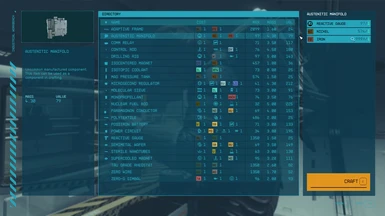
- Hoarder Alternate
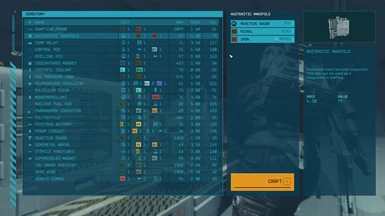
- Hoarder Dark Mode
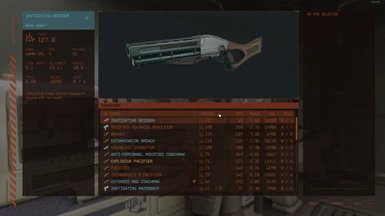
- Vanilla Extended
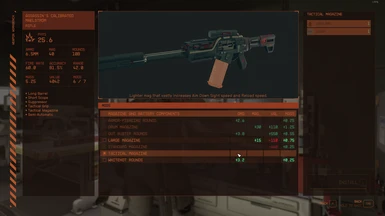
- Vanilla
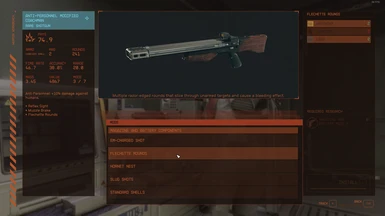
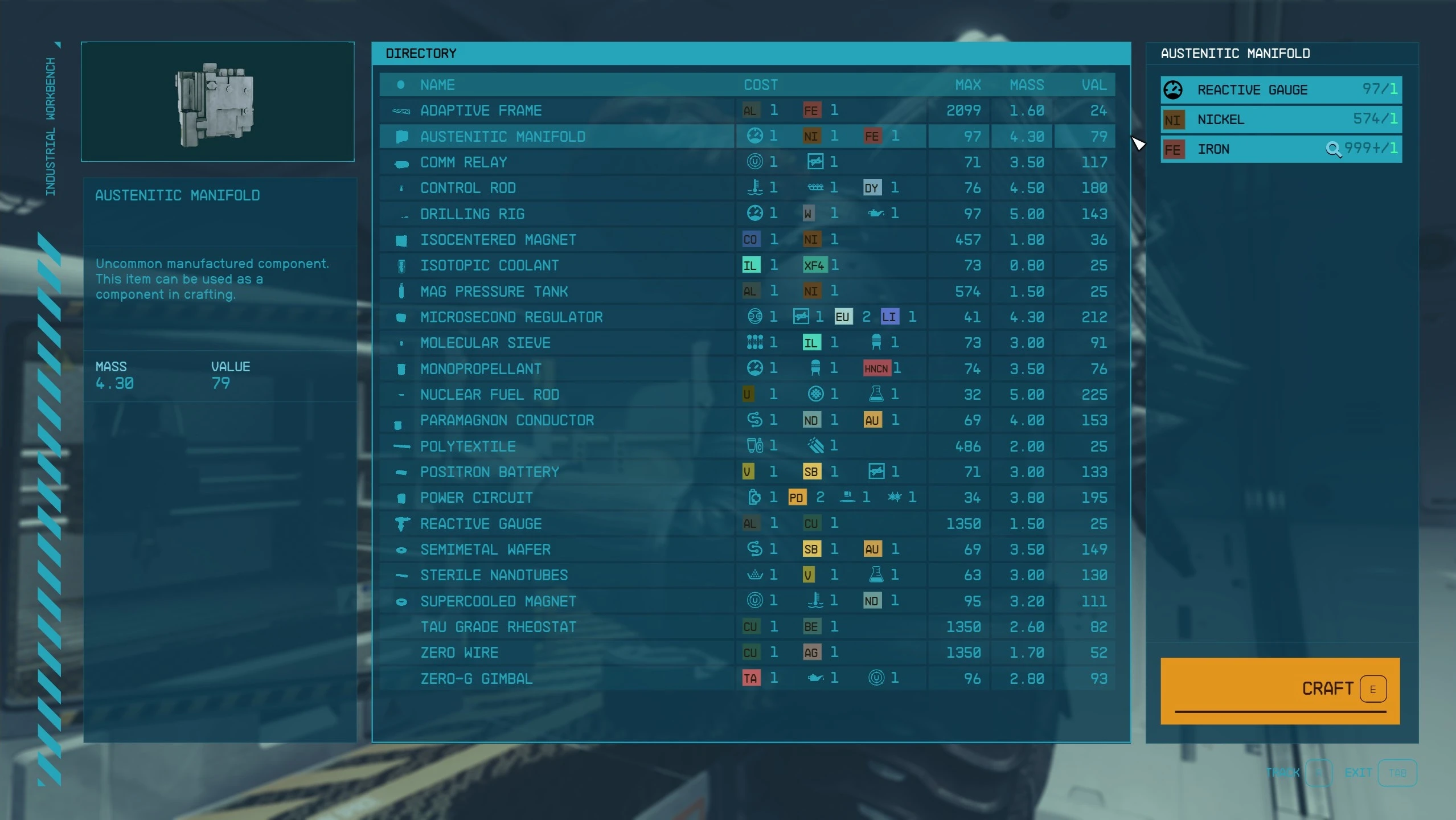
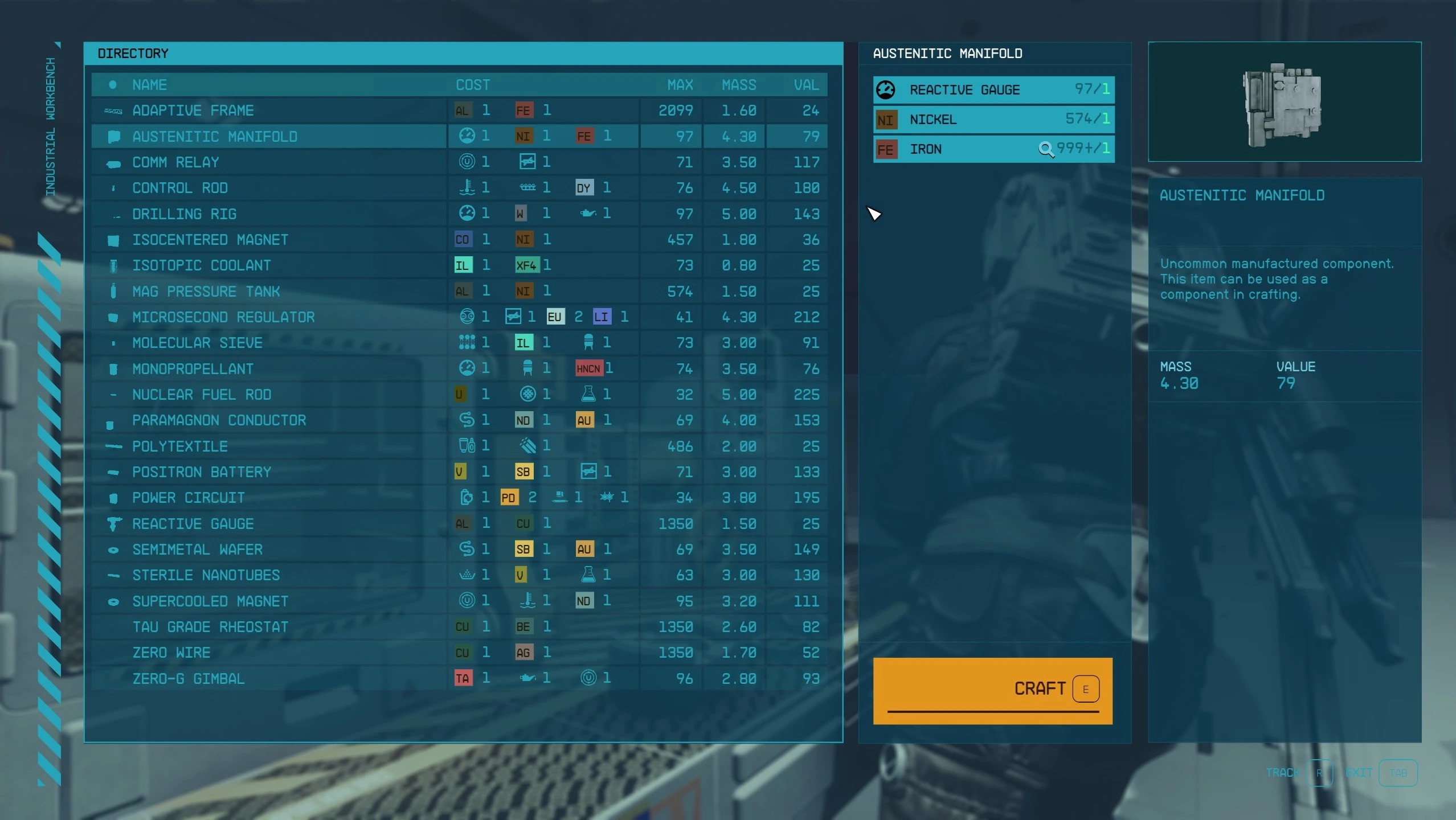
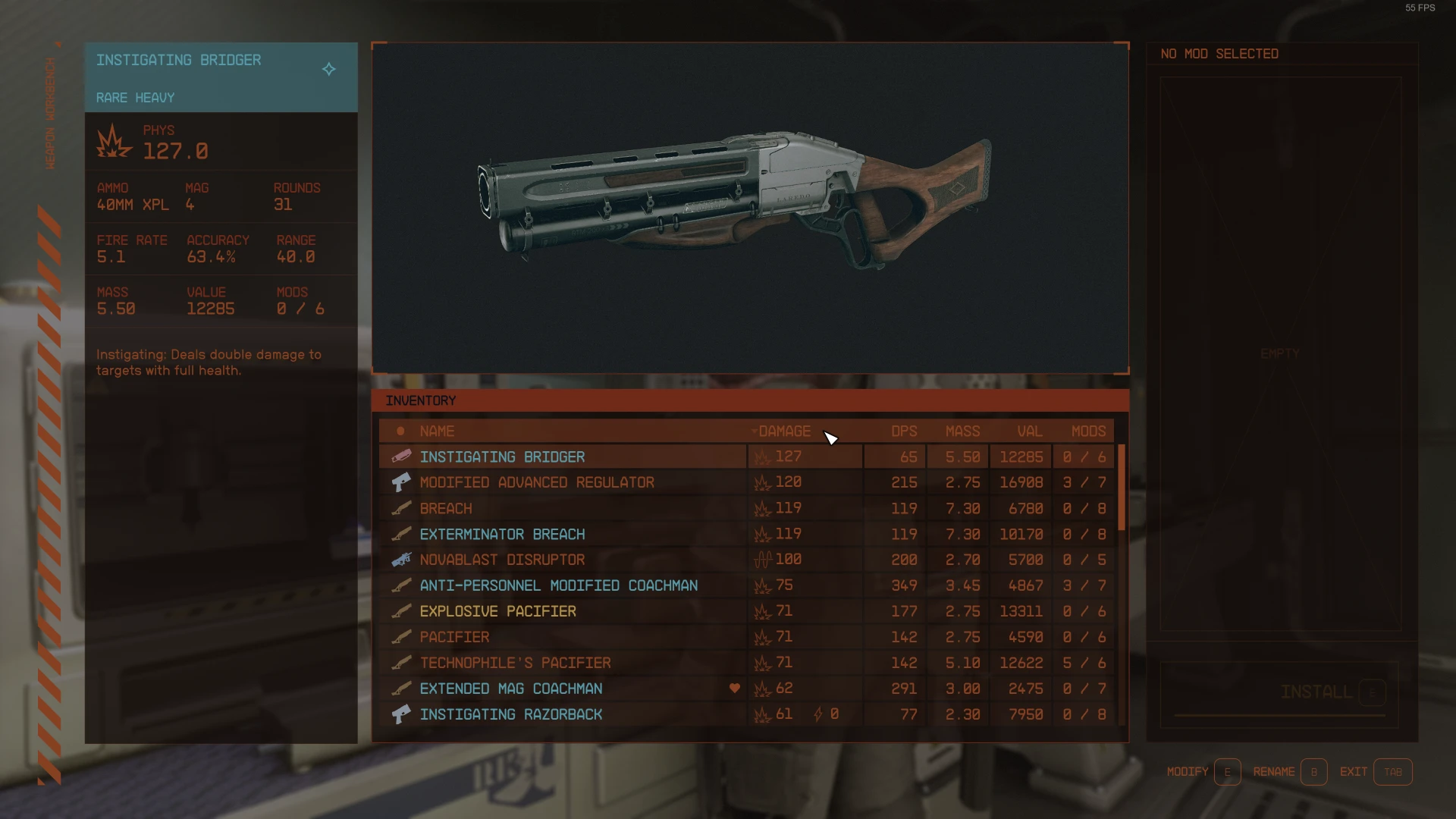
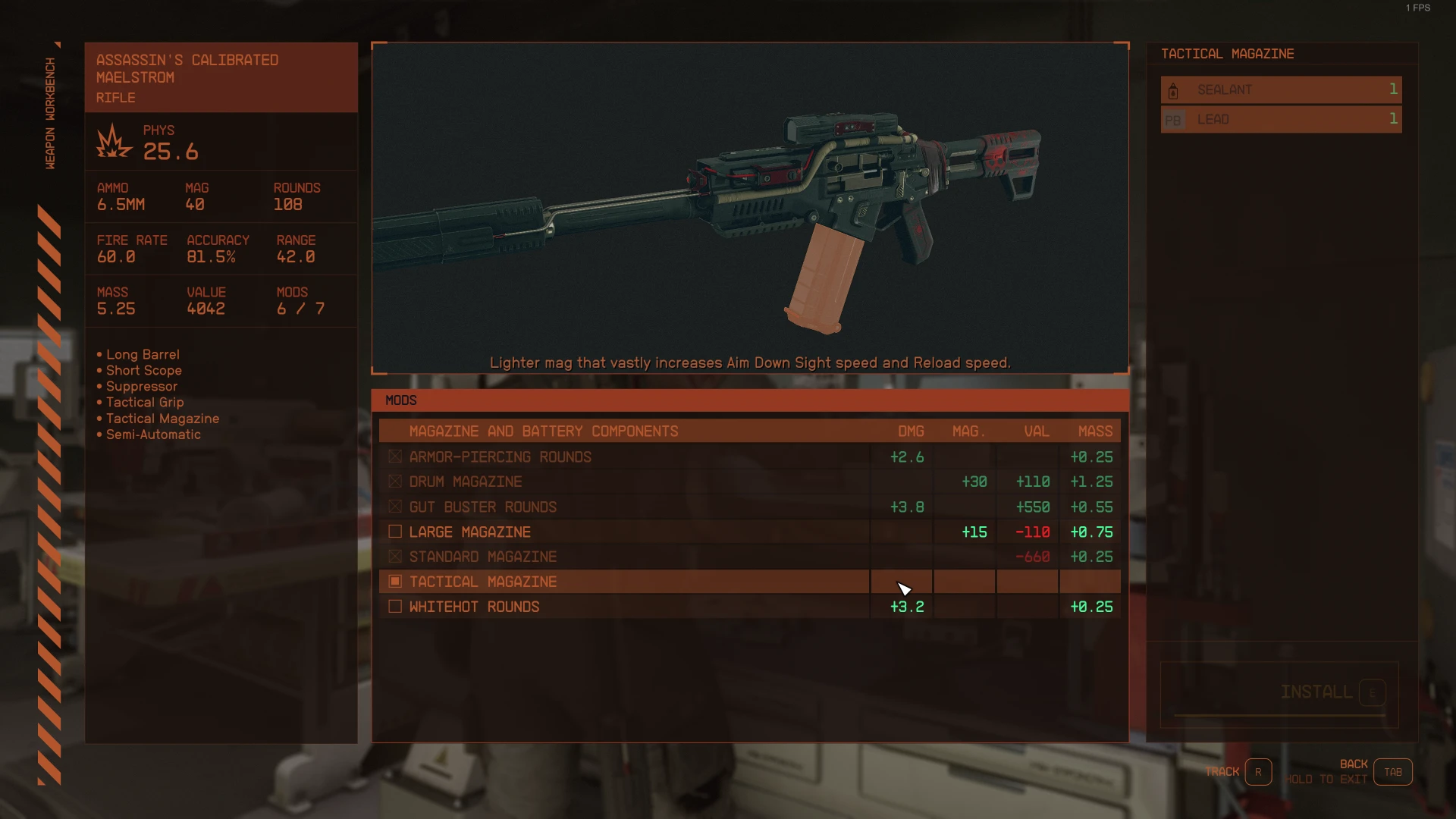
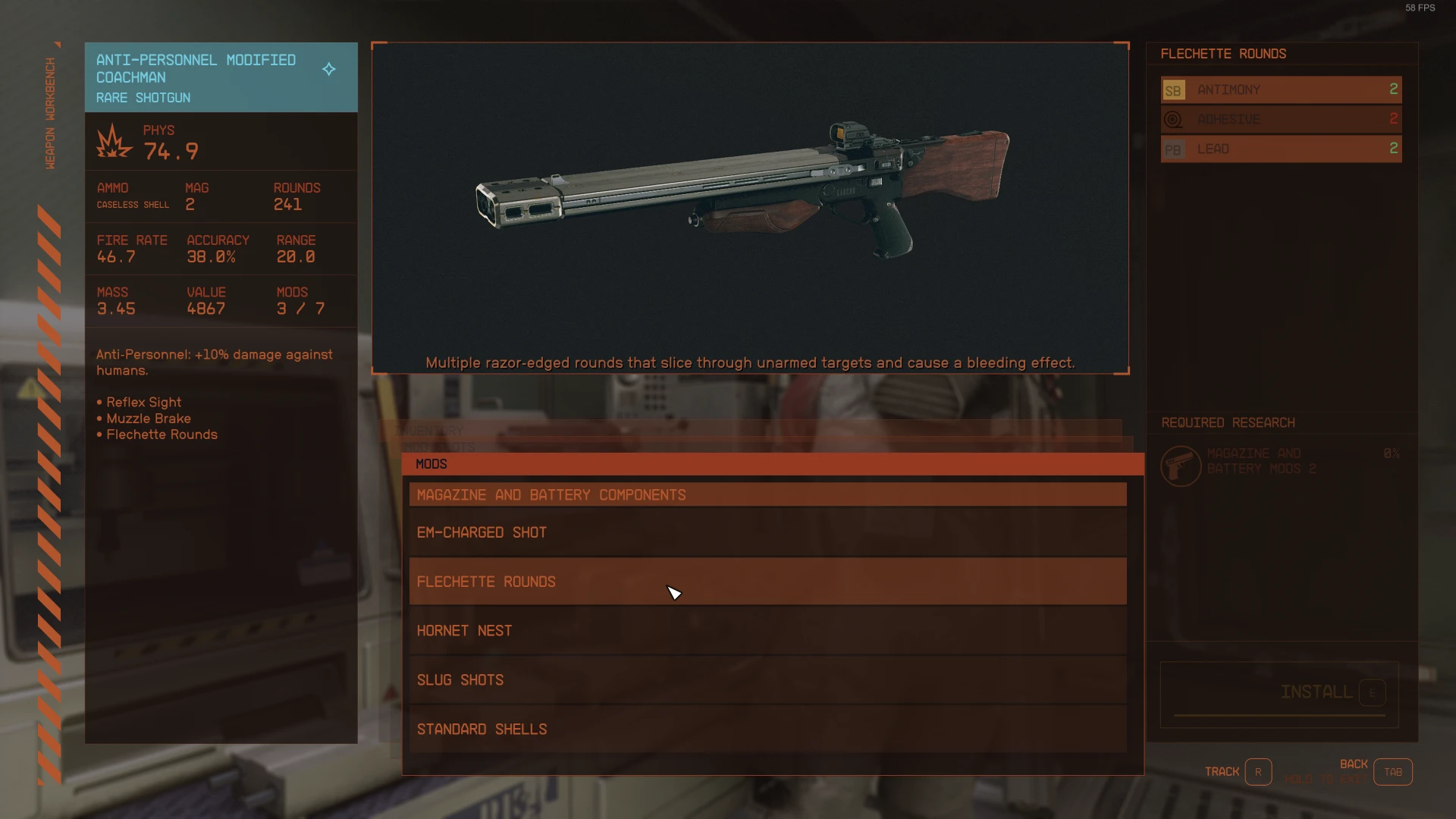
主配置文件预览 (StarUI Workbench (default).ini 或 StarUI Workbench.ini)
[StarUI Workbench] ; ======================================= ; Configuration file for StarUI Workbench ; ======================================= ; ; Allows you to configure StarUI Workbench ; ; Some general notes and tips: ; ; Position ; -------- ; The position is specified based on a 1920x1080 layer. If you have another resolution, it will ; automatically transformed into the position on your monitor. ; ; Color ; ----- ; The colors are specified as "red, green, blue(, alpha)" where alpha is optional. ; RGB values are from 0 to 255. Alpha is from 0 to 100 (percent). ; ; Examples: ; black is "0, 0, 0" ; white is "255, 255, 255" ; red is "255, 0, 0" ; blue is "0, 0, 255" ; Color tip: Use any of the common RGB color picker on the net to find your values! ; ; Tips ; ------------ ; * You can edit this file while the game is running. A simple quick-save/quick-load should ; load the new configuration! ; * Copy this file and rename the copy to "StarUI Workbench.ini". Then change your settings in the ; new file. The new file won't be overwritten by mod updates!
;========= ; Generic ;=========
; This defines the main color for each workbench. ; The color set here will be used for all interface parts of the workbench. ; Note: You can specify separate colors for each interface part in the layout file. ; (Create new layout files for each workbench if you like to colorize the parts for each workbench types separately)
; Weapon workbench color (default: 179, 85, 44) sWeaponsBenchColor = 179, 85, 44 ; Armor workbench color (default: 149, 153, 123) sArmorBenchColor = 149, 153, 123 ; Industrial workbench color (default: 37, 164, 186) sIndustrialBenchColor = 37, 164, 186 ; Food workbench color (default: 64, 144, 86) sFoodBenchColor = 64, 144, 86 ; Drugs workbench color (default: 183, 183, 183) sDrugsBenchColor = 183, 183, 183
; Enable the dark mode. You can adjust the strength in percent. ; Default: 0. Recommended value for dark mode: 50 iDarkMode = 0
; Instant open/close animation (Note: This won't disable the character animation) bInstantOpenCloseAnimation = 0
; Instant open/close for confirmation popup (defaults to main instant open/close - remove ";" to define a different setting) ;bConfirmPopupInstantOpenCloseAnimation = 1
; Fonts ; Available fonts: ; 0 Default ("NB Architekt") ; 1 NB Architekt Light ; 2 NB Architekt ; 3 NB Grotesk R Semibold ; 4 NB Grotesk R Bold ; 5 Arial (Contains only ASCII characters for EN) ; 6 Consolas (Contains only ASCII characters for EN) iUseFont = 0
;============== ; Generic list ;==============
; List margin (outside) iListMargin = 10
; List entry height iListEntryHeight = 31 ; List entry font size iListEntryFontSize = 20 ; Left and right padding of list cells iListEntryPadding = 8
; Should the sub-lists be positioned a bit to the right-bottom? (disabled if your layout has specific positions for the sub-lists) bSubListsStackEffect = 0
; Show tracking icon (for trackable items, e.g. craftables or in weapons/armor mod list) bShowTrackingIcon = 1
; Max craftable amount (Vanilla: 99) iMaxCraftableAmount = 999
; Default column width for additional columns iColWidthDefault = 80
;======================================================== ; Craftables list (food, drugs and industrial workbench) ;========================================================
; Additonal list columns (limited columns, see below) ; Available columns: COSTS_TEXT, COSTS_ICONS, MAX_CRAFTABLE, MASS, VALUE, TYPE (only for drugs) ; Columns for the industrial workbench sIndustrialBenchInvListColumns = COSTS_ICONS, MAX_CRAFTABLE, MASS, VALUE ; Columns for the food workbench sFoodBenchInvListColumns = COSTS_ICONS, MAX_CRAFTABLE, MASS, VALUE ; Columns for the drugs workbench sDrugsBenchInvListColumns = TYPE, COSTS_ICONS, MAX_CRAFTABLE, TREATMENT, MASS, VALUE
; Column widths - define individual column widths for any column you like - define more in the schema iColWidth[COLNAME]... (e.g. for DMG iColWidthDMG) iColWidthCOSTS_TEXT = 400 iColWidthCOSTS_ICONS = 220 iColWidthTYPE = 120 iColWidthMAX = 60
;============================================= ; Inventory list (weapon and armor workbench) ;=============================================
; Show tag icon for item (in items list) bShowItemTagIcon = 1
; Use the bench native item icons (instead of StarUI sorting tag icons) bUseVanillaItemIcons = 0
; Use colored item icons (only for StarUI item sorting tags) bItemTagColorized = 1
; Add a favorite item icon to weapons in quickslots bShowFavIcon = 1
; Color weapon and armor by their rarity bShowRarityColors = 1
; Additonal inventory list columns (all inventory columns available - for a list available columns see the end of this file) ; Columns for the weapon workbench sWeaponBenchInvListColumns = DAMAGES, DPS, MASS, VALUE, WMODS ; Columns for the armor workbench sArmorBenchInvListColumns = PHYS, ENGY, EM, ATHERMAL, AAIRBORNE, ACORROSIVE, ARADIATION, MASS, VALUE
; Column widths - define individual column widths for any column you like - define more in the schema iColWidth[COLNAME]... (e.g. for DMG iColWidthDMG) iColWidthAMMO = 135 iColWidthRARITY = 110 iColWidthWMANUFACTURER = 200 iColWidthDAMAGES = 150 iColWidthPHYS = 50 iColWidthENGY = 50 iColWidthEM = 50 iColWidthRESISTANCES = 225 iColWidthATHERMAL = 50 iColWidthAAIRBORNE = 50 iColWidthACORROSIVE = 50 iColWidthARADIATION = 50
;======================================== ; Mods list (weapon and armor workbench) ;========================================
; Add install tag (Shows installed, craftable and components/skill/perk missing status) bModListAddInstallTag = 1 ; Add columns to show the difference to the installed mod bModListShowDiffColumns = 1
; Width of difference columns iDiffColWidth = 80
; Alloweded difference columns bDiffColValue = 1 bDiffColMass = 1
bDiffColDamagePhysical = 0 bDiffColDamageEM = 0 bDiffColDamageEnergy = 0 bDiffColDamageSum = 1 bDiffColDPS = 0
bDiffColAmmoType = 1 bDiffColAmmoCapacity = 1 bDiffColRateOfFire = 1 bDiffColRange = 1 bDiffColAccuracy = 1
bDiffColResistThermal = 1 bDiffColResistAirborne = 1 bDiffColResistCorrosive = 1 bDiffColResistRadiation = 1
; ================== ; Workbench layout ; ================== ; You can simply switch the layout for every workbench. ; This mod comes with three presets, but you can define as many as you like! ; The workbench layout file is located at Data\Interface\Workbench Layout{Layout Name}.ini ; Pre-defined layouts: ; Vanilla - Just as you know it from the vanilla game. ; Vanilla Extended - Just as you know it from the vanilla game, but slightly improved. ; Hoarder - For the people which like lists more than 3D. A big list and a small item preview. Item card and 3D preview on the left and cost panel on the right. ; Hoarder Alternate - Like Hoarder layout, but with list on the left side and preview, item card and cost panel on the right. ; Note: The Hoarder layouts aren't suitable for weapon and armor bench (the item card can clip and the mod description is placed below the list) [Layout] sWeapons = Vanilla Extended sArmor = Vanilla Extended sIndustrial = Hoarder sFood = Hoarder sDrugs = Hoarder
; ======================== ; Doc: Available columns ; ======================= ; AMMO - Show used ammo type ; AMMO_ROUNDS - Show available rounds for ammo type ; DR - Damage resistance ; DMG - Weapon damage ; DPS - Weapon damage per second (Burst DPS, so without reload-time) ; FAV - Shows your favorite assignment number ; MASS - Weight ; MASS_STACK - Weight per stack ; RARITY - Shows the rarity of the item (rare, epic, legendary for weapon/apparel and common, uncommon, rare,... for other items) ; VALUE - VALUE ; VALUE_STACK - Value per stack ; VPM - Value / Mass
; Detail columns for weapon ; WMANUFACTURER - Shows the manufacturer of the weapon ; WACC - Weapon accuracy ; WBASENAME - Shows the base name of the weapon (e.g. Eon, Grendel, Maelstrom,...) ; WMAG - Weapon ammo capacity ; WMODS - Weapon mod slots ( used / max ) ; WRANGE - Weapon range ; WROF - Weapon rate of fire (gund) / Attack speed (melee) ; WTYPE - Weapon Type
; Detail columns for armor ; RESISTANCES - Combined column for all three primary resistances ; ATHERMAL - Armor thermal ; ACORROSIVE - Armor corrosive ; AAIRBORNE - Armor airborne ; ARADIATION - Armor radiation
; Detail columns for Damage ; DAMAGES - Combined column for all three primary damage types ; PHYS - Weapon physical damage / Armor physical resistance ; ENGY - Weapon energy damage / Armor energy resistance ; EM - Weapon EM damage / Armor EM resistance ; ELEC - Weapon electrical damage / Armor electrical resistance [Currently unused in the game]
工作台布局文件预览 (例如 Interface\StarUI Workbench Layouts\Hoarder.ini)
; ================== ; Workbench layout ; ================== ; Note: Re-layouting and re-coloring separate parts can have side-effects and any animations propably won't look as intended. ; Please make sure your settings are working as expected before using it. ; If you like to re-position an interface part remove the ";" before position to set new values
[Background] ; Color of the background. Note: Add an alpha value to make the color more transparent (e.g.: 255, 255, 255, 25 for 25% alpha) sColor =
[MenuBanner] ; The item card which displays the item stats (normal position left) bEnabled = 1 sColor = ; Re-position interface part - default position: 49.7, 55.2 ;fPositionX = 49.7 ;fPositionY = 55.2 fScale = 100 fRotation = 0
[ItemCard] ; The item card which displays the item stats (normal position left) bEnabled = 1 sColor = ; Re-position interface part - default position: 111.8, 55.95 ;fPositionX = 111.8 fPositionY = 234 fScale = 100 fRotation = 0 ; Adjust the background height of the item card (Default: 926) ; WARNING: The content WON'T be adjusted. So only use this on benches where there isn't a long item card or you can live with clipping text. fCropHeight = 606
[InvList] ; The inventory list (normal position bottom center) sColor = ; Re-position interface part - default position: 499.45, 552.9 fPositionX = 489.45 fPositionY = 56 fWidth = 1000 fHeight = 925 fScale = 100 fRotation = 0
[SlotsList] ; The slot list (normal position bottom center) ; If no color is assigned, the InvList color is used sColor = ; Re-position interface part - default position: 514.45, 574.9 ; If position is unassigned this list will assign it-self to the InvList ;fPositionX = 514.45 ;fPositionY = 574.9 ; If height/width is unassigned, it will use the InvList size ;fWidth = 980 ;fHeight = 427 fScale = 100 fRotation = 0
[ModsList] ; The mods list (normal position bottom center) ; If no color is assigned, the InvList color is used sColor = ; Re-position interface part - default position: 529.45, 596.9 ; If position is unassigned this list will assign it-self to the InvList ;fPositionX = 529.45 ;fPositionY = 596.9 ; If height/width is unassigned, it will use the InvList size ;fWidth = 980 ;fHeight = 427 fScale = 100 fRotation = 0
[CostDisplay] ; The panel which displays the cost, required skills/research and the craft button (normal position right) bEnabled = 1 sColor = ; Re-position interface part - default position: 1511, 55.4 ;fPositionX = 1511 fPositionY = 54.5 fScale = 100 fRotation = 0
[ConfirmPopup] ; Confirm popup on crafting (normal position centered) bEnabled = 1 sColor = ; Re-position interface part - default position: 613.5, 240.55 ;fPositionX = 613.5 ;fPositionY = 240.55 fScale = 100 fRotation = 0
[ItemPreview] ; The item preview showing the 3D preview of the item (normal position top) bEnabled = 1 sColor = ; Re-position interface part - default position: 490, 55.4 fPositionX = 110 ;fPositionY = 823 fPositionY = 55 fScale = 36.05
[Description] ; Displays the description of the current mod (normal position below item preview) bEnabled = 1 sColor = ; Re-position interface part - default position: 490, 441.2 ;fPositionX = 290 fPositionY = 975 fScale = 100 fRotation = 0
[Messages] ; Displays messages (normal position below item preview) bEnabled = 1 sColor = ; Re-position interface part - default position: 492, 417 ;fPositionX = 492 fPositionY = 995 fScale = 100 fRotation = 0
[ButtonBar] ; The button bar displays the keys/buttons for the current actions (normal position at the bottom right) bEnabled = 1 sColor = ; Re-position interface part - default position: 1865.85, 1017.9 ;fPositionX = 1865.85 ;fPositionY = 1017.9 fScale = 100 fRotation = 0

StarUI Inventory - 改进所有库存界面以在 PC 上使用。许多生活质量功能且完全可定制。 StarUI HUD - 自定义您的 HUD。重新定位、调整大小和重新着色小部件。物品标签图标、战利品列表物品卡、Loot-O-Meter 以及更多功能。 StarUI Workbench - 通过列、比较、紧凑设计、单独布局、生活质量功能等改进所有工作台。 StarUI Outpost - 通过新的建造菜单、更好的按键处理和许多生活质量功能改进前哨站界面。 StarUI Ship Builder - 通过可排序的列、类别和变体列表以及大量生活质量功能改进飞船建造器界面。 StarUI Configurator - 在对齐良好的图形界面中配置所有 StarUI 模组,并提供许多有用的功能。

感谢 Bethesda 制作了又一款出色的 RPG! 感谢 Cala 制作了令人惊叹的预告图片! 感谢 Collective Modding discord - 提供士气支持、测试、想法和更多帮助!(快来看看!) 感谢 xEdit 团队出色的持续工作 感谢 NexusMods 社区
并且非常感谢 #starui 频道中所有积极参与的 Beta 测试者(按字母顺序排列,如果我遗漏了某位请告诉我):
JohnnyLX91 maarlebw TheShoxter
还没有人评论,去客户端里说两句吧。
评论在新手盒子客户端中发表,这里同步展示。